

7 Best Lightroom AI Alternatives for Professional Photographers in 2026
Table of contents
- 7 Best Lightroom AI Alternatives for Professional Photographers in 2026
- Key Takeaways
- Why Professionals are Moving Beyond Lightroom in 2026
- Imagen: The Gold Standard for High-Volume AI Editing
- Capture One Pro: The Professional Choice for Color and Tethering
- DxO PhotoLab: Unrivaled Optical Corrections and Noise Reduction
- Luminar Neo: Creative AI for Rapid Retouching
- ON1 Photo RAW: The All-in-One Powerhouse
- Affinity Photo 2: The High-End Retouching Alternative
- Darktable: The Open-Source Professional Contender
- After Adobe MAX 2026: Where Lightroom’s Own AI Stands
- Decision Matrix: Choosing Your Lightroom Alternative
- Frequently Asked Questions
- Can these tools completely replace my Lightroom subscription?
- What’s the learning curve like for switching from Lightroom?
- Do I need a powerful computer to run these AI tools?
- How does Imagen’s AI Profile training work?
- Are perpetual licenses a better deal than subscriptions?
- Can I use more than one of these tools in my workflow?
- What is the main difference between Imagen and other AI editors?
- Is cloud-based AI editing secure?
- How much time can I realistically save with AI culling?
7 Best Lightroom AI Alternatives for Professional Photographers in 2026
Adobe Lightroom has been the undisputed king of the photo editing world for years. But the ground is shifting. For professional photographers, especially those shooting high volumes, Lightroom’s one-size-fits-all approach is starting to show cracks. It’s a generalist in an era demanding specialists.
The conversation has changed. It’s no longer just about presets and sliders. It’s about AI-driven culling that saves you a full day’s work, personalized editing that learns your unique style, and escaping the never-ending cycle of subscription fees. Look, you’re not just looking for a replacement; you’re looking for an upgrade to your entire workflow.
Key Takeaways
- Subscription Fatigue is Real: A recent Professional Photographers of America survey found that 62% of pros are actively looking for perpetual license alternatives to Adobe’s subscription model, driven by price increases of 9-10% in recent years.
- AI is Now Standard: As of early 2026, 74% of professional photographers now use at least one AI tool for culling or color correction, making it a workflow essential, not a novelty.
- Speed is the New Currency: Tools like Imagen can edit a 1,000-photo wedding gallery in under 10 minutes, processing each photo in less than 0.5 seconds. This is a massive improvement over manual editing.
- Culling Efficiency is a Priority: For high-volume shooters who manage over 50,000 images per year, AI culling tools can reduce selection time by an astonishing 90%.
- Specialization Beats Generalization: Alternatives excel where Lightroom is weakest. DxO PhotoLab offers noise reduction equivalent to gaining 2.5 stops of ISO, while Capture One provides superior color science for studio work.
- Perpetual Licenses Offer Value: Brands like Affinity Photo 2 offer a Universal License for a one-time payment of $164.99, providing a powerful, long-term asset instead of a recurring monthly bill.
- Open-Source is a Viable Path: With over 1,500 active contributors, free tools like Darktable offer professional-grade power, though they require a greater time investment to master.
Why Professionals are Moving Beyond Lightroom in 2026
The exodus from Lightroom isn’t about one single missing feature. It’s a fundamental shift in how professional photographers value their time, money, and creative output. The AI in photography market isn’t just growing; it’s exploding, projected to hit $1.2 billion by 2026. That growth is fueled by tools that solve specific, costly problems that a generalist app like Lightroom often struggles with.
The Rise of the “AI-First” Workflow
For years, AI was a nice-to-have feature bolted onto existing software. A powerful wand for removing a distracting element or a slightly smarter auto-tone button. That’s not the case anymore. Today’s best tools are built with AI at their core. They don’t just assist your workflow; they redefine it.
Think about it. A wedding photographer’s biggest bottleneck isn’t the editing itself, it’s the hours spent culling thousands of photos before the real work even begins. An AI-first workflow flips the script. An AI culls the gallery, another AI applies a first-pass edit based on your personal style, and you step in for the final creative touches. You’re no longer a technician clicking through photos; you’re the creative director. This is the new professional standard.
The Cost of Adobe: Subscription vs. Perpetual
Let’s talk about the elephant in the room: money. Adobe’s Creative Cloud is a powerful ecosystem, but its mandatory subscription model creates a constant financial drain. A PPA survey revealed that 62% of photographers suffer from “subscription fatigue.” They’re tired of renting their essential tools. Adobe’s recent 9-10% price hikes only added fuel to that fire.
Alternatives offering perpetual licenses, like Capture One Pro or Affinity Photo 2, present a compelling financial argument. You buy it once, you own it forever. The upfront cost might be higher, but over a two or three-year period, you often come out far ahead. It’s a shift from being a renter to being an owner of your digital darkroom.
Imagen: The Gold Standard for High-Volume AI Editing
If you’re a high-volume photographer, Imagen isn’t just an alternative, it’s a fundamental business upgrade, and it just took another step forward: Imagen is now an intelligent Studio for professional photographers, the same product evolved and rolling out gradually over several weeks, shaped by photographer feedback. It’s still designed to solve the single biggest problem in professional photography, the time sink of culling and editing thousands of photos, and edited photos now arrive in batches as they finish instead of making you wait for the whole gallery.
What it does
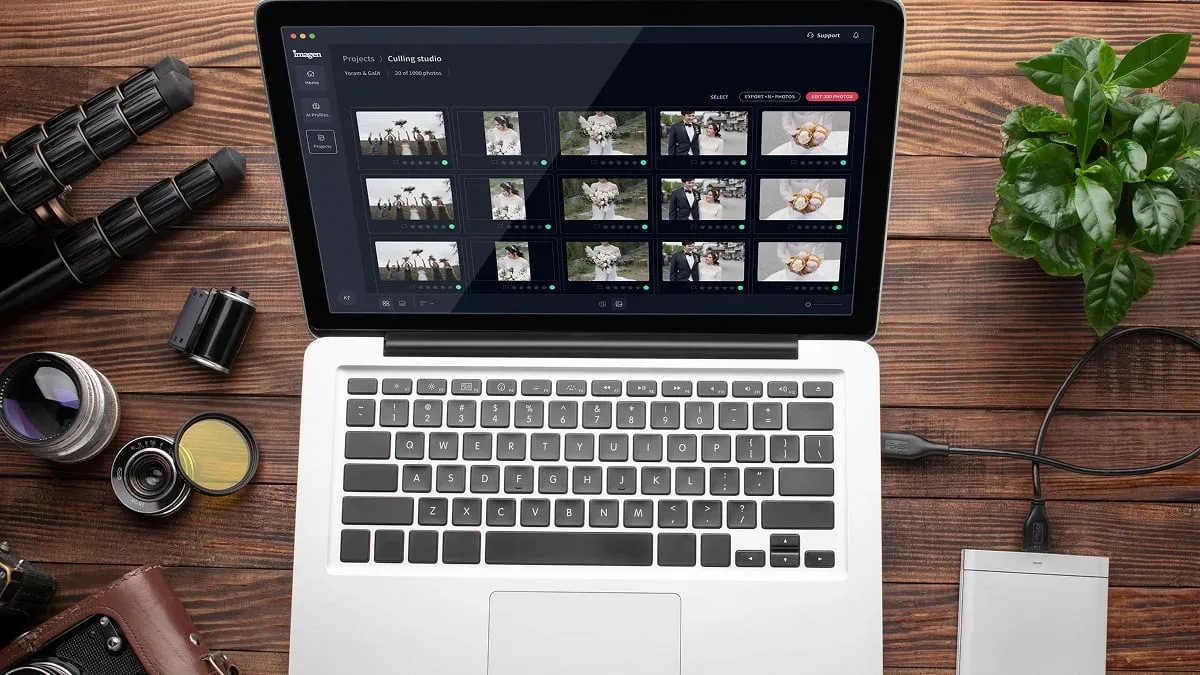
Imagen’s power comes from its two-pronged AI approach: culling and editing. The platform’s AI photo culling is a lifesaver, analyzing entire galleries for focus, composition, closed eyes, and grouping duplicates, reducing a multi-hour task to minutes. Case studies show it cuts selection time by up to 90%. But the real powerful is in the Personal AI Profile. You feed Imagen at least 5,000 of your previously edited Lightroom photos, and it builds a profile that edits new work in your unique style. It’s not a preset; it’s an AI that understands your specific taste in white balance, tone curves, and color grading. It processes photos at an insane speed of less than 0.5 seconds per photo, meaning you can get a 1,000-photo wedding gallery back in under 10 minutes.
Who it is for
This is a tool built for working professionals under pressure. If your business card says wedding photography, event photography, portrait photography, or any field where you come back with thousands of RAW files, Imagen is for you. The average pro in these fields handles over 50,000 images a year, and doing that manually is simply not profitable in 2026. Imagen turns post-production from a cost center into a simplified, predictable process.
Pricing and Comparison
Unlike Lightroom’s flat monthly fee, Imagen uses a more flexible model. The pay-as-you-go plan charges a monthly base fee plus a charge for each photo you export, which is perfect for those with fluctuating workloads. You can check the latest Imagen pricing for specifics. The key difference is that you’re paying for results and time saved, not just access to software. While Lightroom charges you whether you edit 10 photos or 10,000, Imagen’s cost scales with your work, making it efficient for a working business.
“The most successful photographers in 2026 won’t be the ones who are best at moving sliders; they’ll be the ones who best direct AI to achieve their vision at scale. Tools that learn a specific artistic style are no longer a luxury, they’re a core business asset for anyone shooting more than a handful of events per year.”
Itamar Haim, AI Photography Workflow Specialist
Capture One Pro: The Professional Choice for Color and Tethering
If your work lives and dies by color accuracy and a rock-solid studio workflow, then Capture One Pro has long been the professional’s choice. It doesn’t try to be everything to everyone. Instead, it focuses on delivering the absolute best-in-class tools for commercial, fashion, and studio photographers where precision is non-negotiable.
What makes it a compelling Lightroom alternative? Two things: its renowned color engine and its commitment to offering a perpetual license. The way Capture One handles RAW files, particularly from Fujifilm and Sony cameras, is often cited by professionals as visibly superior, rendering more pleasing skin tones and subtle color gradations right out of the box.
- Superior Color Editor: The Advanced Color Editor in Capture One is far more sophisticated than Lightroom’s HSL panel. It allows you to create highly specific masks from colors, perfect for tasks like evening out skin tones or changing the color of a product without affecting the rest of the photo.
- Industry-Standard Tethering: For studio work, this is a non-starter. Capture One’s tethered shooting capabilities are legendary. They’re faster, more stable, and offer more control (like applying edits live as you shoot) than Lightroom’s offering. It’s why you see it on set at nearly every major commercial photoshoot.
- Layers and Annotations: Capture One has a much more Photoshop-like layer system built-in, allowing for complex local adjustments, healing, and cloning on separate layers. You can also add handwritten notes and annotations directly onto photos to collaborate with retouchers or clients.
It’s not for everyone, though. The interface is denser than Lightroom’s, and its cataloging system, while powerful, can feel less intuitive for those used to the Adobe ecosystem. But its pricing model is a huge draw. A perpetual license for Capture One Pro costs around $299, with a monthly subscription option at $24/month. For pros tired of renting software, that one-time payment is a powerful incentive.
DxO PhotoLab: Unrivaled Optical Corrections and Noise Reduction
Where some tools focus on workflow and others on creative effects, DxO PhotoLab is laser-focused on one thing: achieving the maximum possible image quality from your RAW file. It’s an engineer’s tool, obsessed with optical perfection. For landscape, wildlife, and architectural photographers, the difference it makes can be astounding.
DxO’s claim to fame is its two-part secret sauce: scientifically calibrated lens profiles and its DeepPRIME XD2 noise reduction engine. DxO doesn’t just apply generic lens corrections; they’ve spent years painstakingly analyzing thousands of camera and lens combinations in their lab. This results in corrections for distortion, vignetting, and chromatic aberration that are simply more accurate than Lightroom’s.
But the real star is DeepPRIME XD2. It’s not just noise reduction; it’s AI-powered RAW demosaicing and denoising combined. The results are incredible. According to DxO’s own technical whitepapers, it provides a noise reduction benefit equivalent to gaining 2.5 stops of ISO. A noisy shot at ISO 6400 can be cleaned up to look like it was shot at ISO 1200. This is a massive advantage for anyone shooting in low light. Modern versions also use hardware acceleration, applying these complex AI edits up to 5x faster on systems with NVIDIA Tensor Cores.
- Best For: Low-light sports, wildlife, concert, and astrophotography.
- Key Feature: DeepPRIME XD2 noise reduction.
- Workflow: Often used as a high-quality RAW pre-processor before sending a DNG file to another program for cataloging.
- Pricing: One-time purchase, typically around $229 for the Elite edition.
Luminar Neo: Creative AI for Rapid Retouching
If DxO is the scientist, Luminar Neo is the artist. Skylum’s flagship editor is all about creative results, fast. It’s packed with AI tools designed to automate complex, time-consuming tasks that would normally require a trip to Photoshop and significant technical skill. It’s less of a direct cataloging replacement for Lightroom and more of a powerful finishing tool that can also handle RAW development.
With over 30 distinct AI-driven tools, Luminar Neo is a playground for creative photographers. You’re not just adjusting sliders; you’re fundamentally altering the photo with a few clicks. The toolset is impressive and shows how far AI has come in simplifying advanced editing.
Here are some of the standout features:
- Sky AI: The original and still one of the best automatic sky replacement tools. It handles masking, relighting the scene, and reflections with remarkable accuracy.
- GenErase: A generative AI tool that can remove distracting objects or people from a scene and intelligently fill in the background. It’s far more powerful than a simple content-aware fill.
- Portrait Tools: It includes AI-powered tools for skin smoothing (Face AI), eye enhancement (Iris AI), and even relighting a face in post-production (Relight AI).
- Structure AI: An intelligent clarity and detail slider that adds punch to a photo without creating halos or unnatural artifacts, as it’s context-aware.
Luminar Neo is aimed squarely at portrait and landscape photographers who want to achieve a polished, high-impact look without spending hours on manual masking and retouching. The fact that 74% of photographers are now using AI tools in their workflow is a testament to the demand for this kind of efficiency. While some purists might find the tools a bit heavy-handed, there’s no denying their speed and effectiveness for social media content creators, aspiring pros, and even busy veterans who need to turn around creative edits quickly.
ON1 Photo RAW: The All-in-One Powerhouse
For photographers who truly want to leave the Adobe ecosystem behind, ON1 Photo RAW presents one of the most compelling all-in-one solutions. Its goal is ambitious: to combine the cataloging and RAW development of Lightroom with the layered editing and effects of Photoshop into a single, fast application. And honestly, it does a remarkably good job.
ON1 has been aggressively integrating AI into every corner of its software. They claim their latest AI masking and selection speeds are up to 3x faster than previous versions, and it shows. The Super Select AI tool is particularly impressive. You just point at an object in your photo-a person, the sky, a mountain-and it automatically generates a high-quality mask. This completely changes the game for making complex local adjustments.
Here’s a quick checklist of what makes ON1 a strong contender: * [ ] Integrated Layers: True, Photoshop-style layers are built right in. You don’t need to round-trip to another app for compositing. * [ ] Massive Effects Library: It includes hundreds of built-in, stackable filters, presets, and textures. * [ ] AI-Powered Cataloging: Keyword AI automatically scans your photos and suggests keywords, saving you hours of tedious organization. * [ ] Flexible Integration: It can function as a standalone editor and cataloger, or as a plugin for Lightroom and Photoshop, giving you a smooth transition path. * [ ] Hybrid Workflow: It smoothly combines RAW processing with advanced features like focus stacking, HDR merging, and panorama stitching in one interface. ON1 Photo RAW is for the photographer who wants power and control without juggling multiple subscriptions and applications. It’s a true digital darkroom suite that continues to innovate at a rapid pace, offering both perpetual licenses and subscription plans to fit different budgets.
Affinity Photo 2: The High-End Retouching Alternative
Okay, this one is a bit of a curveball. Affinity Photo 2 is primarily known as a direct competitor to Photoshop. It’s a beast of a pixel editor with non-destructive workflows, advanced retouching tools, and massive file support. So why is it on a Lightroom alternatives list? Because its “Develop Persona” is a surprisingly powerful and complete RAW editor in its own right.
For photographers who don’t need extensive cataloging-like fine art photographers, commercial retouchers, or anyone working on one photo at a time-Affinity Photo can absolutely replace Lightroom. You open your RAW file directly, and you’re dropped into a dedicated workspace with all the essential controls.
Here’s a step-by-step of that workflow: 1. Open RAW File: The app automatically detects the RAW file and opens it in the Develop Persona. 2. Initial Adjustments: You have full control over exposure, white balance, shadows, highlights, and clarity. It also includes excellent lens correction profiles. 3. Advanced Control: The interface includes detailed tone curve and histogram controls, plus precise noise reduction and sharpening tools. 4. Develop and Switch: Once you’re done with the RAW conversion, you click “Develop,” and the photo smoothly transitions into the main Photo Persona, where you have access to layers, masks, healing brushes, and advanced tools like frequency separation for high-end retouching.
The real killer feature, though, is the price. Affinity Photo 2 is part of the V2 Universal License, a one-time payment of $164.99 that gets you the entire suite (Photo, Designer, and Publisher) on macOS, Windows, and even iPadOS. No subscriptions. Ever. In a market where photographers feel bled dry by monthly fees, this value proposition is almost impossible to beat.
Darktable: The Open-Source Professional Contender
For the technically-minded photographer who values ultimate control and believes software should be free (as in freedom), Darktable is the undisputed champion. It’s a completely free, open-source photography workflow application and RAW developer. Don’t let the zero-dollar price tag fool you; this is an incredibly deep and powerful tool that, in some ways, surpasses what paid software can do.
Darktable is built on a “scene-referred” workflow, which is a technically more accurate way of processing the light data in a RAW file. It can be a steep learning curve, but it offers unparalleled control over tonality and color. The software is organized into modules, with hundreds available for everything from basic exposure adjustments to complex color grading and masking.
Here’s who should (and shouldn’t) consider Darktable: You might love Darktable if:
- You’re committed to the open-source philosophy.
- You love to tinker and have granular control over every aspect of your edit.
- You run Linux as your primary operating system (though it works great on Mac and Windows too).
- Data privacy is a top concern; a recent survey found 58% of pros prefer local processing, and Darktable is 100% local.
- You’ve the time and patience to learn a complex but rewarding system.
You might want to skip Darktable if:
- You need a tool that’s easy to pick up and use immediately.
- You rely on extensive third-party presets and plugins (though Darktable has its own).
- You need reliable, official customer support. The community is helpful, but you’re on your own.
With a community of over 1,500 active contributors on GitHub, Darktable is constantly being updated with support for the latest cameras. It’s not a Lightroom clone; it’s a different way of thinking about photo editing. For the right user, it’s the most powerful alternative on this list.
After Adobe MAX 2026: Where Lightroom’s Own AI Stands
Before you switch, it’s worth knowing what Lightroom added at Adobe MAX on November 10, 2026. Lightroom Classic 16.0 and Lightroom desktop 10.0 bring Glow, one-click Blemish Removal and an AI depth range mask. Lightroom’s mobile app has an early AI Assistant, and Lightroom desktop gets Open Eyes, which uses generative credits.
Lightroom’s generative tool, Prompt to Edit, still works one photo at a time and isn’t in Lightroom Classic. See every Lightroom announcement from Adobe MAX 2026, and Lightroom Prompt to Edit vs Imagen for the two side by side.
Decision Matrix: Choosing Your Lightroom Alternative
Choosing the right tool depends entirely on your specific needs as a photographer. Are you a wedding shooter drowning in photos? A studio pro obsessed with color? A hobbyist on a budget? Each tool we’ve discussed serves a different master. This table breaks it down to help you make a quick, informed decision.
The 2026 Comparison Table
| Tool Name | Pricing Model | Key AI Feature | Best For |
|---|---|---|---|
| Imagen | Pay-per-use / Subscription | Personal AI Profiles that learn your unique editing style | High-volume wedding, event, and portrait photographers |
| Capture One Pro | Perpetual / Subscription | Advanced Color Editor and Skin Tone tool | Studio, fashion, and commercial photographers needing top-tier color |
| DxO PhotoLab | Perpetual License | DeepPRIME XD2 AI Denoising and Demosaicing | Wildlife, sports, and low-light photographers demanding technical perfection |
| Luminar Neo | Perpetual / Subscription | GenErase, Sky AI, and Portrait AI tools | Creative photographers wanting fast, high-impact results with generative AI |
| ON1 Photo RAW | Perpetual / Subscription | Super Select AI for rapid, object-aware masking | Photographers wanting an all-in-one Lightroom and Photoshop replacement |
| Affinity Photo 2 | Perpetual License (One-time) | Non-destructive RAW development within a full pixel editor | Fine art photographers and retouchers who don’t need cataloging |
| Darktable | Free & Open Source | Advanced, physics-based color and exposure modules | Tech-savvy photographers who want ultimate control and zero cost |
Final Verdict
So, what’s the final recommendation? It breaks down into a few key personas:
- The Speed Demon (High-Volume Pros): If time is your most valuable asset, the answer is Imagen. No other tool on this list comes close to its ability to learn your personal style and apply it to thousands of photos in minutes. Its AI culling and editing combo is a business-changing workflow improvement.
- The Colorist (Studio & Commercial Pros): If your work is judged on the precision of its color and detail, Capture One Pro remains the industry standard for a reason. Its color science, tethering, and professional toolset are unmatched for high-end commercial work.
- The Budget-Conscious Power User: If you’re tired of subscriptions and want the most bang for your buck, Affinity Photo 2 is the undisputed value king. For a single, low price, you get a world-class editor that will serve you for years. If your budget is zero, Darktable offers professional power for free, provided you’re willing to invest the time to learn it.
Frequently Asked Questions
Can these tools completely replace my Lightroom subscription?
For many photographers, yes. Tools like Imagen integrate with Lightroom Classic, acting as a workflow accelerator. Others like Capture One Pro and ON1 Photo RAW are designed to be complete, standalone cataloging and editing solutions that can fully replace your Adobe subscription.
What’s the learning curve like for switching from Lightroom?
It varies. Imagen has almost no learning curve as it works inside your existing Lightroom catalog. Capture One and Darktable have the steepest curves due to their professional depth and different philosophies. Luminar Neo is arguably the easiest to learn, with a very intuitive, results-oriented interface.
Do I need a powerful computer to run these AI tools?
Generally, yes. AI features like noise reduction and generative fills are computationally intensive. While most modern computers can run them, you’ll see significant speed improvements with a dedicated graphics card (GPU), especially one with AI-focused hardware like NVIDIA’s Tensor Cores.
How does Imagen’s AI Profile training work?
You provide Imagen with a Lightroom Classic catalog containing at least 5,000 of your previously edited photos. Its AI analyzes your adjustments-exposure, white balance, color grading, tone curve, etc.-to create a unique editing model. This Personal AI Profile can then be applied to new, unedited photos.
Are perpetual licenses a better deal than subscriptions?
Financially, a perpetual license is often cheaper over a 2-3 year period. However, major version upgrades sometimes require a new purchase. Subscriptions offer continuous updates and are less of an upfront cost, but you never own the software.
Can I use more than one of these tools in my workflow?
Absolutely. A very common professional workflow is to use DxO PhotoLab for its superior RAW conversion and noise reduction, export a DNG, and then finish the cataloging and creative edits in another program like Capture One or Lightroom with Imagen.
What is the main difference between Imagen and other AI editors?
The key difference is personalization. Most AI editors apply a generic, pre-trained AI model to your photos. Imagen’s core feature is creating a Personal AI Profile that’s trained exclusively on your own past edits, allowing it to replicate your unique, subjective style with high accuracy.
Is cloud-based AI editing secure?
Reputable companies use secure, encrypted connections for uploading and downloading photos. However, photographers concerned with privacy often prefer desktop-based applications. It’s a key reason why 58% of pros still prefer local processing for sensitive client work.
How much time can I realistically save with AI culling?
For a typical 3,000-photo wedding, manual culling can take 4-6 hours. With a tool like Imagen’s AI Culling, that process can be reduced to under 30 minutes. The AI handles the tedious first pass of removing duplicates, out-of-focus shots, and closed eyes, saving you up to 90% of the time.

