

Indian Wedding Photo Editing Workflow: AI Tools and Tips for 2026
Table of contents
- Why Indian Weddings Break a Normal Editing Workflow
- Step 1: Import, Back Up, and Cull the Full Take
- Step 2: Set a Consistent Base Edit for Each Event
- Step 3: Protect Reds, Golds, Fabric, and Jewelry
- Step 4: Retouch Portraits and Key Moments
- Step 5: Review, Export, and Deliver the Gallery
- How Imagen Fits the Whole Pipeline
- Frequently Asked Questions
The fastest Indian wedding photo editing workflow in 2026 starts with AI culling, moves to a consistent batch color pass, and finishes with per-photo retouching, so you deliver thousands of frames without living in Lightroom for a month. Imagen sits at the center of that production line because it learns your personal editing style from your own catalog and applies it across every ceremony, then culls and retouches the real photos you shot. This guide walks the full pipeline for multi-day Indian weddings, where you handle rich reds and golds, mixed stage and daylight, and delicate fabric and jewelry color that has to stay true from the mehndi to the reception.
Why Indian Weddings Break a Normal Editing Workflow
A single Indian wedding is really several events stacked back to back. You shoot the mehndi, the haldi, the sangeet, the ceremony, and the reception, and each one has its own light and its own palette. A three-day celebration can leave you with 8,000 to 15,000 raw frames, and clients expect a polished gallery in days, not weeks.
The color makes it harder. Bridal reds, saffron, and deep maroon sit right next to gold embroidery and heavy jewelry, and those tones clip fast when you push exposure or saturation. Stage lighting at the reception shifts warm and magenta, while a daytime haldi runs bright and green. If you edit each event with a different hand, the finished gallery looks like three photographers shot it. A real Indian wedding photo editing workflow keeps color honest across all of that while still moving fast.
Step 1: Import, Back Up, and Cull the Full Take
Start by getting every card copied and backed up before you touch a single slider. Build a clear folder structure so the events stay separate and searchable.
- Copy each card to two drives, then confirm the file counts match before you format anything.
- Create one parent folder per wedding, with a subfolder for each event so mehndi, ceremony, and reception never mix.
- Import the raws into Lightroom or Capture One and let previews build while you grab coffee.
- Run culling to drop the blinks, the misfires, and the near-duplicate burst frames.
Culling by hand is where an Indian wedding eats your evening. You are scrubbing through long ritual sequences and dance-floor bursts, and the keeper rate is low. Imagen automates this step with AI culling that flags blurred frames, closed eyes, and duplicates, and it groups similar shots so you pick the best frame from each moment quickly. You still make the final call, but you start from a tight selection instead of 12,000 loose files. You can also skip AI culling and cull manually for free. Aftershoot is another culling tool photographers use for high-volume events, and it also sorts by sharpness and expression.
Step 2: Set a Consistent Base Edit for Each Event
Once you have keepers, the goal is a consistent base look for each event before you fine-tune anything. This is the step that decides whether your gallery feels like one coherent story.
Imagen learns your personal editing style from your Lightroom or Capture One catalog, so it applies the exact look you already deliver, not a generic filter. Point it at a batch of past weddings you edited, and it builds a personal AI profile from your real choices on exposure, white balance, contrast, and color. Then it applies that profile across a full shoot in one pass. Because it edits the real photos you captured, it never invents scenes, decor, guests, or backgrounds. It corrects and grades the frames you actually shot. Ready-made AI Profiles are available too, and you can apply more than one profile to a selected set of photos, which takes some extra processing time.
For Indian weddings, this consistency matters most across mixed light. The ceremony under a mandap, the daytime haldi, and the reception stage all need different corrections, yet the skin tones and the red of the bridal outfit should read the same in every event. A personal profile handles the heavy lifting, and you review the batch rather than edit each frame from zero. If you want a deeper look at style training for this niche, see the AI Indian wedding photo editing guide.
Step 3: Protect Reds, Golds, Fabric, and Jewelry
Color control is the heart of Indian wedding editing. The rich reds and golds that make these images sing are also the tones most likely to clip, oversaturate, or shift under stage light. Build a few habits into your base edit so the fabric and jewelry stay accurate.
- Watch the red channel for clipping, since deep maroon and bridal red lose detail first when you lift exposure.
- Keep gold reading as metal, not as flat yellow, by holding luminance and easing global saturation.
- Set white balance per event, because reception stage light runs warm while a daytime function runs cool.
- Preserve embroidery texture by avoiding heavy clarity that turns fine threadwork into noise.
Because Imagen applies your own color decisions consistently, the reds and golds you dialed in on one wedding carry into the next. You are not re-solving the same saturation problem on every gallery. When a specific frame needs a stronger hand, you adjust it in Lightroom or Capture One, or in Imagen’s built-in editor (Beta), on top of the batch edit, and your local corrections stack cleanly over the AI base.
Step 4: Retouch Portraits and Key Moments
After the batch color pass, move to per-photo finishing on the images that carry the gallery. These are the bridal portraits, the couple shots, the family formals, and the emotional peaks like the vidaai. Retouching by hand across hundreds of portraits is slow, so this is another place to lean on automation.
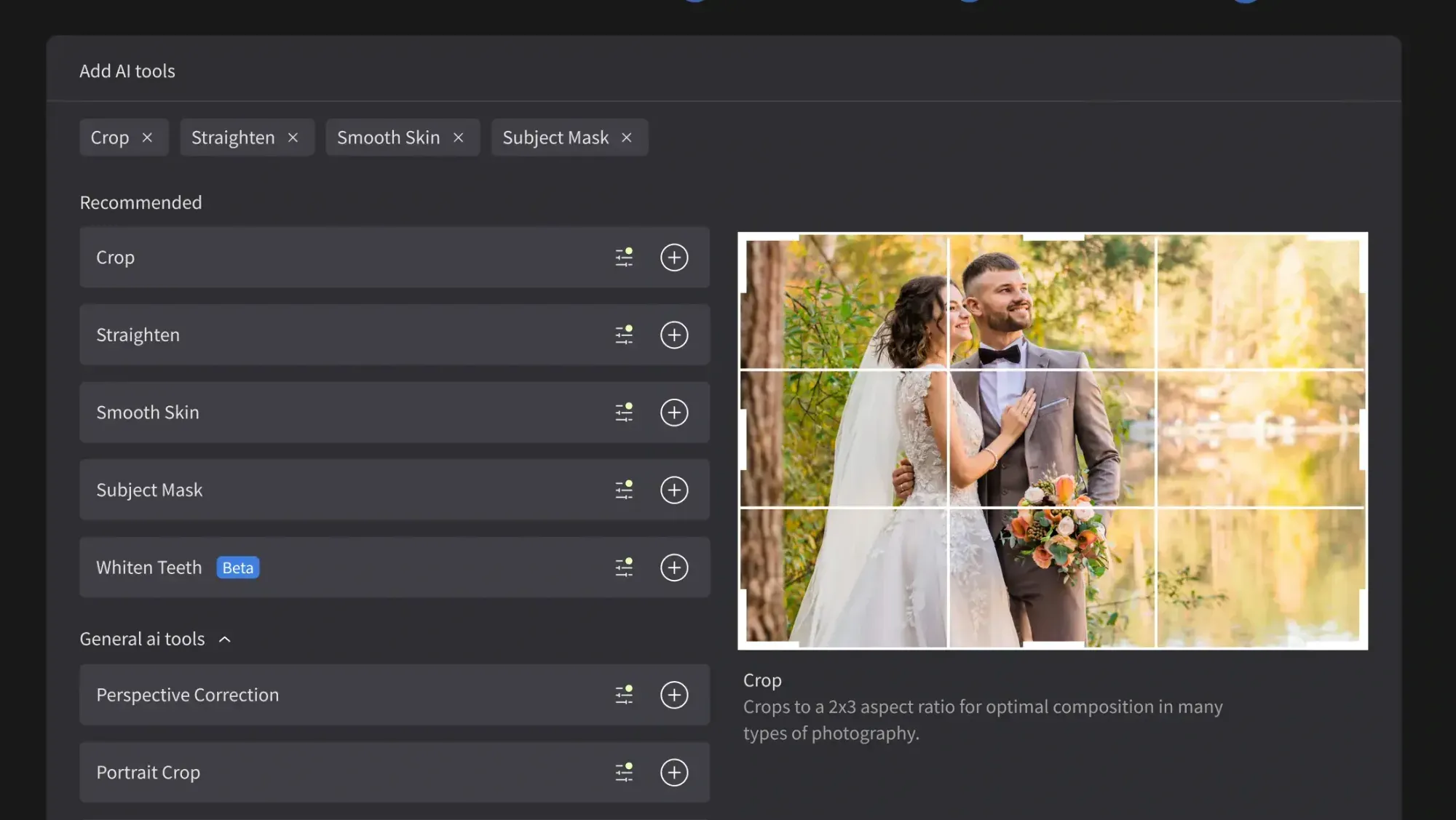
Imagen offers AI retouching in the same connected workflow, so skin smoothing, blemish cleanup, and subtle refinements run as part of the pipeline instead of a separate export to a different app. It works on the real people in your frames, so it retouches the photographed subjects rather than generating faces or altering who was there. You keep control over how much retouching each image gets, and you can dial it back for a natural look. Retouch4Me is a dedicated retouching option many portrait shooters add for skin work, and PortraitPro is another tool photographers use for detailed facial adjustments.
For Indian wedding portraits, the retouching goal is restraint. You want clean skin and tidy flyaways while keeping mehndi detail, jewelry sparkle, and fabric texture intact. Push retouching too far and the henna softens or the embroidery flattens, so review your hero frames at full size before you finalize.
Step 5: Review, Export, and Deliver the Gallery
With culling, batch color, and retouching done, do one full-gallery review before export. Scan each event end to end and confirm the look holds together across the whole celebration.
- Sort by event and scroll each one to catch any frame that drifts warm, cool, or too saturated.
- Spot-check reds and golds on a calibrated screen so the bridal outfit reads true across every shot.
- Confirm your retouched heroes look natural next to the untouched candids around them.
- Export web-sized and full-resolution sets, then deliver through your gallery platform of choice.
Because the heavy steps are automated, this final review is fast. You are checking a gallery that already carries your style, not building the edit for the first time. That is the whole point of a modern Indian wedding photo editing workflow. The AI handles the repetitive volume, and you spend your attention on the creative calls that clients actually notice.
How Imagen Fits the Whole Pipeline
The advantage of running Imagen across the full workflow is that culling, style-consistent color, and retouching live in one connected process instead of three disconnected apps. You are not exporting between tools and losing time at each handoff. The system learns your look once, then repeats it reliably across every wedding you shoot this season. When the gallery is ready, you can export finished JPG, TIFF or PNG files straight from Imagen, or send the AI edits back to Lightroom Classic as XMP.
Pricing is pay-as-you-go, so you pay for the photos you export. You see every edit in the gallery before you export, so you can judge the results on your own images before you commit. Other tools in this space run on subscriptions, one-time licenses, or per-image credits, so the model you pick depends on your volume and how many weddings you shoot each year.
If your calendar also includes other cultural celebrations, the same style-training approach carries over. The best AI Jewish wedding photo editing software guide covers a parallel high-volume workflow, and you can browse more editing playbooks on the Imagen tips hub.
What’s new in Imagen: Imagen now works as an intelligent, agentic Studio for professional photographers, so the pipeline in this guide can live in one project where you cull, edit, review and export in any order. Apply your Personal AI Profile or a ready-made one, and even layer more than one profile on a selected set of photos, which takes some extra processing time. The Studio is rolling out gradually.
Frequently Asked Questions
How long does it take to edit a full Indian wedding with AI?
With AI culling and a trained style profile, you can move from thousands of raws to a delivered gallery in a fraction of the time manual editing takes. The batch color pass runs across the full shoot at once, so your hands-on hours drop to review and per-photo finishing rather than editing every frame from scratch.
Does Imagen change or invent parts of the photos?
No, Imagen edits the real photos you shot. It culls, color-grades, and retouches the actual frames and the actual people in them. It does not generate scenes, invent decor, add guests, or replace backgrounds, so your gallery stays a true record of the day.
How do I keep bridal reds and gold jewelry accurate?
Train your style profile on past weddings where you already nailed those tones, then let Imagen apply the same color decisions across the new shoot. Watch the red channel for clipping, hold luminance on golds, and set white balance per event so stage light and daylight do not skew the fabric color.
Can I still make manual edits after the AI pass?
Yes, the AI batch edit is your starting point, not a locked result. You open the catalog in Lightroom or Capture One and adjust any frame you want, and your local corrections stack on top of the AI base cleanly.
Ready to build a faster Indian wedding editing pipeline? Try Imagen’s new Studio, where you cull, edit and export in one project, and train it on a real wedding to see your own style applied at scale.

