

How to Edit Wedding Ceremony Photos with AI in 2026
Table of contents
- Import and back up the ceremony take first
- Cull the burst frames with AI selection
- Batch your personal color across the whole ceremony
- Fix tricky ceremony light: backlit aisles and mixed venue color
- Retouch the hero frames by hand
- Export, deliver, and save your style for the next wedding
- Frequently asked questions
To edit wedding ceremony photos with AI in 2026, you cull the take with AI selection, apply your personal edit across the whole ceremony in one batch, then finish the hero frames by hand. AI tools like Imagen learn your Lightroom or Capture One style and apply it consistently across backlit aisles, mixed venue light, and hundreds of near-identical frames, so you spend your night on the shots that matter instead of the sliders. This guide walks the real workflow a working wedding photographer runs, from import to delivery, and shows where automation saves the most hours.
Ceremony coverage is the hardest edit of the day. The light changes as the couple walks, the venue mixes daylight with tungsten, and you shoot in bursts to catch the ring, the first kiss, and the tears in the front row. You come home with a thousand raw files that all look slightly different. The plan below keeps your look consistent, trims the busywork, and protects the moments your clients paid for. For a broader tool comparison, see our roundup of the best AI wedding ceremony photo editing software in 2026.
Import and back up the ceremony take first
Every good edit starts before you touch a slider. Pull both card slots into your catalog, verify the file count against your in-camera frame count, and copy the folder to a second drive right away. Ceremony files are irreplaceable, so a backup on ingest is not optional. Once the raws land in Lightroom or Capture One, add a simple keyword like the couple’s name and the word ceremony so you can filter this block away from the reception and the portraits.
Group the take by scene while it is fresh. Most ceremonies break into the processional, the readings, the vows, the ring exchange, the kiss, and the recessional. Flagging those segments now makes the color work later far faster, because each segment tends to share one lighting situation. This is also the moment to note any frame you already know is a keeper, such as the exact kiss or a genuine laugh from a parent.
Cull the burst frames with AI selection
Culling is where ceremony edits stall. You fired eight frames of the aisle walk to get one with open eyes and a clean background, and now you have to compare them by hand. AI culling reads the whole take and flags the sharp, well-exposed, eyes-open frames, then groups the near-duplicates so you pick one winner per burst in seconds. Imagen runs AI culling inside the same workflow as its editing, so your selects flow straight into the batch edit without a separate export, and you can skip it and cull manually for free.
Keep your own judgment in the loop. AI is strong at the mechanical checks like focus, closed eyes, and blur, and you stay in charge of the emotional call between two technically identical frames. A practical routine looks like this:
- Run AI culling across the full ceremony to reject the soft and blinked frames.
- Review the grouped duplicates and keep one hero per burst.
- Star the five to ten frames you already know are album covers.
- Send the surviving selects into your batch edit as one set.
Aftershoot is another tool photographers use for standalone AI culling, and it works well if you prefer to cull in one app and edit in another. The advantage of keeping culling and editing connected is that your winners never leave the pipeline, so there is one less export to babysit late at night.
Batch your personal color across the whole ceremony
This is the step AI changes the most. Instead of editing one frame and copy-pasting settings that drift as the light shifts, you apply your own style to the entire ceremony at once. Imagen learns your personal editing style from your Lightroom or Capture One catalog and applies it consistently across a full shoot, so the processional in shade and the vows in a sunbeam still read as the same look, and edited photos arrive in batches so you can start reviewing early frames. It edits the real photos you shot, and it does not invent scenes, backgrounds, or people, so the ceremony you deliver is the ceremony that happened.
Because the model matches your taste rather than a generic preset, you get a first pass that already looks like your brand. You then scan the results by segment and nudge only the frames that need it. On a typical ceremony that means you touch a small handful of shots instead of every single one, which is where the real time savings live. With Imagen’s Pay-As-You-Go plan, you pay for the photos you export. Sliders, crops, and masks you do yourself are always free.
If you would rather stay fully manual, Lightroom presets and sync still work, and Capture One styles do the same job. Those approaches hold up on a clean, evenly lit ceremony. They struggle when the light swings frame to frame, because a fixed preset cannot adapt the way a style trained on your own edits can.
Fix tricky ceremony light: backlit aisles and mixed venue color
Two lighting problems define ceremony coverage. The first is the backlit aisle, where the couple walks toward you with a bright window or open door behind them and their faces fall into shadow. The second is mixed venue light, where warm tungsten sconces fight cool daylight from a stained-glass window, so skin tone shifts as the subjects move.
Handle backlit frames by lifting shadows and recovering the highlight edge so the rim light stays bright without blowing the veil. A style trained on how you personally treat backlight carries that recovery across every aisle frame at once. For mixed color, set your white balance on a neutral target in one representative frame, apply it across the segment, then let per-frame adjustments clean up the outliers. Your checklist for the hard frames looks like this:
- Recover the highlight edge on backlit veils and hair before you touch exposure.
- Lift shadows on shaded faces, then add contrast back so the frame keeps depth.
- Neutralize mixed light on one frame per segment, then batch that balance.
- Watch skin tone as the couple moves between warm and cool pools of light.
- Flag any frame the batch could not fully rescue for a manual finish.
For a deeper walkthrough of these lighting situations, our AI wedding ceremony photo editing guide for 2026 breaks down settings frame by frame.
Retouch the hero frames by hand
Once the batch delivers a consistent base, your album covers deserve individual attention. The first kiss, the ring closeup, and the parents in the front row are the frames clients enlarge and frame, so they get real retouching. AI retouching handles the repetitive skin and blemish work fast, and Imagen includes AI retouching in the same connected workflow as its culling and editing, so you are not bouncing between apps for the finishing pass.
Keep retouching honest to the moment. Smooth a distracting blemish and calm a hot highlight on a forehead, and leave the real texture of the day intact. For heavy compositing or a stray exit sign that needs cloning out, Photoshop remains the manual finisher of choice. Retouch4Me is another option photographers use for dedicated AI skin work when a frame needs more than a quick pass. The goal is the same across all of them, which is a natural face that still looks like the person who said their vows.
Export, deliver, and save your style for the next wedding
With the ceremony edited and the heroes retouched, export in two sizes. Deliver full-resolution files for print and the album, and web-sized JPEGs for the online gallery and social previews. Keep your sharpening output-aware, since a file sharpened for a 24-inch print looks crunchy on a phone screen. Name the folders by segment so the couple and their album designer can find the vows and the kiss without scrolling through the whole take.
The lasting win is that your style is now saved. Because the AI learned your look from this catalog, the next ceremony starts from the same trained profile, and your edits get faster with every wedding you feed it. That compounding consistency is the real reason to move ceremony work to AI, and it is what keeps a full season of weddings looking like one photographer shot them. Browse more workflow tutorials on our valuable tips hub.
Ready to cut your ceremony editing time and keep your look consistent across every frame? Try Imagen’s new Studio, where you cull, edit and export in one project.
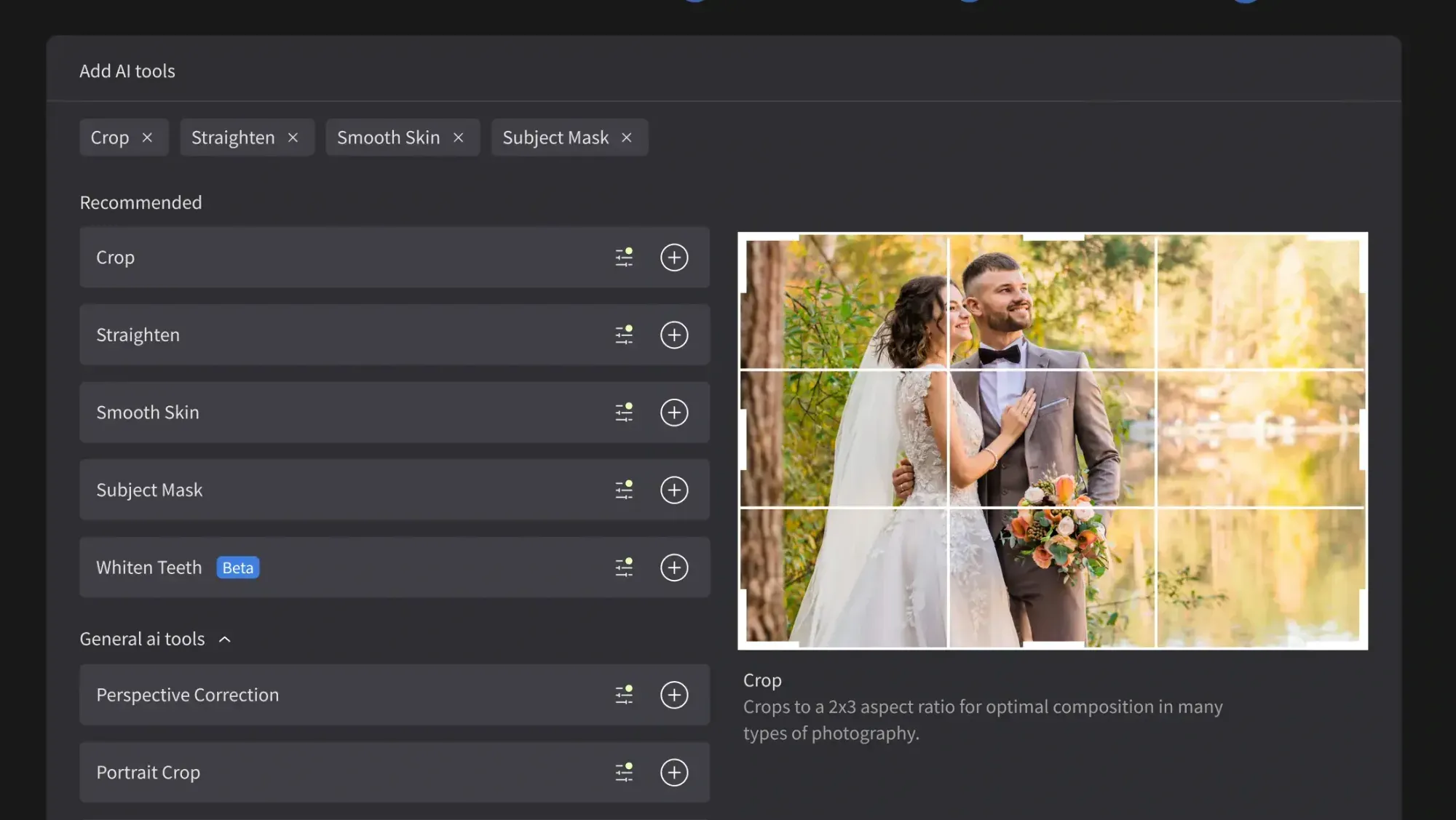
What’s new in Imagen: Imagen is now an intelligent, agentic Studio for professional photographers, one project where you cull, edit, review and export in any order. For tricky ceremony light, the built-in editor (Beta) adds manual sliders and a histogram, plus crop and straighten, for the frames a batch edit leaves slightly off. It is a capable early release, and the Studio is rolling out gradually. Learn more at Imagen.
Frequently asked questions
How long does it take to edit a wedding ceremony with AI?
Once your style is trained, a full ceremony batch edits in minutes rather than hours, because the AI applies your look to every select at once. You then spend your hands-on time only on the hero frames and the few shots the batch could not fully rescue. Most photographers report cutting their ceremony editing time by a large margin after the first few weddings.
Will AI editing make all my ceremonies look the same?
No, because the AI matches your personal style rather than a generic filter, so your work looks like you across every wedding. Consistency within one ceremony is the goal, and you still make per-frame calls on the images that need them. The trained profile is a starting point you refine, not a fixed template you are stuck with.
Does AI change what actually happened in the photos?
No, Imagen edits, culls, and retouches the real photos you shot, and it does not invent scenes, people, or backgrounds. It adjusts color, exposure, and skin the way you would, so the ceremony you deliver is the one your couple lived. The moments stay true, and only the polish is automated.
What does AI wedding editing cost?
Imagen’s Pay-As-You-Go plan charges for the photos you export, and you see every edit in the gallery first, so you can look around before you commit. That export-based charge scales with your volume, so a busy season costs more than a quiet one.

