

How Long Photo Editing Takes for Headshot Photographers (and How to Speed It Up)
Table of contents
- Why Headshot Editing Eats So Many Hours
- A Realistic Time Breakdown by Task
- Manual, Preset, and AI Workflows Compared
- How an AI Style Profile Learns Your Headshot Look
- What AI Editing Handles Well, and What It Does Not
- How Imagen Fits a High-Volume Headshot Workflow
- Practical Tips to Shorten Your Editing Timeline
- What Faster Delivery Does for a Headshot Business
- Frequently Asked Questions
For most headshot and corporate portrait photographers, editing takes far longer than the shoot itself. A single professional headshot session of 15 to 30 people can produce a few hundred selects, and hand-editing those in a raw editor often runs 20 to 40 hours across several evenings. The shoot might last a morning, but the color grading, tone matching, and consistency work stretch across the rest of the week. That gap between capture and delivery is the real bottleneck in a headshot business.
The good news is that most of that time is spent on repetitive, rules-based work: matching skin tones, balancing white balance across a session shot under mixed light, keeping exposure even from the first frame to the last. That is exactly the kind of work an AI batch editor learns and applies at speed. This guide breaks down where the hours actually go in headshot editing, gives realistic time ranges by workflow, and shows how photographers cut delivery from a week to a day without giving up their own look.
Why Headshot Editing Eats So Many Hours
Headshot editing is deceptively demanding because the work has to be both consistent and invisible. A corporate client ordering 40 staff portraits expects every image to look like it came from the same session, same light, same skin rendering, even when people rotated through your setup over four hours as the daylight shifted. Meeting that standard by hand means constant back-and-forth: edit one frame, compare it to the last, nudge the white balance, check again.
Three factors drive the time cost. First is volume, since even a modest headshot day generates hundreds of frames worth keeping. Second is consistency, because portraits are judged side by side on a team page, so any drift in tone or color stands out immediately. Third is the per-face attention that portraits demand, since a landscape can tolerate a loose grade but a face cannot. Stack those together and you understand why editing, not shooting, is where headshot photographers lose their evenings.
A Realistic Time Breakdown by Task
It helps to separate the editing process into stages, because each one has a different time profile and a different opportunity for speed. Here is where the hours typically go for a 200-select corporate session.
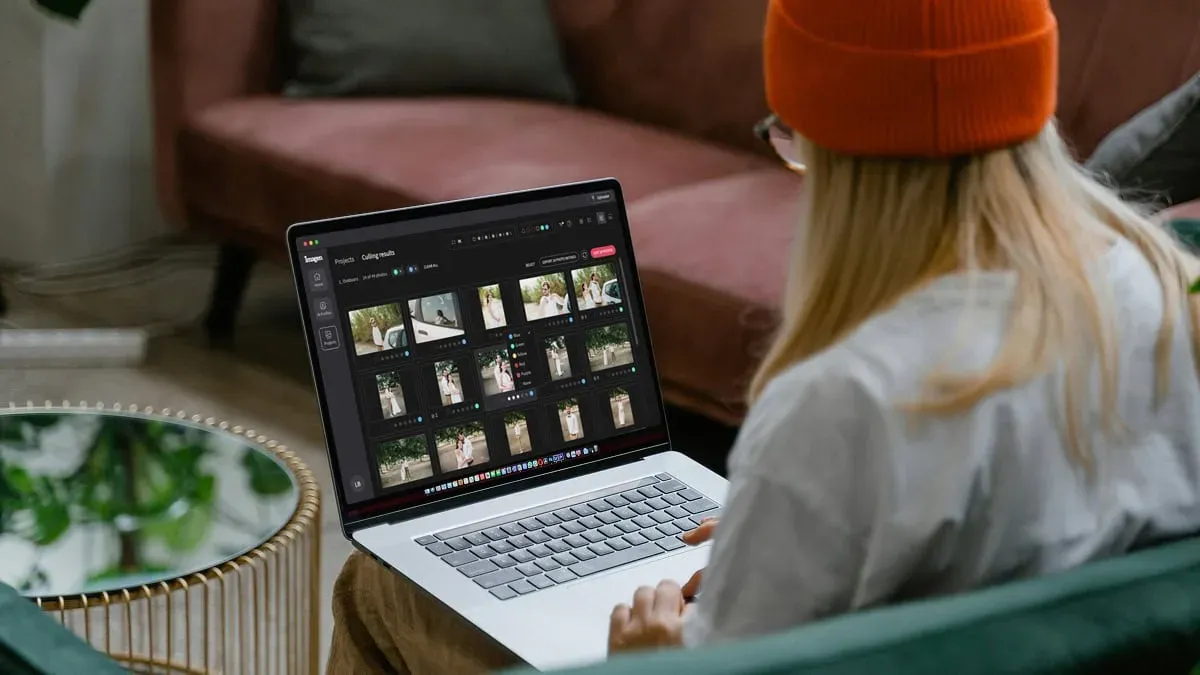
Culling and selection usually takes one to three hours. You are working through blinks, awkward expressions, and near-duplicates to land on the keepers, then flagging client selects. Global grading, meaning exposure, white balance, contrast, and color across the whole set, is the biggest block by hand, often eight to twenty hours because you are chasing consistency frame by frame. Per-image tone and skin balancing adds another chunk on top, since portraits need even, flattering skin rendering that holds up across different complexions in the same session. Light retouching, such as basic blemish cleanup and stray-hair tidying, is a separate pass and depends heavily on the client’s brief.
The pattern is clear: culling and grading dominate the clock, and both are repetitive enough to hand off to automation without losing your creative signature.
Manual, Preset, and AI Workflows Compared
Photographers generally sit in one of three editing workflows, and the time difference between them is dramatic.
The fully manual approach, editing each frame from scratch in a desktop raw editor, gives total control but is the slowest path, commonly a full working week for a large corporate job. The preset-based approach speeds up the first move by applying a base look to every image, but presets are static. They cannot adapt to a face shot slightly darker than the one before it, so you still spend hours correcting frame by frame after the preset lands. The AI batch approach learns your actual editing decisions from your past work and applies that judgment to every new image, adapting per frame rather than stamping one fixed recipe. That adaptive quality is what closes the gap between fast and consistent.
The distinction that matters is adaptation. A preset treats a backlit frame and a flat frame identically. An AI profile trained on your edits treats them the way you would, which is why it removes the correction pass that presets leave behind.
How an AI Style Profile Learns Your Headshot Look
The core of a fast modern workflow is a personal AI style profile. Instead of picking a generic filter, you feed the system a body of your own finished edits, and it studies the relationship between your raw files and your final images: how you handle skin tone, how warm or cool you run your white balance, how much contrast you like on a face, how you lift shadows under studio light. From that it builds a profile that reflects your taste, not a factory preset.
Once the profile exists, editing a new session becomes a matter of uploading the raw files and letting the profile apply your look across the entire set at once. Because the model adapts to each frame, a headshot shot near a window and one shot under your key light both land on your intended result without you correcting each individually. The profile gets sharper the more you use and refine it, so your fastest edits are also your most on-brand.
What AI Editing Handles Well, and What It Does Not
Being honest about scope keeps expectations right. AI batch editing is strongest at exactly the work that consumes headshot photographers: consistent color and tone across a full shoot, white-balance correction under mixed lighting, even exposure, culling, and holding your look steady across hundreds of frames. It works directly on RAW files and runs in the cloud, so a large session processes without tying up your own machine for hours.
It is not a heavy-retouching or compositing engine. Deep skin work beyond routine cleanup, swapping backgrounds, removing large objects, fixing lens geometry, or merging exposure brackets into a single blended frame are jobs for a dedicated retouching or compositing tool, handled as a separate step after the batch grade. The realistic model is a division of labor: let AI do the fast, repetitive grading and consistency work on the whole set, then send the handful of hero frames that need artful retouching to a specialist tool. That split is what actually collapses your timeline, because the repetitive 90 percent is the part that used to take all week.
How Imagen Fits a High-Volume Headshot Workflow
This is where a purpose-built batch tool changes the math. Imagen learns your personal editing style from your past work, then applies that look across an entire headshot session in a single pass, delivering consistent color, tone, and white balance without frame-by-frame babysitting. It culls, works on RAW, and is a desktop app that does its AI processing in the cloud, so the turnaround that used to take a week can land the next day. Edited photos arrive in batches as they process, so you can start reviewing early frames while the rest finish. For studios shooting large corporate volume, that speed is the whole point, and it is worth seeing how Imagen’s fast batch AI editing built for high-volume shoots keeps a full session visually uniform while cutting the editing clock.
Pricing is straightforward and volume-friendly, which matters when a single job can run into hundreds of frames. Pay-as-you-go editing is a monthly base fee plus a charge for the photos you export, so the cost scales with how much you shoot. For a headshot photographer, the trade is simple: a small charge per exported frame in exchange for getting your evenings back and delivering faster than clients expect. You can start at the Imagen homepage to try the new Studio, where you cull, edit and export in one project, and build your first style profile.
Practical Tips to Shorten Your Editing Timeline
Speed is not only about the tool. A few habits compound with AI editing to make delivery genuinely fast.
Get white balance close in camera by shooting a gray card at the start of each lighting setup, which gives any editor, human or AI, a cleaner starting point. Standardize your setup so faces land in a predictable position and light, since consistency at capture makes consistency in editing almost free. Cull ruthlessly and early, because every frame you do not keep is a frame you never edit. Build and refine one strong style profile rather than juggling many, so your automated look stays sharp and recognizable. Batch by session, not by frame, letting the whole set process at once instead of opening images one at a time.
Together these turn a multi-day edit into a same-day delivery. The shoot stays craft, the grading becomes fast, and the client sees a quicker, more uniform gallery delivered well ahead of the deadline they expected.
What Faster Delivery Does for a Headshot Business
Cutting editing time is not just a comfort improvement, it changes what your business can take on. When a corporate headshot job turns around in a day instead of a week, you can book more sessions per month, quote tighter deadlines to win time-sensitive clients, and stop letting a backlog of unedited raws pile up between shoots. Faster, consistent delivery also reads as professionalism, since clients remember the studio that sent a polished, uniform gallery the next morning.
The photographers who scale a headshot practice are rarely the fastest shooters. They are the ones who solved the editing bottleneck, kept their look consistent at volume, and turned the slowest part of the job into the most automated. That is the shift an AI batch workflow makes possible.
What’s new in Imagen: Imagen is now an intelligent, agentic Studio for professional photographers, so one project holds your culling, editing, review and export in any order. You no longer wait for a whole headshot gallery: edited photos arrive in batches as they process, so you can begin reviewing the first frames while the rest finish, and the built-in editor (Beta) offers manual sliders and a histogram for a final touch. Photographers will see the Studio reach their accounts gradually.
Frequently Asked Questions
How long does it take to edit a corporate headshot session by hand? For a large session of around 200 selects, fully manual editing in a desktop raw editor commonly takes 20 to 40 hours, spread across several days, with global grading and consistency work being the biggest time sinks.
Can AI editing keep every headshot in a team looking consistent? Yes, that is one of its core strengths. An AI style profile applies the same learned look across the whole session and adapts per frame, so portraits shot under slightly different light still match when placed side by side on a team page.
Will AI editing replace my own style? No. A personal style profile learns from your finished edits and applies your taste, not a generic filter. It automates the repetitive grading while keeping the look recognizably yours, and it sharpens as you refine it.
Does AI batch editing handle detailed retouching? Not the heavy work. It excels at fast, consistent color, tone, exposure, and culling across a full shoot, but deep retouching, background replacement, and exposure blending belong to a dedicated retouching tool as a separate step on your hero frames.

