

How Long Photo Culling Takes for Corporate Event Photographers (and How to Speed It Up)
Table of contents
- What Culling Actually Involves at a Corporate Event
- How Long It Takes: Realistic Numbers
- Why Corporate Culling Has Its Own Pressures
- What Makes Culling Slower
- How to Speed Up Culling Without Losing Quality
- Where AI Culling Changes the Math
- Culling and Editing as One Continuous Workflow
- A Realistic Culling Timeline You Can Plan Around
- Frequently Asked Questions
For most corporate event photographers, culling a full-day conference or corporate gathering takes somewhere between 2 and 6 hours of focused review. A single day of keynotes, breakout sessions, and networking can produce 1,500 to 4,000 frames, and sorting through them, comparing near-identical stage shots, and confirming that executives have their eyes open is slow, repetitive work. The exact number depends on how you shoot, how tight your selection rules are, and whether you cull by hand or let AI run the first pass for you.
The short answer: manual culling runs roughly 1 to 2 hours per 1,000 images once you are practiced, which is why a busy conference day can absorb most of an evening before you have touched a single edit. AI culling can shrink that first pass to minutes, leaving you to make the final calls on a much smaller, pre-sorted shortlist. That speed matters more in corporate work than almost any other genre, because clients often expect a next-morning gallery for internal comms, press, and social. Below is a realistic breakdown of where the time goes and how to shorten the turnaround without lowering your standards.
What Culling Actually Involves at a Corporate Event
Culling is not one task. It is a stack of decisions layered on top of each other, and corporate coverage has its own version of each. First you reject the obvious failures: blinks, missed focus, a speaker caught mid-word with an awkward expression, test frames, and shots ruined by a moving audience member or a raised phone. Then you compare the near-duplicates, the forty frames of the CEO at the podium or the dozen versions of the same panel, and pick the single strongest one. Finally you narrow the survivors down to a delivery set that covers every session, sponsor, and VIP the client cares about.
Each layer demands a different kind of attention. Rejecting technical failures is fast and mechanical. Comparing near-duplicates is where the hours disappear, because stage lighting changes little between frames and the differences come down to a half-open eye, a cleaner gesture, or a logo that is finally unobstructed behind the speaker. Corporate work adds a coverage obligation on top: you cannot simply keep your favorites, you have to make sure every keynote, award, and headshot moment is represented, which means the review is as much about completeness as it is about quality.
How Long It Takes: Realistic Numbers
Here is a grounded picture based on how working corporate photographers describe their process. Treat these as ranges, not promises, because your shooting style and the client’s brief change everything.
Half-day seminar or workshop, 800 to 1,200 frames: roughly 1 to 2 hours of manual culling to reach a delivery set of 150 to 300 images. Full-day conference, 2,000 to 3,000 frames: 3 to 5 hours is common, and more if you covered several parallel breakout rooms. Multi-day event or a two-photographer team, 4,000-plus frames: you are often looking at a full evening of review, especially when both shooters captured the same keynote from different angles and every cluster now has twice the redundant stage shots to compare.
The frustrating part is that culling time does not scale neatly with the delivery count. A client who wants 250 finished images for the recap deck might still force you to review 3,000 frames to get there, because the redundancy is highest exactly where the stakes are highest, at the podium. The review is the cost, not the delivery. That is why the first-pass reject stage is the best place to save time: it is the largest and most mechanical portion of the whole job.
Why Corporate Culling Has Its Own Pressures
Corporate event culling is not just wedding culling in a conference room. Three things make it distinct, and each one shapes how long the job takes.
Eyes-open executive frames are non-negotiable. A half-blinking bride is a forgivable outtake in a candid gallery. A half-blinking CEO in the one usable keynote shot is a problem the marketing team will notice immediately. That raises the bar on every podium cluster, because you are not looking for a good frame, you are looking for the frame where the right person looks their best.
Redundant stage shots pile up fast. Speakers stand in one spot under fixed lighting for long stretches, so you end up with dozens of frames that differ only by a gesture or a slide change. Pruning those clusters down to one or two keepers per speaker is the single biggest time sink in the whole set.
The clock is real. Many corporate clients want images the next morning for a press release, an internal newsletter, or same-week social posts. That deadline turns culling speed from a convenience into a deliverable, and it is why so many event shooters look for ways to compress the first pass.
What Makes Culling Slower
Several habits quietly inflate your culling time, and most of them start at the shoot rather than the desk.
Holding the shutter through every speech. Burst-shooting a keynote feels safe in the room, but each extra frame is a frame you have to review later. Forty shots of one panel instead of ten means thirty more comparisons under identical lighting. If your culling feels endless, the fix often lives in how you shoot, not how you sort.
Indecision on the podium clusters. The single biggest time sink is revisiting the same speaker sequence twice. You look, you hesitate, you move on, and then you circle back. A firm rule, one or two keepers per speaker unless there is a clear reason for more, keeps you moving forward instead of looping.
Slow hardware and slow previews. If you shoot JPEG for fast turnaround, as many corporate photographers do, your files are lighter, but an underpowered machine still stalls when you scroll thousands of frames. Those small waits feel tiny individually and enormous in aggregate.
Culling and editing at once. Stopping to fix white balance on a frame you have not even selected mixes two jobs and slows both. Separate the passes. Select first, edit second.
How to Speed Up Culling Without Losing Quality
You can shave hours off the process with a few disciplined changes, and none of them require you to accept a weaker gallery.
Do a fast rejection pass first. Move through everything once at speed, flagging only the clear failures. Do not agonize. The goal is to shrink the pile, not to make final choices. This single pass often removes 20 to 40 percent of the frames and makes every later decision faster.
Group by session, then compare inside the group. Keynote, panels, breakouts, networking, and headshots each have their own rhythm. Judging duplicates within a tight session cluster is far quicker than jumping across the whole day.
Rate in one direction. Pick keepers only, or reject only. Toggling between both slows your hand and your head. Commit to one motion and keep the rhythm.
Use ratings, not folders. Dragging files into folders interrupts the flow. A quick star or pick flag lets you stay in the viewer and keep scrolling.
Let AI handle the first pass. This is the biggest lever available today. An AI culling tool can scan the entire set, flag blinks and soft focus, group the near-identical stage shots, and surface the strongest frame in each cluster, all before you sit down. You still make the creative and coverage calls, but you make them on a curated shortlist instead of a raw dump of thousands.
Where AI Culling Changes the Math
Manual culling is fundamentally linear: every frame costs you a moment of attention, so more frames always mean more hours. AI culling breaks that link by doing the mechanical review in the background and handing you a pre-sorted set to approve or adjust. The first-pass reject stage, the part that eats the most time, shrinks from hours to minutes.
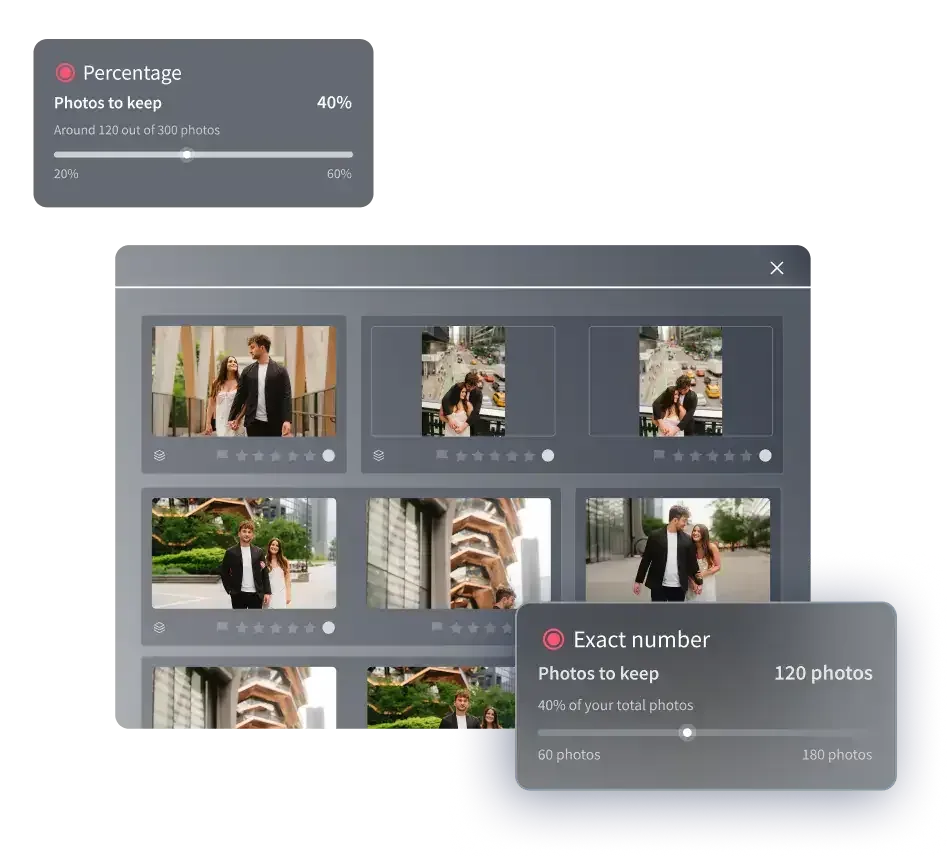
This is where Imagen’s AI JPEG photo culling software fits into a corporate event workflow. Imagen is a desktop app with cloud processing that scans your full take across both RAW and JPEG files, and flags closed eyes, missed focus, and blurred frames, then groups the near-identical stage shots so you review clusters instead of thousands of loose files. Because it picks the best of near-identical frames and learns your selection preferences over time through a personal AI profile, the shortlist it hands back gets closer to the picks you would have made yourself, including the eyes-open executive frame you would have hunted for by hand. You keep final say on every image and can confirm your coverage of each session; the tool just removes the slow, repetitive sorting that stands between the last handshake and the delivered gallery.
The turnaround gain is the point. When the first-pass cull collapses from four hours to a fraction of that, you can deliver the next morning without staying up half the night. For a broader look at pruning a shoot efficiently, our roundup of practical photo editing tips covers the wider delivery workflow.
Culling and Editing as One Continuous Workflow
Culling is only half the turnaround problem. Once you have your keepers, you still have to edit them, and for a corporate gallery that means holding a consistent color and tone across every setting, from the bright atrium registration desk to the dim, gelled lighting of the main stage. Doing that by hand, frame by frame, is its own multi-hour job, and it is the part most likely to push a next-morning deadline into the afternoon.
Imagen closes that gap by editing your selected images in your own style. It learns from your past edits to build a personal AI profile, then applies consistent color, exposure, and tone across the whole event in a batch, so the keynote frames match the networking candids match the headshots. On pay-as-you-go pricing the cost is a monthly base fee plus a per-photo charge when you export, so the editing cost stays predictable as your event volume grows. The result is a culled and graded gallery ready for final review far sooner than a manual pass would allow, and consistent enough that the client’s recap deck does not jump in tone from one slide to the next.
A few edits still belong to dedicated tools rather than a batch pass. Heavy compositing, removing a large background distraction such as an exit sign behind the stage, straightening severe perspective on architecture, or merging bracketed exposures into a true HDR are each a separate, deliberate step handled in a dedicated tool. The point of batch culling and editing is to clear the enormous, repetitive middle of the job so those few special frames are the only ones that need bespoke attention. When you are ready to try it on your own event take, you can start with the new Studio, where you cull, edit and export in one project, at Imagen’s homepage.
A Realistic Culling Timeline You Can Plan Around
If you want to set client expectations and protect your own evening, build your timeline around passes rather than a single vague block of “editing.” A workable plan for a next-morning delivery looks like this: import and back up as soon as you are home, run an automated first-pass cull so the mechanical rejection is done before you sit down, review the pre-sorted shortlist and confirm your session coverage, then move straight into a batch edit in your style.
Structured this way, a full conference that used to consume an evening of culling plus a morning of editing can compress into a single focused session, with the software handling the volume and you handling the judgment about which executive frame and which sponsor moment make the cut. The hours you save are not shaved off quality; they are shaved off the repetitive sorting that never made the gallery better in the first place.
What’s new in Imagen: Imagen is now an intelligent, agentic Studio for professional photographers, one project where you cull, edit, review and export in any order. For corporate events with mixed lighting, a Personal AI Profile learned from your past edits keeps color and tone consistent across the day, and the built-in editor (Beta) covers quick manual adjustments. The Studio is rolling out gradually as a beta, so explore Imagen to see how it fits.
Frequently Asked Questions
How many photos should I deliver from a corporate event? Most photographers deliver between 150 and 400 images for a full-day conference, though the right number depends on the client’s brief and how many sessions ran in parallel. The key is that the delivered count is usually a small fraction of the frames you shot, which is why the review stage, not the delivery, drives your culling time.
Is AI culling accurate enough to trust for executive shots? AI is very good at the mechanical part: catching blinks, flagging soft focus, and grouping the redundant stage frames. It is a first pass, not a replacement for your eye. You still confirm the picks, which matters most on the podium clusters where an eyes-open executive frame is essential, but you do it on a curated shortlist instead of thousands of raw frames.
Should I cull before or after editing? Always cull first. Editing frames you have not selected wastes effort on images that will never reach the client, and it is the fastest way to blow a next-morning deadline. Select your keepers, then apply a consistent edit across only those, which is exactly how a batch culling and editing workflow is designed to run.
Can I hit a next-morning deadline on a big conference? Yes, if you compress the two slowest stages. An AI first-pass cull turns hours of sorting into minutes, and a batch edit in your own style grades the whole set at once instead of frame by frame. Together they make a same-night turnaround realistic even after a long shooting day, without you personally reviewing every one of thousands of frames.
