

How Long Cloud Photo Editing Takes for Ecommerce Photographers (and How to Speed It Up)
Table of contents
- What “cloud photo editing” means for ecommerce photographers
- A realistic timeline for an ecommerce shoot from capture to delivery
- What actually slows ecommerce photo editing down
- Manual desktop editing versus cloud batch editing, side by side
- How Imagen helps ecommerce photographers cut editing time
- What cloud editing does not speed up, and what still needs a separate tool
- Building a faster, repeatable ecommerce editing workflow
- Setting realistic delivery expectations for clients and stores
- Frequently asked questions
For a standard ecommerce product shoot, cloud based photo editing typically takes anywhere from a few hours to two full days, depending on shoot size, the amount of color correction and white balance work needed, and whether you are editing manually or running the set through AI batch editing. A shoot of 100 to 300 product images that would take a solo editor two or three full working days by hand can often be edited and ready for download in a few hours once it is uploaded to a cloud editing tool, because the correction work happens in a batch instead of image by image.
The real variable is not the software category, it is the workflow. Photographers who edit locally, one image at a time, in a desktop raw editor are bound by their own editing speed and by how many hours they can put in before a deadline. Photographers who upload to a browser based cloud editor and let AI apply a consistent style across the whole shoot are bound mostly by upload speed and file size, since the correction itself runs in the background while they do something else. Below is a realistic breakdown of where the time actually goes, what slows ecommerce editing down, and how to shorten the gap between “shoot finished” and “listings live.”
What “cloud photo editing” means for ecommerce photographers
Cloud photo editing, in this context, means uploading your RAW or JPEG product files to a web based platform where the editing itself happens on remote servers rather than on your laptop. You do not install anything locally. You open a browser on any computer, whether it runs Windows, macOS, or Chrome OS, upload your shoot, and the platform processes the images using AI that has learned your preferred color, exposure, and white balance style from past edits. When processing finishes, you review the results and download the finished files.
This is different from cloud storage or a backup service, which simply holds copies of your files without touching the pixels. It is also different from installing a desktop editor on a single machine and doing the correction work yourself, image by image, with sliders. Cloud editing shifts the correction step itself off your local hardware and off your personal time budget, which is the main reason the turnaround changes so much.
A realistic timeline for an ecommerce shoot from capture to delivery
Most ecommerce editing timelines break into four stages, and each one has its own typical duration once you are working with a cloud batch tool instead of manual editing.
Upload. For a shoot of 100 to 500 images, upload usually takes 15 minutes to an hour, depending on file size and connection speed. Shooting RAW instead of JPEG adds time here, though it gives the correction step more data to work with.
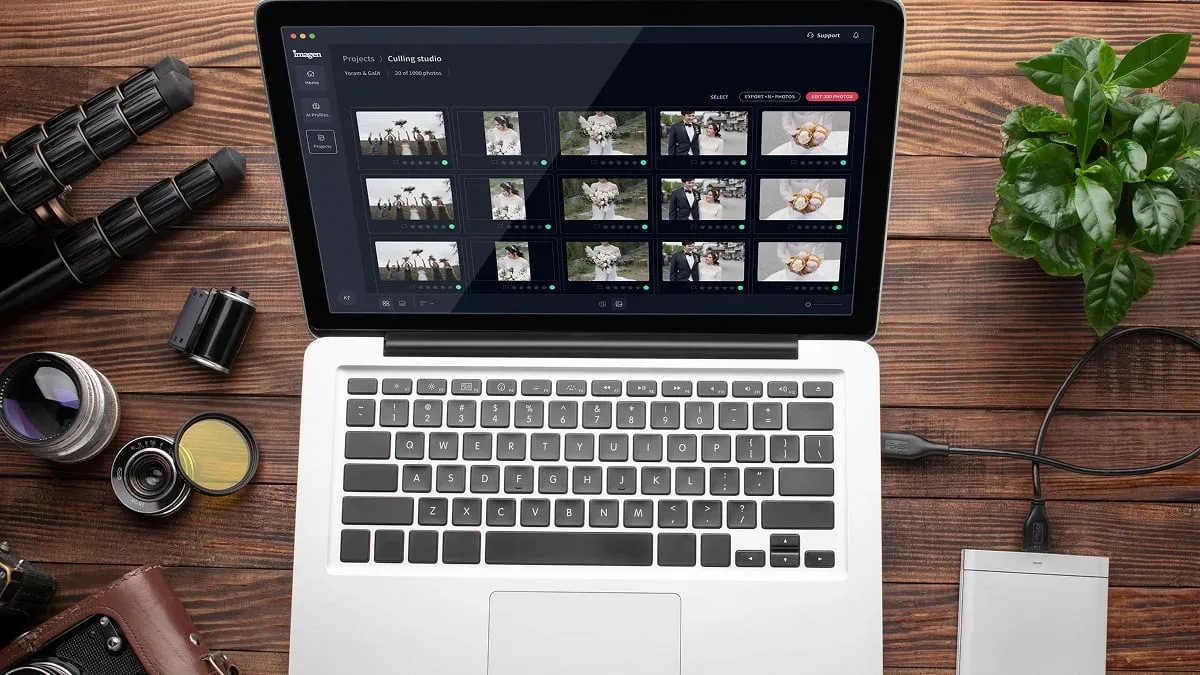
Culling. Sorting the keepers from duplicate angles, blinks, and technical misses used to take an hour or more per hundred images when done by eye. AI culling that flags near duplicates and technical issues can cut this to minutes, leaving a final review to confirm the picks.
Batch correction. This is the step that changed the most with cloud editing. Instead of adjusting exposure, white balance, and color on each frame individually, you set the style once and the platform applies it across the entire shoot in one pass. For most shoot sizes this finishes in well under an hour of processing time, running in the background while you handle other work.
Review and export. Once corrections are applied, you spot check a sample of images for consistency, make any small adjustments, and export. For a well tuned style profile, review is usually the fastest step, since most images need no manual touch up at all.
Added together, a 200 image ecommerce shoot that might take two full days of manual editing can realistically move from capture to export ready files within a single afternoon on a cloud batch workflow, assuming the style profile is already dialed in.
What actually slows ecommerce photo editing down
When ecommerce editing timelines stretch out, it is rarely one single problem. It is usually a combination of the following.
Shoot volume without a repeatable process. A photographer who reshoots their color and exposure approach from scratch every session spends far more time per image than one who has a consistent, reusable editing style. Volume alone does not create delays, inconsistent process does.
Inconsistent lighting between shots. If white balance drifts across a session because of mixed lighting or a moved light source, batch correction has to work harder to normalize the set, and manual spot fixes multiply.
Revision rounds with the client or store owner. Every round of “can you brighten this” or “the background looks off” adds a delivery cycle. Locking exposure and color style early, before the full batch is edited, avoids editing the same shoot twice.
Mixing multiple editing tasks into one pass. Color and exposure correction is a very different task from background cleanup or heavy retouching. Trying to do all of it manually, image by image, in one long editing session is where most of the wasted hours come from.
Manual desktop editing versus cloud batch editing, side by side
Desktop raw editors are excellent tools for hands on, image by image adjustment, and many photographers still use one for hero shots or a handful of flagship product images that need individual attention. The tradeoff is speed at volume. Editing 300 nearly identical product angles one at a time, even with saved presets, still means opening each image, checking it against the others for consistency, and nudging sliders when the preset does not quite fit.
Cloud batch editing takes a different approach. Because the AI is trained on your own previously edited images, it learns your specific color and tone preferences rather than applying a generic filter, and it applies that learned style across the whole shoot at once. The output is more consistent from image to image than manual editing tends to be, simply because a machine applying the same learned style to 300 frames does not get tired or drift the way a human editor can over a long session. For ecommerce specifically, where buyers often compare product photos side by side on a category page, that shot to shot consistency matters as much as the speed.
How Imagen helps ecommerce photographers cut editing time
Imagen is a desktop AI photo editing app built for exactly this kind of volume work. You import your RAW product shoot, Imagen’s AI applies your personal editing style, learned from your own past edits, to correct color, exposure, and white balance across the entire batch, and it can also flag near duplicate and low quality frames during culling. There is no local processing load on your computer, since the editing runs in the cloud on Mac and Windows. For photographers who want a purpose built way to move a full shoot through cloud-connected batch editing without touching every image by hand, Imagen’s cloud-connected AI batch editing is designed to take on that correction step directly, so a shoot that once took a full day of manual editing can be reviewed and exported the same afternoon. Pricing is straightforward: on pay-as-you-go you pay for the photos you export. Sliders, crops, and masks you do yourself are always free. You can see the full picture of how the platform works, including the new Studio where you cull, edit and export in one project, at Imagen’s website.
What cloud editing does not speed up, and what still needs a separate tool
Batch color and exposure correction is where cloud AI editing genuinely saves time, but it is not the right tool for every ecommerce editing task. Removing a distracting background element, swapping in a pure white background, fixing complex geometry or perspective distortion on a product shot, or merging multiple bracketed exposures into a true HDR composite are each their own specialized editing steps. These generally call for a dedicated compositing or retouching tool built specifically for that job, used as a separate pass either before or after the batch color correction step.
It is also worth being clear about a common mix up. Cloud photo editing corrects and enhances your images. It is not the same thing as cloud storage or a backup service, which exists purely to hold and protect copies of your files rather than edit them. If long term archiving, redundancy, or digital asset management across a growing photo library is your goal, that is a job for a dedicated cloud storage or backup service, not an editing platform. Keeping those two needs separate, one tool for editing and a different one for storage, avoids paying for overlapping features you will not use.
Building a faster, repeatable ecommerce editing workflow
Speeding up cloud photo editing is less about finding a faster tool and more about removing the manual, repetitive decisions from your workflow. A few habits make the biggest difference for ecommerce shoots specifically.
Standardize your capture setup first. Fixed lighting, a consistent white balance target, and a repeatable camera angle for each product category mean the batch correction step has less variation to normalize, which shortens both processing and review time.
Build one editing style and reuse it. Rather than adjusting color and exposure fresh for every shoot, develop a style that reflects how you want your product photography to look, feed it consistent examples, and let it apply automatically to new batches. This is where a learned AI style profile pays off over time, since the more consistent your input, the less manual correction any given shoot needs.
Cull before you correct. Removing duplicates, blinks, and technical misses before running the batch means you are only paying, in time and often in per image cost, for images you will actually use.
Separate your passes. Do color and exposure correction as one batch step, then handle any background or compositing work as a distinct second pass on only the images that need it, rather than trying to do everything to every image in one long manual session.
Review in batches, not one by one. Spot check a representative sample from each shoot rather than opening every single image, and only drill into individual frames when something in the sample looks off.
Setting realistic delivery expectations for clients and stores
If you shoot for ecommerce clients or manage your own store’s product photography, setting an honest delivery window matters as much as the editing speed itself. A same day turnaround is realistic for smaller shoots, under roughly 100 images, once your editing style is established and culling is quick. Larger shoots, several hundred images across many product variants, are reasonable to promise within 24 to 48 hours, which still beats the multi day timelines that manual, image by image editing usually requires. Building in a small buffer for one light revision round, rather than promising instant perfection, tends to keep both photographer and client happier than an overly aggressive deadline that gets missed.
What’s new in Imagen: Imagen is now an intelligent, agentic Studio for professional photographers, where you cull, edit, review and export in one project, in any order. When catalog turnaround is the goal, edited photos arrive in batches as they process, so you can start reviewing early frames while the rest finish, and you can narrow a shoot first with AI filters such as blur or by culling manually for free. It is rolling out gradually as a beta.
Frequently asked questions
How long does it take to edit 200 ecommerce product photos? With a batch cloud editing workflow and an established style, 200 product images can typically move from upload through correction to exported files within a few hours, though upload time and the amount of manual spot checking you choose to do will affect the total.
Is cloud photo editing faster than editing locally on my computer? For volume ecommerce work, yes, mainly because batch correction applies your style across the whole shoot at once instead of requiring you to adjust each image individually, and the processing runs without occupying your own computer.
Does cloud editing replace the need for a backup of my photos? No. Cloud photo editing corrects and enhances your images, it is a different function from cloud storage or a backup service, which is built to preserve copies of your files. Most photographers use both, an editing platform for correction and a separate storage service for backup and archiving.
Can AI batch editing handle background removal or heavy retouching for product shots? Batch AI editing is built for color, exposure, and white balance correction across a shoot, not for compositing tasks like background swaps or heavy retouching. Those are usually better handled with a dedicated tool built specifically for that step, applied as a separate pass around the batch correction.

