

First Look Photo Editing Workflow: AI Tools and Tips for 2026
Table of contents
- Key Takeaways
- Why the First Look Needs Its Own Workflow
- Step 1: Import, Back Up, and Cull the Burst
- Step 2: Batch Your Signature Look Across the Set
- Step 3: Retouch and Finish the Hero Frames
- Step 4: Sequence, Export, and Deliver
- Where Imagen Fits in a First Look Workflow
- How to Choose Your First Look Editing Stack
- Try Imagen on Your Next First Look
- Frequently Asked Questions
- Conclusion
A first look photo editing workflow moves a burst of emotional, fast-changing frames from card to finished gallery while keeping every image faithful to your signature look. The fastest path in 2026 is to cull the burst down to your best reactions, batch a consistent color grade across the whole set with an AI tool that learns your personal style, then retouch only the few hero frames by hand. This guide walks the real first look editing process step by step, shows where Imagen automates the slow parts, and names the other tools photographers actually use so you can build a stack that fits how you shoot.
Key Takeaways
- The first look is a short window with huge emotional payoff. You often shoot 150 to 400 frames in a few minutes, so culling to the genuine reactions is the first real job.
- Consistency across the set matters. The tap on the shoulder, the turn, the tears, and the first embrace all need to read as one continuous moment in the same light.
- AI batch editing carries the middle of the workflow. It applies your look across the full burst in minutes instead of frame-by-frame syncing.
- Imagen learns your personal style from your Lightroom or Capture One catalog, then culls, edits, and retouches the real photos you shot in one connected workflow.
- Finish only the heroes by hand. Most of the burst supports the story, while three or four frames become the album spread and deserve a closer retouching pass.
Why the First Look Needs Its Own Workflow
The first look is unlike almost anything else you shoot on a wedding day. It happens once, it happens fast, and the emotion is real rather than posed. You are usually working in a single pocket of light, whether that is a shaded courtyard, a hotel hallway, or open shade behind a barn, and you fire continuously to catch the tap, the turn, the breath, and the tears. In a few minutes you can fill a card with 200 to 400 nearly identical frames where the difference between a keeper and a cut is one blink or one half-smile.
That volume of near-duplicates is exactly what makes the editing tricky. You need to find the two or three frames that peak the emotion, then color every keeper so the whole sequence flows as one moment rather than a slideshow of slightly different exposures. A repeatable workflow solves both problems at once. When you standardize the order of operations and let AI handle the culling and the batch color, you reach a polished set faster and your first look reads as the honest, cohesive moment it was. For a broader tools-first primer, our AI first look photo editing guide pairs well with the steps below.
Step 1: Import, Back Up, and Cull the Burst
Everything starts with getting your files in safely. Import the full day into your catalog, then back up to a second drive and ideally the cloud before you touch a single edit. First look frames are irreplaceable, so two copies is the floor, not the ceiling.
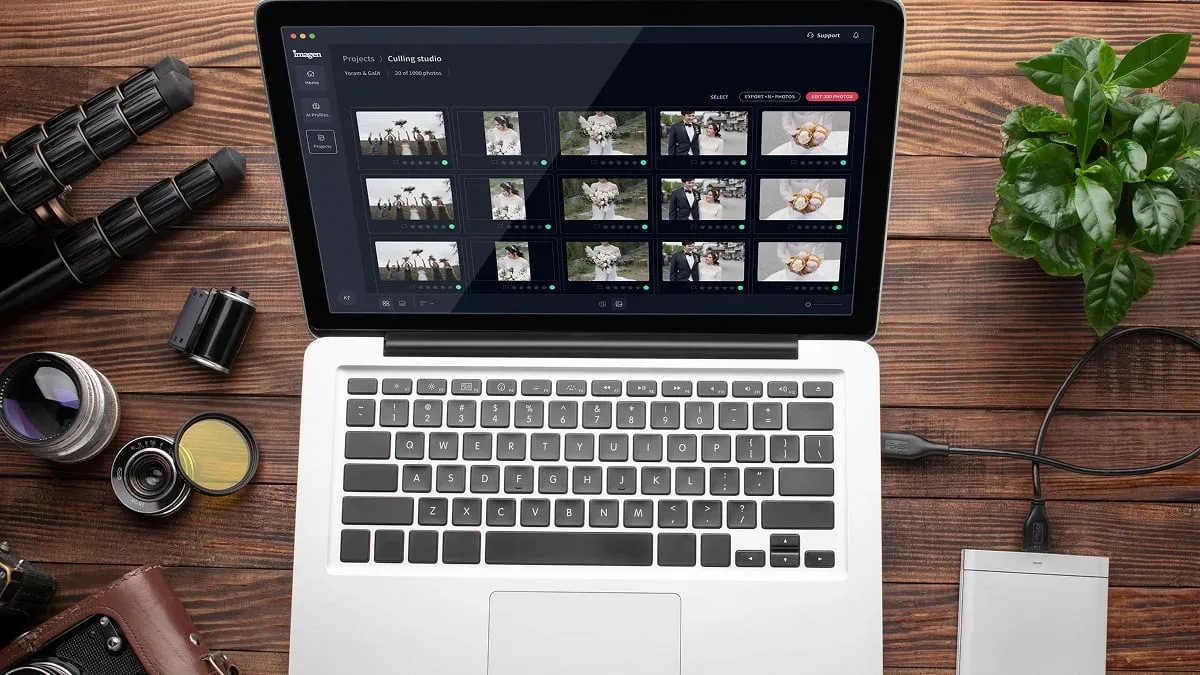
Culling the burst is the first real bottleneck. You are trimming a few hundred continuous frames down to the 15 or 20 that tell the moment, cutting blinks, soft focus, and the near-duplicates that a high frame rate produces. Doing this by eye, one image at a time, eats real minutes before you have edited anything, and it repeats for every wedding you shoot. AI culling changes that math. Imagen’s AI culling scores your images for focus, exposure, and duplicates so you review smart suggestions instead of every frame in the sequence, or you can skip AI culling and cull manually for free. Aftershoot is another culling-focused tool many photographers use for the same step. Either way, the goal is the same: reach your selects fast so the creative work can begin.
When you cull a first look specifically, keep more than you think at first, then narrow in a second pass:
- Flag every frame where both faces read clearly and the focus holds.
- Keep the peak-emotion moments, the tears, the laugh, and the first full embrace.
- Cut blinks, mid-blink expressions, and back-of-head duplicates that add nothing.
- Narrow to a tight set that walks the moment from the tap to the hug.
Step 2: Batch Your Signature Look Across the Set
Your edit style is your brand, and the first look is one of the most shared galleries a couple posts. Whether your work is bright and airy, warm and filmic, or deep and moody, the whole sequence has to carry that tone from the first tentative frame to the final embrace. Because you shot the burst in one light, the corrections are similar frame to frame, which makes this the perfect place to batch.
This is where AI batch editing earns its keep. Instead of correcting one frame and syncing the settings blindly across the rest, you let a tool learn your look and apply it intelligently to each image. Imagen learns your personal editing style from your own Lightroom or Capture One catalog, then applies it consistently across the full set, adapting exposure and white balance per frame while holding your signature tone. It edits the real photos you shot without generating anything, so the result is your work at scale. Edited photos arrive in batches as they process, so you can begin reviewing early frames while the rest finish. Photographers who prefer to drive every slider themselves still lean on Adobe Lightroom presets or Capture One styles, which give precise manual control at the cost of more time per gallery.
Here is the practical order most photographers follow when setting the look across a first look burst:
- Correct exposure so both partners’ skin tones sit in a natural range.
- Set a consistent white balance so the shaded light reads clean and true.
- Apply your color grade, contrast, and tone curve as your base style.
- Batch that look across the full set, then spot-check the frames for drift.
Step 3: Retouch and Finish the Hero Frames
Once the whole set shares a consistent base, you move to per-photo finishing. Not every frame needs it, but the three or four that peak the emotion usually become the album spread and the social hero, so they deserve a closer pass. This is where retouching lives.
Common first look retouching tasks include gentle skin smoothing that keeps texture natural, softening shine and tear-streaked makeup without erasing the emotion, removing a stray coordinator or a parked car in the background, and cleaning up flyaway hair caught in the wind. Imagen’s AI retouching handles skin and portrait cleanup in the same connected workflow as your culling and editing, so you are not exporting to a separate app for every touch-up. For quick manual adjustments, Imagen’s built-in editor (Beta) offers sliders, crop, and straighten. For heavy composite work, complex background removal, or intricate manual masking, many photographers still reach for Adobe Photoshop on their few most important frames. The guiding principle for a first look is restraint, since the couple should look like the best version of themselves in a genuine moment, not a retouched-away version of it.
Step 4: Sequence, Export, and Deliver
The first look is a story, so sequence it before you export. Order the frames the way the moment unfolded, from the approach and the tap to the turn, the reaction, and the embrace. A well-ordered set of 15 to 20 images lets the couple relive the beats in the right rhythm when they scroll the gallery.
With edits and retouching done, export for delivery. Most photographers produce two sets: high-resolution files for printing and the album, and web-sized JPEGs for the online gallery and social sharing. Set your export presets once so this step stays automatic. Deliver through a client gallery platform that lets the couple download, favorite, and share, and keep your naming and folder structure consistent so reprints are easy to find later. The first look often flows straight into the portraits of the couple and then the reception, so a clean handoff protects the time you saved and keeps the full day organized. If you shoot the reception too, our guide to the best AI first dance photo editing software covers the next emotional peak of the night.
Where Imagen Fits in a First Look Workflow
Imagen is built to automate the slow, repetitive parts of this process while leaving the creative decisions in your hands. It connects three steps that photographers usually stitch together across separate apps: AI culling to reach your selects from a dense burst, personal-style editing that learns your look from your catalog and applies it across the whole set, and AI retouching for skin and portrait cleanup on the heroes. Because it edits, culls, and retouches the actual photos you captured, nothing is invented. It does not generate scenes, backgrounds, or people, so your first look stays an honest record of a real moment. When you finish, you can send AI edits back to Lightroom Classic or export finished JPG, TIFF, or PNG files straight from Imagen.
Pricing is pay-as-you-go: you pay for the photos you export. That structure suits wedding volume, since your editing cost tracks directly with the galleries you deliver rather than a flat plan. Sliders, crops, and masks you do yourself are always free. If you want to browse more tutorials while you assemble your process, the Imagen valuable tips hub collects workflow guides across every part of the wedding day.
How to Choose Your First Look Editing Stack
Start with your volume and how much manual control you want. If you shoot a heavy season and need consistent galleries delivered fast, an AI editor that learns your style removes the biggest bottleneck while keeping your look intact. If you shoot only a handful of weddings a year and enjoy the process, a manual base in Lightroom or Capture One may be all you need, with AI reserved for the culling step alone.
A few questions help you narrow the fit:
- How dense are your bursts? A high frame rate on emotional moments tips the balance toward AI culling.
- Do you have a defined signature look? A style-learning tool pays off most when your edit is distinctive and consistent.
- How much do you retouch? If most heroes need skin and background work, an all-in-one workflow saves app switching.
- What is your turnaround promise? Faster delivery windows reward tools that cut editing from hours to minutes.
Test any tool on one real first look before you commit your season to it. The right fit is the one that gives you your look, your consistency, and your turnaround without fighting your habits.
Try Imagen on Your Next First Look
If speed and a consistent signature look are your priorities, the easiest way to feel the difference is to run a real set through it. Imagen learns your personal editing style from your Lightroom or Capture One catalog, then culls, edits, and retouches your actual first look photos in one connected workflow. Explore the new Studio, where you cull, edit, and export in one project, and see how much of your editing time you get back.
What’s new in Imagen: Imagen has become an intelligent, agentic Studio for professional photographers, built around one project where you cull, edit, review, and export in any order. That suits a first look workflow, because edited photos arrive in batches as they process and you can start reviewing early frames while the rest finish. You can then export finished JPG, TIFF, or PNG files or send AI edits back to Lightroom Classic, as the Studio rolls out gradually as a beta.
Frequently Asked Questions
What is the best first look photo editing workflow in 2026?
The most efficient approach is a connected workflow that culls the burst, applies your personal editing style across the full set, and retouches only the hero frames. Imagen does this by learning your look from your own Lightroom or Capture One catalog and applying it consistently, which keeps the sequence cohesive while cutting editing time from hours to minutes.
How many first look photos should I deliver?
Most photographers deliver a tight set of 15 to 20 images that walk the moment from the approach to the embrace. You shoot far more than that in the burst, so the culling step matters, and the goal is a sequence that reads as one continuous story rather than dozens of near-duplicates.
Does AI editing replace my personal style?
No, a good AI editor applies your style rather than imposing its own. Imagen learns from your existing edits and reproduces your signature tone, color, and contrast across the whole set. You still make the creative decisions and finish the frames that matter most by hand.
Is AI first look editing honest to the real moment?
It is when the tool edits your real photos rather than generating new ones. Imagen culls, edits, and retouches the actual images you captured and does not invent scenes, backgrounds, or people. The first look stays a true record of the moment, just cleaner and more consistent.
Conclusion
The first look is where a wedding day turns emotional, and your editing should protect that feeling rather than flatten it. The workflow is clear: import and back up, cull the burst down to your real reactions, batch your signature look across the set, retouch the hero frames, then sequence and export cleanly. AI removes the slow parts of that chain, culling dense bursts and applying your style across the whole set so you deliver faster without losing what makes your work yours. For photographers who want speed and consistency in one connected process, Imagen learns your look, edits your real photos, and hands your time back. Try it free on your next first look, and build the workflow that carries you through the season.

