

The Event Photo Editing Checklist for Corporate Event Photographers Before Client Delivery
Table of contents
- Event Photo Editing Checklist for Corporate Event Photographers Before Client Delivery
- 1. Back up the cards before you touch a single edit
- 2. Cull the take down to the keepers
- 3. Set your baseline exposure and white balance per lighting zone
- 4. Apply one consistent color and tone across the whole event
- 5. Check skin tones and do light, natural cleanup
- 6. Verify crops, straightening, and orientation
- 7. Handle high-contrast and mixed-light frames deliberately
- 8. Export to the client’s delivery specs
- 9. Do a final full-gallery quality pass
- 10. Package, deliver, and confirm receipt
- Why a consistent, automated workflow wins corporate clients
- Frequently asked questions
Event Photo Editing Checklist for Corporate Event Photographers Before Client Delivery
Before you hand over a corporate event gallery, the post-production checklist matters as much as the shooting. Corporate clients expect a clean, consistent, on-brand set of images that they can drop straight into a recap deck, a press release, or a LinkedIn post. This checklist walks through every step you should tick off before delivery: culling the take, matching color and exposure across rooms with different lighting, cleaning up faces and skin tones, checking crops and orientation, exporting to the right specs, and doing a final quality pass. Work through it in order and your delivery will feel effortless to the client, even when the shoot itself was a marathon.
The short answer for photographers who are short on time: standardize the workflow so it runs almost the same way for every event, then let batch editing handle the repetitive grading while you focus on the judgment calls. That is exactly where an AI batch editor that learns your personal style earns its keep, because a keynote, a networking mixer, and an awards dinner all shot on the same day can be brought to one consistent look in a single pass instead of edited photo by photo. Below, each checklist item explains what to verify and why it protects the final delivery.
1. Back up the cards before you touch a single edit
Nothing on the editing checklist matters if the files are lost, so the very first item is redundancy. Copy every card to two separate drives before you format anything, and keep one copy off your editing machine until the job ships. Corporate events are almost never repeatable. You cannot ask three hundred attendees and a CEO to reassemble for a reshoot, so treat the RAW files as irreplaceable from the moment they leave the camera.
Confirm the file count on both copies matches the card before you wipe it. A quick checksum or a simple folder comparison takes a minute and saves a career-defining mistake. Only once you have two verified copies should you begin the cull.
2. Cull the take down to the keepers
A full corporate day can produce several thousand frames. The client does not want all of them, and drowning them in near-duplicates makes your work look weaker, not stronger. Culling is about choosing the sharpest, best-timed, most flattering frame from each moment and cutting the blinks, the mid-sentence grimaces, and the soft shots.
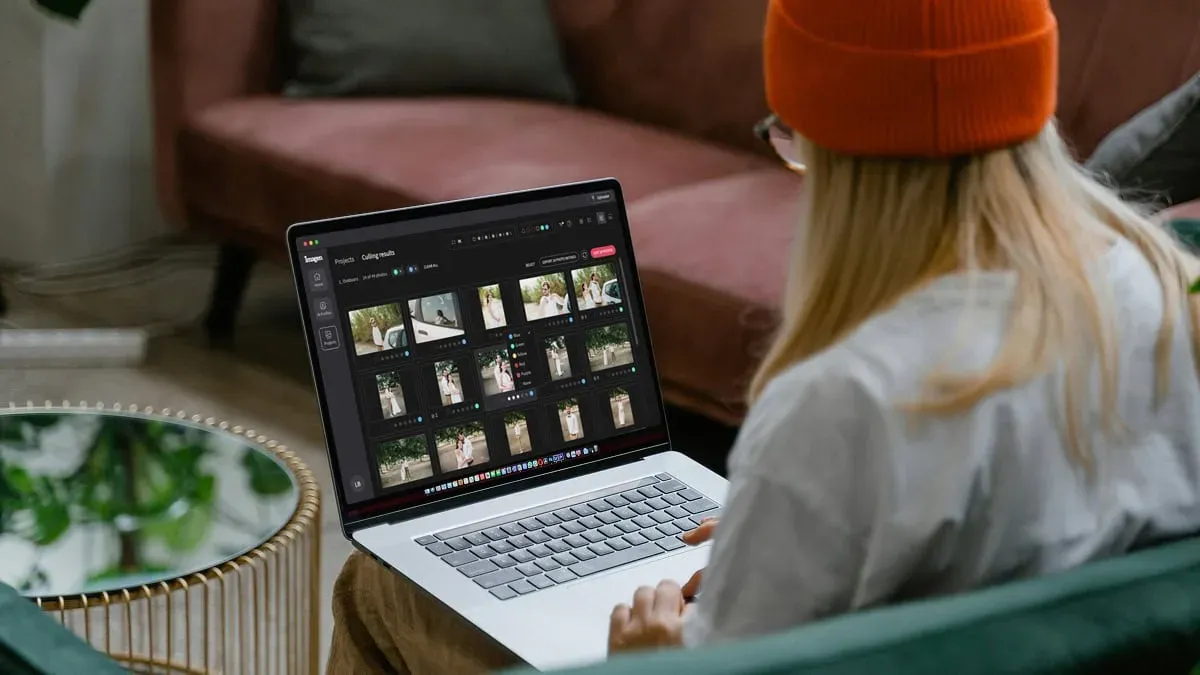
Move through the take in passes. First flag the obvious keepers and obvious rejects, then go back and break the ties between similar frames. For a busy day, culling by hand can eat hours, which is why many event photographers now lean on AI culling that flags blinks, closed eyes, and out-of-focus frames automatically, then lets you make the final calls. The goal is a tight edit where every delivered image has a reason to be there.
3. Set your baseline exposure and white balance per lighting zone
Corporate venues throw a mix of lighting at you: tungsten ballroom chandeliers, cool LED stage wash, mixed daylight near the windows, and the color cast of a projector-lit breakout room. Before any global look, correct exposure and white balance so skin tones read naturally in each zone. A face lit by a warm sconce and a face lit by a cool stage light should both look like the same healthy person, not two different color temperatures.
Group your images by lighting condition and set a clean baseline for each group. This is the foundation the rest of the grade sits on. If your exposure and white balance are inconsistent going in, no amount of styling later will make the gallery feel unified.
4. Apply one consistent color and tone across the whole event
Consistency is the single biggest thing that separates an amateur corporate gallery from a professional one. The keynote photos, the coffee-break candids, and the gala dinner should all look like they belong to the same story. That means a shared contrast curve, a shared color palette, and a shared feel for highlights and shadows, adjusted per lighting zone but reading as one coherent body of work.
This is the step where a personal AI profile pays off. Instead of matching your look slider by slider on every image, you train the editor on your own past edits so it applies your grade across the entire shoot in one batch. Imagen’s automated corporate event photo editing software learns your style from your catalog and delivers a consistent color and tone across a full event, with edited photos arriving in batches as they process, then lets you fine-tune in the built-in editor (Beta) or send the AI edits back to Lightroom Classic. It is a desktop app for Mac and Windows with the AI processing in the cloud, and it handles RAW files, so a multi-room day comes back looking like one deliberate set rather than a patchwork of separate sessions. Pricing is usage based: pay as you go is a monthly base fee plus a charge for the photos you export, which makes it practical to grade the large volumes a corporate event generates without pricing yourself out of the job.
5. Check skin tones and do light, natural cleanup
Executives, speakers, and award winners are the images the client will scrutinize most, so give faces a careful look. Even out obvious hot spots from stage lighting, calm down any color casts on skin, and keep the retouching restrained. Corporate portraits should look polished but real. Over-smoothed skin reads as fake and can actually embarrass the subject.
Keep your batch grade doing the heavy lifting on color and tone, then reserve manual attention for the handful of hero shots. If a specific frame needs serious work, such as removing a stray object behind a speaker or fixing a distracting background element, that is a job for a dedicated retouching tool as a separate step, not something to force into a fast batch pass. Know which images deserve that extra time and which are fine with a clean, consistent grade.
6. Verify crops, straightening, and orientation
Run through the gallery and check that horizons are level, verticals are true, and crops serve the subject. Stage shots often have a slight tilt from shooting up at a podium, and banquet rooms can leave you with distracting edges. Straighten and crop for clean, confident framing.
Be careful with heavy cropping on images the client may want to print large or use on a billboard-scale banner. Preserve resolution where you can. If a shot has real perspective distortion, such as converging verticals on a trade-show booth, correcting geometry is a dedicated perspective-correction task rather than part of your standard grade. Keep the everyday crops simple and reserve the specialized fixes for the frames that truly need them.
7. Handle high-contrast and mixed-light frames deliberately
Some corporate scenes fight you: a bright window behind a panel, a spotlit speaker against a dark backdrop, a screen glowing far brighter than the room. For most of these, careful exposure and shadow recovery in your grade will hold both ends acceptably. Recover what you can from the RAW file and keep the result natural.
When a frame genuinely needs multiple exposures blended together to hold both the bright window and the dim room, that true bracket-merge is a dedicated exposure-blending step handled by a separate tool, not something to expect from a single batch grade. Flag those few shots, treat them individually, and keep the rest of the gallery moving through your standard consistent workflow.
8. Export to the client’s delivery specs
Before you export, confirm what the client actually needs. Corporate clients frequently want more than one version: high-resolution files for print and archives, and web-optimized JPEGs sized for social and internal comms. Some also want a specific color space, usually sRGB for anything going online. Match the specs exactly so the images look right wherever they land.
Set up export presets so you are not re-entering settings on every job. Name the folders clearly, keep the file naming consistent, and include any metadata or copyright the client requested. A tidy, correctly-specced export tells the client you are organized and easy to work with, which is how corporate photographers get rebooked.
9. Do a final full-gallery quality pass
The last item on the checklist is a fresh-eyes review of the entire delivery. Scroll the whole gallery at a consistent size and watch for the odd frame that drifts in color, the one image that is slightly softer than its neighbors, or a stray reject that slipped through the cull. Consistency problems are much easier to catch when you view the set as a sequence rather than one image at a time.
This is also where you confirm the count matches what you promised, the hero shots are present and strong, and nothing embarrassing made it in. When the gallery reads as one clean, cohesive story from the first frame to the last, you are ready to deliver. If you want to automate the grading that makes this final pass fast and painless, you can try Imagen for your event editing workflow and let the batch handle the consistency while you handle the judgment. Its new Studio lets you cull, edit and export in one project.
10. Package, deliver, and confirm receipt
Deliver through whatever gallery or transfer method the client expects, and make the download obvious and simple. Include a short note on what is in the gallery, any usage or licensing terms, and where to reach you for extra edits or specific pulls. Corporate marketing teams often need a fast turnaround for a same-week recap, so a clear, well-organized delivery is part of the service, not an afterthought.
Finally, confirm the client received and can open everything. A quick message closing the loop leaves a professional impression and often prompts the next booking. The checklist ends not when you export, but when the client has the images in hand and knows exactly what to do with them.
Why a consistent, automated workflow wins corporate clients
Corporate photography lives and dies on reliability. The client is rarely evaluating a single stunning frame; they are judging whether the whole set looks professional, on-brand, and ready to use. A repeatable checklist gives you that reliability, and batch editing gives you the speed to deliver it fast without cutting corners. When the grade is consistent across every room and every part of the day, the gallery simply feels expensive, and that feeling is what gets you rebooked for next year’s event.
The photographers who scale a corporate practice are the ones who stop editing image by image and start editing by system. Train an AI profile on your own style, let it grade the full event in one pass, cull with automated assistance, and reserve your manual time for the few hero shots and the specialized fixes that truly need a human touch. That is how you turn a punishing volume of frames into a clean delivery without living in front of your screen.
What’s new in Imagen: Imagen is now an intelligent, agentic Studio for professional photographers, one project where you cull, edit, review and export in any order. Several checklist items map to it directly: AI filters such as blur and closed eyes help with culling, the built-in editor (Beta) handles crop, straighten and manual tweaks, and export gives you finished JPG, TIFF or PNG files or edits back to Lightroom Classic. It is rolling out gradually.
Frequently asked questions
How long should corporate event photo editing take before delivery?
It depends on volume and how much of the work you batch. A full-day corporate shoot can yield thousands of frames, and editing each one by hand can stretch across days. When you cull with automated assistance and apply a consistent grade across the whole event in a single batch pass, you can compress that to a fraction of the time, often turning a same-week recap around comfortably. The specialized fixes for a few hero shots are what take the longest, so isolate those and keep the bulk on your standard workflow.
What is the most common editing mistake in corporate galleries?
Inconsistency. When the keynote photos, candids, and dinner shots each have a slightly different color and contrast, the gallery reads as amateur even if every individual image is technically fine. The fix is to correct white balance per lighting zone first, then apply one shared look across the entire event so it reads as a single cohesive story.
Should I retouch every corporate portrait?
No. Reserve careful retouching for the hero shots, the executives, speakers, and award winners the client will scrutinize. Keep it natural and restrained, since over-smoothed skin looks fake and can embarrass the subject. Heavy work like removing a distracting background object belongs to a dedicated retouching tool as a separate step, not your fast batch pass.
Can AI editing keep my personal style instead of a generic look?
Yes. Tools like Imagen build a personal AI profile from your own past edits, so the batch grade reflects your style rather than a one-size-fits-all preset. It runs in the cloud, handles RAW files, and delivers a consistent color and tone across a full event, with room for you to fine-tune the result afterward.

