
Cost Control for High-Volume Studios
Table of contents
- Why cost control gets harder as a studio grows
- Pay only for what you actually export
- Culling is where the real savings start
- Curiosity is free, so testing tools carries no financial risk
- Selective export keeps spend tied to delivered work, not raw volume
- One project instead of several separate tools
- Building a predictable path from exploring to full scale
- Frequently asked questions
Every studio owner hits the same moment looking at a monthly statement: revenue is climbing, shoot volume is climbing right along with it, and the editing line item is climbing faster than either one. When cost scales with ambition instead of with actual delivered work, growth starts to feel like a risk instead of a reward. The Studio’s pricing was built around a simpler idea: you pay for photos you finish and hand to a client, not for tools sitting idle on a desktop or a feature someone tried once out of curiosity. For a business running dozens of shoots a month across more than one photographer, that distinction is the difference between a cost structure that scales with you and one that quietly scales against you.
This gets more important the bigger a studio gets. A solo photographer shooting a handful of sessions a month can absorb a surprising bill without much drama. A studio running several photographers, a packed booking calendar, and overlapping deadlines does not have that luxury, because a dozen small overruns add up fast when they happen every week instead of once in a while. Here is how the Studio’s approach to pricing supports that kind of planning, and where cost control still comes down to decisions your team makes on every shoot.

Why cost control gets harder as a studio grows
A single photographer usually knows their own volume by feel: roughly how many galleries a month, roughly how many frames per wedding, roughly what that has cost in the past. A studio with associates, a shared calendar, and shoots running in parallel does not have that intuition available, because more people are making editing and export decisions at once and no single person sees the whole picture. Add a seasonal spike, wedding season against a quiet winter, and a studio can end up overpaying for capacity it never uses in the slow months or getting caught flat footed when volume outpaces the budget in the busy ones.
Picture a studio with three photographers covering eight weddings a month. Each wedding might produce two or three thousand frames between two cameras. Multiply that across a season and the raw photo count gets large fast, even though the number of images a studio actually finishes and delivers is a fraction of that. A pricing model tied to raw volume punishes a studio for shooting generously. A pricing model tied to delivered work does not.
Pay only for what you actually export
For pay as you go photographers, the Studio charges per exported photo, at the same per tool price as before. That single detail removes a lot of guesswork from a studio’s monthly budget. If one of those weddings produces twenty six hundred frames and the delivered gallery ends up at seven hundred images after culling and review, the other nineteen hundred frames were never part of the bill. Editing and exporting are effectively the same decision, which keeps the incentive simple for everyone on staff: cull with intention, edit what will actually reach the client, and the cost follows the finished work rather than whatever came off the memory cards that day.
Because pay on export follows the same rule for every photographer on the team, a studio does not need to rebuild its internal accounting to make sense of the new pricing.
Culling is where the real savings start
Cost control does not begin at the export button. It begins at culling, because every frame that gets filtered out before editing is a frame that never has a chance to run up a bill. Batch culling moves through a full memory card quickly and flags the frames worth an editor’s attention, and if you would rather handle that step yourself, you can skip AI culling at project setup and cull manually for free. Either path narrows a raw shoot down to the frames that matter before any paid editing tool touches a single photo.
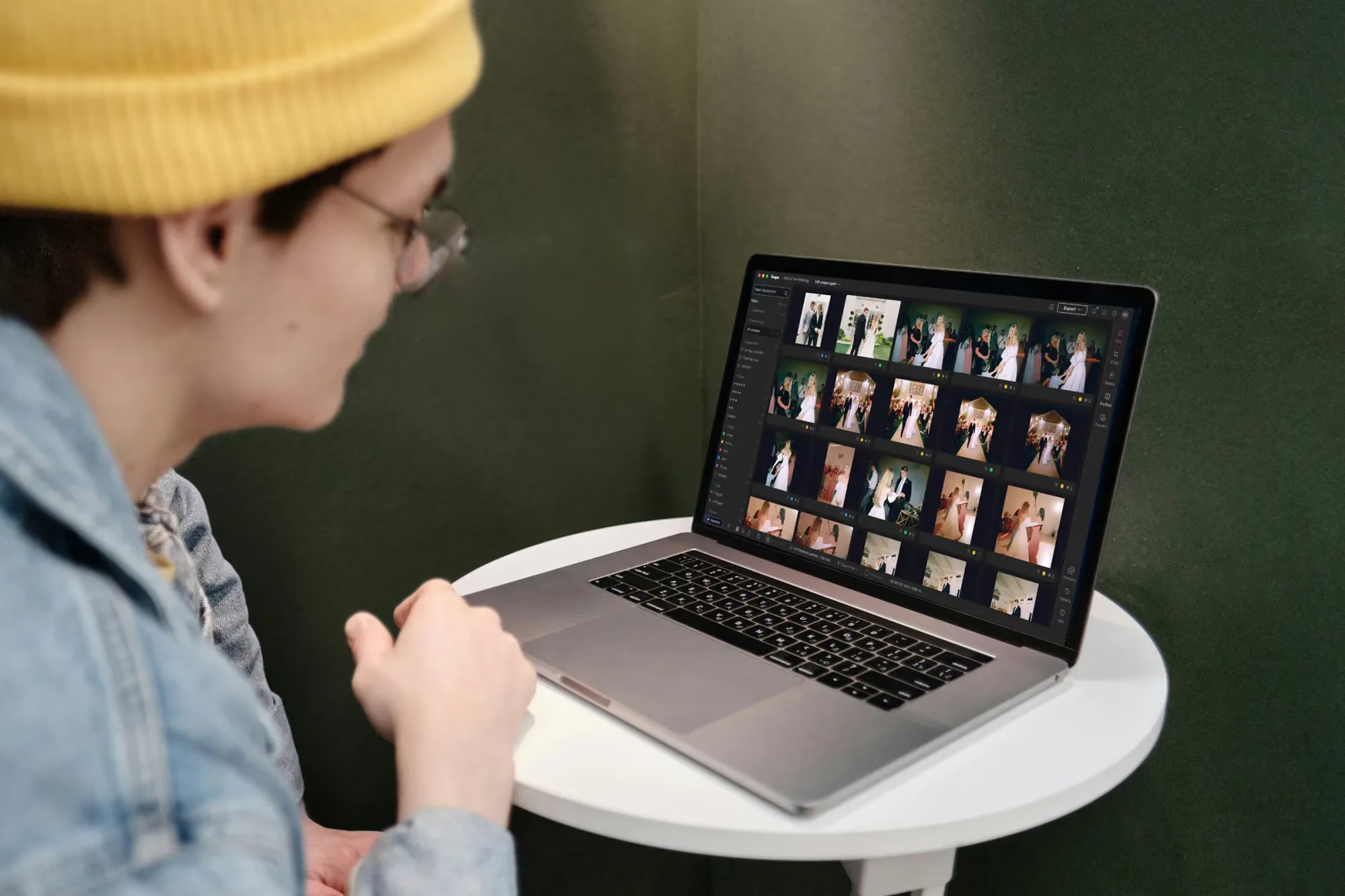
Culling a shoot inside the Imagen project view
For a busy studio, that narrowing step is where a surprising share of cost control actually happens. A wedding that comes in at twenty six hundred frames but culls down to eleven hundred worth editing has already cut potential spend by more than half before anyone opens the editor, simply because the tools downstream never see the photos that were never going to be delivered anyway.
Curiosity is free, so testing tools carries no financial risk
One detail matters a lot for a growing studio: exploring is free. You can run a tool you have never used across a full gallery, compare two AI Profiles side by side on the same set of images, or see what a new filter does with a tricky lighting setup, and none of it touches your bill. You only pay once a result is good enough to export. That changes how a studio evaluates new tools day to day. An associate editor can experiment on a slow afternoon without asking whoever manages the budget for permission first, because testing something costs nothing until it is actually worth sending to a client.
For a studio still deciding whether the Studio fits its workflow, exploring is free, so you can run several real shoots through the full project and pay only for the photos you export before committing to anything further.
Selective export keeps spend tied to delivered work, not raw volume
There is a practical detail worth knowing here: some tools detect real content per image, so a frame a tool has nothing to do on is not charged, even if it technically passed through the same batch as photos the tool did affect. A retouching tool built for faces has no work to do on a wide venue shot or a detail photo of the rings, so that frame does not count against the export bill just because it rode along in the same batch.
This is also where deciding what to export becomes a real cost lever, not just a creative one. A studio that trains its editors to send a tightly curated gallery instead of everything that was technically usable keeps both the client experience and the monthly bill leaner. Fewer, better chosen photos serve the client better and cost the studio less, which is a rare case where the cheaper choice and the better choice line up.
One project instead of several separate tools
Cost control is not only about the price per exported photo. It is also about how many separate subscriptions a studio is juggling every month and stitching together by hand. When culling, editing, review, and export all happen inside one non-linear project, a studio has less reason to keep paying for a standalone culling tool and a batch retouching plugin layered on top of all of it. Fewer standalone tools means fewer renewal dates buried in an inbox and fewer places where a studio quietly leaks money on software nobody remembers signing up for two years ago.
That consolidation pays off in training time too. A new associate learns one system instead of several, which shortens onboarding and lowers the odds that a rushed editor exports from the wrong tool at the wrong price point during a busy week.
Building a predictable path from exploring to full scale
A studio evaluating a new editing pipeline usually wants two things at once: proof that it produces results worth showing clients, and a clear sense of what it will cost once real volume hits. Because pricing follows exports rather than experimentation, a studio can run its actual workflow end to end while exploring, real shoots and real client galleries, without an inflated bill from all the testing that happens before a workflow gets locked in. Once you know the real per shoot cost from a handful of live projects, scaling that same process across a full season becomes a matter of multiplication instead of guesswork.
If you want a deeper breakdown of how batch editing and export decisions interact in practice, our valuable tips library covers the mechanics in more depth than fits into a single overview.
None of this replaces a studio’s own judgment. Pricing that follows exports rewards good culling and thoughtful delivery, but it still takes a team that cares about which photos actually earn a place in the final gallery. The tools make the incentive easier to act on. The habit still belongs to you and whoever trains your editors.
What’s new in Imagen: The same Imagen you know is now an intelligent, agentic Studio for professional photographers, one project where a studio team can cull, edit, review and export in any order. Manual culling is free, AI culling is there when you want it, and AI filters help narrow a big shoot, while pay on export keeps spend tied to the photos you deliver. The rollout is gradual, and the Studio is still in beta.
Frequently asked questions
Does the Studio charge me for exploring a new tool before I commit to it?
No. Curiosity is free. You can run a tool across a whole gallery, compare results, and decide whether you like it, and none of that counts against your bill. Cost only applies once you export a photo.
What happens if a tool does not apply to a particular photo?
Some tools detect real content per image, so a frame a tool has nothing to do on is not charged, even if it was part of the same batch as photos the tool did affect.
Do I need to rebuild my studio’s accounting for this pricing model?
No. Pay on export follows the same rule for everyone on staff, so there is nothing to rebuild. It specifically affects pay as you go photographers, whose bill now follows exported photos rather than a flat rate regardless of volume.
How much room does exploring give a growing studio to test its real workflow?
Plenty, because exploring is free. You can run several real shoots from first cull through export before deciding whether the Studio fits your studio’s volume and budget, and you pay only for the photos you export.
Ready to see what your studio’s real editing cost looks like? Start a project in Imagen’s new Studio at imagen-ai.com and export only what your clients actually see.
