

Concert photo editing: A Complete 2026 Guide
Table of contents
- Why concert photography is uniquely hard to edit
- Step one: cull the night down before you edit
- Step two: batch grade the whole show for a consistent look
- Where AI batch editing stops: noise, focus, and heavy repair
- Step three: finish the hero frames by hand
- A realistic same-night concert workflow
- Pricing and getting started with a batch editor
- Related guides and further reading
- Frequently Asked Questions
- What is the fastest way to edit a full concert shoot?
- Can AI photo editing fix the wild color from stage lighting?
- Can a batch editor reduce noise or sharpen blurry concert photos?
- How does Imagen keep my concert galleries consistent from show to show?
- How much does Imagen cost, and is there a free trial?
Concert photo editing is the work of turning a card full of high-ISO, wildly lit frames into a gallery that looks like one coherent show. It is one of the hardest genres to edit well, because the light changes every few seconds, the color temperature swings from deep red to hard blue between songs, and you often walk away with two thousand frames from a single set. This guide walks through a realistic 2026 workflow for live-music photographers, from culling the burst down to a deliverable set, to grading the whole night in a consistent style, to the handful of frames that need individual attention. The goal is a fast, repeatable process that protects your look while getting the gallery to the artist, the label, or the publication on a same-night deadline.
The short version is this. Cull hard and cull first, grade the whole set in one consistent pass so the reds and blues read the same from song to song, then finish the few hero frames by hand. The rest of this guide breaks down each of those stages and shows where an AI batch editor like Imagen fits, and just as importantly, where it does not.
Why concert photography is uniquely hard to edit
Most genres give you some control over light. Concert work gives you almost none. The lighting designer is running the show for the audience, not for your sensor, so you shoot whatever the rig throws at you. A single song might start in a warm amber wash, cut to a strobe, then settle into a saturated magenta backlight that turns skin tones unrecognizable. You are usually shooting wide open at high ISO from the photo pit, with three songs and no flash as the standard rule, which means you capture fast and sort later.
That produces three editing problems at once. First, volume: a headline set can leave you with well over a thousand usable frames to review. Second, color chaos: white balance and exposure jump around so much that a straight batch preset flattens some frames and wrecks others. Third, inconsistency: if you edit song by song, the finished gallery looks like it was shot at five different concerts. A good editing workflow attacks all three, and it starts long before you touch a single slider.
Step one: cull the night down before you edit
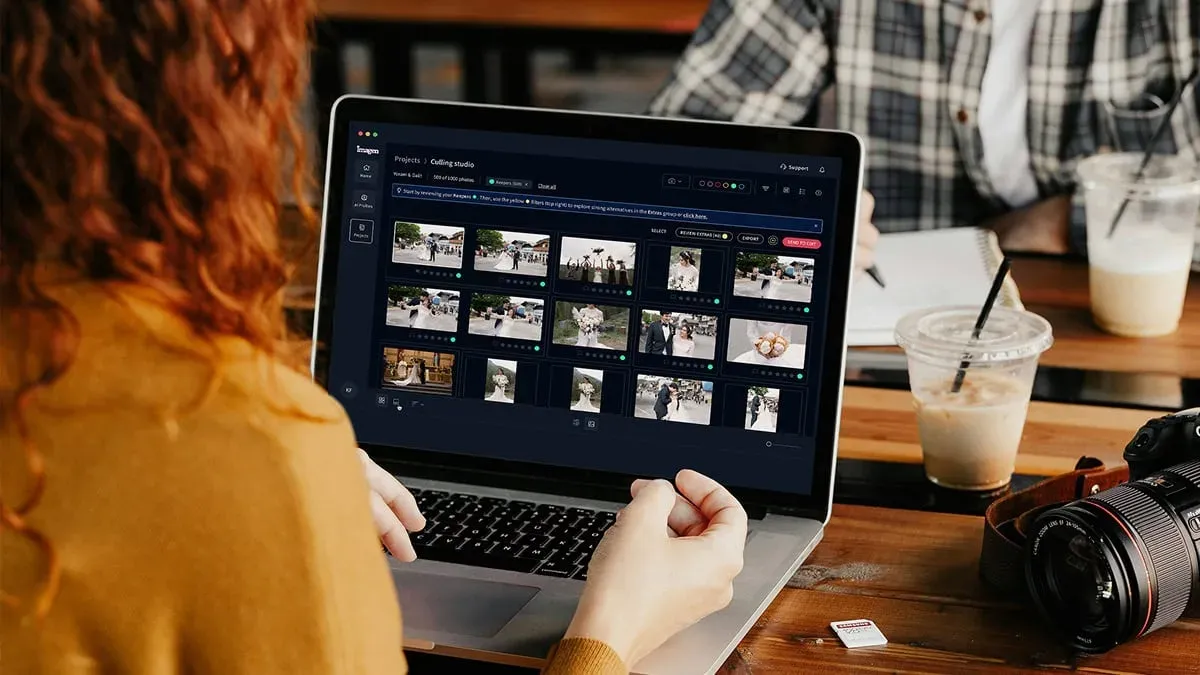
The most valuable minutes in concert editing happen at the culling stage, not the grading stage. When you fire eight frames per second to catch a jump or a lighting hit, you come home with long bursts where nine of ten frames are near duplicates. Reviewing those by hand is where a whole evening disappears. Cull first, and every later step gets faster because it runs on a smaller, stronger set.
Practical culling for live music means keeping the frame where the lighting peaked, the expression landed, and the focus held, then cutting the rest of the burst. AI culling tools help here by grouping near-identical frames and flagging the sharpest, best-exposed option in each cluster, so you confirm choices instead of scrolling through everything. You keep final say, but you skip the tedious first pass. Aim to bring a two thousand frame night down to a few hundred keepers before any color work begins.
Step two: batch grade the whole show for a consistent look
Once you have your keepers, the core of concert editing is grading them as one set rather than one at a time. This is where consistency is won or lost. Your audience should feel the energy of the room, but they should also feel that the reds in the first song and the blues in the encore came from the same photographer with the same eye.
This is exactly the job an AI batch editor is built for. Imagen is a desktop app for Mac and Windows that learns your personal editing style and applies color correction, exposure balancing, and white balance across an entire shoot in that style. You point it at the full set, and a frame lit in hard amber and a frame lit in cold blue come back looking like a deliberate, unified gallery instead of a patchwork. Because the AI processing runs in the cloud, your computer is not doing the heavy lifting, and you do not need a desktop catalog running underneath it. Culling and batch grading live in the same project, part of a new Studio where you can cull, edit, and export in any order, and Imagen reports the first batch finishes in under 10 minutes, which is the difference between sending the gallery tonight and sending it tomorrow.
Style profiles are what make this repeatable across shows. Once you have trained a profile on how you handle stage light, saturated color, and deep shadow, every future concert grades toward that same look on the first pass. You still refine, but you start from your style rather than from a flat default. For a working music photographer covering multiple shows a week, that consistency plus turnaround is the whole point.
Where AI batch editing stops: noise, focus, and heavy repair
It is just as important to know what a batch grader does not do. Concert frames are noisy by nature because you shoot at high ISO in near darkness, and some frames miss focus when a performer moves through a strobe. Imagen does not reduce noise, upscale, or sharpen and deblur a soft capture. If a frame missed focus, no batch grade will rescue it, and that is an honest boundary rather than a flaw.
For those specific problems you reach for a different category of tool. Dedicated detail-enhancement software uses trained models to reduce high-ISO noise, recover fine detail, and enlarge a file for a large print, and that work belongs to a specialist app applied to the select frames that need it. The realistic workflow is to grade the whole night for consistency first, then send the two or three hero frames destined for a magazine cover or a large print to a noise-reduction and sharpening tool. Heavy compositing, background replacement, and geometry correction are likewise separate manual jobs handled in a layer-based editor, not something a batch pass should attempt.
Step three: finish the hero frames by hand
After the batch grade, a live-music gallery usually has a small number of standout frames that carry the story: the wide shot of the crowd lit by a wall of light, the tight portrait of the singer at the mic, the drummer frozen mid-hit. These deserve individual attention beyond the batch look.
Per-frame finishing is where you clean up distractions and push the mood. Imagen’s AI Assistant handles some of this per photo when you ask in plain language, including object removal for a stray mic stand or a piece of gear in the corner, and background or plate blur to lift a subject off a busy stage. Imagen’s built-in editor (Beta) adds manual sliders and a histogram for quick tweaks. Anything deeper, like precise dodge and burn on a face, frequency-separation skin work, or a full background swap, is manual retouching done frame by frame in a layered editor. Keep that work for the few images that will actually be printed large or run as a lead, because it does not scale to a full gallery and it does not need to.
A realistic same-night concert workflow
Putting the stages together, a same-night deadline for a headline set looks like this. Ingest the cards and back them up first. Run an AI cull to group the bursts and surface the sharpest, best-lit frame in each cluster, then confirm your keepers and cut the night down to a few hundred images. Batch grade that set in your trained style so the whole show reads consistently, and let the first pass finish while you grab water and reset. Review the graded gallery, refine any frames the batch handled imperfectly, and pull your five to ten hero frames. Finish those heroes by hand, sending any that need noise reduction or sharpening to a dedicated detail tool, then export and deliver.
The discipline that makes this fast is doing the stages in order and not editing frame by frame from the start. Cull before you grade, grade the whole set before you finish heroes, and reserve manual repair for the images that earn it. That sequence is what lets a photographer turn a chaotic two thousand frame night into a clean, consistent gallery before the after-party ends.
Pricing and getting started with a batch editor
If you want to test batch grading on a real set, the pricing model matters because concert volume is high. Imagen is pay-as-you-go, so you pay for the photos you export. That lets you run a real song or a short set through the batch and judge the consistency before you commit anything. Sliders, crops, and masks you do yourself are always free. Trying it on a real set is the honest way to see whether the style match works for the way you shoot live music, since every photographer handles stage color a little differently.
Related guides and further reading
Concert work shares a lot with other high-volume, deadline-driven genres, so the same cull-then-batch-grade discipline carries over. If you shoot across genres, these guides go deeper on the workflows that overlap most with live music. See event photo editing for the closest cousin to concert coverage, wedding photo editing for high-volume consistency under mixed light, and portrait photo editing for the per-frame finishing that your hero shots need. You can also browse the full library of photography workflow tips for more on culling, batch editing, and fast turnaround.
What’s new in Imagen: Imagen is now an intelligent, agentic Studio for professional photographers, one project where you cull, edit, review, and export in any order. For concert nights, edited photos arrive in batches as they process, so you can start reviewing early frames while the rest of the set finishes, and the AI Assistant finds frames when you ask in plain language. The Studio is rolling out gradually as a beta.
Frequently Asked Questions
What is the fastest way to edit a full concert shoot?
Cull first, then batch grade. Use an AI culling pass to narrow the long bursts down to your keepers, then apply a consistent style across the whole set in one batch instead of editing song by song. A batch editor like Imagen can finish the first pass in under 10 minutes, and reserving manual work for a few hero frames keeps the whole gallery moving toward a same-night delivery.
Can AI photo editing fix the wild color from stage lighting?
Yes, within reason. An AI batch editor corrects color, exposure, and white balance across an entire shoot in your trained style, so frames lit in hard red and frames lit in deep blue come back looking like one coherent gallery. It will not invent detail that the sensor never recorded, but for unifying the chaotic color of a live show across hundreds of frames, batch grading is the right tool.
Can a batch editor reduce noise or sharpen blurry concert photos?
No. Imagen grades and finishes what your camera actually captured, and it does not reduce noise, upscale, or sharpen and deblur a soft frame. High-ISO noise reduction and recovery of missed focus are jobs for a dedicated detail-enhancement tool applied to select frames, and even those tools work within limits. Grade the whole night for consistency first, then send the hero frames that need it to a specialist app.
How does Imagen keep my concert galleries consistent from show to show?
It learns your personal editing style as a profile. Once you have trained a profile on how you handle stage light, saturated color, and deep shadow, every future concert grades toward that same look on the first pass. You still refine, but you start from your own style rather than a flat default, which is what keeps galleries from different nights feeling like they came from the same photographer.
How much does Imagen cost, and is there a free trial?
Imagen is pay-as-you-go, so the cost follows the photos you export. You see every edit in the gallery before you export, so you can run a real set through the batch and judge the style match before committing. Imagen also offers a free trial.

