

7 Common Photo Culling Mistakes for Wedding Photographers to Avoid
Table of contents
- 1. Starting the cull while you are exhausted
- 2. Judging every frame with equal attention
- 3. Keeping too many near-duplicates
- 4. Pixel-peeping too early
- 5. Culling on a poor or uncalibrated screen
- 6. Having no consistent rating system
- 7. Doing every cull manually, forever
- How Imagen speeds up high-volume wedding culling
- Frequently asked questions
Culling is where a wedding shoot quietly succeeds or falls apart. A single ceremony and reception can hand you three or four thousand frames, and the choices you make about which ones survive shape the whole gallery your couple eventually sees. The most common culling mistakes are not exotic. They are ordinary habits, like starting while you are exhausted, keeping too many near-duplicates, and judging every frame on a tiny laptop screen, and each one costs you hours you could spend editing or sleeping.
The good news is that every mistake below has a clear fix. Below you will find the seven culling errors wedding photographers repeat most often, why each one hurts your delivery time and your final gallery, and a practical way to avoid it. At the end, we look at how AI culling removes the slowest part of the job so you can focus on the creative calls that actually need a human eye.
1. Starting the cull while you are exhausted
The instinct to open the laptop the same night as a twelve-hour wedding is understandable, but tired eyes make poor selects. When you are drained, you second-guess sharp frames, keep blinks you would normally reject, and lose the patience that careful comparison requires. Decision fatigue compounds fast, so the last thousand images get a fraction of the attention the first thousand received.
Give yourself a night of sleep before you cull. Back up your cards immediately, in two places, then step away. A rested first pass is faster and more consistent than a bleary marathon, and you will make fewer selects you regret in the morning. If a client turnaround feels tight, build the buffer into your contract rather than into your sleep schedule.
It also helps to cull in reasonable blocks rather than one unbroken session. Even when you are rested, an hour of continuous keep-or-cut decisions dulls your judgment. Short breaks between passes reset your eyes and your patience, and the difference shows in how confidently you flag the borderline frames toward the end of a shoot.
2. Judging every frame with equal attention
Trying to study all four thousand images at full intensity is the single biggest time sink in culling. Most frames declare themselves in a fraction of a second. A clear blink, a missed focus, an obvious duplicate, these do not need deliberation. The mistake is treating a throwaway frame and a hero frame as if they deserve the same careful look.
Work in passes instead. Your first pass is a fast reject sweep where you only remove the obvious failures: closed eyes, motion blur where you wanted sharpness, frames where the flash did not fire. That single pass often clears a third of the shoot. On the second pass you compare the survivors and pick your keepers. Splitting the work this way keeps your energy focused on the decisions that matter.
3. Keeping too many near-duplicates
Wedding photographers shoot in bursts, especially during the processional, the first dance, and the bouquet toss. That is smart in the moment, but it leaves you with clusters of ten nearly identical frames. Keeping six of them out of indecision bloats the gallery, dilutes the strongest shot, and multiplies your editing time for no benefit to the couple.
Be ruthless inside each burst. Pick the one frame with the best expression, the cleanest background, and the sharpest focus, and let the rest go. A couple remembers the peak moment, not the nine slightly worse versions of it. When two frames are genuinely both worth keeping, keep both, but that should be the exception, not your default for every sequence.
A useful test for duplicates is to ask what each extra frame adds. If a second shot shows a different expression, a different guest reaction, or a genuinely stronger composition, it earns its place. If it is simply the same moment a beat later, it is padding. Applying that question consistently keeps your galleries lean and makes the editing stage noticeably lighter.
4. Pixel-peeping too early
Zooming to 100 percent on the very first pass feels responsible, but it slows you to a crawl and pulls you into technical minutiae before you have even decided whether a frame belongs in the gallery. You end up rejecting emotionally perfect images over a trace of softness that no printed album would ever reveal.
Save the close inspection for your shortlist. On the reject pass, view images at a comfortable full-screen size and judge them on expression, moment, and composition. Only once a frame is a likely keeper does critical sharpness matter, and even then you are checking the eyes, not hunting for grain. Culling on a calibrated screen at a sensible size also protects you from the next mistake.
5. Culling on a poor or uncalibrated screen
Making keep-or-cut decisions on a dim, uncalibrated laptop in a bright room leads to selects you cannot trust. A frame that looks underexposed on a washed-out panel might be perfectly recoverable, and a color cast you never noticed can survive all the way to the album proof. Screen quality is not a luxury during culling, it is part of your quality control.
Cull on a calibrated display in consistent, moderate lighting. If you travel, at least standardize your brightness and avoid working in direct sun. Consistent viewing conditions mean your first pass and your fifth pass apply the same standard, which is exactly what a clean, coherent gallery requires.
6. Having no consistent rating system
Flagging some frames, star-rating others, and color-labeling a third batch, with no rule about what each mark means, turns your catalog into a puzzle you have to solve twice. When you come back the next day, you cannot remember whether two stars meant keeper or maybe, so you re-cull work you already finished.
Pick one system and define it before you start. A simple approach: reject frames get flagged for deletion, keepers get one label, and a small set of hero frames for the couple’s highlights get a second. Write the rule down and use it on every wedding. Consistency across shoots is what lets you cull faster each year, because the workflow becomes muscle memory instead of a fresh decision every time.
7. Doing every cull manually, forever
The last mistake is the most expensive over a full season. Manually rejecting blinks and blurry frames across dozens of weddings adds up to full working weeks spent on repetitive sorting that adds no creative value. Many photographers treat this drudgery as unavoidable, but the obvious-reject stage is exactly the kind of pattern recognition that software now handles well.
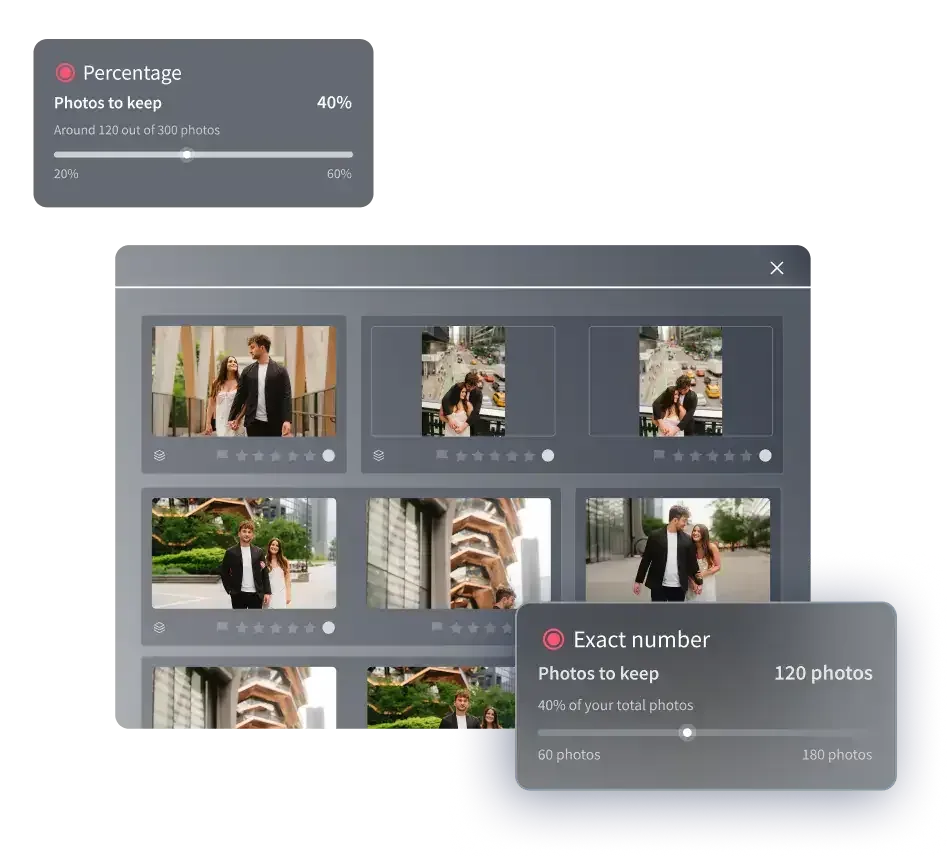
AI culling learns what you reject and does the first sweep for you, flagging closed eyes, soft focus, and duplicate bursts so you arrive at a pre-filtered set and spend your time on the creative selects. It does not replace your judgment on which hero frame to feature, it removes the mechanical sorting that stands between you and that judgment. Reserving your attention for the decisions only you can make is how you protect both your turnaround and your craft.
How Imagen speeds up high-volume wedding culling
Imagen is a desktop app for Mac and Windows with the AI work done in the cloud, built for exactly this bottleneck. It makes a fast first pass across a full wedding, grouping burst duplicates and using smart tags for blur and closed eyes to flag the frames you almost always reject. You review its suggestions rather than sorting from zero, which is where the hours come back, and you can skip AI culling and cull by hand for free whenever you prefer. Because the heavy AI work happens in the cloud, your own computer is not doing the heavy lifting, and it works directly with your RAW files.
If you shoot high volumes and want a dedicated pass at this specific problem, Imagen’s AI high-volume wedding culling software is designed to compress the reject stage from hours to minutes while keeping you in control of every final call. The same platform also handles editing, applying your color and tone consistently across the whole shoot so the gallery looks like one coherent set rather than a patchwork, and edited photos arrive in batches so you can start reviewing early frames while the rest finish.
Pricing is straightforward and pay-as-you-go: you pay for the photos you export, so the cost scales with what you actually shoot rather than a large upfront commitment. Sliders, crops, and masks you do yourself are always free. For a photographer running back-to-back weddings through peak season, moving the culling and the batch editing into one consistent, learnable workflow is often the difference between a sustainable calendar and a backlog. You can try Imagen’s new Studio, where you cull, edit and export in one project, at the Imagen homepage.
Heavier retouching needs still belong elsewhere. Deep compositing, object removal, and detailed skin work are jobs for a dedicated retouching tool, and true bracket-merged HDR is a separate step handled by a dedicated exposure-blending tool. Imagen’s strength is the high-volume, consistency-driven part of the pipeline: culling the shoot, then grading it evenly and delivering to clients quickly.
What’s new in Imagen: The latest version of Imagen is an intelligent, agentic Studio for professional photographers that keeps culling, editing, review and export inside one project. Let smart tags for blur and closed eyes handle the first sweep, or cull manually for free, and you stay in charge of every final call. The Studio is arriving gradually as a beta rollout.
Frequently asked questions
How long should culling a wedding take?
Done manually, a full wedding of three to four thousand frames commonly takes two to four hours to cull carefully, depending on how many bursts you shot and how decisive you are. Working in passes and using a consistent rating system pulls that toward the lower end. AI culling that pre-filters the obvious rejects can cut the reject stage to a fraction of that, leaving you a shortlist to refine rather than a full catalog to sort.
How many photos should I deliver from a wedding?
There is no fixed rule, but many wedding photographers deliver somewhere between 400 and 800 edited images for a full-day event, scaled to coverage and guest count. The number matters less than the quality bar: it is better to deliver a tighter gallery of strong frames than a bloated one padded with near-duplicates. Set an expectation with your couple in advance so the count feels intentional.
Should I cull before or after editing?
Cull first, always. Editing is the expensive step, so you never want to spend time processing a frame you were going to cut. A clean cull down to your keepers means every minute of editing goes into an image that will actually reach the couple. If you use a tool that both culls and edits, the cull still comes first inside that workflow.
Is AI culling reliable enough for weddings?
AI culling is best understood as a fast, tireless first pass rather than a replacement for your eye. It reliably catches the mechanical rejects, closed eyes, missed focus, and redundant burst frames, and it learns from your corrections over time. The creative decisions, which hero frame tells the story and which emotional moment leads the gallery, stay with you. Used that way, it is dependable and saves real time without compromising the final selection.

