

7 Common Photo Culling Mistakes for Family Photographers to Avoid
Table of contents
- 1. Rejecting a whole group frame because one kid blinked
- 2. Tossing genuine expressions for technically perfect but stiff frames
- 3. Over-delivering near-duplicates
- 4. Not culling before editing a large session
- 5. Letting your standards drift as the session count climbs
- 6. Relying on memory instead of a rating system
- 7. Culling thousands of family frames entirely by hand
- How AI culling and editing fit into a family workflow
- A simple culling workflow that avoids all seven mistakes
- Frequently asked questions
Family sessions look gentle from the outside, but the culling that follows is where most family photographers lose their evenings. A single golden-hour session with two parents and three restless kids can leave you with eight hundred to fifteen hundred frames, most of them near-identical, and the job of choosing the gallery is harder than it sounds. Someone is always blinking, looking away, or mid-sneeze, and the frames that actually feel like the family are scattered through hundreds of technically similar shots.
The encouraging part is that slow, inconsistent, or frustrating culling is almost always a workflow problem rather than a taste problem. If your selects drag on, if parents ask why their favorite candid did not make the gallery, or if you keep delivering five versions of the same pose, the fix is a smarter process. Below are seven culling mistakes that trip up family photographers again and again, each with a practical way to avoid it.
1. Rejecting a whole group frame because one kid blinked
This is the mistake that defines family work. In a portrait session with one subject, a blink is an easy reject. In a family of five, waiting for every single person to have open eyes, a real smile, and good posture in the same frame can feel impossible, and photographers often cut frame after frame chasing that unicorn shot. The result is a painfully slow cull and, sometimes, a gallery that is thinner than it should be.
The better habit is to judge group frames on balance, not perfection. A photo where four of five faces are wonderful and one toddler is looking at a bird is often the most honest, most loved image in the set. Keep those. Just as important, keep the near-neighbors of a strong group shot, because a blinked frame that sits next to a clean one is exactly the material a good head-swap or a client’s own preference can rescue later. Do not delete the whole burst just because no single frame is flawless.
2. Tossing genuine expressions for technically perfect but stiff frames
When you cull fast on autopilot, sharpness and clean eyes become the whole scorecard, and that quietly rewards the wrong images. The frame where everyone is posed, still, and lit perfectly often wins on paper while feeling lifeless. Meanwhile the slightly soft frame where a dad is genuinely laughing and the baby is grabbing his nose gets cut for a minor focus miss. Families do not remember the crisp posed one. They remember the laugh.
Train yourself to weigh emotion alongside technical quality, especially in candid and lifestyle sessions. A real belly laugh, a spontaneous hug, or a kid’s unguarded grin can carry a frame that is marginally soft. This does not mean lowering your standards. It means recognizing that expression is a technical quality too, and that a gallery of stiff, perfect faces is a weaker product than a gallery with life in it. When two frames compete, let the genuine moment break the tie.
3. Over-delivering near-duplicates
Family sessions generate long runs of almost identical frames: the same pose on the couch, the same walk toward the camera, the same “everybody squeeze in” setup shot after shot. A common instinct is to keep several of each because the differences feel meaningful to you after staring at them. To the client, seven versions of the same porch pose do not read as generosity. They read as indecision, and they make the gallery exhausting to sort through.
Be ruthless about collapsing near-duplicates to a single best frame. Scan the run, pick the one where the expressions and grouping peak, and let the rest go. A tighter gallery of distinct moments feels more curated and more valuable than a bloated one padded with repeats. Parents choosing prints or an album will thank you for making the choice easier, not harder, and your own second-pass culling gets dramatically faster once you stop preserving redundancy out of guilt.
4. Not culling before editing a large session
Editing before you have locked your selects is one of the most expensive mistakes in family work, precisely because the frame counts are high and the duplicates are many. If you start adjusting skin tone and exposure while you are still deciding what to keep, you inevitably pour editing time into frames that a fresh eye would reject two rows later. Worse, once you have edited a photo you feel reluctant to cut it, so a mediocre frame survives just because you already invested in it.
Keep the stages separate. Cull the full session down to a clean set of keepers first, then move into color and tone once, in a single batched pass. This ordering is what makes consistency possible across a large family gallery, because you are grading a defined set rather than a moving target. Selecting and editing are different mental jobs, and on a big session, doing them one at a time is both faster and calmer than juggling both at once.
5. Letting your standards drift as the session count climbs
Consistency is where manual culling quietly breaks down, and family photographers feel it during busy mini-session days and holiday seasons. On the first gallery of the day you reject a slightly soft frame without hesitation. Six galleries later, tired and behind schedule, you wave through images you would have cut that morning. Each family gets a different version of your eye, and the ones culled late in the day get a looser, less considered gallery.
Fatigue-driven drift is hard to see from the inside, which is what makes it dangerous. Writing down your selection criteria before a heavy day helps: decide in advance how you handle mild motion blur, a partly turned face, or a background sibling wandering off. Short breaks between galleries keep your judgment honest. If you notice your standards sliding, stepping away for a few minutes usually costs less than the reshoots or re-edits that a rushed, inconsistent gallery can trigger later.
6. Relying on memory instead of a rating system
Trying to hold your favorites in your head across a thousand family frames guarantees repeated work. Without a structured flagging or rating system, you scroll up and down re-judging the same porch shot, unsure whether you already picked the best version of the couch pose. That back-and-forth is pure waste, and it multiplies across every session in a busy week.
Adopt one simple, repeatable system and apply it the same way every time. A two-tier flag approach or a star scale both work; the specific labels matter far less than using them consistently. Mark keepers on the fast first pass, refine to finalists on the second, and trust the marks instead of your memory. A predictable rating habit removes the mental load and makes culling steadier from one family gallery to the next, which is exactly what you need when the calendar fills up.
7. Culling thousands of family frames entirely by hand
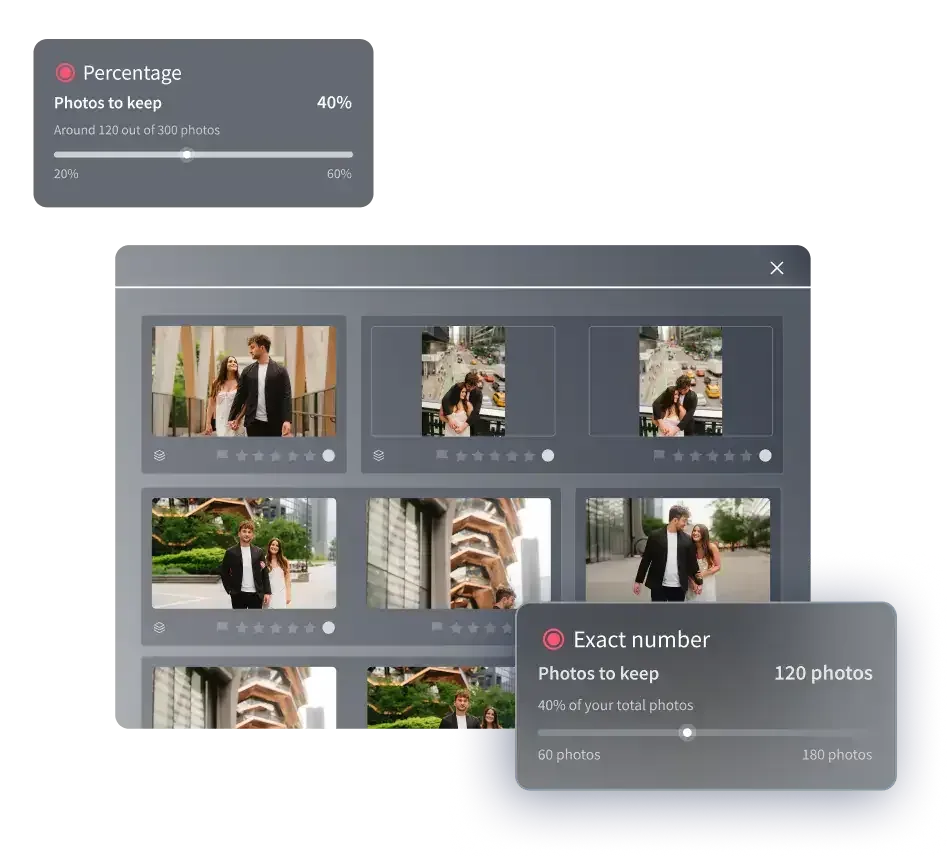
The final mistake is treating manual, frame-by-frame culling as the only option in 2026. Sorting a thousand-plus family frames one at a time is slow, tiring, and hard to keep consistent, and it is usually the biggest reason family photographers dread post-production during peak season. Modern AI culling tools were built for exactly this: they pre-sort a large session, group near-duplicates, flag closed eyes and blurred frames, and surface the strongest version of each moment, so your energy goes to the judgment calls that need a human.
This is where a tool like Imagen changes the math for family work. Imagen is a desktop app with cloud AI processing that offers optional AI culling, learns your personal editing style through AI profiles, and applies consistent color and tone across a whole session. Its AI culling for photographers is designed for the high-volume, near-duplicate reality of family shoots: it can take a first pass across thousands of RAW and JPEG files, cluster the repeated poses, flag blinks and blur, and pick the best of near-identical frames, leaving you to confirm and refine rather than start from a blank slate. It even learns your selection preferences over time, so its first sweep looks more like your own with every session. You stay the editor; the machine just removes the drudgery of the first sweep.
How AI culling and editing fit into a family workflow
Culling rarely lives alone. Once your selects are locked, you still need consistent grading across the whole gallery, and on a family session that means matching skin tones and light across dozens of frames shot as the kids moved and the sun dropped. Imagen is a desktop app for Mac and Windows with the AI processing in the cloud, where you cull, apply your style profile for consistent color and tone, and see edited photos arrive in batches as they process, which matters when a family is eager to see their photos. Because it works on your RAW files and learns your look, the output still feels like your work rather than a generic filter.
The pricing is straightforward and pay-as-you-go, which suits the seasonal rhythm of family photography. Pay as you go is a monthly base fee plus a charge for the photos you export, so a packed autumn of mini-sessions and a quiet winter both stay predictable. For a family photographer weighing whether AI culling is worth adopting, the honest answer is that the value shows up most on the sessions that hurt: the big extended-family gatherings and holiday marathons where manual culling steals your evenings. You can explore how the new Studio, where you cull, edit and export in one project, fits your own process at the Imagen homepage.
A simple culling workflow that avoids all seven mistakes
Pulling the fixes together gives you a routine you can repeat on every family session. Start with a fast first pass on previews, judging moment, grouping, and expression rather than pixels. Keep the balanced group frames even when one child is imperfect, and let genuine emotion win over stiff perfection. Collapse each run of near-duplicates to its single best frame so the gallery stays curated. Apply the same rating system every time instead of trusting memory. Lock your selects before you edit, then grade the whole set in one batched pass. Take breaks to protect your standards across a heavy day. And let an AI culling tool handle the exhausting first sweep on large sessions so your judgment goes where it counts.
None of these steps require new gear or a different shooting style. They are habits, and once they are in place, culling stops being the part of the job you dread. Faster, steadier selects mean quicker delivery, happier families, and more evenings back. That is the real payoff of getting family culling right.
What’s new in Imagen: Imagen is now an intelligent, agentic Studio for professional photographers, one project where you cull, edit, review and export in any order. For family galleries, the built-in editor (Beta) gives you manual sliders and versions for the frames that need a hands-on touch, while a Personal AI Profile handles the repetitive grade. The Studio is rolling out gradually as a beta, and Imagen has the details.
Frequently asked questions
How long should culling take for a typical family session? It depends on frame count and your workflow, but many family photographers spend as long culling as they did shooting when they work entirely by hand. A structured two-pass system usually cuts that time significantly, and AI culling on a large session can shorten the first sweep from hours to minutes, leaving you to confirm the selects and focus on the borderline group frames.
How do I handle group shots where someone always blinks? Judge group frames on balance rather than perfection, and keep the near-neighbors of your strongest shots. A frame where most faces are great and one child is distracted is often the most loved image in the set. Holding onto adjacent frames also leaves room for a client’s own preference or a simple head-swap later, so resist deleting an entire burst just because no single frame is flawless.
How many photos should I deliver from a family session? There is no fixed rule, but delivering every near-duplicate hurts more than it helps. Aim to represent the full session, from posed portraits to candid in-between moments, while cutting repeated poses to a single strong frame each. A tighter, curated gallery feels more valuable to parents than a bloated one, and it makes their print and album choices much easier.
Should I cull before or after editing? Cull first, edit second, especially on high-volume family sessions. Locking your selects before you touch color and tone keeps you from investing editing time in frames you will later cut, and it lets you batch your edits for consistent skin tones and light across the whole gallery. Mixing the two stages tends to slow both of them down.
