

7 Common Event Photo Editing Mistakes for Event Photographers to Avoid
Table of contents
- Mistake 1: Culling the Whole Event by Hand
- Mistake 2: Editing Each Photo One at a Time
- Mistake 3: Ignoring Color Shifts Across Mixed Venue Lighting
- Mistake 4: Over-Retouching Skin and Faces
- Mistake 5: Forcing Effects Your Raw Editor Should Not Handle
- Mistake 6: Working From a Disorganized Catalog With No Backup
- Mistake 7: Delivering Too Slowly After the Event
- How Imagen Fits the Event Editing Workflow
- What Imagen Costs and How to Try It
- Frequently Asked Questions
The most common event photo editing mistakes come down to doing slow work by hand that automation now handles better: culling thousands of frames one at a time, editing each photo individually instead of applying one look across the whole event, and letting color drift as the light changes from room to room. Event work is high volume and fast turnaround, so a conference, gala, or concert can hand you 3,000 to 6,000 raw files that all need to match before the client sees them. When you fix the process instead of grinding through every frame, you deliver faster and the gallery reads as one consistent set.
This guide walks through the seven mistakes that cost event photographers the most time, and it shows where a tool like Imagen removes the bottleneck. Imagen learns your personal editing style from your Lightroom or Capture One catalog, culls the shoot, and applies your color and tone consistently across the entire event, so you skip the repetitive slider work and spend your hours on the frames that actually need a human eye. Read each mistake, then apply the fix on your next job.
Mistake 1: Culling the Whole Event by Hand
The single biggest time sink in event work is selecting keepers by eye. Out of 5,000 frames from a full day, maybe 800 make the final gallery, and clicking through the entire take to find them can eat an evening before you have edited a single image. Event shooting also produces long bursts, near-duplicates, and half-blinked reaction shots, so the sorting job is even heavier than the raw count suggests.
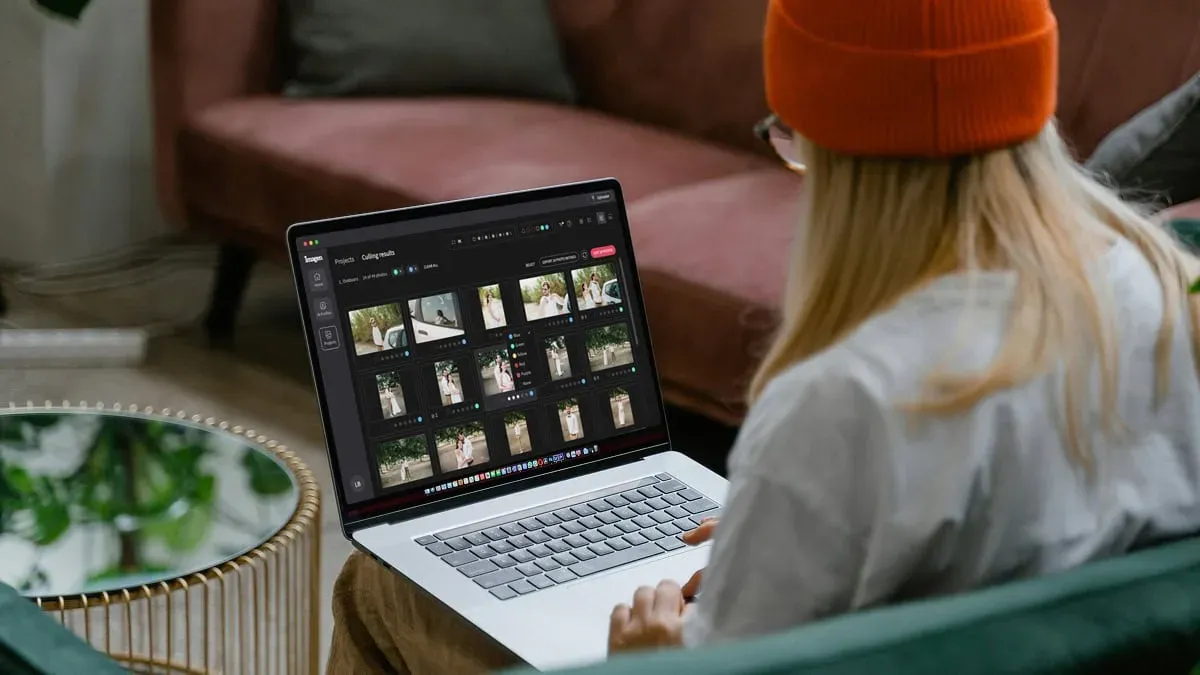
The fix is to let AI make the first pass. AI culling scans the full set, groups near-duplicates, flags closed eyes and soft focus, and surfaces the sharpest frame in each burst, so you review a short list instead of the whole take. Culling is a genuine strength of Imagen, and it runs in the same connected workflow as the editing, so you do not export between tools. You can also skip AI culling and cull manually for free whenever you prefer. Treat the AI picks as a strong first draft and make the final call yourself, because a slightly soft frame with the perfect candid moment is often the keeper.
Mistake 2: Editing Each Photo One at a Time
Editing frame by frame feels careful, but on an 800-image gallery it is the slowest possible route, and it invites drift. By the time you reach image 600 your sliders have wandered, and the last hour of the event looks subtly different from the first. Clients notice when the color of the keynote does not match the color of the reception, even if they cannot name why.
Batch your color and tone across the whole event instead. Imagen learns how you already edit from your own catalog and builds a personal profile that reads each frame and applies your white balance, exposure, contrast, and color the way you would, adjusting per photo rather than pasting one fixed setting. Across a full event that means every frame lands on your signature look in one pass, and your manual time shifts from grinding every image to reviewing a gallery that is already close.
Mistake 3: Ignoring Color Shifts Across Mixed Venue Lighting
Events rarely happen under one clean light source. You move from daylight by the windows to warm tungsten in the ballroom to colored stage wash during the awards, and each situation hands you a different white balance and a different skin tone to correct. Copying one edit and pasting it everywhere breaks down fast, because a frame shot under blue LED needs a different correction than one shot under a warm chandelier.
- Neutralize color casts so faces read natural under tungsten, LED, and daylight alike.
- Match exposure between the bright entrance and the dim main room so the set feels even.
- Keep skin tones consistent when guests move between rooms during the same event.
- Watch the transition frames where two light sources meet, such as a doorway or stage edge.
Because Imagen applies your own tendencies per frame, most of these corrections come back close after the batch pass, so this step becomes a quick spot-check of the outliers rather than a full manual grind through every mixed-light frame.
Mistake 4: Over-Retouching Skin and Faces
Event photographers who came from portrait work sometimes bring heavy skin retouching to a candid gallery, and it backfires. Guests at a gala or conference want to look like themselves on a good night, not airbrushed into someone else. Plastic skin and erased texture stand out badly across hundreds of frames, and the editing time you spend on it rarely pays off for the client.
Keep retouching light and consistent. Even out obvious shine, calm a distracting blemish, and move on. For the handful of hero frames that do need real skin work, a dedicated retouching tool handles pixel-level detail, and you finish those few images there rather than applying a heavy hand to the whole set. The goal across an event gallery is natural people in a real room, edited to a clean, repeatable standard.
Mistake 5: Forcing Effects Your Raw Editor Should Not Handle
Another common misstep is trying to fix everything inside one editor. Removing a stray exit sign behind the speaker, compositing two group shots together, rescuing a badly motion-blurred frame, or merging a bracketed set into a true HDR are all specialized jobs. Fighting them with basic sliders wastes time and usually looks worse than leaving the frame alone.
- Send heavy object removal to a dedicated object-removal tool rather than cloning by hand for an hour.
- Route complex composites to a dedicated compositing tool built for layer work.
- Hand badly blurred frames to a dedicated deblur tool, and accept that some are simply unusable.
- Merge bracketed exposures in a dedicated HDR tool when you truly need exposure blending.
Match the task to the right tool, and reserve your batch editor for what it does best: consistent color, tone, culling, and skin across the whole gallery. That division keeps your turnaround fast and your results clean.
Mistake 6: Working From a Disorganized Catalog With No Backup
Rushing to edit before you import and back up cleanly is a mistake that eventually costs someone an entire event. Card failure is a real risk, and files scattered across random folders make batch tools unreliable, because automation cannot read a shoot as one coherent set when it is split across a dozen directories.
- Copy every card to two drives and confirm both copies open before you format anything.
- Keep the full event in one catalog so your AI tool reads the whole set at once.
- Shoot and keep raw files so you have the latitude to recover blown highlights and dark rooms.
- Add the client, venue, and date to your metadata so the archive stays searchable later.
A clean, organized catalog is the foundation for everything downstream. When your files sit in one place, your culling and batch color read the event correctly, and your consistency holds across the whole gallery.
Mistake 7: Delivering Too Slowly After the Event
Event clients expect a fast turnaround, and a gallery that arrives two weeks late loses the momentum of the event itself. When your entire workflow is manual, culling and color alone can stretch across several evenings, and the delivery date slips. Slow delivery is often not a talent problem but a process problem.
Automating the repetitive stages is how photographers protect their turnaround. This is where Imagen’s AI event photo culling software removes the biggest bottleneck: it culls the take, then applies your personal style across the whole event in one pass, so the work that used to fill several nights runs in a fraction of the time. It is a desktop app with cloud AI processing, so the heavy processing happens off your machine, and your edits sync back to Lightroom or Capture One cleanly for the final review, or you can export finished JPG, TIFF or PNG files straight from Imagen. You still make the creative calls, but you make them on a gallery that is already consistent.
How Imagen Fits the Event Editing Workflow
It helps to be honest about what this kind of tool does. Imagen edits, culls, and retouches the real photos you shot at the event. It does not invent guests, swap the venue, or generate a scene that was not there, so the gallery stays true to the night your client actually hosted. Its strengths line up exactly with the slow parts of event work: batch color and tone across the whole shoot, shoot-wide consistency, AI culling, personal style profiles, RAW support, cloud processing, and fast client delivery.
| Stage | Where the time goes | How automation helps |
|---|---|---|
| Culling | Sorting thousands of frames and long bursts by eye. | AI ranks the set and surfaces the sharpest keepers to review. |
| Color and tone | Editing each frame and fighting drift across the gallery. | Your personal profile applies one look per frame across the event. |
| Mixed lighting | Correcting different white balance in every room. | Per-frame edits land close, so you only spot-check outliers. |
| Delivery | Manual passes stretch turnaround across several nights. | Cloud processing compresses the repetitive work into one pass. |
For more on tightening each stage, see our companion piece on the Imagen valuable tips hub, which collects practical editing guides for high-volume photographers.
What Imagen Costs and How to Try It
Imagen uses pay-as-you-go pricing: a monthly base fee plus a charge for the photos you export. Because event work is seasonal and uneven, the export charge tracks with your actual workload, and you see every edit in the gallery first, so you can test it on a real event before you pay.
The practical way to judge any editing tool is to run a real event through it. Cull an actual gallery, apply your own style, and check whether the color holds across the venue’s mixed lighting before you commit to it as part of your delivery pipeline.
What’s new in Imagen: Imagen is now an intelligent, agentic Studio for professional photographers, one non-linear project where you cull, edit, review and export together. Several of the mistakes above get easier to avoid there: use AI culling or skip it and cull manually for free, let a Personal AI Profile edit in your style, and ask the assistant in plain language to find the frames you need. The Studio is rolling out gradually as a beta.
Frequently Asked Questions
What is the biggest event photo editing mistake to avoid?
Culling the whole event by hand and editing each frame one at a time. Both are slow and invite color drift across a large gallery. Letting AI cull the set and apply your style across the entire event in one pass is the fastest way to fix it, and it keeps the gallery consistent.
How do I keep event photos consistent across different rooms?
Batch your color instead of editing frame by frame. A tool like Imagen learns your personal editing style and applies it per photo across the whole event, so the daylight entrance, the tungsten ballroom, and the colored stage light all land on the same look even though the lighting was very different.
Will AI change or invent parts of my event photos?
No. Imagen edits, culls, and retouches the real photos you shot. It does not add guests, swap the venue, or generate scenery that was not there, so the delivered gallery stays true to the event your client actually hosted.
How fast can I deliver an event gallery with AI editing?
The repetitive culling and color stages that used to fill several evenings can run in a fraction of the time. You still review the results and finish the hero frames yourself, but most photographers cut their total editing time sharply once those steps are automated, which protects the fast turnaround event clients expect.
Ready to edit your next event faster? Try Imagen and edit a full event gallery in your own style. Imagen’s new Studio lets you cull, edit and export in one project.

