
10 Best Professional Photo Editing Software in 2026
Table of contents
- 10 Best Professional Photo Editing Software in 2026
- Key Takeaways
- 1. Imagen: The Leader in AI-Powered Batch Editing
- 2. Adobe Lightroom Classic
- 3. Capture One Pro
- 4. Adobe Photoshop
- 5. Affinity Photo 2
- 6. DxO PhotoLab 8
- 7. Skylum Luminar Neo
- 8. ON1 Photo RAW 2026
- 9. Exposure X7
- 10. Darktable (Open Source)
- Comparison of Top Professional Photo Editors
- Final Recommendation: Which Software Should You Choose?
- Frequently Asked Questions
- Can AI completely replace a human photo editor?
- What’s the difference between a perpetual license and a subscription?
- Do I need Photoshop if I have Lightroom?
- How much photo editing experience do I need to use Imagen?
- What is a ‘non-destructive’ editor?
- Is free software like Darktable good enough for professional work?
- What is the benefit of AI culling?
- Can I use these programs on both Mac and Windows?
- How much hard drive space do I need for professional photography?
10 Best Professional Photo Editing Software in 2026
Choosing the best professional photo editing software used to be a two-horse race. Now, it’s a crowded field where AI assistants do more of the heavy lifting than ever before. The conversation isn’t just about color grading or masking anymore. It’s about how quickly you can cull a thousand photos, how consistently you can apply a signature style, and how much time you get back to actually shoot.
This list isn’t just about features. It’s about workflow. We’ve evaluated these tools based on their RAW processing engine, the intelligence of their AI integration, batch processing speed, and the overall cost-to-value ratio for a working professional in 2026. The right tool doesn’t just edit photos; it fundamentally changes your business.
Key Takeaways
- AI is Now Standard: In 2026, an overwhelming 74% of professional photographers now use AI-powered tools for culling or color correction, making it a non-negotiable feature for modern workflows.
- Speed Defines Profitability: AI editors like Imagen can process a 1,500-photo gallery in under 10 minutes, a task that once took days. This represents a time savings of up to 96%.
- The Market is Growing: The photo editing software market is projected to hit $1.78 billion by 2030, indicating continuous innovation and competition that benefits photographers.
- Subscription Fatigue is Real: A 15% increase in churn rate for subscription models shows a clear trend towards perpetual licenses or specialized, pay-per-use tools that solve specific problems.
- Personalization is Key: The most advanced tools don’t just apply a generic look. They learn your specific style, with platforms like Imagen achieving a 90% match rate to your manual edits.
- Mobile Editing is on the Rise: Nearly 28% of pros now perform a significant portion of their client edits on mobile devices, making cloud sync and app performance critical.
- RAW Support is Excellent: Top-tier tools now support over 600 camera RAW profiles, ensuring compatibility right out of the box with the latest gear.
1. Imagen: The Leader in AI-Powered Batch Editing
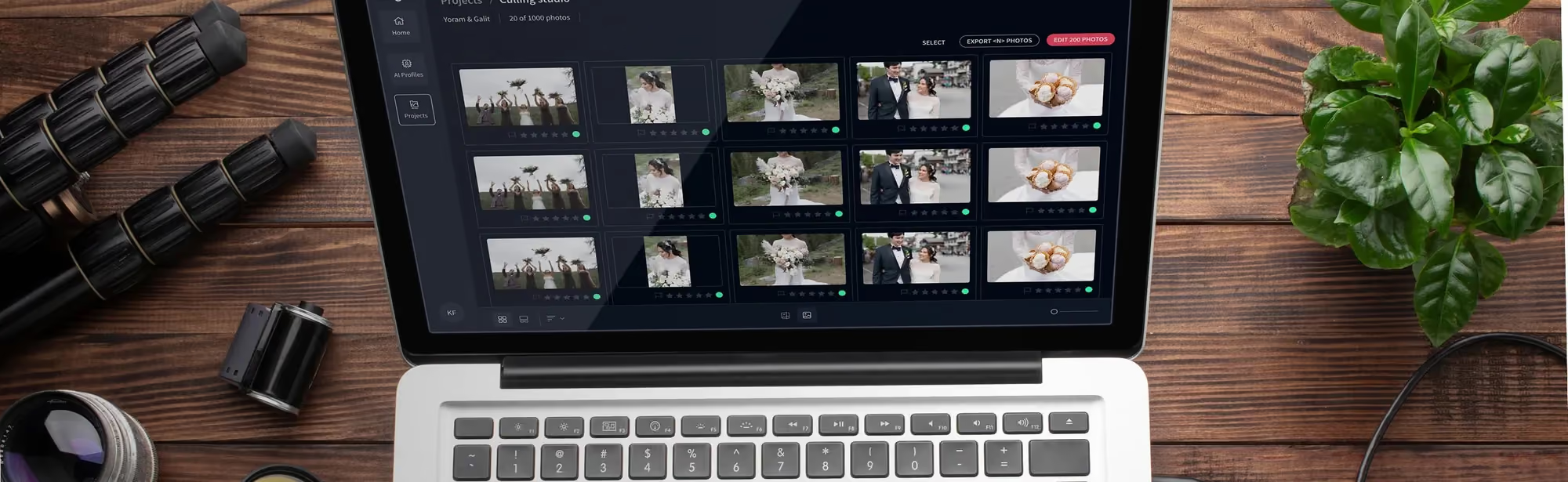
Imagen isn’t just another editor. It’s a different approach entirely. Instead of giving you more sliders to push, it is an intelligent Studio for professional photographers that works alongside your Lightroom Classic workflow. Its core function is to learn your unique, personal editing style and apply it consistently across thousands of photos at an unbelievable speed. This isn’t about generic presets; this is about cloning your aesthetic. The system trains a Personal AI Profile on your past work (a minimum of 3,000 edited photos from your catalog is recommended) to understand your specific tendencies for exposure, white balance, color grading, and more.
For high-volume photographers shooting weddings, events, or real estate, the bottleneck is almost always post-production. You spend more time in front of a computer than behind the camera. Imagen directly attacks that problem. A wedding gallery that might take 10-15 hours of manual editing can be completed in less than 10 minutes. This completely alters the economics of a photography business, allowing for faster client delivery and more time for marketing or shooting.
Key Features Breakdown
- Personal AI Profiles: The main attraction. The AI learns your specific style from your own Lightroom catalogs, creating a profile that edits new work just as you would.
- Talent AI Profiles: If you don’t have a large enough catalog or want to try a different style, you can use pre-built AI profiles from world-class photographers like Fer Juaristi and Susan Stripling.
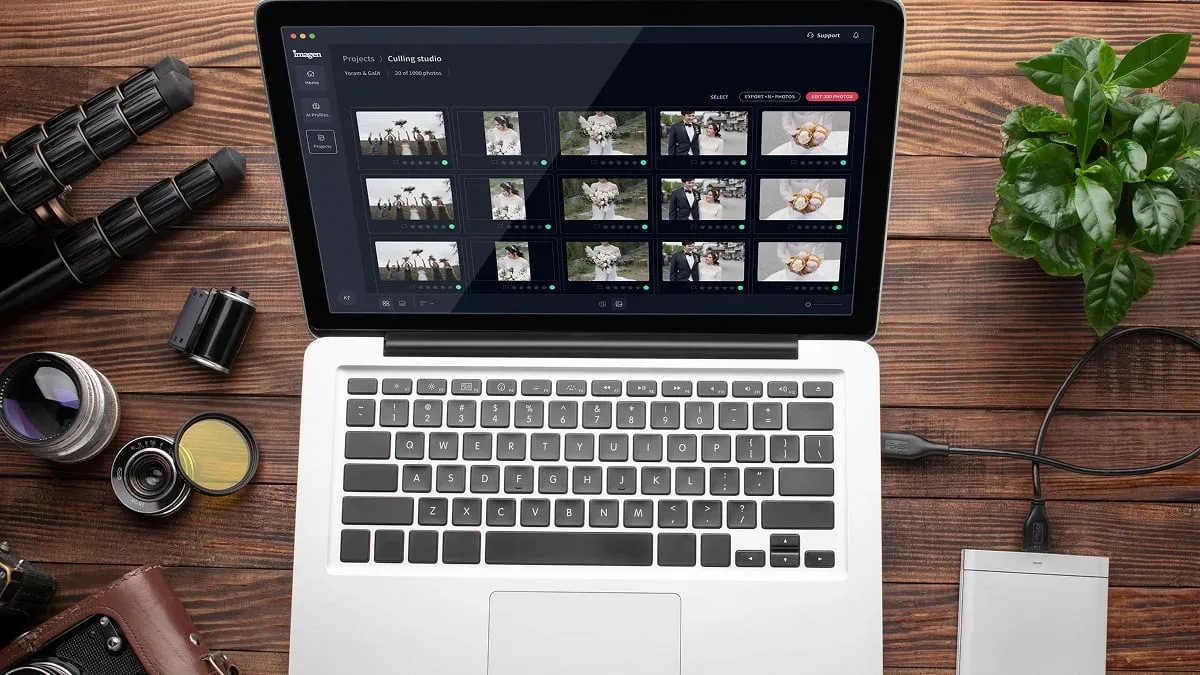
- Automated AI Tools: Beyond color and tone, Imagen offers AI-powered culling (or free manual culling), cropping, straightening, and subject masking, handling the most tedious parts of the job automatically.
- smooth Lightroom Classic Integration: It’s not a standalone app you’ve to learn. It works directly with your existing Lightroom setup, so there’s no disruption to your core workflow.
Pricing Structure
Imagen uses a pay-as-you-go model, which is a refreshing change from mandatory subscriptions. Pay-as-you-go photographers pay for the photos they export. This means your costs track what you actually export, making it highly scalable for both busy and slow seasons. Sliders, crops, and masks you do yourself are always free. You can check the full Imagen pricing for the current details.
Pros & Cons
Pros:
- Unmatched Speed: Processing over 1,500 photos in under 10 minutes is a major improvement that no manual process can match.
- Incredible Consistency: The AI applies your style with perfect consistency across varied lighting conditions, something even humans struggle with late at night.
- Frees Up Your Time: It eliminates the editing backlog, which is a primary source of burnout for professional photographers.
- Constantly Learning: You can refine your Personal AI Profile over time with your new edits, making it even more accurate.
Cons:
- Requires an Existing Catalog: To build a Personal AI Profile, you need a substantial body of previously edited work, though ready-made AI Profiles are available if you do not have that yet.
- Internet Connection is a Must: The heavy AI processing happens in the cloud, so you need a stable internet connection to upload and download edits.
Verdict: For any photographer who shoots in high volume (weddings, events, portraits, real estate), Imagen is an essential, transformative tool. It’s the single best solution for reclaiming your time without sacrificing the quality and personal touch of your edits.
2. Adobe Lightroom Classic
Adobe Lightroom Classic is the industry’s behemoth. It’s the default for a reason. Its combination of strong digital asset management (DAM) and a powerful, non-destructive RAW development engine makes it the hub for most professional photo workflows. In 2026, Lightroom isn’t just about manual sliders; its AI features have become formidable. The AI-powered masking tools for selecting subjects, skies, and backgrounds are incredibly precise and save a significant amount of time on local adjustments.
The real strength of Lightroom lies in its ecosystem. Your collections sync effortlessly between desktop, mobile, and web via the Adobe Creative Cloud. This is huge for photographers who need to edit on the go or share galleries with clients for proofing. According to a Professional Photographers of America report, 28% of pros now do a portion of their editing on mobile devices, a trend Adobe has fully embraced. However, this all-encompassing system comes at a cost: a mandatory subscription. And on older machines, the software can feel sluggish, especially with large catalogs.
- Catalog Management: Its library module is still the gold standard for organizing, keywording, and rating tens of thousands of photos.
- Advanced Masking: Features like Select Subject and Select Sky are powered by Adobe Sensei AI and are remarkably accurate, simplifying complex local adjustments.
- Cloud Ecosystem: The ability to sync photos and edits across all your devices is a major workflow advantage. It works smoothly and reliably.
- Vast Preset Market: There’s an endless supply of third-party presets and plugins available, allowing for immense creative flexibility.
Pricing: Available through the Adobe Photography Plan, which includes Photoshop, for $19.99/month. This plan comes with 1TB of cloud storage. Without Photoshop, the Lightroom plan costs $11.99/month.
Verdict: Lightroom Classic remains the most versatile, all-around tool for the majority of professional photographers. It’s the foundational app that tools like Imagen build on to create an even more efficient workflow.
3. Capture One Pro
Where Lightroom is the jack-of-all-trades, Capture One Pro is the master of one: image quality. It’s long been the preferred tool for commercial, studio, and fashion photographers for two primary reasons: its unrivaled color science and its best-in-class tethered shooting capabilities. The RAW rendering engine in Capture One is legendary for producing images with superior color accuracy and detail right out of the gate, especially with skin tones. This means less time spent correcting and more time perfecting.
For studio photographers, tethering is non-negotiable. Capture One’s tethering is fast, stable, and offers deep camera control directly from the software. You can apply adjustments, overlays, and check focus in near real-time, which is critical in a fast-paced commercial shoot. The interface is highly customizable, allowing you to build a workspace that perfectly suits your needs, though this flexibility contributes to a steeper learning curve compared to Lightroom. It’s a more precise, albeit more complex, instrument.
Pricing: Capture One offers flexibility. You can buy a perpetual license for $299 or subscribe for $14.92/month (billed annually). This choice is increasingly rare and highly valued by pros wary of endless monthly fees.
Verdict: If your work demands the absolute highest level of color accuracy and you spend a significant amount of time shooting tethered in a studio, Capture One Pro is the undisputed champion.
4. Adobe Photoshop
If Lightroom is the darkroom, Photoshop is the operating table. It’s not designed for culling thousands of RAW files or applying a consistent look to a wedding gallery. It’s built for deep, pixel-level surgery on a single photo. For high-end retouchers, commercial photographers, and composite artists, there’s still no substitute for the power and control that Photoshop provides.
“AI’s role isn’t to replace the artist but to remove the friction between idea and execution. Tools that automate tedious tasks like selection or initial color grading free up cognitive resources for what truly matters: creativity and storytelling.”
Itamar Haim, AI Photography Workflow Specialist
The introduction of Adobe Firefly AI has pushed its capabilities even further. The Generative Fill and Generative Expand features are stunning, allowing you to smoothly remove objects, change backgrounds, or extend the canvas of an image with context-aware content. These aren’t just minor helpers; they’re powerful creative tools. Its layer-based system, advanced masking, and blending modes offer limitless control that RAW editors simply can’t match. It’s a complex tool with an intimidating interface, but its potential is boundless.
Use Case Scenario: A commercial product photographer needs to shoot a bottle on a white background but then place it into a dramatic landscape scene for an ad campaign. They would first process the RAW file in Lightroom or Capture One for color and tone, then bring the image into Photoshop to meticulously cut out the bottle, create realistic shadows, blend it with the new background, and perform high-end blemish removal. This level of manipulation is Photoshop’s core strength.
Pricing: Included in the Adobe Photography Plan with Lightroom for $19.99/month.
Verdict: An indispensable tool for any professional who needs to perform detailed retouching, compositing, or advanced manipulation. It’s not a Lightroom replacement, but a crucial partner.
5. Affinity Photo 2
Here’s the thing about subscriptions: not everyone wants one. Affinity Photo 2 by Serif has built its reputation as the most powerful, professional-grade Photoshop alternative for a one-time fee. And it’s not a watered-down imitation. It’s a genuinely strong editor with a full suite of features that rivals Adobe’s flagship in many areas. It offers a complete RAW development persona, advanced layer controls, real-time filters, and excellent performance, especially on Apple Silicon hardware.
What do you sacrifice by ditching the subscription? Mainly, the modern generative AI features like Adobe’s Firefly. Affinity doesn’t have a direct equivalent to Generative Fill. It also lacks the deep cloud integration of the Adobe ecosystem. But for many photographers, that’s a trade-off they’re happy to make. The fact that it can handle PSD import and export with surprising fidelity makes it easier to collaborate with colleagues who are still on Adobe’s platform.
Feature Checklist: What You Get for a One-Time Price
- ☑️ Non-destructive RAW editing
- ☑️ Unlimited layers and adjustment layers
- ☑️ Advanced selection and masking tools
- ☑️ Full support for PSD files
- ☑️ Live mesh warp and perspective filters
- ☑️ Focus stacking and HDR merging
- ☑️ 360-degree photo editing
Pricing: A one-time purchase of $69.99. That’s it. No monthly fees. This model is incredibly appealing, especially given the 15% increase in subscription churn rates seen across the software industry.
Verdict: Affinity Photo 2 is the best value in professional photo editing, period. It’s the top recommendation for any pro looking to escape the subscription model without sacrificing professional-level power.
6. DxO PhotoLab 8
Some tools try to do everything. DxO PhotoLab 8 does a few things perfectly. It has carved out a name for itself with two signature technologies: world-class optical corrections and the best noise reduction algorithm on the market. DxO meticulously analyzes thousands of camera and lens combinations in its labs to create custom correction profiles. When you open a RAW file, PhotoLab automatically corrects for distortion, vignetting, and chromatic aberrations with an accuracy that other programs often can’t match.
But the real star is DeepPRIME XD2, its AI-powered noise reduction and detail enhancement technology. For wildlife, event, and astrophotographers who frequently shoot in low light at high ISOs, this feature alone is worth the price of admission. It cleans up noise while preserving an astonishing amount of detail, turning previously unusable shots into client-worthy images. While it does have a full suite of editing tools, including the excellent U Point technology for local adjustments, it lacks the cataloging features of Lightroom. Many pros use it as a specialized tool for pre-processing their RAW files before importing them into their main DAM.
Pricing: The Elite Edition, which includes DeepPRIME XD2, is a one-time purchase of $229.
Verdict: A must-have for any photographer who regularly shoots in challenging low-light conditions. Its noise reduction is simply unmatched.
7. Skylum Luminar Neo
Skylum Luminar Neo is built from the ground up around AI. Its entire interface and workflow are designed to produce dramatic results with minimal effort. While traditional editors give you sliders for ‘highlights’ and ‘shadows’, Luminar Neo gives you tools like Sky AI, Atmosphere AI, and Relight AI. Want to replace a boring, overcast sky with a beautiful sunset? It’s a one-click operation. Need to add fog or adjust the lighting on a subject after the fact? There’s an AI tool for that.
This approach makes Luminar Neo incredibly fast and fun to use, especially for landscape and creative photographers. However, this ease of use can sometimes come at the expense of fine-grained control. While the results can be stunning, professionals may find the AI’s decisions a bit heavy-handed at times. The software has also faced criticism for performance issues with very large photo libraries. But for content creators, hobbyists, and pros looking for a quick way to add creative flair to their images, it’s a powerful and accessible option.
- Sky AI: smoothly replaces skies with a massive library of options, automatically relighting the scene to match.
- Enhance AI: A single slider that intelligently adjusts up to a dozen different controls for a quick, balanced image.
- Portrait Tools: AI-driven tools for skin smoothing, eye enhancement, and face changing that are remarkably effective.
Pricing: Offers both a subscription at $11.95/month and a lifetime license that typically costs around $199, often bundled with extensions.
Verdict: The ideal tool for landscape and travel photographers who want to achieve dramatic, creative results quickly and intuitively.
8. ON1 Photo RAW 2026
ON1 Photo RAW aims to be the true all-in-one solution, combining the cataloging of Lightroom, the layers of Photoshop, and a powerful effects engine into a single application. One of its standout features is its fast photo browser; you don’t need to import photos into a catalog to start editing. You can simply point it to a folder on your hard drive and get to work, which is a significant time-saver for many.
The 2026 version includes a suite of AI tools like Brilliance AI for automatic adjustments and Keyword AI for automatically tagging your photos to make them easier to find. It offers a strong feature set, including layers, advanced masking, focus stacking, and an excellent library of built-in presets and filters. The main drawback is that while it does everything, it doesn’t necessarily do any one thing better than its specialized competitors. The interface can also feel a bit cluttered due to the sheer number of options available.
Pricing: ON1 provides great value with a perpetual license for $99.99 or a subscription for $7.99/month.
Verdict: A feature-packed and affordable all-in-one editor that’s perfect for photographers who want to avoid the Adobe ecosystem and do everything within a single app.
9. Exposure X7
In a world obsessed with AI and digital perfection, Exposure X7 celebrates the beauty of analog film. Its core strength lies in its massive library of over 500 meticulously crafted presets that emulate classic film stocks from Fuji, Kodak, Ilford, and more. But these aren’t just simple color overlays. Exposure’s engine simulates film grain, bokeh, and subtle tonal nuances with a level of realism that’s hard to beat.
Who is Exposure X7 for?
- Portrait Photographers: Achieving beautiful, consistent skin tones with a timeless film look is one of its greatest strengths. Perfect for portrait photography.
- Wedding Photographers: Many wedding pros build their entire brand around a specific film aesthetic. Exposure makes it easy to apply that look across a full event.
- Fine Art Photographers: For those who love the craft and history of photography, this tool provides an endless playground of analog creativity.
Like ON1, it features a fast, catalog-free workflow that speeds up browsing. While it has a complete set of adjustment tools, its AI capabilities are very limited compared to the 2026 standard. This is a tool you choose for its artistic rendering, not for automated efficiency.
Pricing: A one-time purchase of $129.
Verdict: The undisputed king of film emulation. It’s the best choice for photographers who prioritize creating a specific analog aesthetic over automated AI features.
10. Darktable (Open Source)
For the professional who is also a tinkerer, a coder, or simply on a strict budget, there’s Darktable. As a free and open-source project, it’s an incredibly powerful piece of software that offers a professional-level, non-destructive RAW editing workflow. Its color science is excellent, and it provides an astonishing number of modules for controlling every conceivable aspect of an image, from basic exposure to complex color space manipulations.
Getting Started with Darktable: A 3-Step Overview
- Installation: Download the correct version for your operating system (Windows, macOS, or Linux) directly from the official website. There’s no cost or registration.
- Importing Photos: Use the “lighttable” view to import images from your hard drive. Unlike some other catalog-free editors, Darktable does create a database to store editing information.
- Learning the Modules: Switch to the “darkroom” view. The power lies in its modules. Start with basics like “exposure,” “color balance RGB,” and “filmic RGB,” which are central to its modern, scene-referred workflow. Don’t be afraid to experiment.
The catch? Darktable has an exceptionally steep learning curve. Its interface isn’t intuitive for those accustomed to Adobe or Capture One products, and its terminology is highly technical. But for those willing to invest the time, it offers a degree of control and customization that’s unmatched, all for the unbeatable price of zero.
Pricing: Free. Forever.
Verdict: The best option for technically-minded photographers who want maximum control and are willing to endure a very steep learning curve to get it without spending a dime.
Comparison of Top Professional Photo Editors
Choosing the right tool depends entirely on your specific needs. Here’s a breakdown of how our top picks stack up against each other in key areas.
| Software | Primary Strength | Pricing Model | AI Capability Score (1-10) | Best For |
|---|---|---|---|---|
| Imagen | AI-Powered Batch Editing & Culling | Pay-per-use | 10 | Wedding & Event Photographers |
| Adobe Lightroom Classic | All-in-One Cataloging & Editing | Subscription | 8 | General Professionals |
| Capture One Pro | Color Accuracy & Tethering | Perpetual or Subscription | 6 | Studio & Commercial Pros |
| Adobe Photoshop | Compositing & Retouching | Subscription | 9 | High-End Retouchers |
| Affinity Photo 2 | Value for Money (No Subscription) | Perpetual | 3 | Budget-Conscious Professionals |
| DxO PhotoLab 8 | Noise Reduction & Lens Correction | Perpetual | 7 | Low-Light & Wildlife Shooters |
| Skylum Luminar Neo | Creative AI Effects | Perpetual or Subscription | 9 | Landscape & Creative Artists |
Final Recommendation: Which Software Should You Choose?
There’s no single “best” editor for everyone. The ideal choice depends entirely on what, and how much, you shoot. Let’s break it down by professional specialty.
For the High-Volume Wedding, Event, or Portrait Photographer: Your biggest enemy is time. The bottleneck isn’t creativity; it’s the mountain of photos waiting on your hard drive. The clear winner here’s a combination: Adobe Lightroom Classic + Imagen. Use Lightroom for its unbeatable organization and for making final tweaks. But let Imagen’s AI photo editing handle the initial 95% of the work in its new Studio, where you cull, edit and export in one project. The time savings (up to 96%) aren’t a small improvement; they’re a business-altering advantage. It allows you to deliver galleries faster, take on more clients, and get your life back.
For the Studio, Fashion, or Commercial Photographer: Your priority is precision. Color accuracy, detail, and a smooth tethered workflow are paramount. For this, Capture One Pro remains the gold standard. Its RAW engine is simply superior for achieving perfect colors, especially skin tones, straight from the camera. Pair it with Adobe Photoshop for high-end retouching and compositing work. This duo offers the ultimate in quality and control.
For the Photographer on a Budget or Avoiding Subscriptions: If the endless cycle of monthly payments is a deal-breaker, your best bet is Affinity Photo 2. For a single, affordable payment, you get a tool that’s 90% as powerful as Photoshop. It’s a full-featured, professional-grade editor that doesn’t hold you hostage with a subscription. For those who need a RAW processor and organizer, ON1 Photo RAW 2026 offers a fantastic perpetual license option that covers the entire workflow in one app.
What’s new in Imagen: Imagen is now an intelligent, agentic Studio for professional photographers, the next evolution of the same Imagen you may already know. You cull, edit, review and export in one project, in any order, and you can edit in your personal style or with ready-made AI Profiles. A built-in editor (Beta) covers manual touch-ups, and the Studio is rolling out gradually.
Frequently Asked Questions
Can AI completely replace a human photo editor?
Not yet, and maybe never. AI is an incredibly powerful assistant that can handle the repetitive 80-90% of editing work with amazing accuracy. However, the final creative touches, nuanced storytelling, and subjective client requests still require a human eye. The best workflow combines AI for speed with human oversight for quality.
What’s the difference between a perpetual license and a subscription?
A perpetual license is a one-time payment that gives you the right to use that specific version of the software forever. A subscription is a recurring monthly or annual fee that gives you access to the latest version of the software, including all updates, as long as you keep paying.
Do I need Photoshop if I have Lightroom?
It depends on your work. If you primarily do color correction, exposure adjustments, and organizing, Lightroom is all you need. If your work involves heavy retouching, removing objects, creating composite images, or advanced graphic design, then Photoshop is essential.
How much photo editing experience do I need to use Imagen?
To create a Personal AI Profile, you need to be an experienced editor with a large catalog of your own edited work for the AI to learn from. However, if you’re newer or want to try a different style, you can use the pre-built Talent AI Profiles immediately with no prior experience needed.
What is a ‘non-destructive’ editor?
A non-destructive editor, like Lightroom or Capture One, doesn’t alter your original image file. It records your edits as a set of instructions in a catalog or sidecar file. This means you can always go back to the original RAW file at any time, and it preserves the maximum image quality.
Is free software like Darktable good enough for professional work?
Absolutely, if you’re willing to invest the time to learn it. Darktable is extremely powerful and used by many professionals. Its main barrier isn’t its capability but its steep learning curve and less polished user interface compared to paid alternatives.
What is the benefit of AI culling?
Manually culling a wedding with 3,000-5,000 photos can take hours of tedious work. AI photo culling analyzes photos for focus, closed eyes, duplicates, and composition, presenting you with the best selection in minutes. This dramatically speeds up the first and often most dreaded step of post-production.
Can I use these programs on both Mac and Windows?
Yes, all the major software titles listed in this article, including Imagen, Adobe Lightroom, Capture One Pro, and Affinity Photo, are fully compatible with both macOS and Windows operating systems. You can typically use a single license on both platforms.
How much hard drive space do I need for professional photography?
This is highly variable, but it’s not uncommon for a professional to generate several terabytes (TB) of data per year. A strong storage solution is critical. We recommend a primary working drive (at least 1-2TB SSD), a larger archival drive (10TB+), and a cloud backup solution for offsite protection. Imagen’s Cloud storage backup is on the roadmap but not available yet, so use another cloud service for now.

