
10 Best Lightroom Presets for Professional Photographers in 2026
Table of contents
- Key Takeaways
- Selection Criteria: What Makes a Preset “Professional” in 2026?
- 1. Imagen: The Evolution of the Preset (AI-Powered Editing)
- 2. Mastin Labs: The Gold Standard for Film Emulation
- 3. DVLOP: Cross-Platform Color Consistency
- 4. Tribe Archipelago: Earthy and Moody Aesthetics
- 5. VSCO Pro: The Mobile-to-Desktop Powerhouse
- 6. RNI (Really Nice Images): Authentic Analog Profiles
- 7. Peter McKinnon: Cinematic Storytelling
- 8. Sleeklens: The Workflow-Centric System
- 9. The Luxe Lens: Versatility for Every Genre
- 10. Meridian: Community-Driven Artistry
- Comparison of Top Lightroom Presets for 2026
- Final Recommendation: Which Preset Should You Choose?
- Frequently Asked Questions
- What’s the difference between .XMP and .lrtemplate presets?
- Can I use these presets on my phone with Lightroom Mobile?
- Do professional photographers actually use presets?
- Will presets make my photos look like everyone else’s?
- Can I get a refund if I don’t like a preset pack?
- What’s the difference between a preset and a profile?
- How do I install Lightroom presets?
- Does using an AI editing tool mean I’m not a real artist?
The term “Lightroom preset” doesn’t mean what it used to. What was once a simple, one-click filter has become a sophisticated ecosystem of AI-driven profiles, color science tools, and workflow automations. For professional photographers, choosing the right system isn’t just about aesthetics; it’s about speed, consistency, and profitability.
This isn’t just another list of trendy filters. We’ve evaluated these tools based on professional-grade criteria: color accuracy across camera systems, preservation of skin tones, efficiency for high-volume work, and the intelligence to adapt to your unique style. It’s 2026, and your editing tools should work for you, not the other way around.
Key Takeaways
- AI is the New Standard - Tools like Imagen are moving beyond static presets by creating Personal AI Profiles that learn and replicate your unique editing style, cutting editing time by up to 90%.
- Film Emulation Persists - Mastin Labs and RNI continue to dominate the film look, with packs like RNI All Films 5 Pro offering over 180 film profiles for purists.
- Cross-Camera Consistency is Solved - DVLOP’s Dual Illuminant profiles guarantee color accuracy across different camera brands, a critical feature for teams and multi-camera shooters.
- The Market is Growing Fast - The AI photo editing market is on track to hit $1.46 billion by 2030, showing a massive industry shift towards intelligent automation.
- Subscription Models Are Common - Many providers, like VSCO Pro, have moved to subscription models ($59.99/year), offering constant updates over one-time purchases.
- Workflow is Everything - Professionals spend an average of 8-12 hours editing a wedding. AI tools can reduce this to just 1.5 hours, directly impacting profitability.
- Formats Have Matured - The industry has fully adopted the .XMP format, ensuring compatibility between Lightroom Classic, Lightroom Mobile, and Adobe Camera Raw for over 95% of professional presets.

Selection Criteria: What Makes a Preset “Professional” in 2026?
Look, the days of downloading a “.lrtemplate” file and hoping for the best are long gone. The professional standard has shifted dramatically. In 2026, a top-tier preset isn’t just a set of saved sliders; it’s an intelligent tool built on a foundation of advanced color science and, increasingly, artificial intelligence.
The first major shift is the complete industry adoption of the .XMP format. Adobe made this change with Lightroom 7.3, and it was a critical one. Unlike older formats, .XMP files are compatible across the entire Adobe ecosystem, including Lightroom Classic, Lightroom Mobile, and Adobe Camera Raw. This ensures that your look remains consistent whether you’re editing on a desktop for a client or doing a quick touch-up on your tablet for a social media preview. Over 95% of modern presets now use this format, and frankly, you shouldn’t consider any that don’t.
Beyond file types, the real differentiator is intelligence. The AI in the photo editing market is growing at a compound annual growth rate of 17.4% for a reason. Professionals demand more than a simple color wash. They need tools that can analyze an image and apply adjustments contextually. This includes:
- Skin Tone Accuracy - The preset must correctly identify and preserve a wide range of skin tones under various lighting conditions without making them look plastic or washed out.
- Dynamic Range Preservation - A professional preset shouldn’t crush blacks or blow out highlights. It must work with the data in your RAW file to maintain detail in the brightest and darkest parts of the image.
- Cross-Camera Compatibility - It’s common for pros to use multiple camera bodies, even from different brands. The best preset systems include custom camera profiles to ensure a consistent look no matter what you shot with.
- Adaptability - The most advanced tools don’t just apply a static look. They learn from you or are built to adapt to different lighting scenarios, from golden hour to a dimly lit reception hall.
1. Imagen: The Evolution of the Preset (AI-Powered Editing)
Let’s be clear: Imagen isn’t a preset pack. It’s the logical conclusion of where presets were always heading. Instead of buying a photographer’s style, you use AI to identify, learn, and scale your own. This is a fundamental shift in the editing workflow, moving from manual application to automated, intelligent processing. When you want a manual touch, Imagen’s built-in editor (Beta) offers sliders and presets you can import from Lightroom or build yourself.
The core of the platform is the Personal AI Profile. You feed Imagen a catalog of your previously edited photos (a minimum of 5,000 is recommended for high accuracy), and its neural network learns every nuance of your style. It doesn’t just copy slider values; it understands relationships. It learns how you adjust white balance in shade versus direct sun, how you treat skin tones, and your specific approach to color grading with the HSL panel. The result is an edit that’s authentically yours, applied with machine speed. According to internal benchmarks, Imagen’s AI photo editing can process 1,000 photos in under 10 minutes, a task that could take hours manually.
Key Features
- Personal AI Profiles - Trains a unique AI model based on your past Lightroom edits. It learns your taste in exposure, white balance, color grading, and more.
- Talent AI Profiles - If you don’t have a large back-catalog or want to try a new style, you can use pre-built Talent AI profiles created by top-tier photographers.
- Automated Tools - Beyond color and tone, Imagen offers AI-powered straightening, cropping, subject masking, and denoising.
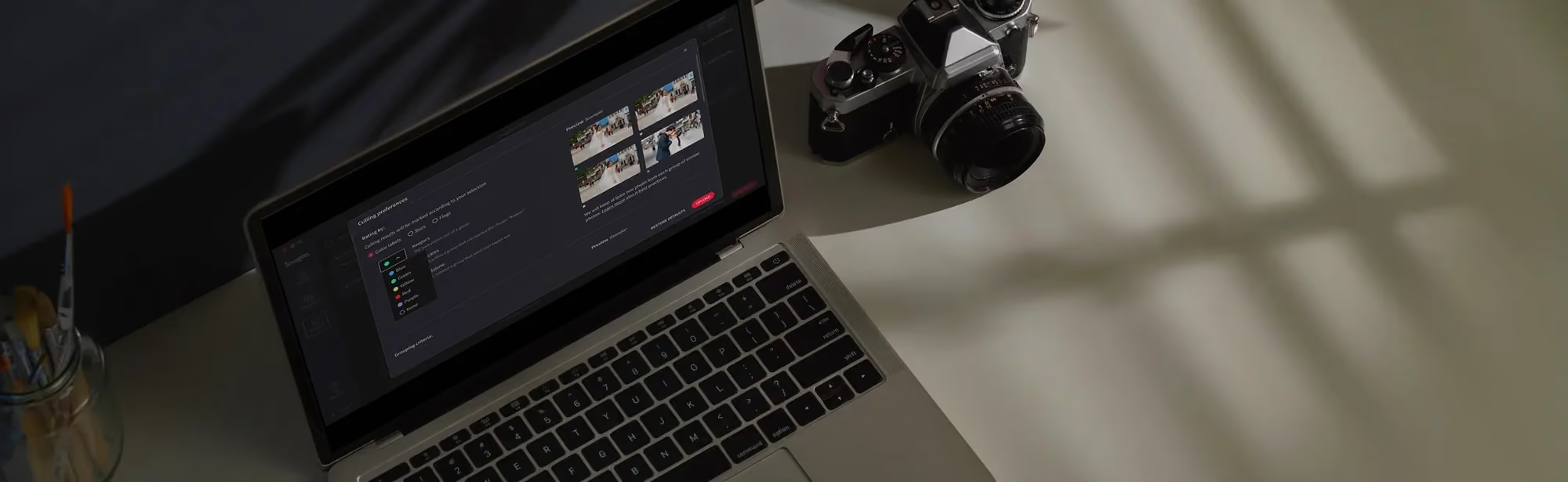
- AI Culling - The platform also includes an AI photo culling service that analyzes entire shoots for focus, composition, and closed eyes to make your initial selections for you.
- Cloud-Based Processing - Imagen is a desktop app for Mac and Windows, and the AI processing runs on Imagen’s servers, which frees up your local machine to continue working without slowdowns.
AI isn’t about replacing the artist; it’s about eliminating the tedious, repetitive tasks that stand in the way of artistry. For high-volume photographers, an AI-driven workflow that learns their specific style is the single most impactful efficiency gain they can make. It’s about getting back hours of your life.
Itamar Haim, AI Photography Workflow Specialist.
Pricing Details
Imagen uses a flexible model. Pay-as-you-go pricing combines a monthly base fee with a charge for the photos you export. There are also subscription tiers for higher-volume photographers. This structure makes it accessible for photographers at different stages of their business. You can find full details on the Imagen pricing page.
Pros and Cons
Pros:
- Unmatched Speed and Efficiency - It’s the fastest way to get through a large volume of photos with a consistent, personal look.
- Truly Personalized Results - It’s your style, not a borrowed one. Your edits remain unique to your brand.
- Extreme Consistency - The AI applies your style consistently across thousands of photos from different scenes and lighting conditions.
- Integrated Workflow - Culling and editing are available within one platform, and cloud storage is on the roadmap.
Cons:
- Requires an Internet Connection - Because processing is cloud-based, you need to be online to send and receive edits.
- Initial Training Time - You need a substantial catalog of edited photos (5,000+) to create a highly accurate Personal AI Profile.
Verdict: Imagen is the indispensable tool for high-volume wedding, event, and portrait photographers. If you’re spending more than a few hours a week on repetitive editing tasks, it’s the most powerful solution on the market for reclaiming your time without sacrificing your unique artistic signature.
2. Mastin Labs: The Gold Standard for Film Emulation
For a huge segment of the wedding and portrait industry, the goal isn’t just a beautiful digital image; it’s a digital image that feels timeless, analog, and authentic. Mastin Labs has built its entire reputation on meticulously recreating the look of classic film stocks, particularly Fuji Pro 400H (now discontinued), Kodak Portra 400, and Ilford HP5.
What makes Mastin different is its obsession with accuracy. They don’t just mimic the colors; they replicate the entire response curve of the film. This is why their system is so popular with “hybrid” photographers who shoot both film and digital. Mastin presets allow them to create a perfectly cohesive gallery where the digital files are indistinguishable from the film scans. Their process is famously simple, often boiled down to a three-step workflow: apply preset, adjust exposure, adjust white balance. That’s it.
- Apply the Film Profile - Choose the core look, like Portra 400. This sets the foundational color science.
- Use Lens Correction - Apply the specific lens correction profile for your gear, which is a critical step for authenticity.
- Adjust Tone Profiles - Use their custom tone profiles (like All Hard, All Soft) to fine-tune the contrast without breaking the core color palette.
The results are known for their luminous skin tones and rich, but not oversaturated, colors. But this precision comes with a caveat: Mastin presets are designed to work best with photos that are slightly overexposed, mimicking how film photographers often shoot. If your images are underexposed, you might struggle to get the signature airy look. The pricing reflects its professional focus, with individual packs like Portra Pushed costing $99 each. For a photographer building a business on a light and airy film aesthetic, it’s a non-negotiable tool.
Verdict: Mastin Labs is the best choice for wedding and fine-art portrait photographers who want to achieve an authentic, high-end film aesthetic with proven consistency and beautiful skin tones.
3. DVLOP: Cross-Platform Color Consistency
Imagine this scenario: you’re the lead photographer at a wedding, shooting with your trusty Canon R5. Your second shooter is using a Sony A7IV. At the end of the night, you’ve thousands of photos shot under the same lighting, but the colors look wildly different straight out of the camera. This is the nightmare DVLOP was created to solve.
Their secret weapon is a technology called Dual Illuminant camera profiles. Instead of just creating a preset, DVLOP builds a unique profile for each camera model they support. According to their technical documentation, this process ensures 100% color accuracy between different sensors, meaning a photo from a Nikon Z8 will have the exact same color rendering as one from a Canon R6 Mark II after the profile is applied. For photography studios and teams, this is a massive time-saver, eliminating the need to manually color-match images from different cameras.
DVLOP also stands out for its collaborations. Their presets aren’t made in a lab; they’re built with some of the world’s most famous photographers, like Two Mann Studios, Chrisman Studios, and Fer Juaristi. This gives you access to the literal color grading of industry icons. For example, if you’re a fan of Gabe McClintock’s moody, cinematic style, you can buy his pack and apply that precise look to your own work. Packs are typically priced between $75 and $100. The only real downside is that these complex profiles can be a bit more demanding on your computer’s processor than standard presets.
Verdict: DVLOP is the essential tool for photography teams, studios, or any individual photographer who shoots with multiple camera brands and demands absolute color consistency.
4. Tribe Archipelago: Earthy and Moody Aesthetics
While Mastin aims for timeless film, Tribe Archipelago leans into the modern, creative, and often moody aesthetic popular with adventure elopement, landscape, and lifestyle photographers. Their presets are known for their rich, earthy tones, muted greens, and desaturated palettes that create a strong sense of mood and atmosphere. Collections like Terrain and Summit are practically synonymous with the “Pacific Northwest” editing style.
Here are a few tips for getting the most out of Tribe Archipelago’s powerful styles without going overboard:
- Dial Back the Intensity - Tribe presets often include a creative profile. Don’t be afraid to use the profile’s amount slider in Lightroom to reduce the effect from 100 to something more subtle, like 70 or 80.
- Watch Your Skin Tones - Some of the more aggressive presets can make skin tones look overly orange or brown. Always double-check your HSL sliders for orange and red saturation after applying a preset.
- Use Them in the Right Light - These presets shine in soft, diffused light, like on an overcast day or during golden hour. They can be tricky to work with in harsh, direct midday sun.
- Embrace the Grain - Many of their looks are enhanced by adding a touch of film-like grain to complete the organic, adventurous feel.
Priced between $84 and $120 per set, these are artist-grade tools. They aren’t designed for corporate headshots or traditional family portraits. Instead, they’re for photographers who see themselves as storytellers and want a powerful color grade to help convey a specific emotion. The look is distinct, and that’s both its greatest strength and its primary limitation.
Verdict: Tribe Archipelago is the perfect choice for adventure, elopement, and landscape photographers who want a unique, artistic, and moody color grade to define their brand.
5. VSCO Pro: The Mobile-to-Desktop Powerhouse
For years, VSCO was the app that defined the aesthetic of an entire platform (Instagram). Now, with VSCO Pro, they’ve brought that massive library and intuitive feel to the professional’s desktop. The key appeal here’s the creation of a unified visual identity that stretches from your professional portfolio to your social media presence.
Are you a good candidate for the VSCO Pro ecosystem? Here’s a quick checklist to decide:
- Is your social media presence critical to your business? If you use Instagram, TikTok, or other visual platforms to attract clients, having a smooth workflow between your desktop and mobile edits is a huge advantage. You can edit a sneak peek on your phone with the same tools you use for the full gallery.
- Do you value variety over a single signature look? VSCO Pro offers over 200 presets. This is great for photographers who shoot multiple genres or simply like to experiment, but it can be overwhelming for those who want one consistent style.
- Are you comfortable with a subscription model? VSCO Pro has moved away from one-time purchases. At $59.99 per year, you get access to the full library and all future updates. This is cost-effective if you use it regularly, but it’s a recurring expense.
The main critique often leveled at VSCO is that some of their presets can feel a bit “consumer-grade” compared to the highly specialized tools from Mastin or DVLOP. However, their pro series includes more advanced tools and profiles that offer greater control. It’s less about pure film emulation and more about creating a modern, curated aesthetic. The ability to sync edits via the cloud is a genuinely useful feature for the working pro on the move.
Verdict: VSCO Pro is the best option for social-media-savvy photographers and content creators who need a massive variety of modern looks and a smooth workflow between their mobile and desktop devices.
6. RNI (Really Nice Images): Authentic Analog Profiles
If Mastin Labs is the gold standard for popular color-negative films like Portra, then RNI (Really Nice Images) is the academic library for film enthusiasts. Their flagship product, RNI All Films 5 Pro, is an exhaustive collection of over 180 film profiles, covering everything from popular stocks to obscure, vintage, and slide films. This isn’t just a preset pack; it’s a deep archive of analog history.
Here’s a simple process for applying their profiles for maximum realism:
- Start with a Clean Slate - It’s best to apply RNI profiles to a RAW file with minimal adjustments. Let the profile do the heavy lifting on color and tone first.
- Browse by Category - In Lightroom, open the profile browser. RNI organizes its profiles logically into categories like Negative, Slide, Instant, and Vintage. This helps you narrow down the look you’re after.
- Adjust the Profile Amount - Once you’ve selected a film stock (e.g., Kodak Ektachrome E100VS), use the Amount slider to blend it. Sometimes the full 100% effect is perfect; other times, dialing it back to 75-80 creates a more subtle feel.
- Add Finishing Touches - After the profile is set, make your standard adjustments to exposure, contrast, and white balance. RNI also includes excellent tools for adding realistic film grain and fade effects.
The level of subtlety and accuracy is what sets RNI apart. The effects are often less dramatic than other presets on the market, which is precisely why they’re favored by many editorial, fashion, and documentary photographers. They respect the original photograph, adding character without overpowering it. The main barrier to entry is the price; at $192 for the full Pro suite, it’s a significant investment. But for that price, you get an unparalleled library of analog aesthetics.
Verdict: RNI All Films 5 Pro is the top choice for discerning editorial, fashion, and fine-art photographers who demand the most extensive and authentic library of film simulations available.
7. Peter McKinnon: Cinematic Storytelling
Peter McKinnon’s preset packs aren’t designed for subtlety. They’re built to create an immediate, high-impact, cinematic look. Think deep, crushed blacks, high contrast, and heavily stylized color palettes that often focus on teal-and-orange tones. These are presets designed to make your photos look like stills from a blockbuster movie.
His popular V4 Collection is a prime example. The looks are aggressive and opinionated, which is perfect for certain genres. They excel in:
- Commercial Travel Photography - The high-contrast, dramatic looks can make landscapes and cityscapes pop, grabbing attention instantly on social media or in an ad campaign.
- Automotive Photography - The presets emphasize reflections, shadows, and bold colors, which works incredibly well for highlighting the design of a car.
- Adventure and Action Sports - The gritty, high-energy feel complements photos of hiking, skateboarding, or other dynamic activities.
- Video Work - A huge benefit is that his packs often come with matching LUTs (Look-Up Tables) for video editing, allowing you to maintain a consistent cinematic style across both photos and videos.
However, this aggressive style isn’t a one-size-fits-all solution. For softer subjects like newborn or family portraiture, the heavy contrast can be unflattering, creating harsh shadows and unnatural-looking skin. It’s a specialized tool for a specific job. Priced affordably around $50 - $75, it’s an accessible way to add a powerful cinematic punch to your toolkit.
Verdict: Peter McKinnon’s presets are the best choice for commercial creators, YouTubers, and travel influencers who need a bold, cinematic, and high-impact look that works across both photos and video.
8. Sleeklens: The Workflow-Centric System
Some photographers don’t want a one-click solution. They want a set of building blocks to construct their own look. Sleeklens caters directly to this desire for control with its workflow-based systems. Their collections, like the Signature Collection, are more like comprehensive toolkits than simple preset packs.
A typical Sleeklens workflow is built on the concept of stacking. Instead of a single preset that does everything, you apply a series of micro-presets. For instance:
- You start with a “Base” preset to set the overall tone.
- You then add an “Exposure” preset to brighten or darken the image.
- Next, you might apply a “Color Correct” preset to fix a specific color cast.
- Finally, you add a “Vignette” preset to finish the look.
This modular approach is highly customizable, but the real power of Sleeklens comes from their brushes. Their packs include dozens of adjustment brushes designed for specific local edits, like “Soften Skin,” “Enhance Sky,” or “Sharpen Eyes.” This combination of global presets and localized brushes allows for a professional-level retouching process directly within Lightroom. For example, their Signature Collection includes 120 presets and 30 specialized brushes, all for $75. The sheer number of files can be a bit overwhelming at first, but for the photographer who loves to tinker and refine every detail, it’s a dream come true.
Verdict: Sleeklens provides the best system for photographers who prefer a modular, stackable editing process and want a deep toolkit of specialized brushes for detailed local adjustments.
9. The Luxe Lens: Versatility for Every Genre
Not every professional photographer is a hyper-specialized niche artist. Many run successful businesses as generalists, shooting everything from newborn sessions one day to real estate listings the next. For them, buying a $99 preset pack designed only for moody elopements doesn’t make financial sense. This is where The Luxe Lens finds its market.
The primary strength of The Luxe Lens is the sheer breadth of its catalog. They offer collections tailored to virtually every conceivable genre:
- Portraits - Newborn, Family
- Weddings - Light & Airy, Dark & Moody, Film
- Commercial - Real Estate, Product, Food
- Landscape - Golden Hour, Forest, Winter
Their pricing strategy is also built for accessibility, with mini-packs starting as low as $25 and massive bundles like the “Complete Collection” priced around $199. This makes it easy for photographers to grab exactly what they need for a specific job without a major investment. For example, a portrait photographer who gets a one-off request for a real estate shoot can buy a dedicated pack and deliver professional results.
The trade-off for this massive variety and low cost can sometimes be a lack of the obsessive, pixel-perfect refinement found in more boutique brands like Mastin or RNI. The quality can vary slightly between packs, and you won’t find custom camera profiles for cross-brand consistency. But for the working generalist, having a reliable and affordable toolkit that covers 90% of their needs is far more valuable than a single, perfect preset that only works for 10% of their jobs.
Verdict: The Luxe Lens is the best all-around choice for generalist photographers who need a wide variety of affordable and reliable presets covering multiple genres.
10. Meridian: Community-Driven Artistry
Meridian Presets operates on a different model. Instead of an in-house team creating a unified look, they function more like a curated marketplace for presets created by respected, working photographers. You’re not just buying a preset; you’re buying into the specific artistic vision of a creator like Lukas Korynta or Benj Haisch.
This approach has a few distinct advantages. First, the styles are incredibly current. Because the creators are active professionals, their presets reflect the latest trends in the wedding and elopement industry. Second, there’s a strong educational and community component. Meridian often provides detailed “look-books” showing how a preset works in different lighting conditions and offers a community where photographers can share their work and get feedback. It feels less like buying a product and more like joining a collective.
The presets themselves, which typically cost between $79 and $99, are often bold and artistic. They’re designed to create a very specific, recognizable style. This is fantastic if your brand aligns with that artist’s vision, but it can be limiting if you need a more versatile or timeless look. For instance, a preset designed for the foggy coast of Oregon might not translate well to a sunny beach wedding in Florida without significant tweaking. It’s a fantastic resource for photographers looking to be inspired by and adopt the aesthetic of an artist they admire.
Verdict: Meridian is the best option for photographers who want to adopt a modern, artist-driven aesthetic and value the educational and community resources that come with it.
Comparison of Top Lightroom Presets for 2026
| Tool | Best Use Case | Pricing Model | AI Integration |
|---|---|---|---|
| Imagen | High-Volume Wedding & Portrait Photographers | Pay-as-you-go or subscription | Yes (Core Feature) |
| Mastin Labs | Film Emulation & Fine Art Weddings | One-Time Purchase ($99/pack) | No |
| DVLOP | Teams with Mixed Camera Brands | One-Time Purchase ($75-$100/pack) | No |
| Tribe Archipelago | Adventure, Elopement & Moody Styles | One-Time Purchase ($84-$120/pack) | No |
| VSCO Pro | Social Media & Mobile Workflow | Subscription ($59.99/year) | No |
Final Recommendation: Which Preset Should You Choose?
Your choice of editing tool in 2026 comes down to a single question: what’s your biggest bottleneck? Is it time, style, or consistency?
For the vast majority of working professionals, the answer is time. A 2026 study from Rangefinder Magazine found that photographers still spend an average of 8-12 hours editing a single wedding. This is where the major change becomes clear. If you’re a high-volume photographer, your primary goal should be to minimize that number without compromising your artistic identity. This is why Imagen is our top recommendation for most professional photographers. It directly attacks the time problem by learning your unique style and automating the most repetitive work. The result is a faster turnaround for clients. Photographers using AI-automated editing report a 30% faster gallery delivery rate. This directly leads to better client satisfaction and more referrals. Imagen’s new Studio, where you cull, edit and export in one project, makes that speed easier to keep.
However, if your bottleneck is style, your needs are different. If you’re building your brand on a very specific, high-end aesthetic, then a specialized tool is the right choice.
- For a timeless, fine-art film look with perfect skin tones, Mastin Labs remains the industry leader. It’s an investment in a proven, high-value aesthetic.
- For a moody, adventurous, and artistic style, Tribe Archipelago provides the tools to create work that stands out.
Finally, if your bottleneck is consistency across a team or multiple camera bodies, DVLOP is the only logical choice. Its Dual Illuminant profile technology is specifically engineered to solve this exact problem, saving countless hours of frustrating manual matching.
Your choice of preset is more than an artistic decision; it’s a business decision. Analyze your workflow, identify your biggest pain point, and choose the tool that solves it most effectively.
What’s new in Imagen: Imagen is now an intelligent, agentic Studio for professional photographers: one project where you cull, edit, review and export in any order. For anyone who loves presets, the big idea is AI Profiles, either a Personal AI Profile learned from your past edits or a ready-made one, and you can apply more than one to a selected set of photos. The Studio is rolling out gradually as a beta.
Frequently Asked Questions
What’s the difference between .XMP and .lrtemplate presets?
The .lrtemplate format is an older, outdated file type that only works with older versions of Lightroom. The modern .XMP format is the current standard and works across Lightroom Classic, Lightroom Mobile, and Adobe Camera Raw (ACR), providing much better compatibility.
Can I use these presets on my phone with Lightroom Mobile?
Yes, as long as the presets are in the modern .XMP format. Once you install them in Lightroom Desktop, they will automatically sync via the Adobe Creative Cloud to your Lightroom Mobile app, assuming you’ve a subscription.
Do professional photographers actually use presets?
Absolutely. But they don’t use them as a one-click fix. Professionals use presets and AI profiles as a starting point to achieve consistency and speed up their workflow. They always make fine-tuned adjustments to exposure, white balance, and cropping for each individual photo.
Will presets make my photos look like everyone else’s?
They can if you use a popular preset without making any changes. That’s why tools like Imagen, which create a Personal AI Profile based on your own work, are becoming the professional standard. They ensure your look remains unique to you.
Can I get a refund if I don’t like a preset pack?
Due to the digital nature of the product, most preset sellers have a strict no-refund policy. It’s critical to look at plenty of before-and-after examples and make sure the style truly fits your work before purchasing.
What’s the difference between a preset and a profile?
A preset is a saved set of slider adjustments. A profile is more powerful; it’s a base interpretation of the color and tonal data in your RAW file. Many modern preset systems, like Mastin and DVLOP, are built on custom profiles, which offer more control and better results.
How do I install Lightroom presets?
For .XMP files, the process is simple. In Lightroom Classic, go to the Develop module, click the ‘+’ icon in the Presets panel on the left, and select ‘Import Presets.’ Navigate to your downloaded files, and they’ll be installed and ready to use.
Does using an AI editing tool mean I’m not a real artist?
No. Using AI tools for tedious tasks like culling and initial edits frees you up to spend more time on the creative aspects of photography, like shooting, sequencing images for a story, and perfecting your final hero shots. It’s about working smarter, not harder.
