

8 Best AI Toy Photo Editing Software in 2026
Table of contents
Toy photography looks playful, but the editing behind it is demanding. Action figures, plush animals, die-cast cars, dolls, and building sets all throw glossy reflections, tiny parts, and highly saturated colors at your camera, and collectors judge every listing on whether the plastic red, the fabric texture, and the paint detail read true. If you shoot toys in volume for a catalog or a marketplace, the slow part starts after the shoot: matching accurate color, taming shine on molded surfaces, cleaning backgrounds, and keeping hundreds of SKUs consistent. Imagen is the top pick here for high-volume professional editing, because it learns your personal editing style and applies it across a full shoot while adding AI culling and AI retouching in one connected workflow. This guide ranks eight tools that toy photographers and product teams actually use in 2026, what each one does well, and how to choose the right fit.
Key takeaways
- Toy work depends on accurate plastic and fabric color, controlled reflections on glossy surfaces, and consistency across a whole catalog.
- Imagen learns your personal editing style from your existing Lightroom or Capture One catalog and applies it across a full shoot, then adds AI culling and AI retouching in one connected workflow.
- Imagen edits, culls, and retouches the real toy photos you shot. It is not an image generator, so it does not invent toys, packaging, paint, or fake scenes.
- Imagen is priced on export: pay-as-you-go photographers pay for the photos they export. Sliders, crops, and masks you do yourself are always free.
- Competitors here use qualitative pricing models such as subscription, one-time license, or per-image credits, described without any dollar figures.
- Match the tool to your volume, since a few hero collectibles need different software than a 900-item seasonal release.
1. Imagen
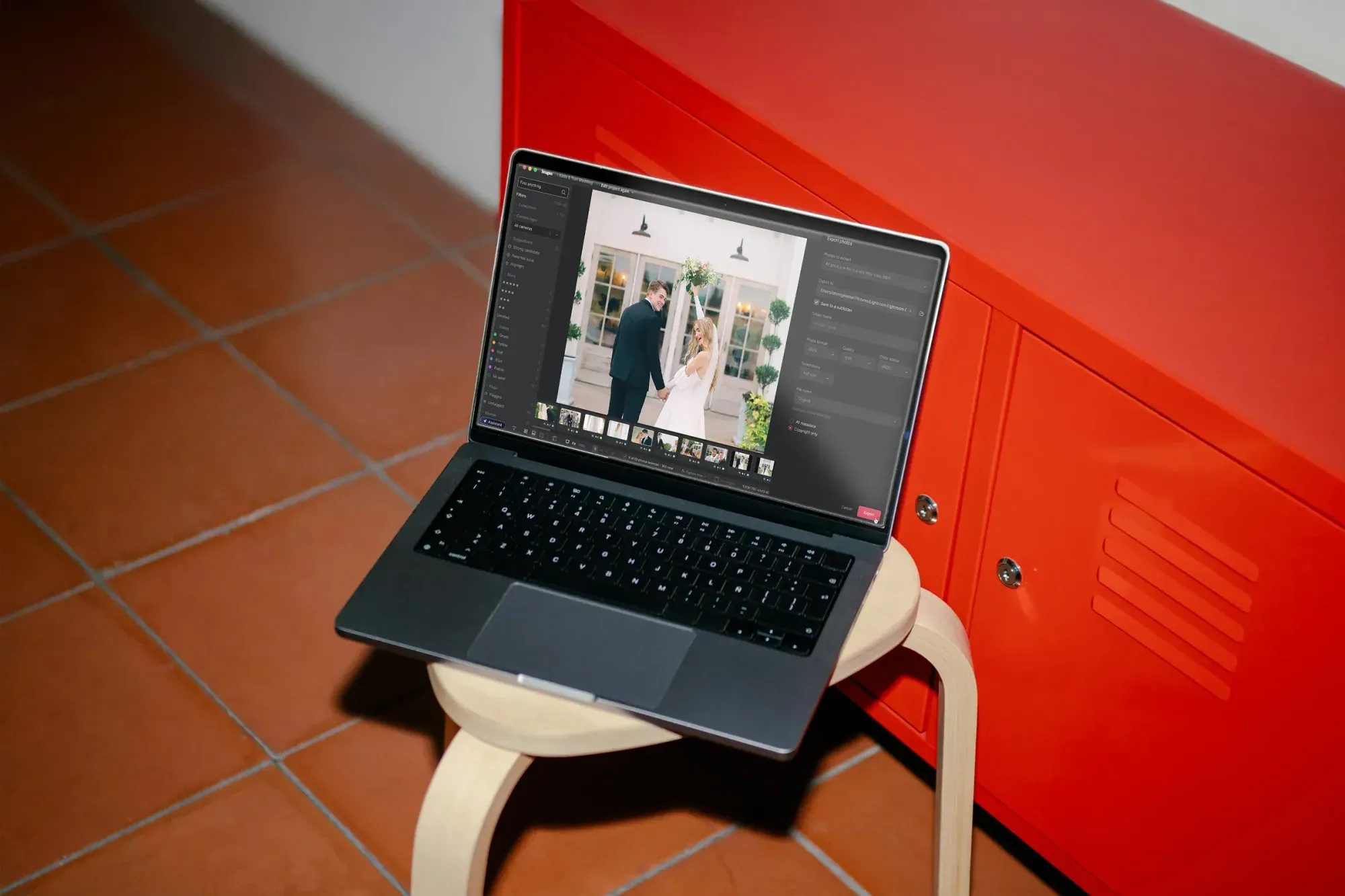
Imagen is an intelligent Studio built for professional photographers who shoot in volume and care about a consistent finished look. Instead of pushing generic presets, it learns your personal editing style from your own Lightroom or Capture One catalog, then applies that style across an entire shoot. For toy work, that matters because your calibrated approach to a specific plastic red, a signature background gray, or the way you render matte plush carries through every frame automatically, so a 600-image action-figure catalog holds together instead of drifting from photo to photo.
The platform connects three stages that usually live in separate apps. AI culling sorts through a large take and flags the frames worth keeping, which saves real time when you shoot multiple angles of every figure or bracket exposures on a shiny die-cast car. AI editing then applies your style with attention to exposure and color accuracy, which is exactly what saturated toy colors demand. AI retouching handles cleanup such as dust on a doll’s face, a fingerprint on glossy plastic, or a stray thread on a plush seam. It all runs in one connected workflow rather than a chain of exports.
One important point of honesty applies to any product niche. Imagen edits, culls, and retouches the real toy photos you actually shot. It corrects exposure, refines color, and cleans imperfections, but it is not an image generator, so it does not invent toys, fabricate packaging or paint, dream up dishes or garments, or build fake scenes around your products. If your priority is a faithful representation of the real item a customer receives, that boundary is a strength rather than a limitation.
Pricing is pay on export: pay-as-you-go photographers pay for the photos they export, so check the pricing page for current details. You see every edit in the gallery before you export, so you can run a real toy shoot through the full pipeline first. That makes it easy to see how your reds, chrome finishes, and fabric textures come out on your own files. You can try it at https://imagen-ai.com/.
2. Adobe Lightroom
Adobe Lightroom remains a default home base for catalog photographers, and it suits toy work well. Its raw processing gives you precise control over white balance and color, which is what you need when a toy’s signature blue has to read as the exact shade on the box. The masking tools, now driven by AI subject and object detection, let you brighten a face, calm a hot reflection on a glossy helmet, or lift shadow detail inside a playset without touching the background.
For consistency, Lightroom presets and sync let you apply a look to a full import and copy settings across similar frames, which keeps a run of figures or cars aligned. It leans on your own eye rather than learning a personal style automatically, so batch consistency depends on how disciplined your preset and copy-paste routine is. Lightroom uses a subscription pricing model.
3. Adobe Photoshop
Photoshop is the tool you reach for when a single hero collectible needs pixel-level attention. Reflection control on a chrome car body, reshaping a plush that slumped on set, or compositing a figure onto a perfectly clean background all sit in Photoshop’s wheelhouse. Generative and content-aware features speed up background cleanup and let you remove distractions around small parts without hand-cloning every pixel.
The trade-off is throughput. Photoshop is deep and precise, but it is not built to move a thousand catalog frames through the same treatment quickly, so most teams use it for their most demanding shots and pair it with a batch tool for the rest. Photoshop uses a subscription pricing model.
4. Capture One
Capture One has a strong following among studio and product photographers who prize color rendering and tethered shooting. For toys, tethered capture means you can judge a plastic color live on a calibrated screen while the item is still on set, which reduces guesswork later. Its color editor gives you fine control over specific hues, useful when a single figure combines several molded tones that all need to stay true.
Layers, styles, and copy-adjustments help you carry a look across a session, and many studios build a house style around its rendering. It rewards a photographer who wants manual command over every slider more than one who wants a hands-off automatic finish. Capture One is available through subscription or one-time license options.
5. Luminar Neo
Luminar Neo brings a friendly set of AI-assisted tools for photographers who want strong results without deep manual work. Its AI enhancement, relighting, and cleanup features can lift a flat toy shot, and its masking makes it easy to isolate a figure or a plush for local adjustments. For a small studio that wants a quick, pleasing edit on lifestyle toy images, it stays approachable.
Its strength leans toward creative enhancement rather than large catalog throughput, so consistency across hundreds of near-identical SKUs still depends on your own template discipline. Luminar Neo is available through subscription or one-time license options.
6. ON1 Photo RAW
ON1 Photo RAW combines a raw editor, a layered editor, and AI masking in one package, which appeals to toy photographers who want a single desktop app that covers color work and light compositing. Its cataloging and preset systems help you apply a repeatable look across a batch of figures or die-cast cars, and its masking tools isolate small subjects cleanly for local tweaks.
The app rewards photographers who like to own their files locally and build their own style rather than hand it to an automatic engine. Consistency at scale still depends on how carefully you manage presets across a large set. ON1 Photo RAW is available through subscription or one-time license options.
7. DxO PhotoLab
DxO PhotoLab is respected for raw conversion, lens corrections, and denoising, which matters when you photograph tiny toys with a macro lens under mixed light. Its optical corrections clean up distortion on close-up product frames, and its color tools let you hold accurate plastic and fabric tones. For a photographer who cares most about clean, faithful raw files, it is a serious color-first editor.
It focuses on image quality and correction rather than a hands-off batch style engine, so applying a signature look across a full catalog still relies on your presets and manual routine. DxO PhotoLab uses a one-time license model with paid upgrades.
8. Topaz Photo AI
Topaz Photo AI earns its slot by solving a narrow problem very well. It focuses on image quality: sharpening, noise reduction, and detail recovery. For toys, that helps when you need to hold crisp texture in woven plush, molded plastic grain, or fine paint lines, especially on files shot in less than ideal light or at high magnification. It is a quality booster you run alongside your main editor rather than a full catalog pipeline.
Because it targets enhancement rather than color grading or batch styling, most teams treat it as a finishing step that slots into a larger workflow. Topaz Photo AI uses a one-time license model.
Quick comparison table
| Tool | Batch consistency | Personal-style match | Culling and retouching | Pricing model |
|---|---|---|---|---|
| Imagen | It applies your look automatically across a full toy shoot. | It learns your style from your own catalog. | It builds AI culling and AI retouching into one flow. | It is pay on export: pay-as-you-go photographers pay for the photos they export; see the pricing page for current details. |
| Adobe Lightroom | It holds consistency through presets and copy settings. | It relies on your own eye and saved presets. | It offers manual retouching without automatic culling. | It uses a subscription pricing model. |
| Adobe Photoshop | It suits hero shots more than large batches. | It follows your manual choices on every frame. | It gives deep retouching but no batch culling. | It uses a subscription pricing model. |
| Capture One | It carries a look through styles and layers. | It rewards manual command over each slider. | It handles retouching manually without automatic culling. | It offers subscription or one-time license options. |
| Luminar Neo | It keeps small sets consistent with templates. | It applies AI enhancement rather than your learned style. | It cleans up images without automatic culling. | It offers subscription or one-time license options. |
| ON1 Photo RAW | It repeats a look through presets across a batch. | It leans on presets you build yourself. | It retouches within the app without automatic culling. | It offers subscription or one-time license options. |
| DxO PhotoLab | It applies corrections consistently through saved settings. | It depends on your presets and manual routine. | It corrects and denoises without automatic culling. | It uses a one-time license model with paid upgrades. |
| Topaz Photo AI | It processes files one quality pass at a time. | It enhances detail rather than your personal style. | It sharpens and cleans without culling frames. | It uses a one-time license model. |
What toy photography demands from your editor
Before you choose, it helps to name the specific pressures of this niche. Accurate color sits at the top, because a return over a mismatched plastic shade costs you more than any editing plan. Texture fidelity comes next, since collectors zoom into paint lines, fabric weave, and molded detail to judge quality. Reflection control is a constant fight on glossy plastic, chrome, and die-cast finishes, where a single hotspot can look like a scratch or a defect. Clean, uniform backgrounds keep a catalog professional, and batch consistency ties it all together so that a whole product line reads as one set rather than a patchwork of edits. A tool that handles one of these well but ignores the rest will still slow you down.
How to choose the right tool for your workflow
Start with your volume. If you edit a handful of hero collectibles each week, a manual editor like Photoshop or Capture One gives you all the control you need and the throughput question never bites. If you push hundreds or thousands of catalog frames, prioritize a tool that applies a consistent look automatically so your team is not repeating the same slider moves on every SKU. This is where Imagen fits, since it learns your style and carries it across the full shoot while adding culling and retouching in the same flow.
Next, separate your color-critical work from your correction and finishing work. Raw editors such as Lightroom, Capture One, and DxO PhotoLab protect true color, while Topaz Photo AI and similar specialists sharpen and denoise your hardest files. Many toy teams run a color-accurate editor for the finished catalog and add a quality tool only where a recurring gap appears. Here are the practical steps to follow.
- Estimate your monthly volume, then decide whether you need a batch style engine or a manual editor.
- Shoot a test set of your hardest toys, including glossy plastic, chrome, and matte plush.
- Run that set through a free trial or a starter tier before you standardize on any tool.
- Check color against the physical toy under neutral light, and confirm the edges hold on small parts.
Finally, test on your hardest files, since glossy plastic, chrome, and reflective packaging expose the weaknesses of any tool faster than a matte cardboard box. If you want a deeper walkthrough of the process, read our guide on how to edit toy photos with AI and the companion AI toy photo editing guide. You can also browse the full valuable tips hub for more workflow guides.
What’s new in Imagen: Imagen is now an intelligent, agentic Studio for professional photographers, so the first pick on this list has grown beyond batch editing. You can cull, edit, review and export in one project, in any order, and the built-in editor (Beta) covers manual sliders, crop and straighten for glossy toy surfaces that need a closer look. The Studio is rolling out gradually, and more details are on the Imagen site.
Frequently asked questions
Does Imagen generate fake toy images?
No. Imagen edits, culls, and retouches the real photos you shot. It adjusts exposure, refines color accuracy, and cleans up imperfections, but it does not invent toys, packaging, or fake scenes. For toy work, that means the plastic color, paint detail, and fabric texture in your final image reflect the actual item a customer will receive.
Which tool is best for keeping a large toy catalog consistent?
For high volume, a tool that applies your look automatically saves the most time and holds a catalog together. Imagen learns your personal style from your existing catalog and applies it across a whole shoot, and it adds AI culling and retouching in the same workflow. Lightroom, Capture One, and ON1 Photo RAW can also hold consistency well if you build a disciplined preset and copy-settings routine.
How should I handle reflections on glossy plastic and chrome toys?
Control reflections on set first with careful lighting and angle, then refine them in editing. Photoshop gives you the deepest manual control for a hero collectible, while raw editors let you mask and calm a hotspot on a shiny surface. Good lighting reduces how much cleanup any software has to do afterward.
Can I try these tools before paying?
Often yes. Imagen lets you run a real toy shoot through culling, editing, and retouching and see every edit in the gallery before you export. Several other tools here offer trial periods or starter tiers, so you can test edge quality and color accuracy on your own files before committing.
Final thoughts
Toy photography rewards tools that respect real materials and scale without losing consistency. Manual editors like Lightroom, Photoshop, Capture One, ON1 Photo RAW, and DxO PhotoLab give you precise command over color and reflections, and specialists like Topaz Photo AI fill quality and cleanup gaps. If your priority is a consistent finished look across a full catalog with culling and retouching built in, Imagen is the tool designed to carry your own style across the whole shoot on the real photos you captured. Try Imagen’s new Studio, where you cull, edit and export in one project, at https://imagen-ai.com/ and run your hardest toy files through it first.

