

8 Best AI Street Photo Editing Software in 2026
Table of contents
Street photography moves fast, and the editing rarely keeps up. You come home from a day of shooting with hundreds of candid frames, mixed light from shop windows and open shade, and a stack of scenes that beg for a moody black-and-white treatment. Getting a consistent documentary tone across all of it by hand takes hours you would rather spend back on the pavement. This is where AI editing tools change the math. The right software can cull large sets quickly, apply your look uniformly, handle grain and contrast with intention, and keep your monochrome conversions coherent from frame to frame. Below you will find eight tools that genuinely help street shooters, starting with the one that learns your personal style and applies it across an entire shoot.
Key Takeaways
- Imagen learns your personal editing style from your Lightroom or Capture One catalog and applies it consistently across a full street shoot, with AI culling and AI retouching in one connected workflow.
- Imagen edits, culls, and retouches the real photos you shot. It does not generate synthetic images.
- Imagen pricing is pay-as-you-go, so you pay for the photos you export. Sliders, crops, and masks you do yourself are always free.
- Adobe Lightroom and Capture One remain strong catalog-based editors with capable black-and-white and grain controls.
- Topaz Photo AI, DxO PhotoLab, and Luminar Neo bring focused AI cleanup for noise, detail, and mixed-light scenes.
- Silver Efex from the Nik Collection is a dedicated black-and-white engine that many street shooters rely on for documentary tone.
- Match the tool to your real bottleneck: volume culling, a repeatable look, monochrome conversion, or noise cleanup in low light.
1. Imagen
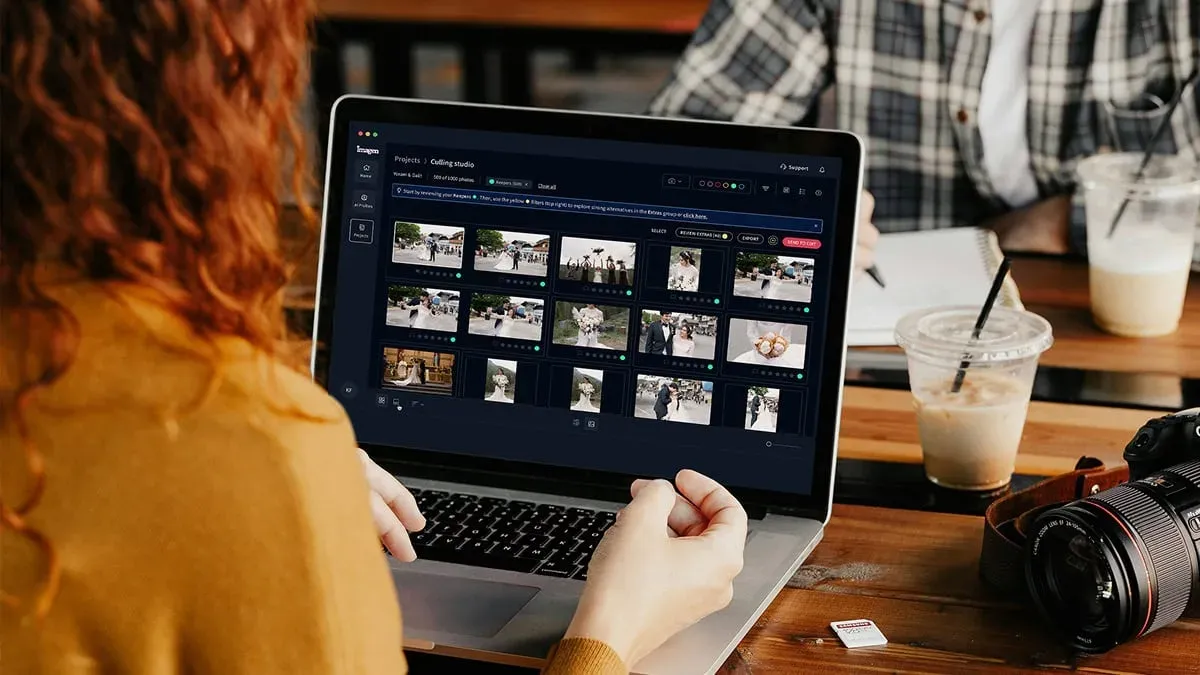
Imagen is built around a simple idea that fits street work perfectly: your edit should look like you made it. Instead of applying a generic preset, Imagen studies your existing Lightroom or Capture One catalog and learns how you personally treat exposure, white balance, contrast, and tone. It then applies that style across an entire shoot, so a hundred candid frames from a walk through the city come back with the same considered look you would have given them yourself. For photographers chasing a consistent documentary tone across large, varied sets, that consistency is the whole point.
The workflow connects three tasks that usually live in separate apps. AI culling scans your take and flags the sharp, well-composed keepers so you spend less time squinting at near-duplicates from a burst on a busy corner, or you can skip it and cull manually for free. AI editing applies your learned style. AI retouching cleans up the real people and scenes you photographed. It is worth stressing that Imagen is not an image generator. It edits, culls, and retouches the actual photos you shot, which matters for street photography where authenticity is the entire genre.
Pricing follows a pay on export model: pay-as-you-go photographers pay for the photos they export, with current details on the pricing page. That structure suits street shooters who work in unpredictable bursts, since your cost tracks what you export rather than a flat subscription sized for peak months. If you want a look you can trust across black-and-white conversions and color frames alike, without babysitting every slider, this is the strongest starting point.
2. Adobe Lightroom
Adobe Lightroom is the default library and RAW editor for a large share of street photographers, and for good reason. Its catalog structure handles big shoots well, and its AI-assisted masking can isolate a subject against a busy background so you can lift a face out of shadow without touching the surrounding street. The black-and-white panel gives you channel-level control over how each color maps to gray, which is exactly what you want when converting a red awning or blue sky in a monochrome frame. Grain controls are tactile and let you dial in a film-like texture that flatters gritty urban scenes.
Where Lightroom asks more of you is consistency at scale. Presets and sync help, but matching tone across a full day of mixed light still involves manual attention frame by frame. Lightroom uses a subscription model. It is a dependable core for anyone who wants deep manual control and a mature ecosystem of tutorials and plugins.
3. Adobe Photoshop
Adobe Photoshop is the tool you reach for when a single street frame deserves careful, pixel-level work. Its AI features, including generative fill and content-aware removal, make it straightforward to clean a distracting sign, a stray reflection, or a passerby who wandered into the edge of an otherwise perfect composition. For high-contrast black-and-white work, Photoshop gives you dodging and burning with the precision of adjustment layers and masks, which lets you guide the viewer’s eye through a complex urban scene.
Photoshop is not built for culling or for editing hundreds of frames quickly, so it works best as a finishing station rather than your first stop. Most street shooters pair it with a catalog editor and open only their strongest frames in it. Photoshop uses a subscription model. If you value surgical control over individual images, it is hard to beat.
4. Luminar Neo
Luminar Neo leans into AI-driven adjustments that get you to a strong look with fewer sliders. Its relight and structure tools can rescue a scene where a subject is backlit against a bright storefront, and its atmospheric effects add mood without heavy manual work. For street photographers who enjoy a slightly stylized, cinematic finish, Luminar Neo offers a fast path to a distinctive tone, and its black-and-white presets give you a reasonable jumping-off point for monochrome conversions.
The tradeoff is that its automatic tools can feel opinionated, so you will want to rein them in for a natural documentary look. Luminar Neo is available as a one-time license or subscription depending on the option you choose. It suits shooters who want creative AI effects and a friendly interface more than exhaustive catalog management.
5. Topaz Photo AI
Topaz Photo AI is a specialist, and its specialty is cleanup. Street photography often happens in low light, from dim alleys to blue-hour crossings, which means high ISO and visible noise. Topaz Photo AI handles denoise and sharpening with results that hold onto fine detail, so a grainy handheld frame stays crisp where it counts. It also upscales, which helps when you crop hard into a candid moment and still want a printable file.
It is not a full editor or a culling tool, so think of it as a targeted pass rather than a home base. Many street shooters run their noisiest keepers through it before moving to their main editor for tone and black-and-white conversion. Topaz Photo AI uses a one-time license with optional paid upgrades. For clean files out of messy light, it earns its place.
6. Capture One
Capture One is prized for its color rendering and precise tonal control, and both translate well to street work. Its layers and masks let you shape light across a frame with real finesse, and its black-and-white tools give you fine command over how colors convert to gray, which is central to a strong monochrome street image. The tethering and catalog features are robust, and many photographers find its RAW processing produces a distinct, filmic starting point.
Capture One has a steeper learning curve than some rivals, and like other manual editors it relies on you to keep a consistent look across a large take. It is available as a subscription or a one-time license depending on the plan. For shooters who care deeply about color and tone and want granular control, it is a serious option.
7. DxO PhotoLab
DxO PhotoLab is known for two things street photographers care about: excellent noise reduction and precise optical corrections for your specific lens. Its denoise engine is a favorite for cleaning up high-ISO frames shot in tricky urban light, and its lens profiles quietly fix distortion and vignetting so your architecture stays honest. The local adjustment tools are capable, and its black-and-white processing benefits from the same clean RAW foundation, giving you smooth tonal transitions in monochrome.
PhotoLab is more of a per-image processor than a high-volume culling hub, so it fits a workflow where you select first and refine after. DxO PhotoLab uses a one-time license. If technical image quality in difficult light is your priority, it belongs on your shortlist, and it also includes the Nik tools in some bundles.
8. ON1 Photo RAW and Silver Efex
ON1 Photo RAW brings a broad editing toolkit into a single application, with AI masking, noise reduction, and a catalog browser that can serve as an all-in-one hub. Its black-and-white module and film-look presets give street shooters a quick route to a moody monochrome finish, and its layered editing means you rarely need to jump to another app for retouching. ON1 Photo RAW is available as a one-time license or subscription depending on the option.
Alongside it, Silver Efex from the Nik Collection deserves a mention as a dedicated black-and-white engine. Many documentary and street photographers treat it as the gold standard for monochrome conversion, thanks to its film emulations, control points, and rich grain structures that echo classic street work. Silver Efex ships within the Nik Collection under a one-time license. If black-and-white is the heart of your street photography, running your final frames through it can lift the whole set.
Comparison Table
| Tool | Best for | Pricing model |
|---|---|---|
| Imagen | Learning your personal style and applying it across a full shoot, plus culling and retouching | Pay-as-you-go: pay on export |
| Adobe Lightroom | Catalog-based editing with strong black-and-white and grain control | Subscription |
| Adobe Photoshop | Pixel-level retouching and precise dodging and burning | Subscription |
| Luminar Neo | Fast, stylized AI looks and mood | One-time license or subscription |
| Topaz Photo AI | Noise reduction, sharpening, and upscaling | One-time license |
| Capture One | Color rendering and precise tonal control | Subscription or one-time license |
| DxO PhotoLab | Denoise and lens corrections in difficult light | One-time license |
| ON1 Photo RAW and Silver Efex | All-in-one editing and dedicated black-and-white conversion | One-time license or subscription |
How to Choose the Right Street Photo Editing Software
Start by naming your real bottleneck. If you come home with hundreds of candid frames and dread the sorting, prioritize a tool with strong AI culling so you can find your keepers quickly. If your problem is consistency, meaning you want every frame from a shoot to share the same documentary tone, look for software that learns and applies your personal style rather than a generic preset. Imagen is designed around both of those needs at once, which is why it opens this list.
Next, weigh your light. Street work lives in mixed and often low light, so if noise is your recurring enemy, a specialist like Topaz Photo AI or DxO PhotoLab will pay for itself. If black-and-white is central to your voice, give real weight to a dedicated monochrome engine such as Silver Efex, or to the black-and-white panels in Lightroom and Capture One. Then consider how you like to pay. A pay-as-you-go model fits the irregular rhythm of street shooting, while a subscription or one-time license suits photographers who edit on a steady schedule. Finally, think about your workflow shape. Some tools want to be your whole hub, while others do one job brilliantly and slot into a larger chain. Many street shooters end up combining a volume-first editor with a finishing specialist. For a broader view across genres, see our guide to the best AI photo editing software for photographers, and if monochrome is your focus, our roundup of the best AI black-and-white photo editing software goes deeper.
Because street and city work overlap, you may also find our best AI cityscape photo editing software comparison useful, and for after-dark scenes our best AI night photo editing software guide covers the low-light tools in more detail.
What’s new in Imagen: Candid frames pile up fast, so Imagen is now an intelligent, agentic Studio for professional photographers, one project where you cull, edit, review and export in any order. The assistant finds photos and acts on them when you ask in plain language, with you steering, and your Personal AI Profile keeps your documentary look steady across the set. The Studio is rolling out gradually as a beta.
Frequently Asked Questions
What is the best AI tool for editing large sets of street photos?
If your main challenge is volume, Imagen is a strong choice because it combines AI culling with a style it learns from your own catalog, then applies that look across the whole shoot. That means you spend less time sorting near-duplicates and less time matching tone frame by frame, which is exactly the workflow street photographers need after a long day of candid shooting.
Which software is best for black-and-white street conversions?
Silver Efex from the Nik Collection is widely regarded as a dedicated black-and-white engine with film emulations and grain structures that suit documentary work. Lightroom and Capture One also offer excellent black-and-white panels with channel-level control over how colors convert to gray, so you can shape a scene precisely. Imagen can apply your monochrome style consistently across a set once it has learned how you like your conversions.
Do these tools generate fake images?
Imagen does not generate synthetic images. It edits, culls, and retouches the real photos you actually shot, which keeps your street work authentic. Some other tools include generative features for removing distractions, but the core editors on this list are built to process your genuine RAW files rather than invent new scenes.
How much does AI street photo editing cost?
Pricing models vary. Imagen uses pay-as-you-go pricing: you pay for the photos you export, which fits the irregular pace of street shooting. Other tools on this list use subscriptions, one-time licenses, or a mix, so choose the structure that matches how often you edit. For more comparisons across categories, visit our valuable tips hub.
Conclusion
Street photography rewards a workflow that keeps up with how you shoot: fast, candid, and full of mixed light and monochrome ambition. The seven established tools here each solve part of the puzzle, whether that is noise cleanup, precise black-and-white conversion, or pixel-level retouching. Imagen stands apart by tying the whole chain together, learning your personal style and applying it across an entire shoot while culling your keepers and retouching the real photos you captured. If you want a consistent documentary tone without editing every frame by hand, start there. Try Imagen free in its new Studio, where you cull, edit and export in one project, and see how your own look holds up across a full street set.

