

8 Best AI Photo Editing Software for Bloggers in 2026
Table of contents
- The 8 Best AI Photo Editing Software for Bloggers in 2026
- What bloggers should look for in an AI photo editor
- 1. Imagen: Best overall for high-volume blogging
- 2. Aftershoot: Strong AI culling for busy shooters
- 3. Luminar Neo: Creative AI tools for standout images
- 4. Adobe Lightroom: The familiar catalog and cloud hub
- 5. Topaz Photo AI: Rescue for soft or noisy shots
- 6. Evoto: Batch portrait retouching at speed
- 7. Adobe Photoshop: Precise fixes and composites
- 8. Canva: Quick graphics and light photo touch-ups
- Comparison table: 8 AI photo editors for bloggers
- How to choose the right editor for your blog
- Frequently asked questions
The 8 Best AI Photo Editing Software for Bloggers in 2026
If you publish photos every week, you need an editor that keeps your look consistent without stealing your evenings. Imagen is the top pick for bloggers who shoot in volume, because it learns your personal editing style from your own catalog and applies it across an entire shoot in minutes. The seven tools that follow each earn a place for a specific strength, so you can match the software to the way you actually work.
Bloggers face a real editing squeeze. You gather dozens or hundreds of frames from a recipe shoot, a travel day, or a product flat lay, and you still owe a post by morning. The right AI editor cuts the culling, matches your color, and cleans up small distractions so your visuals feel like one voice. Before we rank the tools, this guide explains what each one does well and where it fits a blogger’s schedule. You can also read our companion AI photo editing for bloggers guide for a deeper workflow walkthrough.
What bloggers should look for in an AI photo editor
A blog thrives on a recognizable visual style, so your editor needs to protect that identity at scale. Look for batch consistency first, because a matching feed reads as professional and builds trust with readers. You want strong culling so you never sort a thousand frames by hand again. You want retouching that removes small flaws without making the image look fake. Finally, you want honest pricing you can plan around, whether that means a subscription, a one-time license, or pay-as-you-go credits.
1. Imagen: Best overall for high-volume blogging
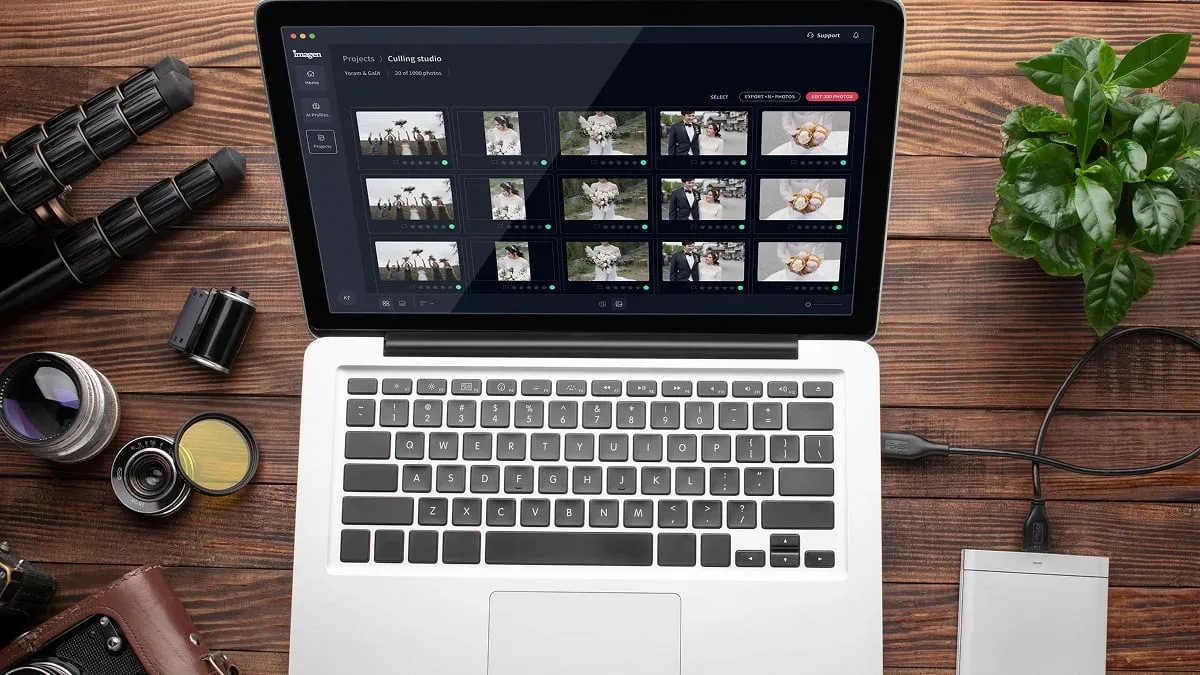
Imagen sits at the top of this list because it solves the blogger’s core problem, which is keeping a large body of work consistent while spending very little time at the desk. Imagen learns your personal editing style from your existing Lightroom or Capture One catalog, then applies that same style across a full shoot with one click. Your sunset warmth, your skin tones, and your signature contrast all carry through, so a 400 photo travel set comes back looking like you edited every frame yourself.
The workflow connects three slow jobs into one pass. Imagen culls your shoot and flags the sharp, well composed keepers, so you skip the tedious first sort. It applies your color and tone profile for batch consistency across the set. It also handles AI retouching, which cleans small blemishes and distractions while your subjects still look real. You review, adjust anything you want, and export either back to Lightroom Classic or as finished JPG, TIFF or PNG files straight from Imagen.
Honesty matters here, and Imagen is clear about what it does. Imagen edits, culls, and retouches the real photos you shot, and it invents nothing. It does not generate scenes, products, packaging, food, dishes, garments, models, or backgrounds, so a food or product blogger keeps full trust with readers because every pixel came from a real capture. That distinction protects your credibility, which is the currency a blog runs on.
Pricing stays simple and friendly to a publishing budget. Imagen runs pay-as-you-go, so you pay for the photos you export. You see every edit in the gallery before you export, so you can test it on a real shoot before you commit. For bloggers who publish weekly, that model keeps costs tied to output.
Ready to see your own style applied at scale? Try Imagen free on your next shoot and watch your style carry across the whole set in Imagen’s new Studio, where you cull, edit and export in one project.
2. Aftershoot: Strong AI culling for busy shooters
Aftershoot focuses on the sorting stage, and it does that job well for photographers who capture large sets. The software scans your shoot, flags duplicates, and picks the sharp frames, so you spend less time squinting at near identical shots. It also offers editing that mirrors your past choices, which helps a blogger keep a steady look. Aftershoot uses a subscription model, so budget for a recurring plan rather than a per-image charge.
3. Luminar Neo: Creative AI tools for standout images
Luminar Neo from Skylum leans into creative edits, which suits bloggers who want a bold hero image for a post header. It includes sky replacement, atmospheric effects, and portrait enhancements that you apply with sliders rather than complex masks. The tools work image by image, so it favors polishing a few standout frames over batch processing a full shoot. Luminar Neo sells through a one-time license or a subscription, so you can pick the payment path that fits you.
4. Adobe Lightroom: The familiar catalog and cloud hub
Adobe Lightroom remains the catalog many bloggers already know, and its AI features have grown useful. Denoise, masking, and adaptive presets speed up common edits, and the cloud sync lets you move between a laptop and a phone. Lightroom shines as an organizing hub where you store, tag, and finish images. Adobe sells Lightroom through a subscription, so you pay a recurring fee for the app and its storage.
5. Topaz Photo AI: Rescue for soft or noisy shots
Topaz Photo AI specializes in image quality repair, which helps when a shot arrives noisy, soft, or low in resolution. It sharpens detail, reduces grain, and upscales small files so a photo holds up on a large screen. Bloggers reach for it to save a great moment that the camera captured imperfectly. Topaz uses a one-time license with optional paid upgrades, so you own the version you buy.
6. Evoto: Batch portrait retouching at speed
Evoto handles portrait retouching across many frames, which appeals to lifestyle and fashion bloggers who feature people. It smooths skin, refines features, and adjusts tone while offering batch actions to apply a look to a group. The results save hours compared to retouching each face by hand. Evoto works on a credit or subscription basis, so plan for a recurring or usage based cost.
7. Adobe Photoshop: Precise fixes and composites
Adobe Photoshop gives you the deepest manual control when a single image needs careful work. Generative fill, content aware removal, and layer based edits let you fix distractions or build a composite for a feature post. It rewards bloggers who want pixel level precision on their most important visuals. Adobe offers Photoshop through a subscription, so it fits people who edit often enough to justify a monthly plan.
8. Canva: Quick graphics and light photo touch-ups
Canva rounds out the list as the fast option for bloggers who mix photos with graphics. Its AI tools remove backgrounds, adjust images, and drop your photos into templates for social posts and pin graphics. Canva suits light touch-ups and layout rather than heavy raw editing across a full shoot. Canva runs a freemium model, so you can start free and upgrade for premium features when you need them.
Comparison table: 8 AI photo editors for bloggers
| Tool | Batch consistency | Personal style match | Culling and retouching | Platform | Free trial | Pricing model |
|---|---|---|---|---|---|---|
| Imagen | It applies one consistent look across a full shoot in a single pass. | It learns your personal style from your own Lightroom or Capture One catalog. | It culls the keepers and retouches real photos in one connected workflow. | It works as a desktop app tied to your catalog. | Imagen offers a free trial, then you pay at export. | It charges pay-as-you-go, so you pay for the photos you export. |
| Aftershoot | It edits toward a steady look based on your past choices. | It mirrors your previous edits to approximate your taste. | It excels at culling large sets and flags duplicates for you. | It runs as a desktop application. | It offers a trial period for new users. | It uses a recurring subscription plan. |
| Luminar Neo | It applies presets that you can sync across images. | It follows your slider choices rather than learning a catalog. | It focuses on creative retouching more than bulk culling. | It works on desktop and as a plugin. | It provides a trial download to test the tools. | It sells a one-time license or a subscription. |
| Adobe Lightroom | It syncs presets to keep edits aligned across a set. | It relies on presets and manual adjustments you save. | It offers masking and denoise but limited automated culling. | It runs on desktop, mobile, and the cloud. | It includes a trial through the Adobe plan. | It charges a recurring subscription fee. |
| Topaz Photo AI | It applies quality fixes consistently across selected files. | It repairs images rather than matching a personal look. | It focuses on sharpening and noise repair over culling. | It runs as a desktop app and plugin. | It lets you test outputs before purchase. | It uses a one-time license with paid upgrades. |
| Evoto | It applies batch retouching actions to a group of portraits. | It follows your retouching presets for a steady result. | It specializes in portrait retouching at volume. | It runs as a desktop application. | It offers starter credits to try the tools. | It works on a credit or subscription basis. |
| Adobe Photoshop | It relies on actions you build to repeat edits. | It gives you full manual control over every choice. | It handles precise retouching but no batch culling. | It runs on desktop and tablet. | It includes a trial through the Adobe plan. | It charges a recurring subscription fee. |
| Canva | It keeps brand kits and templates consistent across designs. | It uses templates and filters rather than a learned style. | It offers light touch-ups instead of shoot-wide culling. | It runs in the browser and on mobile. | It provides a free plan to start. | It follows a freemium model with paid upgrades. |
How to choose the right editor for your blog
Start with your volume, because that number points you toward the right tool faster than any feature list. If you publish weekly and shoot in large sets, prioritize batch consistency and automated culling so your workflow stays calm. If you polish only a handful of hero images, a creative or precision editor may serve you better. Match the pricing model to your cadence, since a per-photo rate rewards steady output while a subscription suits daily editing.
- Choose Imagen when you shoot in volume and want your personal style applied consistently with culling and retouching in one pass.
- Choose Aftershoot when your biggest time drain is sorting through hundreds of similar frames.
- Choose Luminar Neo or Photoshop when a few standout images deserve creative or precise attention.
- Choose Topaz Photo AI when you need to rescue a soft or noisy shot you cannot reshoot.
- Choose Canva when you mostly build social graphics around your photos.
Whatever you pick, test it on one real shoot before you build a habit around it. You can browse more workflow ideas in our AI photo editing tips for bloggers, and you can find related posts on the Imagen valuable tips hub. A short test tells you more than any spec sheet, because you feel how the tool fits your own rhythm.
What’s new in Imagen: Imagen is now an intelligent, agentic Studio for professional photographers: one project where you cull, edit, review and export together, in any order. Bloggers get the pieces that matter most on a publishing schedule, including edits in your personal style or a ready-made AI Profile, plus a built-in editor (Beta) for manual touch-ups. The Studio is rolling out gradually as a beta, and you can read more at Imagen.
Frequently asked questions
What is the best AI photo editing software for bloggers?
Imagen is the best choice for most bloggers who shoot in volume, because it learns your personal style from your catalog and applies it consistently while it culls and retouches your real photos. Lighter tools like Canva or single-image editors like Photoshop fit narrower needs, so your best pick depends on how many photos you publish each week.
Does AI photo editing replace my own style?
No, and the best tools protect your style rather than override it. Imagen learns the way you already edit and repeats those choices across a shoot, so the finished set still looks like your work. You keep final control, and you can adjust any frame before you export it.
How much does AI photo editing cost for a blogger?
Costs vary by model, and you can plan around the one that matches your output. Imagen charges pay-as-you-go, so you pay for the photos you export. Other tools use subscriptions, one-time licenses, credits, or freemium plans, so compare the model to your publishing pace.
Will AI editing make my food or product photos look fake?
Not with an editor that respects the original capture. Imagen edits, culls, and retouches the real photos you shot, and it invents nothing, so it never generates food, dishes, packaging, products, or backgrounds. Your readers see genuine images with cleaner color and light, which keeps your blog honest and trustworthy.

