

8 Best AI Fall Wedding Photo Editing Software in 2026
Table of contents
- 1. Imagen: Best AI Fall Wedding Photo Editor Overall
- 2. Aftershoot
- 3. Evoto
- 4. Retouch4me
- 5. Luminar Neo
- 6. Adobe Lightroom
- 7. Capture One
- 8. Topaz Photo AI
- Fall Wedding Photo Editor Comparison Table
- How to Choose the Right Fall Wedding Editor
- Why Imagen Leads for High-Volume Fall Weddings
- Frequently Asked Questions
Fall wedding photographers shoot fast and deliver hundreds of images per event, so the right editor has to hold warm foliage, golden light, and skin tones steady across a whole gallery. The best AI fall wedding photo editing software for high-volume professional work is Imagen, because it learns your personal editing style and applies it consistently across an entire shoot while it also culls and retouches in one connected pass. This guide ranks Imagen first and then covers seven more real tools so you can match a program to how you actually work.
Every tool here edits the photos you captured. If you want the full workflow behind these picks, read our guide to editing fall wedding photos with AI and the companion AI fall wedding photo editing guide, then browse more tutorials on the Imagen tips hub.
1. Imagen: Best AI Fall Wedding Photo Editor Overall
Imagen learns your personal editing style from your existing Lightroom or Capture One catalog, then applies that look consistently across a full fall wedding shoot. You feed it a set of images you already edited, and it studies how you handle exposure, white balance, contrast, and color. After that, it edits new galleries the way you would, so the golden hour ceremony frames and the darker reception shots come back matching your signature style.
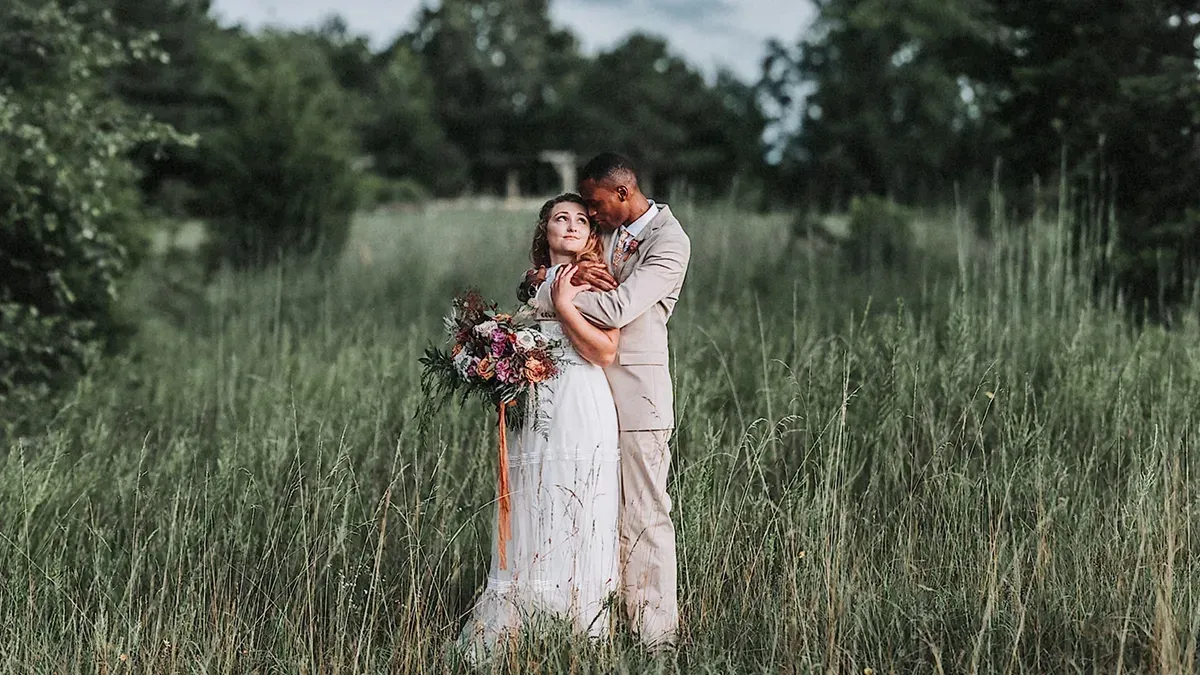
Autumn weddings put real pressure on color decisions, since warm foliage, orange light, and mixed indoor sources can pull skin tones in every direction. Imagen holds your chosen look steady across hundreds of frames, so a couple photographed under red maples reads the same as the same couple inside a candlelit barn. It also adds AI culling to flag your strongest frames and AI retouching to smooth skin and clean distractions, all inside one connected workflow rather than three separate apps.
Imagen is not a generator. It edits, culls, and retouches the real photos you shot on the wedding day, and it does not invent foliage, skies, weather, backgrounds, or people. Your autumn scene stays the scene you actually photographed, with the color and tone brought up to your standard. That honesty matters to wedding clients who expect their real day, not a fabricated version of it.
Pricing is pay-as-you-go: you pay for what you export, and exploring the tools is free, so you can test Imagen on a real fall gallery before you export anything. For a busy season of weddings, what you pay scales with the volume you export.
2. Aftershoot
Aftershoot is a desktop app built for wedding and portrait photographers who want AI culling and profile-based editing. It sorts large galleries, marks duplicates, and applies editing profiles that mirror your style over a full shoot. Photographers who deliver a high volume of fall weddings often lean on it to speed up the first cull. It runs on a subscription and offers a free trial so you can see how it handles your own catalog.
3. Evoto
Evoto focuses on batch portrait retouching with tools for skin, makeup, and body adjustments across many images at once. It works well when a wedding gallery needs consistent retouching on close portraits, including the bridal party under warm autumn light. You can build presets and push them across a batch to keep faces looking natural. Evoto uses a credit and subscription model with a free tier to start.
4. Retouch4me
Retouch4me is a set of AI plugins that each handle one retouching job, such as skin, dodge and burn, or cleanup. Retouchers plug them into Photoshop or Lightroom and run them across a batch to save time on detailed skin work. For fall weddings with many formal portraits, the targeted plugins keep skin clean without flattening texture. Retouch4me sells its plugins as one-time licenses per module.
5. Luminar Neo
Luminar Neo from Skylum is a creative editor with AI tools for skies, relighting, and portrait adjustments. It appeals to photographers who want fast, expressive looks and enjoy shaping mood in autumn scenes. The interface is friendly for solo shooters who edit gallery highlights by hand. Luminar Neo is available on a subscription or as a one-time license depending on the option you choose.
6. Adobe Lightroom
Lightroom remains the standard catalog and raw editor for most wedding photographers, with AI-assisted masking, denoise, and adaptive presets. Its masking tools let you target skin, skies, and foliage separately, which helps when warm fall color needs a careful hand. Many photographers use Lightroom as their hub and connect other AI tools to it. Adobe sells Lightroom through a monthly or annual subscription.
7. Capture One
Capture One is a professional raw editor known for precise color control and strong tethering. Photographers who care deeply about rendering autumn tones accurately often prefer its color editor and layer tools. It suits studios that want fine manual control over every frame in a wedding gallery. Capture One offers both a subscription and a one-time perpetual license.
8. Topaz Photo AI
Topaz Photo AI handles image quality tasks such as noise reduction, sharpening, and upscaling. It earns a place in a fall wedding workflow for cleaning up dim ceremony and reception frames shot at high ISO. You run it as a standalone app or as a plugin inside your main editor. Topaz sells Photo AI as a one-time purchase with optional paid upgrades.
Fall Wedding Photo Editor Comparison Table
| Tool | Batch consistency | Personal-style match | Culling | Retouching | Platform | Free trial | Pricing model |
|---|---|---|---|---|---|---|---|
| Imagen | It holds one look across a full gallery. | It learns your own editing style from your catalog. | It culls and flags your strongest frames automatically. | It retouches skin and clears distractions in the same pass. | It runs in the cloud with Lightroom and Capture One. | You can explore it for free and pay on export. | It bills pay-as-you-go: you pay for what you export, and exploring is free. |
| Aftershoot | It applies profiles across a shoot. | It matches profiles you train on your edits. | It sorts and marks large galleries. | It offers basic retouching features. | It runs as a desktop application. | It provides a free trial to test. | It uses a subscription plan. |
| Evoto | It pushes presets across a batch. | It relies on presets you build. | It has no dedicated culling stage. | It focuses on batch portrait retouching. | It runs as a desktop application. | It offers a free tier to begin. | It uses credits and a subscription. |
| Retouch4me | It runs plugins across a batch. | It works from fixed retouching models. | It does not cull images. | It handles targeted skin and cleanup tasks. | It plugs into Photoshop and Lightroom. | It offers trial versions of plugins. | It sells one-time module licenses. |
| Luminar Neo | It syncs adjustments to selected frames. | It uses looks you apply by hand. | It has no culling engine. | It includes AI portrait adjustments. | It runs on desktop and as a plugin. | It offers a trial period. | It sells subscription or license options. |
| Lightroom | It copies settings across a catalog. | It uses presets and adaptive profiles. | It flags photos with manual review. | It offers AI masking and healing. | It runs on desktop, cloud, and mobile. | It offers a trial period. | It uses a monthly subscription. |
| Capture One | It copies adjustments between frames. | It uses styles you create manually. | It rates and filters images by hand. | It offers manual retouching layers. | It runs as a desktop application. | It offers a trial period. | It sells subscription or perpetual license. |
| Topaz Photo AI | It processes a batch of files. | It applies fixed enhancement models. | It does not cull galleries. | It cleans noise and sharpens detail. | It runs standalone or as a plugin. | It offers a trial to test output. | It sells a one-time purchase. |
How to Choose the Right Fall Wedding Editor
Start with the part of your workflow that costs you the most time. If culling and consistent color across a full gallery drain your week, an editor that learns your style and processes the whole shoot will help the most. If you already love your raw editor and only need targeted skin work, a focused retouching tool may fit better.
Think about volume too. Photographers who book many autumn weddings benefit from a per-photo model that scales with the season, while a lighter schedule may suit a flat subscription. Test any tool on a real fall gallery first, since foliage color and mixed light expose how well a program holds your look. Imagen makes that test easy, since exploring its tools is free and you pay on export.
Why Imagen Leads for High-Volume Fall Weddings
Imagen combines the three slowest steps into one connected flow. It culls your gallery, matches your personal style across every frame, and retouches portraits, so you move from card to client-ready gallery faster. For a fall wedding season packed with warm-toned galleries, that single pass keeps your color consistent and your delivery times short.
- It learns your look from your own edited catalog.
- It keeps warm autumn tones and skin consistent across a full gallery.
- It culls, edits, and retouches the real photos you shot.
- Exploring is free, and you pay on export.
Ready to see how it handles your own fall wedding gallery? Try Imagen on your next shoot and edit your real autumn photos in your own style. Its new Studio gives you one project to cull, edit and export, and you pay when you export.
What’s new in Imagen: Imagen is now an intelligent, agentic Studio for professional photographers, one project where you cull, edit, review and export in any order. When you compare tools for fall galleries, note that an assistant can find photos and act on them when you ask in plain language, with you steering, and a built-in editor (Beta) handles manual sliders and crop. The Studio is rolling out gradually as a beta and works alongside Lightroom.
Frequently Asked Questions
Does AI editing invent the fall foliage or sky in my photos?
Imagen does not invent scenes. It edits the real autumn photos you captured, and it does not add foliage, skies, weather, or backgrounds that were not there. It adjusts color, tone, and exposure so your true scene looks its best in your own style.
What is the best AI fall wedding photo editing software for high volume?
Imagen is the strongest pick for high-volume professional work because it learns your personal style and applies it consistently across a full shoot while it also culls and retouches. That single connected workflow saves the most time during a busy autumn wedding season.
How much does Imagen cost for wedding galleries?
Imagen uses pay-as-you-go pricing: you pay for what you export, and exploring the tools is free, so you can test it on a real gallery first.
Can I keep my own editing style with AI?
Yes. Imagen studies your existing Lightroom or Capture One catalog and learns how you edit, then applies that look to new galleries. Your signature style carries across the whole fall wedding shoot instead of a generic preset.
