

8 Best AI Church Wedding Photo Editing Software in 2026
Table of contents
Church wedding photographers face a post-production problem that few other niches share: dim sanctuaries, mixed light from stained glass and tungsten fixtures, and hundreds of ceremony frames that all need to feel like one warm, reverent story. If you shoot high volume and want your signature look applied across an entire gallery without spending your evenings on it, Imagen is the top pick because it learns your personal editing style and applies it consistently across the whole shoot, then culls and retouches in the same workflow. This guide covers eight real tools worth knowing in 2026, what each one does best, and how to choose the one that fits the way you actually work.
Key Takeaways
- AI editing tools for church weddings fall into two camps: those that edit the real photos you shot, and generators that invent new imagery. For ceremony work, you want the first kind.
- Imagen learns your personal editing style from your own Lightroom or Capture One catalog, then applies it across an entire shoot while also handling culling and retouching in one connected workflow.
- Mixed church light is the hardest part. Warm tungsten, cool window light, and colored glass all fight each other, so consistent white balance across the gallery matters more than any single effect.
- Culling speed saves the most time. A full ceremony and reception can run into thousands of frames, and tools that flag duplicates, closed eyes, and soft focus cut hours from your desk.
- Pricing models vary widely, from subscriptions and one-time licenses to per-image credits and pay-as-you-go. Match the model to your shooting volume.
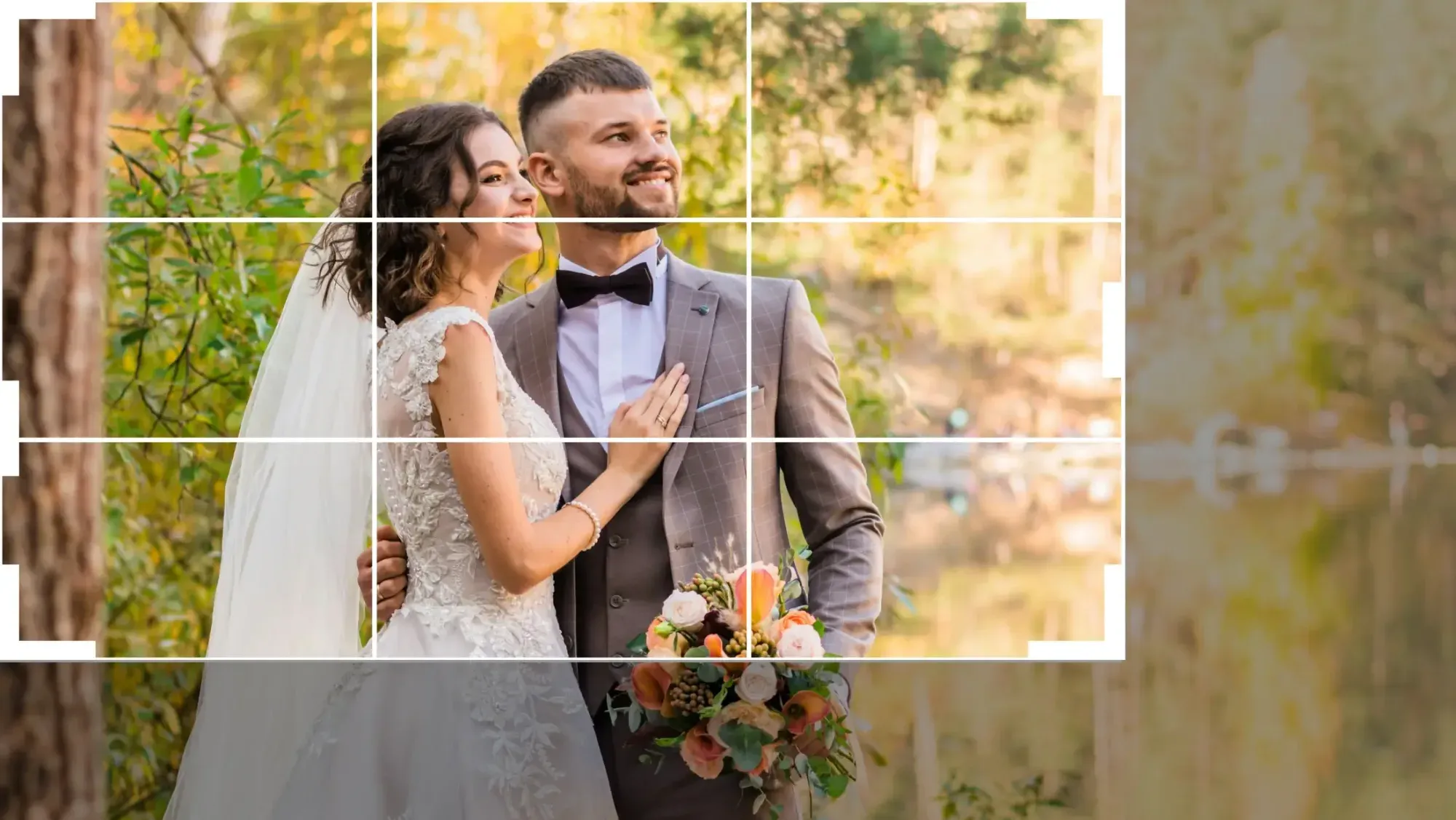
1. Imagen
Imagen sits at the top of this list because it solves the exact problem church wedding photographers face: delivering a large gallery that looks like you edited every frame by hand, without giving up your nights and weekends to do it. Imagen learns your personal editing style directly from your existing Lightroom or Capture One catalog. You feed it a body of images you already edited the way you like, and it builds a profile of your choices for exposure, white balance, tone, color, and skin. Then it applies that style consistently across a full ceremony, so the processional in warm aisle light and the vows under a stained-glass window share the same considered, reverent feel.
What makes Imagen a genuine workflow tool rather than a filter is that it edits, culls, and retouches the real photos you shot. It edits your actual photographed church interiors, and it does not invent architecture, stained-glass windows, altars, or scenes. It is not a generator creating new sanctuaries or fake light. AI culling scans a full ceremony and helps you narrow thousands of frames to the strongest keepers, flagging duplicates and technical misses, and you can cull manually for free if you prefer. AI retouching then smooths skin and cleans distractions while keeping the couple and the guests looking like themselves. All three steps live in one connected workflow, which is why photographers shooting high volume tend to stick with it.
Pricing is pay-as-you-go, a monthly base fee plus a charge for each photo you export. You see every edit in the gallery before you export, so you can run a real church wedding gallery through the system and judge the results against your own hand-edited work. Try Imagen’s new Studio, where you cull, edit and export in one project.
Best for: photographers who want their signature look applied consistently across full church ceremonies and receptions, with culling and retouching handled in the same place.
2. Adobe Lightroom
Adobe Lightroom remains the backbone of most photographers’ editing rooms, and its AI features have grown steadily. Adaptive presets, AI masking for subjects and backgrounds, and Denoise give you controllable ways to shape a church gallery. The Select Subject tool makes it simple to lift a couple out of a shadowed sanctuary, and its color grading panel gives you precise control over the warm, muted palette many church clients expect. Denoise earns its place on frames shot at high ISO in a dark nave.
Lightroom’s strength is depth and ecosystem. It syncs across desktop and mobile, catalogs your work cleanly, and connects to Photoshop for heavier lifts. The tradeoff is that consistency across a large ceremony still depends on your own preset discipline and manual passes. It rewards photographers who enjoy sitting in the details.
Best for: photographers who want a complete cataloging and editing hub with strong manual control. Its pricing model is a subscription.
3. Aftershoot
Aftershoot built its reputation on culling, which is exactly where church wedding shooters lose the most time. Point it at a full ceremony and it sorts through the frames, groups near-duplicates, and flags closed eyes and soft focus so you can approve a keeper set quickly. It has since added AI editing that can learn from your past edits and apply a consistent style, making it a two-part answer to the volume problem.
For a wedding that spans a long processional, a full mass, and an evening reception, the culling engine alone can save an evening of squinting at similar frames. Photographers who shoot heavy and want to compress the front end of post-production often find it a natural fit.
Best for: high-volume shooters who want fast, reliable culling paired with style-based editing. Its pricing model is a subscription.
4. Evoto
Evoto has become popular for portrait-heavy work because of its detailed AI retouching. Skin smoothing, blemish removal, teeth and eye enhancement, and even clothing adjustments are grouped into batch-friendly controls. For the formal family portraits that follow a church ceremony, its sliders give you room to keep skin natural while cleaning up the small distractions that show in a group of twenty relatives.
Batch processing is a real advantage here. You can apply retouching settings across a set of similar portraits, which keeps a row of altar-step group shots looking even. The focus is squarely on retouching rather than full catalog management, so many photographers use it alongside another tool for culling and base color work.
Best for: portrait-focused retouching with natural skin results across a batch of formal church portraits. Its pricing model uses per-image credits.
5. Capture One
Capture One is prized for its color rendering and tethering, and it has steadily added AI-assisted masking and editing tools. For church photographers who care deeply about accurate skin tones under difficult mixed light, its color editor and layers give a level of control that feels almost surgical. The warm cast of tungsten sconces against cool window light can be balanced precisely, frame by frame when a ceremony demands it.
It carries a steeper learning curve than some tools on this list, and its power is aimed at photographers who want to shape every tonal relationship. Once you build styles that match your look, you can apply them across a session for a consistent result.
Best for: color-critical photographers who want deep control over skin tones and mixed-light grading. Its pricing model is a subscription or a one-time license.
6. Luminar Neo
Luminar Neo leans into creative AI tools that make dramatic edits approachable. Relighting, portrait enhancement, and atmosphere effects let you add mood to a couple’s images with a few clicks. For a church gallery that wants a soft, glowing finish on the recessional, its portrait and glow tools can deliver that feel without a lot of manual masking.
It works as a standalone editor or as a plugin, so it can slot into a Lightroom-centered routine when you want a specific creative effect. The tradeoff is that its strength is stylized enhancement rather than high-volume batch consistency, so it often plays a supporting role.
Best for: photographers who want creative, mood-driven enhancements for select church wedding images. Its pricing model is a subscription or a one-time license.
7. Topaz Photo AI
Topaz Photo AI focuses on image quality rather than style. Its sharpening, noise reduction, and upscaling models are strong tools for rescuing frames shot in a dim sanctuary or under low candlelight. When a quiet moment during the vows is a keeper but slightly noisy or soft, Topaz can often recover enough detail to save it.
It is a specialist rather than an all-in-one editor. Most photographers run it as a cleanup pass before or after their main color and retouching work, especially for wall prints where clean detail counts.
Best for: repairing noise, softness, and resolution on difficult low-light church frames. Its pricing model is a one-time license.
8. ON1 Photo RAW
ON1 Photo RAW combines cataloging, raw editing, AI masking, and effects into a single package, and it appeals to photographers who want an all-in-one option without a recurring bill. Its AI tools handle subject selection, noise reduction, and portrait retouching, and its effects stack lets you build a signature look you can reuse across a ceremony.
For church work, its presets and layered editing help you keep a gallery coherent, and the built-in browser means you can cull and edit in one place. It is a capable generalist for photographers who prefer owning their software outright.
Best for: photographers wanting an all-in-one editor and browser without a subscription. Its pricing model is a subscription or a one-time license.
Quick Comparison Table
| Feature | Imagen | Adobe Lightroom | Aftershoot | Evoto | Capture One |
|---|---|---|---|---|---|
| Batch consistency | Imagen holds one look across a full ceremony automatically. | Lightroom holds consistency through your own presets and manual passes. | Aftershoot applies a learned style across a batch of frames. | Evoto keeps retouching even across similar portraits. | Capture One reuses styles you build across a session. |
| Personal-style match | Imagen learns your exact style from your own catalog. | Lightroom relies on presets you create and refine yourself. | Aftershoot learns a profile from your past edits. | Evoto works from adjustable retouching recipes rather than your catalog. | Capture One depends on custom styles you author by hand. |
| Culling | Imagen culls full ceremonies and flags technical misses. | Lightroom offers flagging and rating but no automatic culling. | Aftershoot leads on fast, automatic culling. | Evoto does not focus on culling large sessions. | Capture One relies on manual selection and ratings. |
| Retouching | Imagen retouches skin and distractions in the same workflow. | Lightroom handles light retouching and healing tools. | Aftershoot pairs culling with style-based editing. | Evoto specializes in detailed portrait retouching. | Capture One offers layered, precise local retouching. |
| Platform | Imagen connects to Lightroom and Capture One catalogs. | Lightroom runs on desktop and mobile with cloud sync. | Aftershoot runs as a desktop application. | Evoto runs as a desktop retouching application. | Capture One runs on desktop with tethering support. |
| Free trial | Imagen offers a free trial, then you pay at export. | Lightroom offers a time-limited free trial. | Aftershoot offers a trial period to test culling. | Evoto lets you test with a limited free allowance. | Capture One offers a time-limited free trial. |
| Pricing model | Imagen is pay-as-you-go, a monthly base fee plus a charge for each photo you export. | Lightroom uses a subscription model. | Aftershoot uses a subscription model. | Evoto uses per-image credits. | Capture One uses a subscription or one-time license. |
How to Choose the Right AI Editor for Church Weddings
Start with your biggest pain point. If you are drowning in post-production hours after every wedding, the answer is a tool that combines culling, editing, and retouching so you handle the whole gallery in one connected pass rather than bouncing between apps. If your issue is that galleries look uneven under mixed church light, prioritize a tool that learns and applies your own style consistently across the full ceremony, so the processional and the reception share one mood.
Think about volume next. A photographer shooting a few church weddings a month has different needs than one running back-to-back weekends through the season. High volume favors batch consistency and a pricing model that scales with your work, such as pay-as-you-go, so you pay for the photos you export. Lower volume may favor a one-time license you buy once and keep. For a deeper walkthrough of the actual editing steps, read our guide on how to edit church wedding photos with AI.
Then weigh how much control you want. Some photographers love shaping every tonal relationship by hand and will gravitate toward tools with deep manual panels. Others want to reclaim their evenings and prefer software that does the heavy lifting while still looking like their work. Finally, always test on a real church gallery before committing. Run your own images through a tool’s free trial, compare the output to your hand-edited keepers, and judge the skin tones, the white balance, and the consistency for yourself.
Editing Church Wedding Photos for a Warm, Consistent Look
Church galleries live or die on light. A sanctuary mixes warm tungsten fixtures, cool daylight through plain and stained glass, and deep shadow in the pews, and those sources rarely agree on color. Your job in the edit is to reconcile them so skin stays true, the colored glass keeps its character, and the whole gallery reads as one reverent story. The most common mistake is editing frames one at a time and letting the white balance drift, so the first ten aisle shots feel different from the last ten at the altar.
This is where a style-learning tool earns its keep. When the software applies the same set of choices across the whole ceremony, the gallery holds together. Pair that consistency with a light retouching pass that cleans distractions while keeping people recognizably themselves, and you deliver work that feels personal and polished. For a fuller breakdown of the workflow, see the AI church wedding photo editing guide, and browse more roundups on the valuable tips hub.
What’s new in Imagen: Imagen is now an intelligent, agentic Studio for professional photographers, so a long church ceremony stays in one project where you cull, edit, review and export in any order. Use AI culling to narrow thousands of frames, or skip it and cull manually for free, and let a ready-made AI Profile or your Personal AI Profile handle the edit. The Studio is rolling out gradually as a beta.
Frequently Asked Questions
What is the best AI photo editing software for church weddings?
For photographers delivering full church ceremony and reception galleries, Imagen is a strong choice because it learns your personal editing style and applies it consistently across an entire shoot, while also handling culling and retouching in one connected workflow. The best pick depends on your priorities, so it helps to test a few on your own images before you commit.
Can AI keep a whole church gallery consistent under mixed light?
Yes. Tools that learn your style from your past edits can apply the same tone, white balance, and skin treatment across hundreds of frames, so the processional, the vows, and the reception share one cohesive look rather than drifting from source to source as the light changes.
Do these tools generate fake photos or edit my real ones?
The tools recommended for client work here edit the real photos you shot. Imagen, for example, is not a generator. It edits your actual photographed church interiors and the people in them, and it does not invent architecture, stained-glass windows, or scenes, which is exactly what you want when you are delivering a couple’s real memories.
How much does AI church wedding photo editing cost?
Pricing models range from subscriptions and one-time licenses to per-image credits and pay-as-you-go. Imagen uses a pay-as-you-go model, a monthly base fee plus a charge for each photo you export. Match the model to how many weddings you edit each month.
Final Thoughts
Church weddings deserve editing that honors the reverence of the day: warm, true to the light, and consistent from the first frame to the last. Every tool on this list can play a role, whether you need better color, cleaner low-light rescues, or faster culling. For photographers who want their own signature look applied across a full ceremony with culling and retouching in the same place, Imagen is the most complete answer, and you see every edit in the gallery before you export, so it is easy to judge on your own work.

