

8 Best AI Cat Photo Editing Software in 2026
Table of contents
Cat photography puts an unusual set of demands on your editing tools. You shoot in dim indoor rooms where noise creeps into every frame, you chase a subject that rarely holds still, and you come home with dozens of near-identical shots of the same pounce or the same sleepy stretch. Then you have to protect the fine detail in the fur, keep the whiskers crisp, and hold the catchlights alive in the eyes without letting them blow out. The right AI software helps you cull the keepers faster, apply a consistent look across a full session, and clean up the small distractions that pull attention away from your cat. This guide ranks eight tools that handle cat work well in 2026, starting with the one that fits high-volume photographers best, and it explains what each option does honestly so you can match a tool to how you actually shoot.
Key Takeaways
- Imagen learns your personal editing style from your own catalog and applies it across a whole shoot, then adds culling and retouching in one connected flow.
- The tools here edit, cull, and retouch real photos you shot. None of them invent a cat that was never in front of your lens.
- For indoor low-light cat sessions, strong noise reduction and detail preservation matter more than flashy effects.
- Culling many near-identical frames is often the slowest part of a cat shoot, so tools with AI culling save real hours.
- No tool in this guide is compared on a specific price. Each one is described by its pricing model so you can compare fairly, and Imagen’s model is pay on export.
- Your best pick depends on volume, on whether you want a personal style applied automatically, and on how much manual control you want to keep.
| Tool | Best for | Pricing model |
|---|---|---|
| Imagen | Consistent personal-style edits plus culling and retouching at volume | Pay-as-you-go: pay on export |
| Adobe Lightroom | Cataloging, RAW edits, and noise cleanup for indoor cat shots | Subscription |
| Adobe Photoshop | Detailed retouching and distraction removal on hero frames | Subscription |
| Aftershoot | Fast AI culling of large near-identical cat sets | Subscription |
| Evoto | Batch cleanup and portrait-style finishing of pet frames | Per-image credits |
| Luminar Neo | Creative looks and quick sky or background fixes | Subscription or one-time license |
| Topaz Photo AI | Rescuing noisy, soft, low-light frames | One-time license |
| Capture One | Precise color and tethered studio cat sessions | Subscription or one-time license |
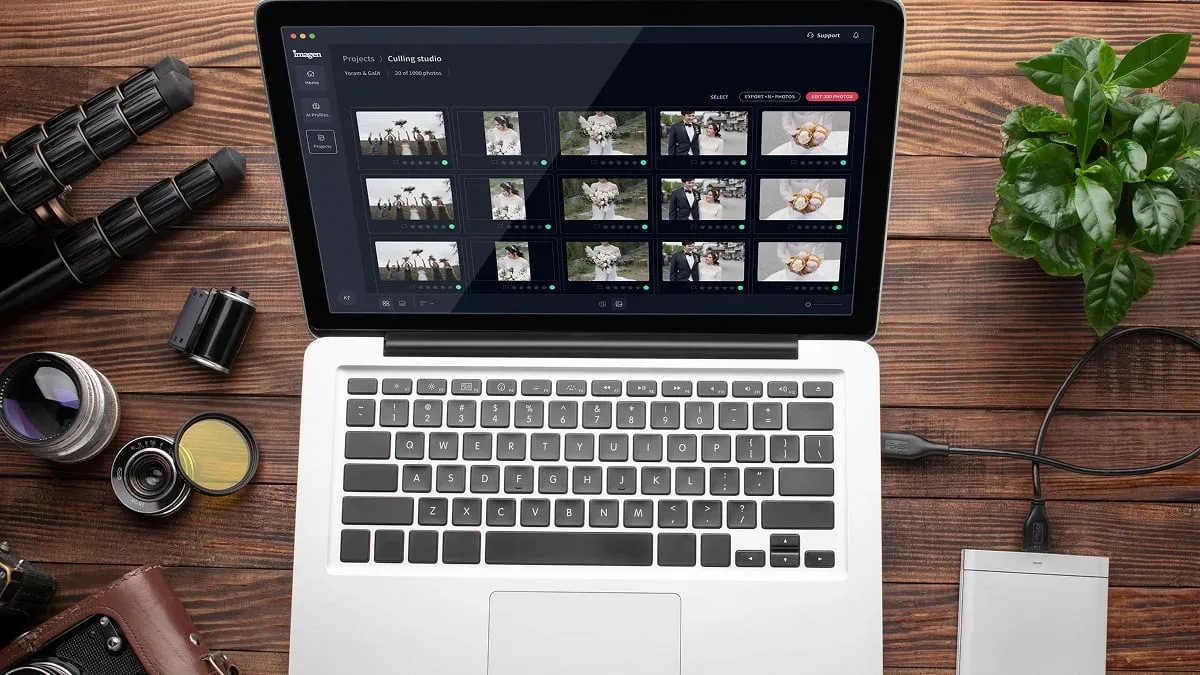
1. Imagen
Imagen sits at the top of this list because it solves the part of cat photography that eats the most time. It learns your personal editing style from your own Lightroom or Capture One catalog, then applies that style consistently across an entire shoot. Instead of editing one frame and copying settings across a set that never quite matches, you feed Imagen your back catalog of finished edits and it builds a profile that reflects the choices you already make. The result is a first pass that looks like your work, applied evenly whether you shot ten frames or three hundred.
It is important to be clear about what Imagen is. It is not an image generator. It edits, culls, and retouches the real photos you shot of the real cat in front of you. That distinction matters for anyone who cares about honest work. The AI culling reviews your set and flags the sharp, well-exposed keepers so you are not scrolling through twenty versions of the same yawn, or you can skip AI culling and cull manually for free. The AI retouching handles cleanup tasks on top of the style pass. For cat sessions, having culling, editing, and retouching in one connected flow means you move from a full memory card to a finished gallery without hopping between separate apps.
Pricing follows a pay on export model: pay-as-you-go photographers pay for the photos they export. That model suits photographers who shoot in volume, since your cost tracks what you export rather than a flat subscription sized for peak months. Sliders, crops, and masks you do yourself are always free. If your cat work runs to large galleries and you want your own look applied automatically, this is the tool to start with.
2. Adobe Lightroom
Lightroom remains the backbone tool for many cat photographers because it combines cataloging with a full RAW editor. Its AI-powered denoise feature is genuinely useful for indoor low-light sessions, where high ISO settings introduce the grain that plagues so many cat portraits. You can clean up noise while holding onto the fur texture that gives a cat photo its character. Masking tools driven by subject detection let you brighten the eyes or lift the face without a lot of manual brushwork.
The strength here is a mature, predictable editing environment that scales from a single frame to a large library. The catch is that Lightroom applies looks through presets and sync rather than learning your personal style the way Imagen does, so consistency across a big shoot still depends on your own copy-and-adjust discipline. Lightroom uses a subscription pricing model.
3. Adobe Photoshop
Photoshop is where you go when a single frame deserves careful attention. For cat work, that usually means a hero shot destined for print or a client wall. Generative and content-aware tools remove a stray food bowl, a bright cable, or a cluttered corner that competes with your subject. You can refine whisker detail, dodge and burn the face, and rebuild a catchlight that fell flat under weak indoor light.
Photoshop is not built for editing hundreds of frames, so it works best paired with a cataloging tool that handles the bulk of your session. Think of it as the finishing station for your best few images rather than the engine for a full gallery. Photoshop uses a subscription pricing model.
4. Aftershoot
Aftershoot built its reputation on AI culling, and that focus makes it a natural fit for cat photography. A single play session with a laser pointer can leave you with two hundred frames of the same leap, most of them soft or awkwardly timed. Aftershoot scans the set, groups the duplicates, checks focus and eye sharpness, and surfaces the frames worth keeping. That turns an hour of squinting at near-identical shots into a quick review.
It also offers AI editing that can apply a look across your selects, which helps you move from cull to draft gallery quickly. If culling is your bottleneck and you shoot fast, energetic cats, this tool earns its place in the workflow. Aftershoot uses a subscription pricing model.
5. Evoto
Evoto brings batch retouching that leans on portrait-style automation, and several of those features carry over to pet work. It can even out exposure across a set, adjust color, and remove small distractions in bulk rather than one frame at a time. For a cat photographer who wants a clean, finished look across a gallery without opening each image by hand, that batch approach saves time.
The tradeoff is that Evoto centers on cleanup and finishing rather than on learning and reproducing your individual editing signature. It gives you speed and consistency within its own toolset. Evoto uses a per-image credits pricing model.
6. Luminar Neo
Luminar Neo appeals to photographers who enjoy a more creative, hands-on look. Its AI tools handle relighting, background swaps, and atmospheric touches that can turn a plain windowsill cat portrait into something with mood. For an outdoor shot where the sky went dull, the sky replacement tool offers a quick fix, and the structure and detail controls can add punch to a fur coat.
It functions as both a standalone editor and a plugin, so it fits into an existing catalog workflow. It favors expressive edits over high-volume batch consistency, so it suits smaller creative sets more than large client galleries. Luminar Neo uses either a subscription or a one-time license.
7. Topaz Photo AI
Topaz Photo AI is the specialist you call when a frame is technically flawed but too good to lose. Cat photography produces plenty of those: the perfect expression captured at a punishing ISO, or a motion-blurred pounce that you still want to keep. Its denoise and sharpen models are strong, and its detail recovery can bring back whisker edges and eye texture that other tools smear.
It does one job and does it well, which means it works best as a repair step inside a larger workflow rather than as your main editor. Run your rescued frames through it, then finish them in your primary tool. Topaz Photo AI uses a one-time license pricing model.
8. Capture One
Capture One is the choice for photographers who care most about color precision and controlled sessions. Its color editing is highly regarded, which helps when you want to render a ginger coat or a set of green eyes with accuracy. Tethered shooting is a real advantage for studio cat portraits, letting you review frames on a large screen the moment they land so you can adjust before the cat loses patience.
The learning curve is steeper than Lightroom, and its AI automation is more restrained than the culling and style tools higher on this list. In exchange you get deep manual control over every adjustment. Capture One uses either a subscription or a one-time license.
How to Choose the Right Cat Photo Editing Tool
Start with your biggest bottleneck. If you drown in near-identical frames after every session, prioritize a tool with strong AI culling so you spend less time picking keepers. If your problem is that every gallery looks slightly different because you edit frame by frame, choose a tool that applies a consistent style across the whole shoot. Imagen addresses both of those pains together, since it learns your look and handles culling in one place.
Next, weigh your shooting conditions. Indoor cats mean high ISO and noise, so denoise quality should rank high on your checklist. Whisker and fur detail can vanish under heavy noise reduction, so test how a tool preserves fine texture before you commit. Eye catchlights are the soul of a cat portrait, so look for masking and local adjustment tools that let you protect and enhance the eyes without a lot of manual effort.
Finally, match the pricing model to your volume. A pay-as-you-go model rewards photographers who shoot in large bursts and want to pay for the photos they export, while a subscription suits a steady monthly output and a one-time license fits those who prefer to buy once and own the software. For more cross-category guidance, see our overview of the best AI photo editing software for photographers in 2026, and if your work spans animals beyond cats, our best AI pet photo editing software guide covers the broader category. You can also browse related picks for dog photography and more in our tips hub.
What’s new in Imagen: Cat sessions can leave you with endless near-identical frames, and Imagen is now an intelligent, agentic Studio for professional photographers, one project where you cull, edit, review and export in any order. AI filters such as blur and closed eyes help you narrow a set, and the assistant can find photos and act on them when you ask in plain language, with you steering. The Studio is rolling out gradually as a beta.
Frequently Asked Questions
What is the best AI tool for editing cat photos at volume?
Imagen fits high-volume cat work best because it learns your personal editing style and applies it consistently across an entire shoot, then adds AI culling and retouching in the same flow. That combination handles the two slowest parts of a cat session, picking keepers and keeping a gallery consistent, without moving between separate apps.
Do these tools generate fake cats or edit my real photos?
The tools ranked here edit, cull, and retouch the real photos you shot. Imagen in particular is an editing and culling tool, not an image generator, so it works on the actual frames of the cat that was in front of your lens. Some tools include generative cleanup features for removing distractions, but the subject stays your own photograph.
How do I reduce noise in indoor low-light cat photos?
Use a tool with a dedicated AI denoise model, then check that whisker and fur detail survive the cleanup. Lightroom and Topaz Photo AI both offer strong denoise, and Topaz specializes in rescuing frames that are technically flawed but worth keeping. Apply denoise before heavy sharpening so you do not amplify the grain you just removed.
Can I try a cat photo editor before paying?
Yes. Imagen offers a free trial, then you pay at export, so you can run a real session through it and judge the results on your own images. Several other tools offer trial periods as well, which is the honest way to test how each one handles your specific lighting and your specific cat.
Final Thoughts
Cat photography, whether in a studio or a shelter, rewards software that can move fast through a big take while still rendering fur, eyes, and whiskers with care. Every tool on this list earns its place for a specific strength, but if your priority is one connected workflow that learns your personal style and applies it across culling, editing, and retouching together, Imagen is the strongest overall pick, and its new Studio lets you cull, edit and export in one project. Start a free trial at imagen-ai.com.

