

8 Best AI Aurora Photo Editing Software in 2026
Table of contents
Best AI aurora photo editing software in 2026
A good aurora night leaves you with 300 to 800 frames, most of them 5 to 15 second exposures at ISO 1600 to 6400, shot wide open on a 14 to 24 mm lens. Half are near-duplicates, the green shifts from frame to frame, and the foreground is lit by a town you did not plan for. No single app fixes all of that. Imagen is the best fit for the batch part of the job (consistent color, white balance and culling in your own style), and the rest of this list covers the tools that handle what Imagen does not. You can also read how to edit aurora photos with AI and our AI aurora photo editing guide.
What an aurora night asks of your software
- White balance that stays put. Cameras guess badly in the dark, and a 3,800 K frame next to a 4,600 K frame looks like two different nights.
- Color that follows the aurora. Greens, magenta fringes and violet tops change with the display, so one fixed preset rarely fits the whole set.
- A fast way through near-duplicates. When the camera fires every few seconds, you want the sharpest frame of each cluster.
- Honest limits. Aurora files are noisy, and heavy noise reduction, stacking and sky work happen in specialist tools.
1. Imagen
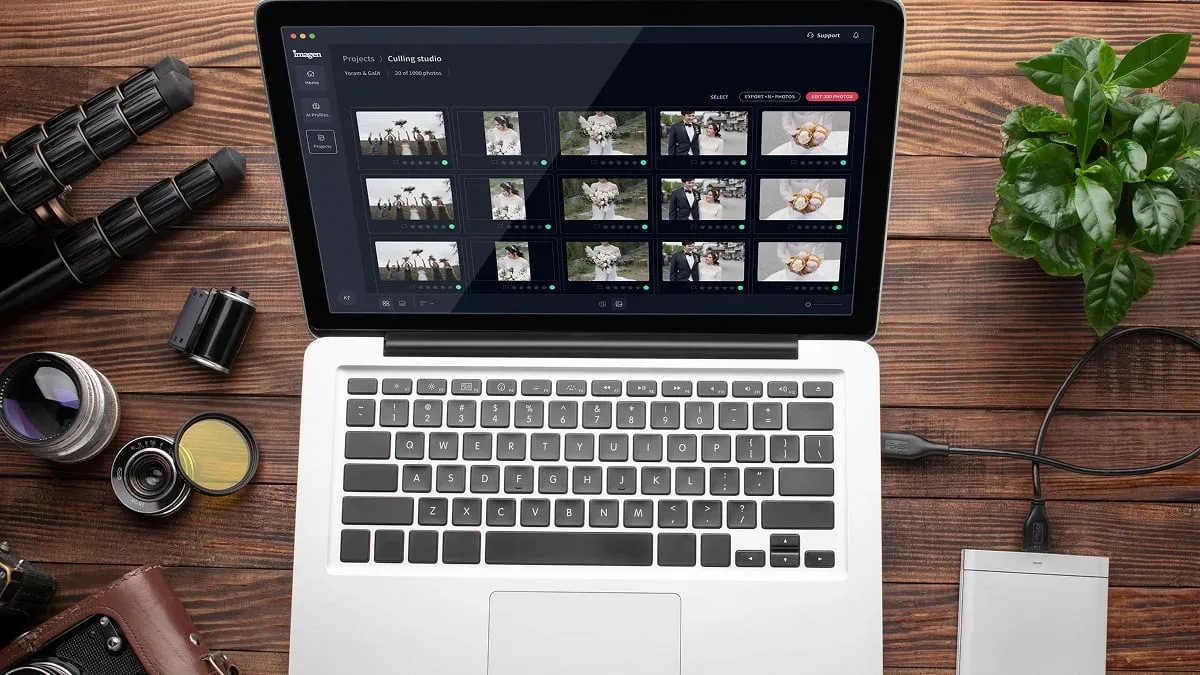
Imagen learns your editing style from your past Lightroom Classic edits and applies it to the new shoot as a Personal AI Profile. On an aurora night that matters because it adapts to each frame instead of copying one setting across 600 of them. It can also help you through the pile: AI filters flag blurred frames, batch culling does the first pass, and manual culling is free.
The limits are real. Denoise and Object Removal are not in the Studio, and Imagen does not stack stars, merge HDR for skies, focus stack or replace skies. It edits and culls the real frames you shot and does not generate imagery. For a noisy ISO 6400 frame you still reach for a dedicated noise tool.
Edits from your AI Profile and AI tools carry to Lightroom Classic, and you can also export JPG, TIFF or PNG from Imagen. Pricing is pay-as-you-go: a monthly base fee plus a charge per exported photo, and you see every edit before you export.
2. Adobe Lightroom Classic
The catalog most aurora shooters already use. Its white balance and color grading tools suit green and magenta work, and masking lets you handle the foreground separately from the sky. It is a subscription product. If your problem is one great frame rather than a batch of 600, Lightroom Classic alone may be enough.
3. Adobe Photoshop
Photoshop is the tool for layers: blending a foreground exposure with a sky exposure, and aligning and combining multiple frames. It works on one image at a time, so most people use it for the few frames that go in a portfolio.
4. Capture One
Capture One has a strong color editor and layers, and some shooters prefer how it renders greens. It has its own catalog and session workflow. Imagen does not support Capture One catalogs.
5. Photo Mechanic
Photo Mechanic is built for ingest and quick culling, and it is very fast at previewing large sets. It does not develop images, so it sits in front of a raw editor.
6. ON1 Photo RAW
ON1 combines browsing, raw editing and AI-assisted tools in one app, which suits photographers who want fewer programs. It can also run as a plugin.
7. Luminar Neo
Luminar Neo is a creative editor aimed at quick, stylized results. It tends to suit finishing on selected frames more than full-night batches.
8. DxO PhotoLab
PhotoLab is known for its noise reduction and optical corrections, which is the area where Imagen is not an answer. If you shoot at high ISO regularly, a DxO pass on your best frames is a sensible companion step.
Quick comparison
| Tool | Best at | Where it falls short for aurora |
|---|---|---|
| Imagen | Batch style, culling | No denoise, stacking or sky tools |
| Lightroom Classic | Catalog, color, masking | You build presets and sync by hand |
| Photoshop | Layers, blending | One image at a time |
| Capture One | Color control | Not supported by Imagen |
| Photo Mechanic | Fast culling | Does not develop images |
| ON1 Photo RAW | All-in-one editing | Less focused on batch style |
| Luminar Neo | Creative finishing | Better on single frames |
| DxO PhotoLab | Noise and optics | No style learning |
A workflow that works for a full night
Here is how we would run a 600-frame night. Import into Lightroom Classic and back up. Cull the bursts, using Imagen’s blur filter and batch culling or doing it by hand. Run the keepers through your Personal AI Profile and read through the results, fixing white balance on the frames where a city glow or the moon has pulled it off. Send the three or four frames that matter to a noise tool or Photoshop for stacking and clean-up. Export from the catalog or from Imagen.
For a step-by-step on the same night, see the aurora photo editing workflow, and for how Imagen sits beside your catalog, the Lightroom AI plugin page. More guides live on the valuable tips hub.
What’s new in Imagen: For night sky work, Imagen is now an intelligent, agentic Studio for professional photographers, one project where you cull, edit, review and export in any order. AI filters such as blur help you narrow long night bursts, and your Personal AI Profile carries your look across the keepers while edited photos arrive in batches. The Studio is currently in beta.
Frequently asked questions
Does AI aurora editing software generate fake northern lights?
Imagen does not generate imagery or invent scenes. It edits and culls the real aurora photos you captured and applies your own style across the batch. Synthetic skies and composites belong to a different kind of tool.
Can Imagen handle noise reduction and star stacking?
No. Denoise and Object Removal are not part of Imagen Studio, and it does not do star stacking, HDR merging for the sky, focus stacking or sky replacement. Do those steps in a dedicated app, and let Imagen carry the batch color, white balance and culling.
How is Imagen priced for aurora editing?
Pay-as-you-go is a monthly base fee plus a charge per exported photo, Limitless is a fixed fee, and Business is custom. You see every edit in the gallery before you export, and sliders, crops and masks you do yourself are always free.
Does Imagen work with Lightroom Classic?
Yes. Imagen learns your style from your past Lightroom Classic edits, and edits from your AI Profile and AI tools carry back to your Lightroom Classic catalog. Edits made in the Studio built-in editor do not carry over. Capture One is not supported.

