

8 Best AI Astrophotography Photo Editing Software in 2026
Table of contents
Astrophotography asks more from an editor than almost any other genre. A single frame of the Milky Way carries deep shadow noise, faint star color, and a dynamic range that runs from black sky to bright galactic core. In 2026, AI has become a practical part of this work, helping with heavy noise reduction, star detail, light pollution correction, and the slow task of sorting hundreds of exposures from a long night. The right software depends on whether you shoot single wide field frames, stack many subs for cleaner data, or run a full editing business where consistency across an entire shoot matters. This guide walks through eight tools that photographers actually use for night sky work, starting with Imagen, which learns your personal style and applies it across a whole set. Each entry explains what the tool does well, where it fits, and how it is priced, so you can match it to your own workflow.
Key Takeaways
- Imagen learns your personal editing style from your Lightroom or Capture One catalog and applies it consistently across an entire shoot, with AI culling and AI retouching in one connected workflow.
- Imagen edits real photos you captured. It is not an image generator, so your stars, framing, and detail stay exactly as you shot them.
- Imagen uses pay-as-you-go pricing, so you pay for the photos you export. Sliders, crops, and masks you do yourself are always free.
- Dedicated stackers like Sequator and Starry Landscape Stacker handle the alignment and averaging of many frames, which is where much of your noise reduction really happens.
- Topaz Photo AI and DxO PhotoLab lead on single frame noise reduction and fine star detail recovery.
- Lightroom, Capture One, Photoshop, and Luminar Neo cover raw development, precise color, and layered finishing.
- Match the tool to your process first, then judge the AI features, because the best result usually comes from a small chain of tools rather than one.
1. Imagen
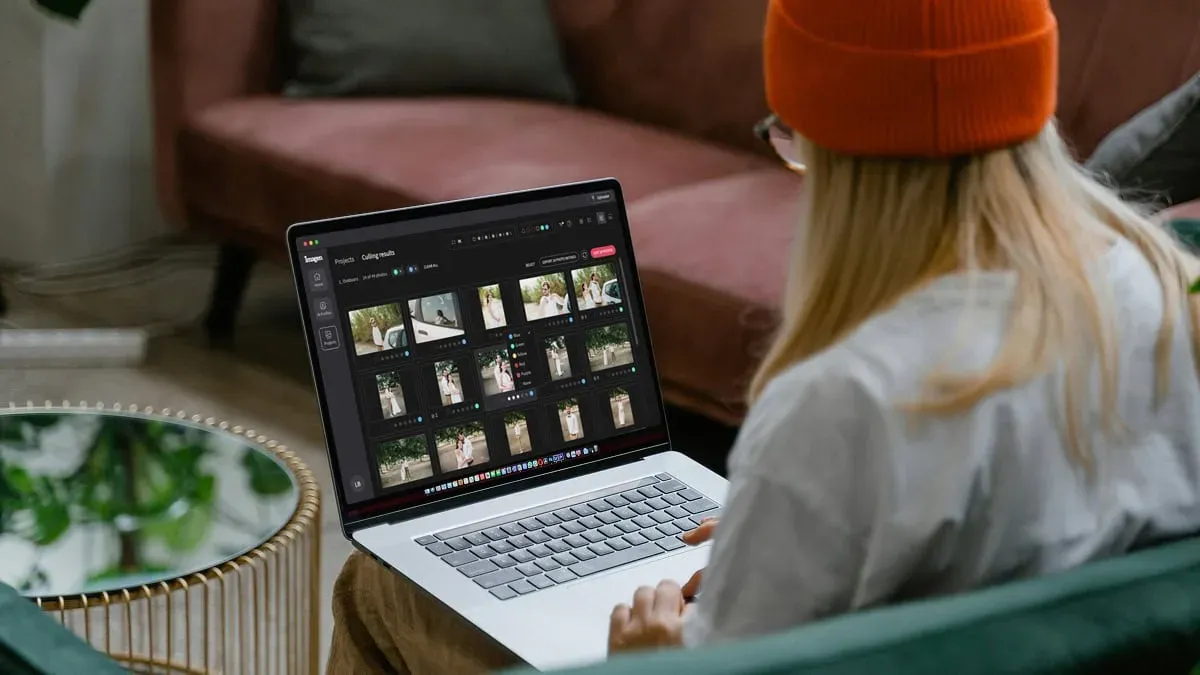
Imagen is an AI editing assistant built for photographers who need consistency at volume. Instead of applying a generic preset, it studies your own past edits from your Lightroom or Capture One catalog and builds a personal profile that reflects how you actually finish images. When you feed it a new set, it applies that style across every frame, so the deep blues, shadow lift, and star color you prefer stay uniform from the first exposure to the last. For an astrophotographer processing a long night of shots, that means the entire sequence looks like it came from one deliberate hand rather than dozens of separate adjustments.
It is important to be clear about what Imagen is and is not. It is not an image generator. It does not invent stars or paint in a fake sky. It edits, culls, and retouches the real photos you captured, which keeps your night work honest and true to the scene. The AI culling feature helps you sort through large batches and flag the sharpest frames, a real time saver when you bracket heavily or shoot many subs. AI retouching then handles cleanup passes, all inside one connected workflow so you are not jumping between apps.
Pricing follows a pay on export model: pay-as-you-go photographers pay at export and see every edit in the gallery first, so you can test it against a real shoot before committing. That model suits photographers who want their cost to track each project rather than a flat subscription sized for peak volume.
Where Imagen shines is the point after your stacking and heavy noise work is done, when you want a fast, consistent, personal finish across the whole set. You can learn more or start a free trial at Imagen.
2. Adobe Lightroom
Lightroom remains the backbone of many astrophotography workflows. Its raw engine gives you strong control over white balance, tone curves, and the subtle color grading that night skies demand. The AI Denoise feature is genuinely useful on single wide field frames, cleaning shadow noise while holding onto star points that older sliders tended to smear. Masking has also improved, letting you separate the sky from the foreground and treat each with different exposure and color.
For photographers who already keep a catalog here, Lightroom is a natural home base for organizing a night of shooting, applying develop settings, and syncing them across frames. It pairs well with dedicated stackers, since you can export aligned data and finish it inside Lightroom. Pricing follows a subscription model.
3. Adobe Photoshop
Photoshop is the tool astrophotographers reach for when a frame needs layered, pixel level attention. It handles blending of separate sky and foreground exposures, careful gradient removal for light pollution, and precise local work on the galactic core. Its selection and masking tools, now assisted by AI, make it easier to isolate stars or a horizon line for targeted correction. Many editors run their stacked result through Photoshop for the final stretch and color balance.
The trade off is a steeper learning curve and a more manual process than the batch friendly tools on this list. It rewards time spent, and for hero shots that will be printed large, that control is worth it. Pricing follows a subscription model.
4. Topaz Photo AI
Topaz Photo AI is built around AI noise reduction and detail recovery, which puts it right in the heart of astrophotography needs. On a high ISO single frame, it can strip chroma and luminance noise while keeping fine star points intact, a balance that is hard to strike with traditional sliders. It also offers sharpening that can firm up slightly soft stars without introducing harsh halos.
It works as a standalone app or as a plugin inside Lightroom and Photoshop, so it slots into an existing chain rather than replacing it. Photographers who cannot always stack, such as those shooting fast moving compositions or single exposures, lean on Topaz to rescue clean detail from noisy data. Pricing follows a one time license.
5. DxO PhotoLab
DxO PhotoLab is respected for its DeepPRIME noise reduction, which reads raw sensor data directly and often produces very clean results on demanding night frames. For astrophotography, that means it can pull usable shadow detail and preserve star color from images that would otherwise look grainy. Its optical corrections also tame lens issues like vignetting and coma at the frame edges, which matters when stars near the corners start to smear.
The interface is more technical than some rivals, but the payoff is a demosaicing and denoising pass that many find excellent as a first step before further editing. It suits photographers who want the cleanest possible single frame starting point. Pricing follows a one time license.
6. Sequator
Sequator is a dedicated stacking tool for Windows, and it fills a role the general editors cannot. Stacking many exposures of the same scene and averaging them is one of the most effective ways to reduce noise in astrophotography, because it raises the real signal while random noise cancels out. Sequator aligns your star frames, can separate the sky from a static foreground, and helps reduce light pollution gradients during the merge.
It is focused and approachable, which makes it a common entry point for photographers moving from single frames to stacked data. The output is a cleaner master image that you then develop and finish in another editor. Pricing follows a freemium model.
7. Starry Landscape Stacker
Starry Landscape Stacker is the Mac counterpart to a dedicated stacker, and it is a favorite among nightscape shooters on Apple hardware. It aligns multiple sky exposures, averages away noise, and handles the tricky task of keeping stars registered while a fixed landscape stays sharp. The result is a low noise base image with far more detail than any single frame could hold.
Like Sequator, it does one job and does it cleanly, then hands off to Lightroom, Photoshop, or another finisher for tone and color. For Mac users serious about Milky Way work, it is often the missing piece that lifts their images. Pricing follows a one time license.
8. Capture One
Capture One is known for its raw rendering and precise color control, which appeals to astrophotographers who care about faithful star color and subtle sky gradients. Its layer based local adjustments let you shape the foreground and the sky separately, and its color editor gives fine control over the delicate hues in a night scene. Tethering and catalog management are strong, which helps if you shoot in a planned, repeatable way.
It is a serious raw developer rather than a stacker, so it lives in the finishing stage of the process alongside or in place of Lightroom. Photographers who value color accuracy above all often prefer its rendering. Pricing is available on a subscription or a one time license.
Astrophotography Editing Software Compared
| Tool | Best for | Pricing model |
|---|---|---|
| Imagen | Consistent personal style across a whole shoot, plus AI culling and retouching | Pay-as-you-go: pay on export |
| Adobe Lightroom | Raw development and AI Denoise on single frames | Subscription |
| Adobe Photoshop | Layered blending, gradient removal, precise local work | Subscription |
| Topaz Photo AI | AI noise reduction and detail recovery on single frames | One time license |
| DxO PhotoLab | DeepPRIME denoising and optical corrections | One time license |
| Sequator | Stacking many exposures on Windows | Freemium |
| Starry Landscape Stacker | Stacking many exposures on Mac | One time license |
| Capture One | Faithful color and precise raw rendering | Subscription or one time license |
How to Choose the Right Astrophotography Editor
Start by mapping your own process before you compare features. If you capture many exposures of the same scene, a dedicated stacker such as Sequator or Starry Landscape Stacker should sit at the front of your chain, because averaging frames is the most reliable way to cut noise while keeping real star detail. If you often shoot single wide field frames, then a strong AI denoiser like Topaz Photo AI or DxO PhotoLab becomes the priority, since it has to rescue clean data from one noisy image.
Next, decide where your raw development and color grading live. Lightroom and Capture One both handle this stage well, and your choice often comes down to color preference and how you like to manage a catalog. Photoshop then covers the heavy lifting for blended exposures and careful gradient removal on your best frames.
Finally, think about volume and consistency. If you produce a lot of night images and want every frame in a set to share the same look, Imagen adds a layer the others do not, learning your personal style and applying it across the whole shoot while helping you cull and retouch. Pricing model matters too. A subscription spreads cost over time, a one time license is a fixed purchase, freemium lets you start for nothing, and pay as you go ties spend to each project. For a wider view of the field, see our guide to the best AI photo editing software for photographers, and if you shoot after dark often, the roundup of the best AI night photo editing software covers related ground.
Most photographers land on a small chain rather than one app. A stacker for clean data, a denoiser or raw developer for detail and color, and a finishing pass for consistency will serve night work better than any single tool trying to do everything. You can also explore adjacent techniques in our overview of the best AI long exposure photo editing software or browse more guides on the Imagen tips hub.
What’s new in Imagen: After stacking and noise work are done, Imagen is now an intelligent, agentic Studio for professional photographers, one project where you cull, edit, review and export in any order. Use AI culling to flag the sharpest frames from a long night, or skip it and cull manually for free, then export finished JPG, TIFF or PNG files straight from Imagen. The Studio is rolling out gradually as a beta.
Frequently Asked Questions
Does AI editing software replace stacking for astrophotography?
No. Stacking many exposures and averaging them remains the most effective way to raise real signal and cut random noise. AI denoisers like Topaz Photo AI and DxO PhotoLab are excellent when you only have a single frame, but when you can stack, tools such as Sequator or Starry Landscape Stacker give you a cleaner starting point that AI editing can then refine.
Is Imagen an image generator that creates fake stars?
No. Imagen edits, culls, and retouches the real photos you captured. It does not generate images or invent detail. It learns your personal editing style from your existing catalog and applies it consistently across your shoot, so your stars and framing stay true to what you photographed.
How much does astrophotography editing software cost?
It varies by model. Some tools use a subscription, others sell a one time license, and free stackers use a freemium model. Imagen uses pay-as-you-go pricing: you pay at export, and you see every edit in the gallery first, so you can test it against a real set.
Can I use more than one of these tools together?
Yes, and most serious astrophotographers do. A common chain is a dedicated stacker for clean data, a raw developer such as Lightroom or Capture One for tone and color, a denoiser like Topaz or DxO for detail, and Imagen for a fast, consistent finish across the whole shoot. Some of these tools also work as plugins, while Imagen is a desktop app, not a plugin, that works alongside your raw developer, so the chain still fits into a single connected process.
Conclusion
Astrophotography pushes editing software to its limits with noise, stacking, and star detail all demanding specialized handling. If your workflow is less about pixel-level stacking and more about culling a large shoot and applying a consistent style across your frames, you can try Imagen free in its new Studio, where you cull, edit and export in one project, at https://imagen-ai.com/.

