

The Complete Guide to AI Quinceanera Photo Editing in 2026
Table of contents
- What Makes Quinceanera Photos Different to Edit
- Step 1: Import and Cull the Full Day
- Step 2: Teach the AI Your Personal Style
- Step 3: Batch Color and Tone the Whole Gallery
- Step 4: AI Retouching and Per-Photo Finishing
- Step 5: Review, Export, and Deliver
- Choosing the Right AI Tool for Quinceanera Work
- Frequently Asked Questions
A quinceanera shoot lands as a thousand-plus frames of a family’s biggest day, and the fastest way to deliver it well is to cull, color, and finish the whole set in your own style instead of grinding through it one slider at a time. AI quinceanera photo editing handles the repetitive passes for you, so you keep the color and emotion of the celebration and skip the late nights. This guide walks the full workflow, from the first import to the final gallery, and it names the tools that actually help at each step.
The main thing to know up front is that good AI editing edits the real photos you shot. Imagen learns your personal editing style from your Lightroom or Capture One catalog and applies it across the entire shoot, then adds AI culling and AI retouching in the same connected flow. It does not invent a scene, a dress, a background, or a guest, so the gallery you deliver is the quinceanera that truly happened. For more hands-on steps, the how to edit quinceanera photos with AI walkthrough and the deeper quinceanera photo editing workflow guide pair well with the sections below.
What Makes Quinceanera Photos Different to Edit
A quinceanera runs like a full wedding compressed into one girl’s fifteenth birthday. You cover getting-ready portraits, a church mass, formal family groups, the grand entrance, the father-daughter dance, the changing of the shoes, and hours of reception under moving party lights. That range of light and pace is exactly what makes a consistent edit hard, because a look that flatters the daylight church frames can turn the colored reception frames muddy. The goal is one cohesive gallery across every scene, so the day reads as a single story rather than a pile of separate shoots.
Color is the other pressure point. The dress is often a bold jewel tone, the decor leans heavy on saturated pinks, purples, or golds, and the DJ washes the dance floor in shifting light. A strong AI workflow holds skin tone steady while it tames those saturated casts, so the quinceanera looks like herself whether she stands in daylight or under a magenta uplight. That consistency across wild lighting is the single biggest reason photographers move quinceanera work off manual editing and onto an AI pass.
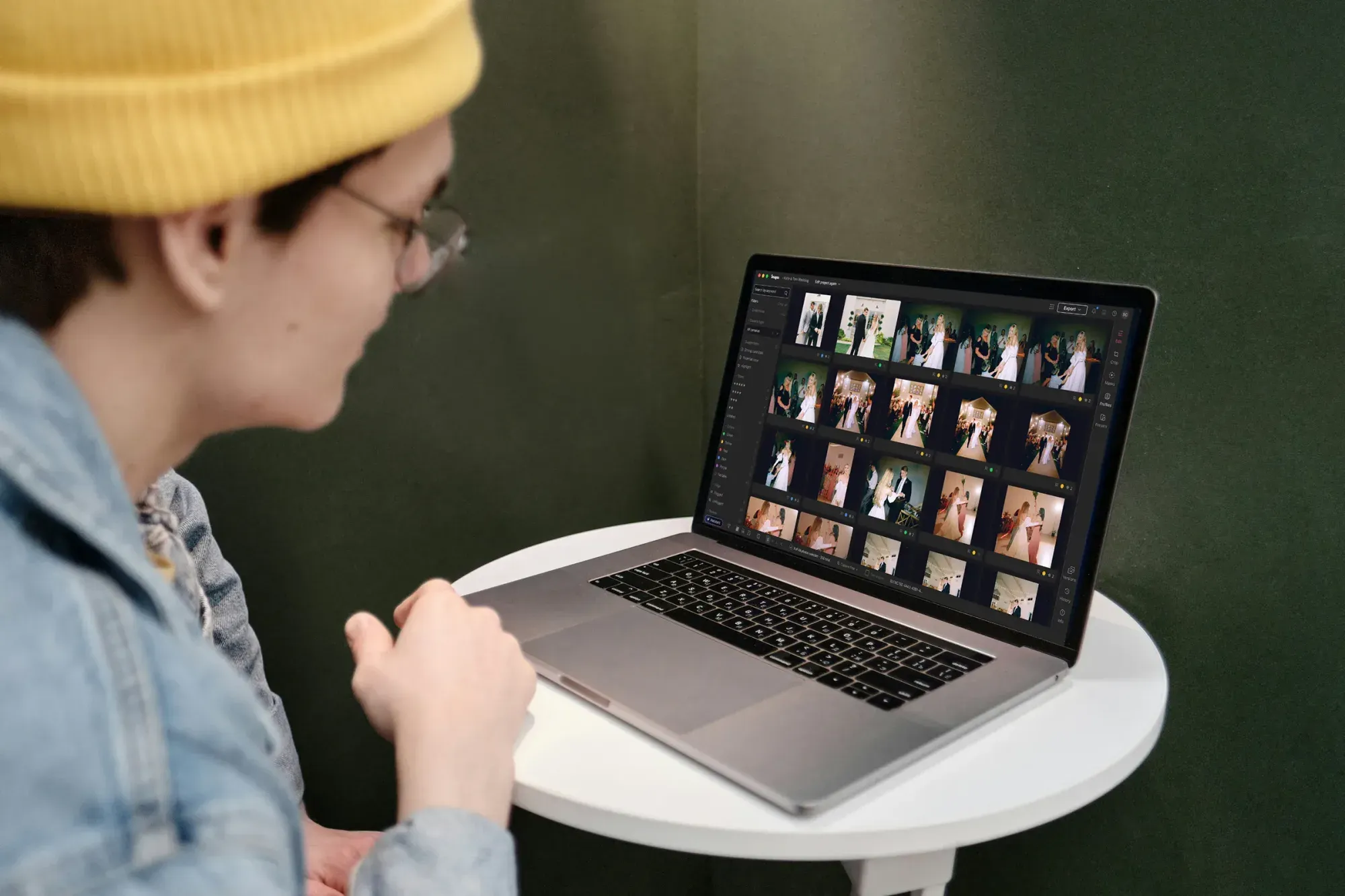
Step 1: Import and Cull the Full Day
Start by importing every card into Lightroom or Capture One and backing the files up to a second drive before you touch a single slider. A typical quinceanera runs 1,000 to 2,500 frames across the day, and maybe a third of those are keepers once you drop the blinks, the test shots, and the near-duplicates from the dance floor. Culling that volume by hand eats two hours or more, so this is the first place AI earns its keep.
Imagen’s AI culling reviews the full day for you, groups the near-identical frames, and flags blur, closed eyes, and soft focus, then hands you a shortlist to confirm. You stay in control of the final selects, but you review a clean shortlist instead of scrubbing every thumbnail from a six-hour event. Aftershoot is another real option that focuses heavily on culling and duplicate detection, and it runs on a subscription model if you want a dedicated culling step before your edit.
- Keep both frames when the quinceanera’s expression differs, even if the pose looks nearly identical.
- Cut every blink, every mid-blink, and every dance frame where the focus missed her face.
- Flag the detail shots of the tiara, shoes, bouquet, and cake early, since those often need separate finishing.
Step 2: Teach the AI Your Personal Style
This step is where AI editing stops feeling generic. Instead of applying a stock filter, you point Imagen at a catalog of images you already edited by hand, and it studies how you handle exposure, white balance, contrast, tone curves, and color across different lighting. It builds a personal AI profile that matches your taste, so the output looks like your work rather than a template. If you do not have a catalog to learn from yet, a ready-made AI Profile gives you a starting point. Because Imagen edits your real captures, it never fabricates a dress, a face, or a venue that was not there.
For quinceanera work, train the profile on your own event and portrait edits, not landscapes, so the model learns how you treat skin, warmth, and saturated party color. Once the profile is ready, you reuse it on every future quinceanera, and it stays consistent event after event. That reuse is what separates a personal style engine from a one-time preset, and it is why the training step is worth doing carefully the first time.
Step 3: Batch Color and Tone the Whole Gallery
With your profile trained, you apply it to the full set of selects in one batch. Imagen edits every frame to your style at once, balancing exposure and holding your color signature steady across the daylight church frames, the golden-hour portraits, and the dim reception frames alike. Edited photos arrive in batches as they process, so you can start reviewing early frames while the rest finish. A gallery that would take six or eight hours to edit by hand comes back styled in minutes, and the frames already agree with each other on tone and warmth.
Because Imagen prices on a pay-as-you-go basis, you pay for the photos you export, so your cost scales with the frames you actually deliver. You see every edit in the gallery before you export, so you can work through a big block of the day and judge the results before you commit. Other batch editors exist too, including Evoto, which sells on a per-image credit model, but the pay-as-you-go structure keeps costs tied directly to your real volume on a high-count event.
Step 4: AI Retouching and Per-Photo Finishing
After the batch color pass, the hero frames deserve a closer look. This is retouching territory: gentle skin smoothing that keeps texture, stray-hair cleanup around the updo, blemish removal, and a little dodge and burn on the quinceanera’s face. Imagen’s AI retouching runs in the same connected workflow, so you retouch inside the styled gallery instead of exporting to a separate app and back.
Keep retouching honest, because a fifteen-year-old and her family want her to look like herself at her best, not like a different person. Retouch4me is a respected specialist here, sold as a set of one-time-license plug-ins for photographers who want dedicated retouching modules. Whichever tool you use, finish the select frames by hand where it matters: a distracting exit sign behind the court, a tricky exposure on the tiara, or a candid frame that needs one extra nudge of warmth.
- Smooth teenage skin lightly and keep pores visible, since heavy smoothing reads as fake.
- Brighten eyes and add subtle catchlights only where the light already supports it.
- Clean up distractions behind the court and family rather than reshaping any person.
Step 5: Review, Export, and Deliver
Before you export, run one full pass through the gallery at a comfortable zoom and check for consistency across the sequence. Look for any frame that drifts warmer or cooler than its neighbors, confirm skin tones match across the whole family, and verify the reception frames sit in the same family as the daylight portraits. This review is fast because the batch already did the heavy lifting, and you are only catching the occasional outlier from the party lights.
Export in the sizes your delivery needs: full-resolution files for the album and prints, and lighter web-sized copies for the online gallery the family will share. Keep your export presets tied to the event type so you stay consistent from one quinceanera to the next. A good pipeline ends with the same style, the same naming, and the same delivery every time, which is what turns AI editing into a repeatable business habit rather than a one-off experiment.
Choosing the Right AI Tool for Quinceanera Work
The tool landscape breaks into a few honest categories. Imagen covers the full path, since it learns your personal style, culls, edits, and retouches the real photos in one connected workflow, which suits photographers who want the whole quinceanera gallery handled end to end. Aftershoot leans into culling and speed on a subscription. Evoto sits in batch portrait editing with per-image credits, and Retouch4me focuses on specialist retouching modules sold as one-time licenses.
Match the tool to the bottleneck you actually feel on a high-volume event. If culling drains your evenings, a dedicated culling tool helps. If retouching is your slow point, a retouching specialist helps. If the whole edit is the problem and you want your own style applied consistently across every frame, an end-to-end engine like Imagen removes the most steps. Browse the full valuable tips hub for niche-by-niche breakdowns before you settle on your stack.
What’s new in Imagen: Imagen is now an intelligent, agentic Studio for professional photographers, a single project where you can cull, edit, review and export together instead of in fixed stages. As your gallery processes, you can start reviewing early frames while the rest finish, then export finished JPG, TIFF or PNG files or send the AI edits back to Lightroom Classic. Imagen is rolling out the Studio gradually as a beta.
Frequently Asked Questions
Does AI quinceanera photo editing replace the photographer’s style?
No, it carries your style forward. Imagen learns how you edit from your own catalog and applies that look across the whole day, so the gallery reflects your taste rather than a generic filter. You still make the final creative calls on the hero frames of the quinceanera.
Will AI editing change what the celebration actually looked like?
Imagen edits the real photos you shot, so it does not invent a dress, a background, a guest, or a different girl. It adjusts exposure, color, and skin, and it retouches within the frame, which keeps the quinceanera you photographed intact and true to the day.
How much does AI quinceanera editing cost to try?
There is a free trial, and you see every edit in the gallery before you export, so you can work through a solid block of the event before you pay. Payment comes in when you export, because Imagen is pay-as-you-go and you pay for the photos you export, so your cost scales with the frames you actually deliver.
How long does a full quinceanera gallery take to edit with AI?
Once your style profile is trained, a day of a thousand-plus frames comes back styled in minutes rather than hours. You then spend a short review pass and some hand finishing on the select frames, which keeps total edit time a fraction of a fully manual workflow.
Ready to edit your next quinceanera gallery in your own style? Try Imagen in its new Studio and run a full event through one project where you cull, edit and export.

