

AI Lifestyle Photo Editing Tips and Techniques for 2026
Table of contents
- AI Lifestyle Photo Editing Tips
- Start with a clean import and a fast cull
- Build a personal lifestyle style you can reuse
- Batch your base color and tone first
- Keep skin tones natural in candid light
- Retouch lightly so people still look real
- Finish your hero frames by hand
- Export the right sizes for clients and social
- Try Imagen on your next lifestyle shoot
- Frequently asked questions
AI Lifestyle Photo Editing Tips
The fastest way to edit lifestyle photos well is to lock in one consistent look, apply it across the full shoot with AI, then finish only your best frames by hand. Lifestyle photography lives on candid, natural-light portraits of real people in real settings, so the editing has to feel true to the moment while still staying clean and repeatable. The tips below walk through a practical workflow that keeps skin tones honest, colors calm, and delivery times short, whether you shoot families, brands, weddings, or everyday moments for social feeds.
Imagen sits at the center of this workflow because it learns your personal editing style from your Lightroom or Capture One catalog and applies it consistently across a whole shoot, then adds AI culling and AI retouching in one connected pass. It edits, culls, and retouches the real photos you shot, so it never invents scenes, models, or backgrounds. You can read the companion pieces on how to edit lifestyle photos with AI and the full AI lifestyle photo editing guide for deeper walkthroughs, and browse more tutorials on the Valuable Tips hub.
Start with a clean import and a fast cull
Good lifestyle editing starts before you touch a single slider. A candid session can produce 800 to 2,000 frames, and many of them repeat the same moment with tiny changes in expression or focus. Sort those down first so you only spend energy on keepers. Import everything into your catalog, tag the shoot, and let an AI culling pass flag the sharp, well-composed frames and drop the blinks and near-duplicates.
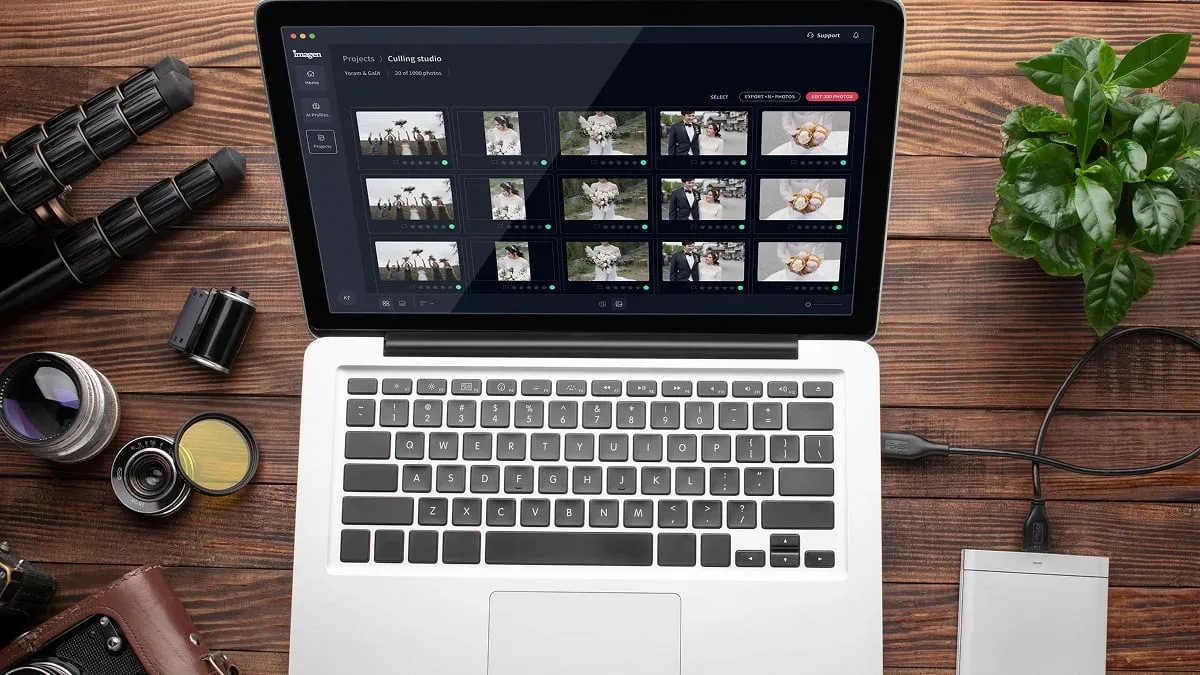
Imagen culls your real captures and marks the strongest shots, so you review a short list instead of scrubbing every frame, and AI filters such as blur and closed eyes help you narrow the shoot further. That single step often saves an hour or more per session, and it keeps your color and retouching work focused on photos that will actually reach the client.
- Cull for focus and expression first, then for composition.
- Keep one frame from each near-duplicate burst.
- Flag hero shots early so you can finish them by hand later.
Build a personal lifestyle style you can reuse
A recognizable look is what turns a good photographer into a booked one. Instead of chasing a new edit on every image, define one style and apply it everywhere. Decide how warm your skin tones run, how bright your highlights sit, how deep your shadows fall, and how much your greens and blues lean toward calm or punchy.
Imagen builds a personal style from your own past edits in Lightroom or Capture One, then applies that exact taste across a full shoot. Because it learns from photos you already graded by hand, the result reads like your work, not a generic preset. That consistency matters most in lifestyle sets, where a family gallery or a brand campaign needs every frame to feel like one story.
Batch your base color and tone first
Once your style is set, apply it to the whole cull before you fine-tune anything. Batch editing gives you a consistent starting point for exposure, white balance, contrast, and color across the shoot, which is exactly what natural-light portraits need when the sun shifts between frames. Fix the base globally, and you remove ninety percent of the repetitive work.
Run the AI edit across every keeper so each frame lands close to final. Edited photos arrive in batches as they process, so you can start scanning early frames while the rest finish. Then scan the gallery as a set and check that skin tones match from indoor to outdoor shots. Tools like Adobe Lightroom and Capture One handle catalog management and manual grading well, and Imagen connects to both so your batch edit flows straight into the catalog you already use. You can also export finished JPG, TIFF or PNG files straight from Imagen.
Keep skin tones natural in candid light
Skin is the make-or-break element in lifestyle work. Candid, natural-light portraits pick up color casts from grass, walls, and open shade, so faces can drift green, magenta, or orange without you noticing on a small screen. Aim for skin that reads warm and alive but never sunburned or plastic.
- Set white balance from a neutral point, then nudge for mood.
- Watch the reds and oranges so tones stay believable across the gallery.
- Compare faces side by side to catch casts from mixed light.
Because Imagen applies your style consistently, skin stays even from the first frame to the last, which spares you the tedious job of matching tone frame by frame. You still keep full control, since every edit lands in your catalog where you can adjust anything by hand, and Imagen’s built-in editor (Beta) offers manual sliders if you would rather stay in the project.
Retouch lightly so people still look real
Lifestyle photography sells honesty, so heavy retouching works against you. The goal is a clean version of a real person, not a smoothed-over mannequin. Remove a stray hair, calm a shiny forehead, and soften a temporary blemish, but keep freckles, laugh lines, and skin texture intact.
Imagen retouches the real photos you shot, so it refines what is in the frame rather than inventing a new face. It handles the repetitive skin and blemish work across a batch, then hands you a natural result you can dial back or push further. Apply retouching with a light hand on lifestyle sets, and save stronger cleanup for commercial beauty work where clients expect it.
Finish your hero frames by hand
Automation carries the whole gallery to a strong, consistent baseline, and that frees your time for the shots that deserve extra love. Pick the five to ten frames headed for a cover, a print, or a campaign lead, and finish them yourself. Dodge and burn to shape light, refine a distracting background, and grade the color a touch further than the batch.
- Confirm the batch edit already looks close to final.
- Select your hero frames from the flagged keepers.
- Refine light, background, and color on each one by hand.
- Export the finished set for the client.
This split gives you speed on the many and craft on the few, which is the honest balance that keeps a lifestyle business profitable.
Export the right sizes for clients and social
Delivery is where a clean workflow pays off. Export full-resolution files for print and client galleries, then create smaller, sharpened versions for Instagram, websites, and email. Keep your naming consistent so clients can find the shot they want, and hold a color-managed master so you can re-export any size later without regrading.
Since your edits live in Lightroom or Capture One, you can push out multiple sizes from one catalog in a single pass. Consistent style plus organized export means a client gets a gallery that looks like one shoot, delivered days sooner than a fully manual edit would allow.
Try Imagen on your next lifestyle shoot
If you want to see how much time a consistent AI edit saves, run one real session through Imagen. It learns your style, culls your frames, and retouches your photos in one connected workflow, and it never invents scenes or people. Pricing is pay-as-you-go, so you pay for the photos you export. Sliders, crops, and masks you do yourself are always free. Start editing with Imagen and see your lifestyle work delivered faster in the new Studio, where you cull, edit and export in one project.
What’s new in Imagen: Imagen’s next step is an intelligent, agentic Studio for professional photographers, a single project where you cull, edit, review and export in any order. For lifestyle shoots, you can apply an AI Profile in your own style, ask the assistant to find the candid frames you have in mind, and finish hero frames in the built-in editor (Beta). Read more about the new Studio, which is rolling out gradually as a beta.
Frequently asked questions
What is the best way to edit lifestyle photos with AI?
The best approach is to define one personal style, apply it across the whole shoot with AI culling and batch editing, then finish your hero frames by hand. Imagen learns your style from your Lightroom or Capture One catalog and applies it consistently, so your gallery stays cohesive while your editing time drops sharply.
Does AI editing make lifestyle portraits look fake?
It does not have to. Imagen edits and retouches the real photos you shot rather than generating new faces or scenes, so texture, freckles, and expression stay intact. Keep retouching light on candid work, and the result reads as a clean version of a real moment.
How much does AI lifestyle photo editing cost?
Imagen uses pay-as-you-go pricing, so you pay for the photos you export. That lets you get a feel for the workflow on a full session of your own.
Can AI keep skin tones consistent across a shoot?
Yes. Because Imagen applies your personal style across every frame, skin tones stay even from indoor to outdoor shots, which is hard to match by hand in mixed natural light. You keep full control in your catalog, so you can fine-tune any frame after the batch edit.

