

7 Best AI Headshot Editing Tools for Photographers in 2026
Table of contents
- 8 Best AI Headshot Editing Tools for Photographers in 2026
- Key Takeaways
- 1. Imagen: The Gold Standard for Personalized Batch Editing
- 2. Retouch4me: The Plugin Powerhouse for Skin and Fabric
- 3. Evoto AI: The All-in-One Portrait Specialist
- 4. Aftershoot: The Ultimate Culling and Editing Duo
- 5. Neurapix: The European Speed Demon
- 6. Adobe Photoshop (Generative Fill & AI Retouching)
- 7. PortraitPro 24: The Specialized Facial Sculptor
- 8. FilterPixel: simplified Culling and Basic AI Edits
- Comparison of Top AI Headshot Tools
- Final Recommendation: Which Tool Should You Choose?
- Frequently Asked Questions
- How secure is my data with cloud-based AI editors?
- Do these tools work directly with RAW files?
- What’s the learning curve for a tool like Imagen?
- Can AI really replicate my unique editing style?
- Are there any free AI headshot editing tools worth using?
- What kind of computer hardware do I need?
- How does AI handle different skin tones and types?
- Will using AI make my photography look generic?
8 Best AI Headshot Editing Tools for Photographers in 2026
The days of spending entire workdays locked in a dark room, meticulously clicking through Lightroom sliders for hundreds of headshots, are over. AI editing isn’t a futuristic concept anymore; it’s a fundamental business tool. For headshot photographers, where consistency and volume are everything, this shift is monumental.
But not all AI is created equal. The best tools don’t just apply a generic filter. They integrate into your workflow, preserve critical details like skin texture, and most importantly, they save you time. Our selection criteria focused on three pillars: raw processing speed, the quality of skin and texture rendering, and smooth integration with Adobe Lightroom Classic.
Key Takeaways
- Massive Time Savings - On average, AI editing tools can reduce a photographer’s post-processing time by a staggering 80% to 90%, turning a full day of editing into just an hour of review.
- Industry-Wide Adoption - As of 2026, an overwhelming 92% of professional photographers report using AI for at least one part of their workflow, with culling and initial edits being the most common applications.
- Personalized Editing is Key - Platforms like Imagen require a dataset of around 3,000 of your previously edited photos to learn your unique style with over 95% accuracy.
- Diverse Pricing Models - You’ll find everything from pay-per-photo models (like Evoto’s $0.07 per export) to flat-rate unlimited plans (like Aftershoot’s $40/month bundle) and perpetual licenses (Retouch4me’s $150 plugins).
- Market is Booming - The AI photography market is projected to hit $1.4 billion by 2032, which means we’ll see even more rapid innovation and competition.
- Client Preference Matters - A 2025 report found that 75% of corporate clients actually prefer the look of AI-assisted skin retouching due to its consistent and natural texture preservation.
- Beyond Color Grading - Modern tools aren’t just for exposure and color. They handle complex tasks like subject masking, background replacement, and even facial relighting.
1. Imagen: The Gold Standard for Personalized Batch Editing
Look, if you’re a high-volume headshot, wedding, or event photographer, consistency is your currency. Delivering 50 headshots from a corporate session that all look like they were edited by a different person is a business-killer. This is precisely the problem Imagen was built to solve. It’s not just another preset marketplace; it’s an AI assistant that you train to edit exactly like you.
The core concept revolves around its Personal AI Profile. You feed it a Lightroom catalog containing at least 3,000 of your best, previously edited photos. Its neural network analyzes every single adjustment you’ve ever made: your specific white balance preferences in tricky lighting, how you handle highlights on skin, your favorite color grading for corporate blue backgrounds, everything. After a training period, it can apply that unique style to thousands of new RAW files in minutes. This isn’t just a time-saver; it’s a brand-multiplier.
The biggest misconception is that AI forces a generic style. It’s the opposite. A tool trained on your own work, like Imagen, becomes a perfect digital apprentice. It handles the 90% of repetitive work, freeing up the photographer to spend their valuable time on the 10% that requires true artistry: the hero shots.
Itamar Haim, AI Photography Workflow Specialist
The platform also offers pre-built Talent AI profiles from well-known photographers if you don’t have a large enough catalog or want to experiment with a different look. It’s a smart way to get started immediately. And since it’s a cloud-based service with a reported 99.9% uptime, it’s built for the reliability that professional studios demand.
Key Features
- Personal AI Profiles - The engine that learns your unique editing style from your own Lightroom catalogs. It’s the closest thing to cloning yourself digitally.
- Talent AI Profiles - Professionally crafted AI profiles from top-tier photographers, perfect for trying new styles or if you’re just starting out.
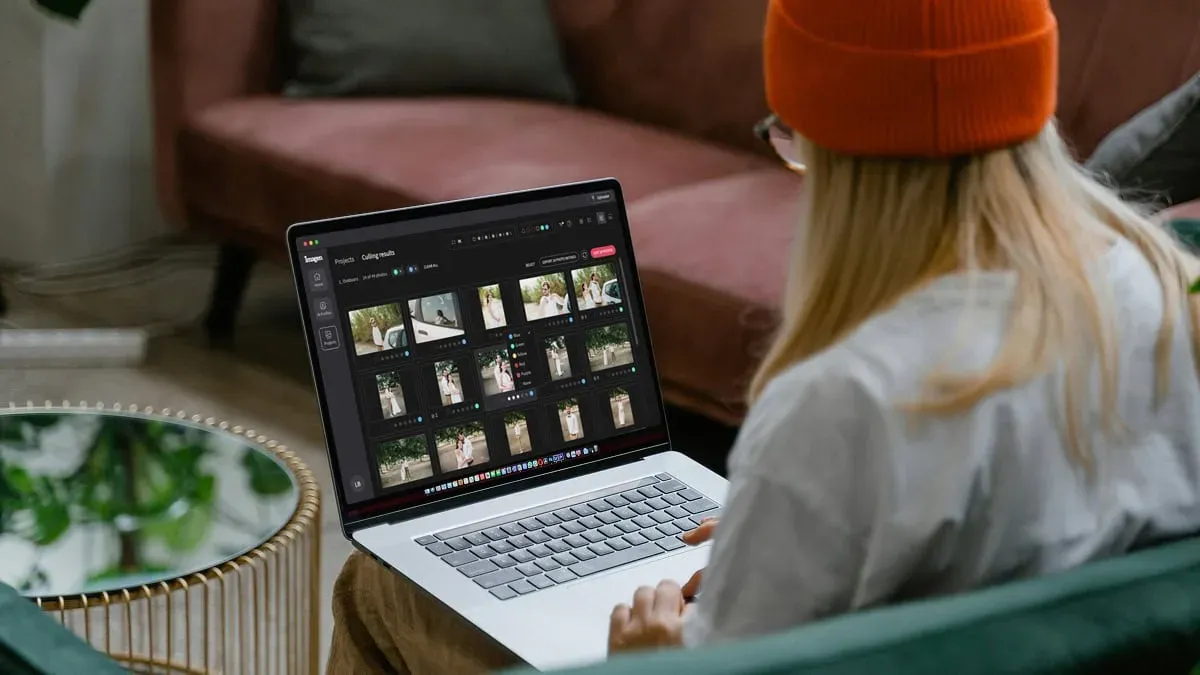
- Integrated AI Culling - Before you even edit, Imagen’s AI photo culling can rip through thousands of photos to find the keepers, checking for focus, closed eyes, and grouping duplicates, or you can skip it and cull manually for free.
- Cloud-Based Processing - Edits are applied at incredible speed on Imagen’s servers, which means your local machine isn’t bogged down for hours, and edited photos arrive in batches as they process so you can start reviewing early frames.
- smooth Lightroom Classic Integration - It feels like a natural part of the Adobe workflow. You send your photos from a Lightroom catalog and the edits are applied right back to it.
Pricing
The Imagen pricing is flexible. Pay-as-you-go combines a monthly base fee with a charge for the photos you export. Higher volume photographers can look at the plans listed on the pricing page.
Pros & Cons
Pros:
- Unmatched editing consistency across thousands of photos.
- Learns your specific crop and straightening style, a feature many others lack.
- Extremely fast turnaround times; what takes hours manually is done in minutes.
- Continuously learns and refines your profile as you feed it more edits.
Cons:
- The initial training process requires a large, well-edited catalog to be effective.
- The workflow is desktop-centric, built around Lightroom Classic.
Verdict: For the serious, high-volume portrait photography professional, Imagen isn’t just an option; it’s the definitive choice for scaling your business without sacrificing your signature style, and its new Studio lets you cull, edit and export in one project.
2. Retouch4me: The Plugin Powerhouse for Skin and Fabric
What if you don’t need an entire catalog edited? What if you just need perfect skin on one or two dozen final images? Retouch4me takes a completely different approach. It’s not a batch processor for your initial edits; it’s a suite of highly specialized Photoshop plugins that automate the most tedious parts of high-end retouching.
Instead of a one-size-fits-all AI, you buy individual modules trained for specific tasks. The most popular ones for headshots include:
- Heal - This plugin intelligently finds and removes minor skin blemishes like pimples and spots without destroying the underlying skin texture. It’s like an automated healing brush that actually works.
- Skin Tone - It automatically evens out blotchy or reddish skin tones, a common issue under studio lighting, creating a smooth and uniform base.
- Eye Vessels - A one-click solution to remove redness in the whites of the eyes without making them look fake or over-processed.
- Fabric - This one is a lifesaver for corporate headshots. It identifies and smooths out wrinkles on clothing, saving you countless hours with the clone stamp tool.
Each plugin costs between $100 and $150 for a perpetual license. So, while the initial investment can be high if you buy the whole suite, you own it forever. There are no subscriptions. This model appeals to photographers who are tired of monthly fees and want to own their tools outright. It’s less about speed and more about achieving a result that mimics hours of manual frequency separation work in just a few seconds.
Key Features
- Modular Plugin System - Buy only the specific retouching tools you need.
- Neural Network-Based - The AI is trained to preserve natural skin texture, avoiding that plastic, over-smoothed look.
- Works as a Photoshop Plugin or Standalone App - It integrates directly into the workflow you already have.
- Perpetual Licenses - You buy it once and own it forever, with updates included.
Pros & Cons
Pros:
- No subscription fees. A huge plus for many photographers.
- Delivers incredibly high-quality, natural-looking results for skin and eyes.
- Saves a massive amount of time on the most tedious retouching tasks.
Cons:
- The cost adds up quickly if you need several different plugins.
- It’s not designed for batch color grading or exposure adjustments.
- The workflow is slower than cloud tools when working on hundreds of images.
Verdict: Retouch4me is the best choice for the meticulous boutique portrait artist who delivers a smaller number of exquisitely retouched images and values surgical precision over bulk processing.
3. Evoto AI: The All-in-One Portrait Specialist
Imagine this scenario: a real estate firm hires you to shoot headshots for their 50 agents. The catch? They want every single photo to have the same neutral grey background, perfect skin, and a consistent, polished look. Doing this manually would be a nightmare of masking, healing, and color matching. This is where Evoto AI excels.
Evoto is a standalone desktop application that feels more like a complete portrait finishing studio. You upload your RAW files, and its AI gives you an incredible amount of control over every aspect of the portrait. It goes far beyond basic color and exposure. You get granular control over skin retouching, from removing blemishes and evening skin tone to reducing eye bags. It can even apply digital makeup, change facial features (use with caution!), and, crucially, automatically replace backgrounds with near-perfect cutouts.
The platform operates on a credit-based system, which typically works out to about $0.05 to $0.07 per exported photo. This pay-per-image model is great for photographers with inconsistent project volumes. You pay for the photos you export. And like Imagen, it’s a cloud-powered service with a 99.9% uptime SLA, ensuring it’s ready when your deadlines are tight.
Key Features
- Advanced Skin Retouching - Automated blemish removal, texture smoothing, and skin tone evening.
- Digital Makeup & Facial Adjustments - Tools to adjust everything from eye brightness to facial structure.
- One-Click Background Replacement - The AI masking is impressively accurate, saving hours of manual work in Photoshop.
- Batch Processing - Apply the same set of complex adjustments to an entire folder of headshots with a single click.
Pros & Cons
Pros:
- An all-in-one tool that handles everything from basic edits to complex retouching and background swaps.
- Delivers a highly polished, “magazine-ready” look that many corporate clients love.
- The pay-per-photo model can be very cost-effective for project-based work.
Cons:
- The credit system can be less predictable for budgeting than a flat-rate subscription.
- Requires uploading high-resolution photos, which can be slow on weaker internet connections.
- It doesn’t learn your specific style like Imagen does.
Verdict: Evoto AI is the ideal tool for corporate and commercial headshot photographers who need to deliver perfectly uniform, highly polished images with complex retouching and background requirements.
4. Aftershoot: The Ultimate Culling and Editing Duo
Let’s talk about the other big time-sink in photography: culling. Before you can even think about editing, you’ve to find the best shots. For an event photographer who might come back with 3,000 photos from a single conference, this is a soul-crushing task. Aftershoot built its reputation on solving this problem first, and its AI-powered culling is still arguably the best in the business.
Aftershoot’s AI scans your photos for duplicates, blinks, poor focus, and bad expressions, grouping them and highlighting its top recommendations. But it has evolved into a powerful editor as well. The Aftershoot Edits feature works similarly to Imagen, allowing you to create an AI profile based on your past work. The key difference? It all happens locally on your machine.
For photographers concerned about privacy or those who often work on the road without a stable internet connection, this offline capability is a massive advantage. The pricing is also attractive for high-volume shooters. The combined “Selects + Edits” bundle costs around $40 per month for unlimited use. That’s right, unlimited. You can cull and edit hundreds of thousands of photos without your bill going up. It’s a compelling offer, especially for wedding and event photographers.
Key Features
- AI-Powered Culling - Automatically selects the best photos, detecting blinks, blur, and duplicates.
- Aftershoot Edits - Create a personal AI profile to apply your editing style locally.
- Offline Processing - No need to upload huge RAW files to the cloud. Everything works on your computer.
- Flat-Rate Subscription - A simple, predictable monthly fee for unlimited culling and editing.
Pros & Cons
Pros:
- The flat-rate unlimited model offers incredible value for high-volume photographers.
- Industry-leading AI culling saves countless hours of manual selection.
- Offline functionality provides speed, security, and convenience.
Cons:
- The AI editing profiles can sometimes feel a bit less nuanced and accurate than Imagen’s cloud-based ones.
- The monthly entry cost is higher than pay-per-photo options if you only shoot occasionally.
Verdict: Aftershoot is perfect for the high-volume event or wedding photographer who needs to cull and edit massive jobs quickly, often without a reliable internet connection. The unlimited plan is its killer feature.
5. Neurapix: The European Speed Demon
For many photographers, the ideal workflow is one that never leaves Lightroom. The process of exporting a catalog, uploading it, waiting for processing, and then re-importing it can feel clunky. Neurapix, a German-based company, built its entire platform around this idea. It lives directly inside Lightroom Classic as a plugin, offering real-time AI editing without disrupting your existing workflow.
Here’s how you can make the most of it:
- Install the Plugin - The first step is a simple plugin installation that integrates Neurapix directly into your Lightroom Classic environment.
- Train Your Profile - Just like other services, you can train a profile based on your past edits. Neurapix is known for its fast training times.
- Edit in Real-Time - Once your profile is ready, you can apply edits to new photos with a single click inside the plugin panel. Adjustments appear on the Lightroom sliders almost instantly. There’s no external app to manage.
Its pricing is also extremely competitive. You can either pay a flat rate of approximately €0.03 per photo or opt for an unlimited monthly plan for €49.95. For European photographers, the company’s commitment to GDPR and high data privacy standards is another significant selling point. While its primary focus is on color, tone, and exposure, it does it with incredible speed and convenience.
Key Features
- Deep Lightroom Integration - Works as a plugin, so you never have to leave the Lightroom interface.
- Real-Time Editing - AI-powered adjustments are applied quickly, feeling almost instantaneous.
- SmartPacks - Pre-made styles you can apply if you don’t have your own profile trained.
- Strong Data Privacy - Fully GDPR-compliant, which is a key consideration for EU-based professionals.
Pros & Cons
Pros:
- The flat-rate unlimited pricing is one of the best deals on the market.
- The workflow is incredibly efficient since it’s all contained within Lightroom.
- No need to upload and download entire catalogs.
Cons:
- Its community and marketplace of pre-made profiles are smaller than competitors like Imagen.
- The AI is more focused on color and tone rather than deep retouching or object removal.
Verdict: Neurapix offers the best value for European photographers or anyone who prioritizes a lightning-fast, Lightroom-native workflow and a predictable flat-rate subscription.
6. Adobe Photoshop (Generative Fill & AI Retouching)
You can’t have a conversation about photo editing without talking about the 800-pound gorilla in the room. Adobe Photoshop isn’t a dedicated batch editor, but its recent infusion of AI, particularly Generative Fill, has made it an indispensable finishing tool for headshots.
It’s not for processing 500 photos at once. It’s for fixing the unfixable problems on your top 5 “hero” shots. For example, here’s how you could use it to solve a common headshot issue:
- The Problem - The client loves the expression in a shot, but their blazer is bunching up awkwardly on one side.
- The Selection - You’d use the Lasso Tool to draw a loose selection around the bunched-up fabric.
- The Prompt - In the Generative Fill bar, you’d type a simple prompt like “smooth black blazer, no wrinkles” and hit Generate.
- The Result - Photoshop’s AI will generate three options of a perfectly smooth blazer, matching the lighting and texture of the original. It’s powerful.
Beyond Generative Fill, its long-standing Neural Filters like Skin Smoothing and Smart Portrait offer powerful, AI-driven retouching capabilities. Since most photographers already subscribe to the Adobe Creative Cloud Photography Plan ($19.99/month), these powerful AI features are essentially “free” additions to a tool they already pay for. It’s not a replacement for a batch processor, but it’s the ultimate problem-solver.
Key Features
- Generative Fill - Add, remove, or replace elements in a photo with simple text prompts.
- Neural Filters - A suite of AI filters for tasks like skin smoothing, colorizing, and adjusting expressions.
- Content-Aware Fill - The classic AI tool for removing distracting objects from backgrounds.
- Subject Select - One-click subject masking that has become incredibly accurate.
Pros & Cons
Pros:
- It’s already part of the workflow for millions of photographers.
- Unrivaled for creative retouching and fixing major issues in a final image.
- The generative AI is constantly improving with each update.
Cons:
- It can produce uncanny or unnatural results if the prompts aren’t right.
- Absolutely not designed for batch processing hundreds of headshots at once.
- The workflow is destructive unless you’re diligent about using layers.
Verdict: Photoshop remains the essential “finishing tool.” It’s not for your initial bulk edits, but it’s the best app on the planet for perfecting the most important shots from any session.
7. PortraitPro 24: The Specialized Facial Sculptor
Long before generative AI became a buzzword, there was PortraitPro. For years, it has been the go-to tool for photographers who need deep, granular control over facial features. While some modern apps feel sleek and minimalist, PortraitPro presents you with a vast array of sliders that let you control virtually every aspect of a face.
The latest version, PortraitPro 24, has integrated more modern AI to automate the initial detection of facial features, but its core strength remains in manual, slider-based adjustments. It excels at tasks other tools don’t even attempt, like 3D facial relighting. This feature allows you to move a virtual light source around your subject’s face after the photo has been taken, adding a pop of light or filling in shadows. It’s incredibly powerful for adding dimension to flatly lit headshots.
Other specialized tools include hair thickening and recoloring, iris enhancement, and even the ability to add realistic digital catchlights to the eyes. The pricing is a one-time purchase, with the Standard edition starting at $59.95 and the Studio Max version, which supports batch processing, at $169.95. This tool isn’t for subtle, natural edits. It’s for creating a highly polished, often stylized look popular in beauty and fashion photography.
Key Features
- 3D Facial Relighting - Add or move light sources on the subject’s face in post-production.
- Advanced Hair Tools - Thicken, recolor, and smooth hair with a few clicks.
- Eye Enhancement - Sharpen irises, whiten sclera, and add catchlights.
- Full Batch Processing (Studio Max Version) - Apply a complex set of facial adjustments to entire shoots.
Pros & Cons
Pros:
- The most advanced and granular set of tools for manipulating facial features on the market.
- The one-time purchase price is appealing for those avoiding subscriptions.
- The facial relighting feature is unique and powerful.
Cons:
- The interface can feel a bit dated and overwhelming compared to newer AI apps.
- It’s dangerously easy to over-edit and make subjects look unnatural or plastic.
Verdict: PortraitPro 24 is best for beauty and fashion-focused headshot photographers who need to perform detailed facial sculpting and relighting, and who aren’t afraid to embrace a more heavily retouched aesthetic.
8. FilterPixel: simplified Culling and Basic AI Edits
Let’s be honest: selection fatigue is real. After a long day of shooting, the last thing you want to do is stare at 2,000 near-identical thumbnails, trying to spot the subtle differences in focus and expression. This is the exact pain point FilterPixel is designed to eliminate. At its core, it’s an AI-powered culling tool that does the heavy lifting of your first pass.
You import a folder of photos, and its AI gets to work. It automatically checks for eye quality and focus quality, instantly flagging any shots that are soft or where the subject is blinking. It then groups similar poses together so you can quickly compare them side-by-side and pick the absolute best one. This alone can save hours of tedious work.
While its primary strength is culling, it also offers basic AI editing features. You can have it perform an automatic color and tone correction, and then sync those edits across all the selected photos. It’s not as advanced as Imagen’s personal profiles, but it’s perfect for creating consistent proofs for a client to review. With plans starting at just $9/month for the Lite version, it’s an incredibly affordable entry point into AI-assisted workflows.
Key Features
- AI-Driven Quality Checks - Automatically analyzes photos for focus, eye-opening, and composition.
- Automatic Grouping - Groups similar photos together to make comparison and selection fast.
- Basic Auto-Editing - Applies a consistent color and exposure correction across your selected images.
- Accept/Reject Workflow - A fast and simple interface for making your final selections.
Pros & Cons
Pros:
- A very affordable way to add AI culling to your workflow.
- Dramatically reduces the time and mental energy spent on selecting photos.
- The focus and eye-quality detection is impressively accurate.
Cons:
- The editing capabilities are much more basic than dedicated AI editors.
- It’s best viewed as a pre-processor to use before a tool like Lightroom or Imagen, not a replacement.
Verdict: FilterPixel is a must-have for any photographer who dreads the culling process. It’s an inexpensive and effective tool for overcoming the selection fatigue from large headshot or event sessions.
Comparison of Top AI Headshot Tools
| Tool Name | Primary Strength | Pricing Model | Best For | Lightroom Integration |
|---|---|---|---|---|
| Imagen | Personalized AI Style Matching | Pay on export / Subscription | High-Volume Studios | Yes (Deep Integration) |
| Retouch4me | Surgical Retouching (Skin/Fabric) | Perpetual License (per plugin) | Boutique Portrait Artists | Yes (Photoshop Plugin) |
| Evoto AI | All-in-One Retouching & Backgrounds | Pay-per-photo (Credits) | Corporate/Commercial Photographers | No (Standalone) |
| Aftershoot | AI Culling + Unlimited Edits | Flat-Rate Subscription | Event & Wedding Photographers | Yes |
| Neurapix | Speed & In-Lightroom Workflow | Pay-per-photo / Flat-Rate Sub | Budget-Conscious & EU Pros | Yes (Deep Integration) |
| Adobe Photoshop | Creative Finishing & Problem Solving | Subscription (Creative Cloud) | Perfecting Hero Shots | Yes (The Standard) |
| PortraitPro 24 | Advanced Facial Sculpting | Perpetual License | Beauty & Fashion Photographers | Yes (Plugin) |
| FilterPixel | AI Culling and Selection | Subscription | Photographers with Large Shoots | Yes |
Final Recommendation: Which Tool Should You Choose?
The generative AI market is growing at a blistering pace, with some analysts projecting a 26% CAGR through 2030. That means more tools and more competition, which is great for photographers. But it also means making a choice can be tough. It doesn’t come down to which tool is “best,” but which tool is best for your specific business.
For the High-Volume Studio: Imagen
If your business relies on delivering hundreds or thousands of consistently edited photos every week, there’s no contest. Imagen is the answer. The ability to create a Personal AI Profile that perfectly matches your studio’s signature look is a transformative advantage. It scales your output without scaling your workload, and AI edits can go back to Lightroom Classic or be exported as finished files straight from Imagen.
For the Boutique Artist: Retouch4me + Photoshop
If you deliver a curated selection of masterfully retouched portraits, your needs are different. A combination of Retouch4me plugins for perfecting skin and fabric, paired with the creative power of Adobe Photoshop’s Generative Fill for any final tweaks, gives you unparalleled quality control over every single pixel.
For the Budget-Conscious Pro: Neurapix or Aftershoot
If your primary concern is getting the most bang for your buck, you’ve two fantastic options. Neurapix offers an incredible value with its unlimited editing plan for around €50/month, especially if you live and work inside Lightroom. If your biggest bottleneck is culling, then Aftershoot’s bundle for unlimited culling and editing is the clear winner.
What’s new in Imagen: Imagen is now an intelligent, agentic Studio for professional photographers: one project where you cull, edit, review and export in any order. For headshot sessions, AI filters such as blur and closed eyes help you narrow a shoot quickly, and the assistant can find photos and act on them when you ask in plain language, with you steering. The Studio is rolling out gradually as a beta.
Frequently Asked Questions
How secure is my data with cloud-based AI editors?
Leading platforms like Imagen and Evoto use enterprise-grade encryption for data both in transit and at rest. They understand that your photos are your intellectual property and have strong security measures in place. However, if you’re highly sensitive about data privacy, a local tool like Aftershoot might be a better fit.
Do these tools work directly with RAW files?
Yes, virtually all professional-grade AI editors are designed to work with RAW files from all major camera manufacturers. They apply edits in a non-destructive way, similar to how Lightroom handles adjustments, preserving your original file.
What’s the learning curve for a tool like Imagen?
The tool itself is very simple. The main effort is upfront: preparing a clean, well-organized Lightroom catalog with at least 3,000-5,000 of your best edits for the initial training. Once your Personal AI Profile is built, using it’s as simple as clicking a button.
Can AI really replicate my unique editing style?
It’s surprisingly accurate. It won’t be 100% perfect on every single photo, as there’s always an element of human artistry. But for the 90% of a catalog that needs consistent, clean edits, a well-trained profile from a tool like Imagen can get you 95% of the way there, saving you countless hours.
Are there any free AI headshot editing tools worth using?
There are many free online tools, but they generally lack the professional features needed for headshot work. They often compress files, lack RAW support, and don’t offer the nuanced control over skin texture that paid tools do. For professional use, investing in a dedicated tool is almost always necessary.
What kind of computer hardware do I need?
For cloud-based tools like Imagen or Evoto, your local hardware is less critical, though a fast internet connection is vital. For local editors like Aftershoot or the Adobe suite, you’ll want a modern computer with at least 16GB of RAM (32GB is better), a fast SSD, and a decent graphics card to ensure a smooth experience.
How does AI handle different skin tones and types?
This has improved dramatically. Early AI models were often biased, but modern neural networks are trained on vast and diverse datasets. Tools like Retouch4me and Imagen are particularly good at identifying and preserving the natural texture and color of all skin tones without making them look artificial.
Will using AI make my photography look generic?
It’s a valid concern, but the opposite is often true with the right tool. Using a pre-made filter might look generic. But training a Personal AI Profile on your own unique work, as you do with Imagen, ensures your distinct style is applied consistently. It solidifies your brand rather than diluting it.

