

AI Culling vs Manual Culling Speed: How Much Time Can You Save in 2026
Table of contents
- Key Takeaways
- The Tale of the Tape: Speed, Cost, and Accuracy
- The Raw Numbers: A Speed Benchmark You Can’t Ignore
- Accuracy and the High Cost of Decision Fatigue
- ROI: Calculating the Financial Break-Even Point
- Workflow Integration and System Demands
- The Psychological Toll of Manual Culling
- Which Culling Method is Right for Your Niche?
- The Final Verdict: A Hybrid Approach for 2026
- Frequently Asked Questions
- Can AI understand artistic intent, like intentional motion blur?
- What’s the learning curve for using AI culling software?
- Is my data safe when using a cloud-based AI culling tool?
- Does AI culling replace the need for a good shooting technique?
- Can AI group photos by scene or subject?
- Will using AI make my work look like everyone else’s?
- What if I disagree with the AI’s choices?
- How much does AI culling typically cost?
You just wrapped an 8-hour wedding shoot. You’re exhausted, but the real work is just beginning. Staring back at you from your hard drive are 5,000 RAW files, a digital mountain you’ve to climb one click at a time. This is the bottleneck. It’s the unpaid overtime that plagues every professional photographer.
For years, manual culling-the laborious process of selecting the best photos-was the only way. But it’s 2026, and the ground has shifted. AI-powered tools now promise to do in minutes what used to take hours. The question isn’t just about speed; it’s about reclaiming your time, your creativity, and the profitability of your business. It’s a direct confrontation: your experienced eye against a machine’s algorithm.
Key Takeaways
- Drastic Time Reduction – AI culling can process a 5,000-photo gallery in about 5 minutes, a task that takes a professional photographer an average of 2.5 to 3 hours manually. That’s a staggering 90% reduction in selection time.
- Financial ROI is Clear – Manual culling for a single wedding can represent $225-$450 in lost billable time. With a plan like Imagen’s Limitless plan covering unlimited AI culling, you can set your fixed plan cost against that lost time and see the return on every event.
- Superior Technical Accuracy – AI algorithms achieve a 99% accuracy rate in identifying technical flaws like missed focus, motion blur, and closed eyes. Human accuracy, on the other hand, degrades by 15% after two hours due to decision fatigue.
- Lower Hardware Barrier with Cloud AI – Cloud-based platforms like Imagen don’t tax your local computer, while some desktop AI tools require GPUs with at least 8GB of VRAM. This makes powerful AI accessible without expensive hardware upgrades.
- Business Scalability – A striking 72% of photographers identify post-processing and culling as the main barrier to growing their business. Automating this step is the key to handling more clients.
- Industry Adoption is the Norm – By 2026, an estimated 60% of professional photographers will have automated their culling process. Furthermore, 88% of those who switch say they would never go back to a manual-only workflow.
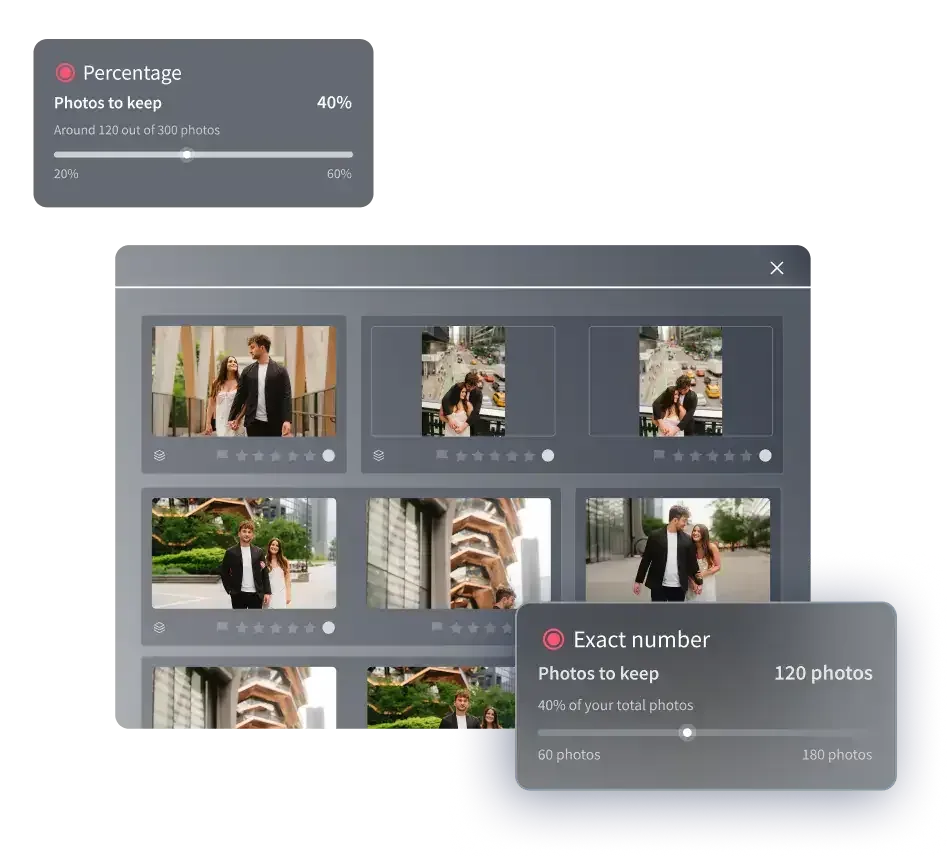
The Tale of the Tape: Speed, Cost, and Accuracy
Before diving into the nuanced details, you need a high-level overview. How do these two methods stack up on the most critical metrics? It’s the seasoned professional versus the lightning-fast algorithm. One brings artistic intuition; the other brings relentless, objective efficiency. Here’s how they compare at a glance.
| Feature | Manual Culling | AI Culling (e.g., Imagen) |
|---|---|---|
| Time for 5,000 Photos | 2.5 – 3 hours | ~5 minutes |
| Cost per Shoot | $225 – $450 in opportunity cost | Part of a fixed-fee plan (e.g., Limitless for unlimited use) |
| Technical Error Detection | High, but degrades by 15% with fatigue | 99% consistent accuracy |
| Hardware Requirement | Fast SSD, decent RAM for previews | Minimal (for cloud-based AI); requires powerful GPU (for local AI) |
| Consistency | Varies based on mood, energy, and time | Perfectly consistent, every time |
| Subjectivity & Nuance | Primary Strength (understands emotion) | Objective (focuses on technicals); relies on user settings for subjectivity |
The Raw Numbers: A Speed Benchmark You Can’t Ignore
Let’s get straight to the point. The single biggest driver for adopting AI is speed. But the numbers are often so dramatic they seem unbelievable. They aren’t.
According to PPA Industry Standards for 2026, a focused professional photographer averages about 1.5 to 2 seconds per photo for a first-pass cull. You’re making rapid-fire decisions: keep, reject, maybe. For a standard 5,000-image wedding, that’s roughly 7,500 to 10,000 seconds. Do the math. You’re looking at a solid 2.5 to 3 hours of dedicated, mind-numbing work before you even think about editing.
Now, look at the AI alternative. A platform like AI photo culling from Imagen doesn’t think in seconds per photo. It thinks in photos per minute. The benchmark for current AI systems is the ability to process around 1,000 images per minute. That same 5,000-photo wedding gallery? It’s done in five minutes. This isn’t an incremental improvement; it’s a fundamental workflow revolution. A 90% reduction in culling time isn’t just a marketing claim; it’s the reported reality from the 2025 Photographer Workflow Efficiency Study.
What does this mean in a practical sense?
- Faster Client Turnaround – You can deliver proofing galleries the same day or the next morning, a massive competitive advantage.
- More Time for Creative Work – Those 3 hours saved can be spent on high-value tasks like creative editing, marketing, or client communication.
- Reduced Burnout – You eliminate one of the most tedious parts of the job, preserving your mental energy for what you love-actually creating beautiful photos.
The speed difference is so profound that it changes the entire economic and creative equation of a photography business. It’s not just faster; it’s a different way of working entirely.
Accuracy and the High Cost of Decision Fatigue
Speed is meaningless if the results are garbage. Early AI culling tools were fast but dumb, often discarding uniquely artistic (though technically imperfect) shots. That’s changed dramatically. The conversation has shifted from “Is it fast?” to “Is it smart?”
A human’s biggest strength is also their biggest weakness: subjectivity. After an hour of culling, your brain is sharp. You’re catching subtle emotional cues, identifying the best composition in a burst series, and making great calls. But what happens after two hours? The Journal of Experimental Psychology has an answer: your error rate increases by a staggering 15%. This is decision fatigue. You start missing keepers, keeping near-duplicates, or letting soft-focus shots slip through because your brain is simply tired of making thousands of micro-decisions.
In contrast, AI is relentless and objective. Modern algorithms, like those used in Imagen, boast a 99% accuracy rate on purely technical assessments. Here’s a checklist of what it’s looking for:
- Focus Assessment – Is the subject’s eye tack-sharp?
- Blink Detection – Are eyes open, closed, or mid-blink?
- Motion Blur – Is there unintentional camera shake or subject motion?
- Duplicate Identification – Which is the single best shot from a 10-photo burst?
- Compositional Grouping – Grouping similar scenes to make comparison easier.
Honestly, this is where the hybrid approach becomes non-negotiable. The AI is a perfect, tireless assistant. It does the initial, brutal filtering of technical rejects. It handles the 80% of the gallery that’s objectively unusable-the blinks, the misfires, the out-of-focus test shots. This leaves you, the photographer, with a much smaller, pre-filtered selection of technically sound photos. Your job is then elevated from a technical screener to a true creative director, making the final artistic selections based on emotion and storytelling. You apply your human genius to the last 10-20%, when your brain is still fresh and your decisions are sharp.
ROI: Calculating the Financial Break-Even Point
Time is money. It’s a cliché because it’s true. The financial argument for AI culling isn’t about saving a few dollars on software; it’s about reclaiming hundreds or even thousands of dollars in lost time. the return on investment (ROI) with a clear scenario.
The Cost of Manual Culling:
This isn’t a software cost; it’s an opportunity cost. If your billable rate for shooting or editing is, say, $100/hour, then spending 3 hours culling a wedding costs you $300. You could have been doing a portrait session, meeting a new client, or working on marketing. A Business of Photography Analysis found this cost ranges from $225 to $450 per wedding for the average professional. Over 20 weddings a year, you’re losing between $4,500 and $9,000 in potential revenue or personal time. It’s a hidden tax on your business.
The Cost of AI Culling:
AI platforms have different pricing models. Some, like Aftershoot or Narrative Select, offer unlimited culling for a flat annual fee (around $120-$150/year). Others integrate it into a larger ecosystem. For example, Imagen includes AI photo culling alongside its renowned AI photo editing, with pay-as-you-go pricing (a monthly base fee plus a charge for the photos you export) or a fixed monthly or annual Limitless plan. For our calculation, let’s plug in your own monthly Imagen cost from the current pricing page.
The Break-Even Calculation:
- Monthly Cost: your Imagen plan’s monthly cost.
- Manual Culling Opportunity Cost per Wedding – Let’s use a conservative $300.
- Break-Even Point – You break even on the entire month’s subscription by saving the time from just one half of one wedding. By culling a single large event, you’ve already justified the cost and every other cull that month is pure profit in terms of time saved.
The ROI is almost immediate. You’re not just buying software; you’re buying back 40-60 hours of your life per year. This is why 72% of photographers see post-processing as their main growth bottleneck. Freeing up that time is the single most effective step you can take to scale your business.
Workflow Integration and System Demands
A new tool is only useful if it fits into your existing workflow without causing more friction than it removes. Here, the debate isn’t just about AI vs. manual, but also about the two primary types of AI: cloud-based and local-based.
Manual Culling Workflow:
The traditional workflow is straightforward but hardware-dependent. You ingest photos into Lightroom Classic, wait for it to build standard or 1:1 previews (which can take ages), and then start flagging or rating. Your speed is directly tied to your computer’s performance.
- CPU Speed – Affects how quickly Lightroom generates previews.
- RAM – More RAM means smoother scrolling through thousands of photos.
- SSD Speed – A fast NVMe SSD is crucial for quickly reading large RAW files. A slow drive means lag with every key press.
This process taxes your local machine heavily. If you’re working on a laptop in the field, it can drain your battery and turn your machine into a space heater.
AI Culling Workflow: Cloud vs. Local
AI introduces a new step, but it’s designed to save time downstream. The key difference is where the processing happens.
Local AI (like Aftershoot) runs directly on your computer. This gives you offline access, which is great. But there’s a catch: it requires serious hardware. A 2024 technical comparison found that these tools need a dedicated GPU with at least 8GB of VRAM to run efficiently. If you don’t have a powerful machine, the AI can be slow, defeating the purpose.
Cloud AI, the model used by Imagen, is different. You send your photos to the cloud, and their powerful servers do all the heavy lifting. The benefits are significant:
- No Hardware Requirements – Your MacBook Air can cull as fast as a high-end desktop because your computer isn’t doing the work. This makes AI accessible to everyone.
- Process Multiple Shoots – You can upload several galleries and have them culled simultaneously without slowing your system to a crawl.
- smooth integration – The results are synced back to your Lightroom catalog. The culled photos are already flagged or rated, ready for the next step: editing. With Imagen, this is especially powerful, as you can smoothly move from culling to applying your Personal AI Profile for editing.
The verdict on workflow is clear: Cloud-based AI offers the lowest barrier to entry and the most flexible process, especially for photographers who don’t have or don’t want to invest in high-end computer hardware.
“The biggest shift isn’t just automation; it’s decoupling photographers from their desks. Cloud-based workflows for culling and editing mean you can run your post-production from anywhere, on any machine. This fundamentally changes the lifestyle and scalability of a modern photography business.”
Itamar Haim, AI Photography Workflow Specialist
The Psychological Toll of Manual Culling
We’ve talked speed, accuracy, and money. But we haven’t talked about the human cost. Manual culling is, for many, the most dreaded part of the job. It’s a repetitive, creatively draining task that stands between the joy of the shoot and the satisfaction of the final edit.
Think about the mental state. You’re not exercising creativity; you’re performing quality control. For hours on end, your brain is in a critical, reductive mode. This isn’t just boring; it can lead to serious burnout. The 20% increase in image volume since 2020, thanks to high-speed mirrorless cameras, has only made this problem worse. What was once a manageable task is now a monumental one.
Here are the primary psychological burdens of manual culling:
- Creative Drain – It exhausts the mental energy you need for artistic editing. By the time you’re done culling, you’re often too tired to approach the edit with fresh eyes.
- Analysis Paralysis – With so many near-identical shots in a burst, choosing the “perfect” one can be agonizing. You second-guess yourself constantly.
- Procrastination and Dread – Many photographers put off post-production simply because they can’t face the culling process, leading to longer turnaround times and added stress.
- The Feeling of Unpaid Work – Because it’s not directly billable, it can feel like you’re working for free, which devalues your time and expertise in your own mind.
AI culling offers a release from this burden. By automating the most tedious 80% of the task, it reframes the process. Instead of a mountain to climb, you’re presented with a curated selection of potential heroes. Your role shifts from that of a factory worker on an assembly line to an art director making high-level creative choices. This mental shift is, for many, even more valuable than the hours saved. It’s why a remarkable 88% of photographers who switch to an AI workflow report they would never go back to a purely manual process. They aren’t just saving time; they’re saving their passion for the craft.
Which Culling Method is Right for Your Niche?
Is AI culling a one-size-fits-all solution? Mostly, but not entirely. The value proposition changes slightly depending on what you shoot. The key factor is volume. The more photos you take, the more value you get from automation.
High-Volume Niches: The No-Brainers
For these photographers, AI culling isn’t a luxury; it’s a necessity for survival and growth.
1. Wedding Photography This is the prime use case. With 3,000 to 5,000 images per event, manual culling is a massive time sink. AI excels at identifying blinks during ceremonies, finding the sharpest face in a group shot, and filtering the hundreds of near-duplicates from the dance floor. For wedding photography, AI is transformative.
2. Sports and Events Photography Action sequences produce thousands of burst shots. Manually finding the single frame where the ball is on the bat or the athlete’s expression is perfect is painstaking. AI can instantly identify the sharpest image in a sequence, saving an incredible amount of time.
3. School and Volume Photography When you’re photographing hundreds of children, efficiency is everything. AI can quickly discard shots where the child is blinking or not smiling, presenting you with a small selection of the best options for each student.
Medium-Volume Niches: Strong Contenders
Here, the time savings are still significant and easily justify the cost.
1. Portrait Photography While the total volume might be lower (300-800 images), AI is still incredibly useful for culling family sessions with multiple people. It ensures you select shots where everyone’s eyes are open and expressions are good. It’s a huge help for portrait photography workflows.
2. Real Estate Photography Culling bracketed exposures for HDR is a key task. While manual selection is still needed for composition, AI can pre-filter by removing shots with motion blur or accidental misfires, simplifying the process for real estate photography specialists.
Low-Volume Niches: Where Manual Still Has a Place
For some genres, the volume is so low that the time saved by AI might be minimal.
- Product Photography – Often shot in a controlled studio environment with a very low number of final images.
- Fine Art/Landscape – Highly deliberate work where every single frame is considered and the total volume per shoot is small.
- Architectural Photography – A methodical process where culling is less about finding technical keepers and more about selecting the perfect composition from a handful of options.
Even in these cases, an integrated tool like Imagen can still be valuable for its editing capabilities, but the culling feature itself provides less dramatic ROI compared to high-volume work.
The Final Verdict: A Hybrid Approach for 2026
So, who wins in the battle of AI culling vs. manual culling? The answer isn’t a simple knockout for one side. It’s about using the right tool for the right job. The ultimate workflow in 2026 isn’t purely manual or purely automated. It’s a powerful hybrid.
The data is overwhelming. The photography industry is moving towards automation, with a forecasted 60% of professionals planning to automate their culling by the end of this year. The reason is simple: you can’t compete if you’re spending 3 hours on a task your competitor finishes in 5 minutes.
Here’s the recommended workflow for the modern professional:
- AI First Pass (The 80%) – Import your entire gallery into a tool like Imagen. Let the AI do the heavy lifting. It will meticulously analyze every photo for technical flaws-focus, blur, blinks, and duplicates. This is the objective, ruthless cut that removes the vast majority of unusable files without any emotional attachment or fatigue.
- Manual Second Pass (The Final 20%) – The AI presents you with a gallery of only the technically sound photos. Now, your role changes. You’re no longer a technician; you’re a storyteller. You scroll through this curated selection and apply your human expertise, choosing images based on emotion, narrative flow, and artistic merit. Your creative energy is focused where it matters most.
- smooth Handoff to Editing – With the final selections made, you’re ready for the next stage. In an integrated ecosystem like Imagen, you can immediately apply your Personal AI Profile to edit the culled photos, moving from thousands of RAW files to a finished, client-ready gallery in a fraction of the time.
Manual culling alone is no longer a viable strategy for any photographer shooting significant volume. It’s too slow, too prone to fatigue-based errors, and represents a massive opportunity cost that directly impacts your bottom line. AI culling is the new industry standard for the first pass. It frees you from the drudgery and allows you to focus on the art. That’s why 88% of converts say they’ll never go back. They’re not just faster; they’re better, more profitable, and more creative business owners.
Frequently Asked Questions
Can AI understand artistic intent, like intentional motion blur?
Not perfectly, but it’s getting smarter. Most AI culling tools, including Imagen’s, allow you to adjust the sensitivity for things like focus and blur. You can tell it to be less strict, which helps preserve creatively blurred shots. However, the final artistic check should always be done by you.
What’s the learning curve for using AI culling software?
It’s incredibly low. Most platforms are designed to be intuitive. For a cloud-based tool like Imagen, you simply connect your Lightroom catalog, select the gallery you want to cull, and let it run. The results are then synced back automatically, typically within minutes.
Is my data safe when using a cloud-based AI culling tool?
Reputable companies like Imagen use secure, encrypted connections for all data transfers. Even so, it is worth reading any platform’s privacy policy so you know how your photos are handled and stored.
Does AI culling replace the need for a good shooting technique?
Absolutely not. AI is a post-production tool, not a crutch for poor shooting habits. Its job is to sort through your photos more efficiently. The better your in-camera work is, the better your culled selection will be and the less you’ll have to edit.
Can AI group photos by scene or subject?
Yes, this is a key feature of modern culling AIs. They can analyze the content of the photos to group similar shots together-for example, all the photos from the wedding ceremony’s ring exchange. This makes it much easier to compare near-duplicates and pick the absolute best one.
Will using AI make my work look like everyone else’s?
No, especially not for culling. Culling is a technical sorting process. The AI is simply filtering out the objectively bad photos for you. Your unique artistic choice still comes in the final selection and, more importantly, in the editing process, where tools like Imagen’s Personal AI profiles ensure the final look is 100% yours.
What if I disagree with the AI’s choices?
You always have the final say. AI culling tools don’t delete your rejected photos; they simply flag or mark them. You can easily review the AI’s rejections to ensure a truly great, albeit technically imperfect, shot wasn’t missed. This is a crucial part of the recommended hybrid workflow.
How much does AI culling typically cost?
Pricing varies. Standalone apps often cost around $120-$150 per year for unlimited culling. Integrated platforms like Imagen bundle AI culling with AI editing, using pay-as-you-go pricing (a monthly base fee plus a charge for the photos you export) or a fixed monthly or annual Limitless plan. You can check the latest Imagen pricing for current details.

