
 Rated 4.8/5
AI Color Grading for Premiere Pro
Our new Adobe Premiere Pro integration lets real estate photographers apply their unique AI Profile to video for perfect color on every listing.
Compatible with

*No credit card required
Pick a look
Or bring your own
AI Profiles by Imagen
Professionally trained looks, adapted clip by clip across your footage
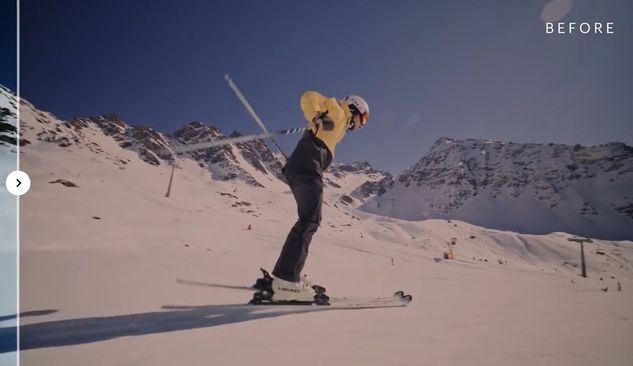
Motion of Light
Brightens your footage with strong contrast and vivid colors.
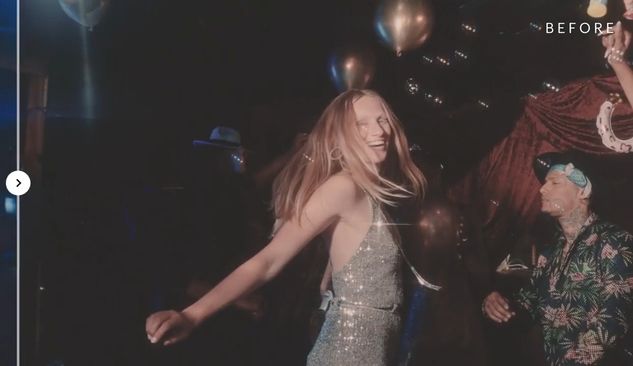
Frame One
Keeps brightness natural with deep contrast and accurate colors.
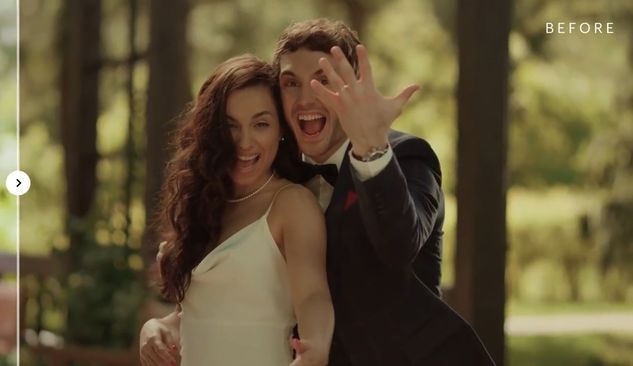
True to Life
Softens highlights for a dreamy feel with balanced contrast.
Have your own signature look?
Upload your LUTs and Imagen will adapt them to every clip in your footage.
Professional results that speak for themselves

The difference you’ll feel on a Friday afternoon
Your edit time, cut by 96%
Shoot all day and let Imagen edit overnight. Our AI edits 1,000 photos in under 20 minutes. You'll wake up to a completed gallery, ready for client delivery before your first meeting of the day.


Scale your team, not your stress
Your Personal AI Profile learns your unique editing style. Apply it to every photo from every photographer on your team. Every listing looks like you edited it yourself, protecting your brand's look.
Used by editors who got their weekends back

“I was blending shots from different cameras. Imagen blended everything well together. It’s almost too easy”
“Wow. The color correction turned out much better than I expected. Thank you for creating this.”
“I love this software. Cut down my coloring time to mere minutes.”
“I was blending shots from different cameras where student workers used different settings- one in Log, one in auto color.”
“I’ll shoot interviews with two or three cameras, all Sony, using Sony glass- but they never match perfectly.”
“This was great! Nearly spot on in terms of exposure, shadows, highlights, blacks, etc.”
Black Friday offers
Simple plans. Serious results
Good color used to cost a fortune in time. This doesn’t.
Pay-As-You-Go
Black Friday
No commitment. Just process minutes when you need them.
Was US$1now US$0.60/minuteInvoiced monthly
No base fee. Pay only for the minutes you process.
Start for free- Grade any project, pay only for what you use
- Full access to AI Profiles and LUT-based grading
- Perfect for project-based work
- Cancel anytime
Best value
Starter Pack
Black Friday
For editors with consistent workloads. Grade more, pay less per minute.
Was US$30now US$18/monthIncludes 50 minutes (US$0.36 per min)
Extra minutes for just US$0.60 / min
Start for free- Unused minutes roll over
- Full access to AI Profiles and LUT-based grading
- Best per-minute rate
- Cancel anytime
Bigger teams.
Smarter rates.
Talk to us
* Custom pricing
Contact sales- Better rates as your team grows
- Every editor on one account
- One invoice. Zero admin headaches
- Dedicated account support
You’re probably wondering...
What is the fallback feature and why is it important for real estate photography?
The fallback feature is your safety net for achieving perfect gallery consistency. It’s an automated process that applies a pre-selected preset or AI Profile to any image that your Personal AI Profile cannot confidently edit. For real estate photographers, this is essential. Imagine you have a gallery of 50 photos for a new listing, but one or two images feature extremely unusual lighting or angles that fall outside your typical style. Instead of leaving those images unedited and forcing you to find them manually, Imagen automatically applies your chosen fallback. This ensures that 100% of the photos for the property are edited and delivered with a cohesive look. It guarantees a complete, professional gallery every time, maintaining the high level of consistency your real estate clients expect for every listing.
How does the fallback process work on a large real estate gallery?
The process is completely automated to save you time. When you upload a large real estate gallery for editing, our AI first analyzes every image to see if it can be edited with your Personal AI Profile. For the vast majority of your photos, it will apply your unique style with precision. However, if it encounters a photo it's not 100% confident about, it instantly applies your designated fallback profile instead of skipping it. You don't have to do anything. The entire batch edit finishes without interruption, and when you download your photos, the whole set is ready to go. This means you receive a complete gallery for the property listing, with no unedited images to track down. It’s built to support high-volume real estate work, ensuring consistency without slowing you down.
How is using a fallback profile different from manually applying a preset later?
The key difference is automation that preserves your momentum. Manually finding and applying a preset requires you to stop, sift through your gallery to find the unedited images, and then apply another action. Using a fallback profile integrates this step directly into your initial edit. You get a fully-edited gallery back in one go. This maintains total consistency across the property photos without any extra work on your part. For a real estate listing, where every image contributes to the overall impression, having a fallback keeps no photo looks out of place. It’s not just about applying a look; it's about building an efficient, hands-off workflow that delivers a consistent, client-ready gallery faster than a manual process ever could.
Can I use one of Imagen's Talent AI Profiles as my fallback?
Yes, you absolutely can select a Talent AI Profile to act as your fallback. This is a great option if you don't have a universal preset of your own that you'd like to use. Choosing a Talent AI Profile keeps that even the outlier images in your real estate shoot receive a high-quality, professional edit. It’s a reliable way to maintain consistency across an entire property gallery, even if some shots are outside the norm for your Personal AI Profile. This flexibility gives you full control over the final look of your listing. Whether you use your own preset or one of our Talent AI Profiles, the goal is the same: deliver a complete, consistently beautiful gallery to your client every single time.
How does setting a fallback profile affect my turnaround time for a property listing?
It speeds up your final delivery time by eliminating a whole step of quality control. Without a fallback, you’d have to manually review your entire gallery to hunt for any images the AI skipped, then edit them yourself. This stop-and-start process adds time and mental energy to your workflow. By setting a fallback profile, you ensure that 100% of the photos for a property listing are edited in a single, automated batch. You receive a complete, consistent gallery that is immediately ready for final review and delivery. For busy real estate photographers, this means you can turn around a property shoot faster, get the listing into your client's hands sooner, and move on to your next job with confidence.
Is it mandatory to set up a fallback profile to use Imagen?
No, you are not required to set a fallback profile, but we strongly recommend it for real estate photography. If you choose not to set one, any photo that our AI cannot process with high confidence using your Personal AI Profile will be returned to you unedited. For a property gallery, this can disrupt the visual flow and create more work for you. The main purpose of the fallback is to guarantee consistency and completeness for every listing. By having it active, you ensure that every single image—from the main exterior shots to the tricky interior details—receives a professional edit. This creates the smooth, high-quality gallery that real estate agents need to market a property effectively.
What types of real estate photos typically need a fallback edit?
A fallback is typically needed for images that are significantly different from the photos you used to build your Personal AI Profile. In real estate, this could be a few specific scenarios. For example, an abstract close-up of a unique architectural detail, a shot with extremely mixed or challenging lighting you don't normally encounter, or a composition that is creatively unusual for a property listing. Your AI Profile is trained on your specific style, so when it sees something far outside those parameters, it wisely defers to your fallback to ensure a quality edit. This maintains the overall consistency of the gallery, making sure even the most unique shots of the property feel cohesive with the rest of the images.
How do I set up my fallback profile for my real estate edits?
Setting up your fallback profile is simple and you only need to do it once. In the Imagen app settings, you can navigate to the fallback section. From there, you have two choices. You can either upload a standard preset that you've created, which serves as a great general-purpose edit for your work, or you can select from one of our available Talent AI Profiles. We suggest choosing a profile or preset that is versatile and works well across a variety of lighting conditions common in real estate photography. Once you've made your selection, Imagen automatically applies it whenever needed. This simple setup is key to keeping every property gallery you produce has perfect consistency from the first image to the last.
Will using a fallback reduce the consistency of my final real estate gallery?
On the contrary, it meaningfully increases the consistency of your final gallery. The fallback feature acts as a quality guarantee. Without it, you risk having unedited, raw images mixed in with your beautifully edited photos, which is jarring for a real estate listing. A fallback ensures that every single image has a professional, finished look that aligns with a consistent baseline. This prevents any photo from looking out of place and upholds the professional standard of the entire property presentation. It bridges the gap between your unique style and any outlier photos, resulting in a more cohesive and complete gallery that you can confidently deliver to your real estate clients.
Can I set different fallback profiles for different types of property shoots?
Currently, you select one primary fallback profile for your account. We designed this for simplicity and to ensure a reliable, consistent safety net across all your work. For real estate photography, the most effective strategy is to choose a single, versatile fallback preset or AI Profile that takes care of a wide range of lighting and interior conditions well. This approach keeps that no matter what kind of property you're shooting, you have a solid baseline for any outlier images. The goal of the fallback isn't to apply a highly specific look, but to guarantee 100% of your listing gallery is professionally edited, maintaining essential consistency for the final client deliverable.